by Graand
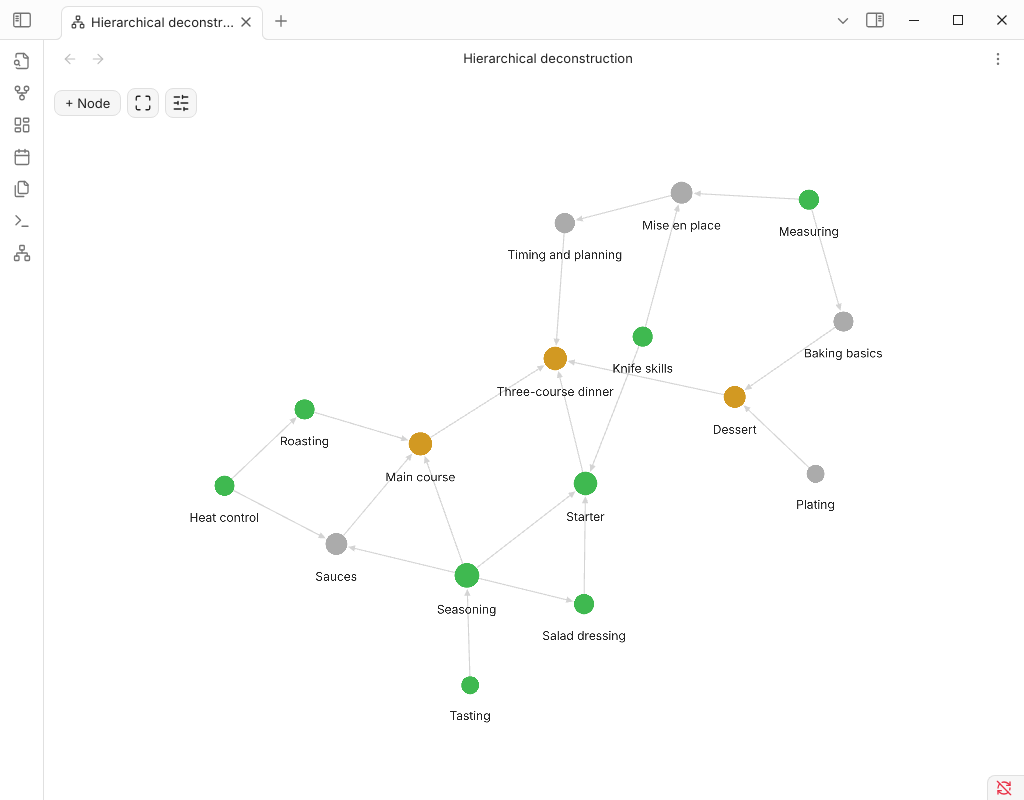
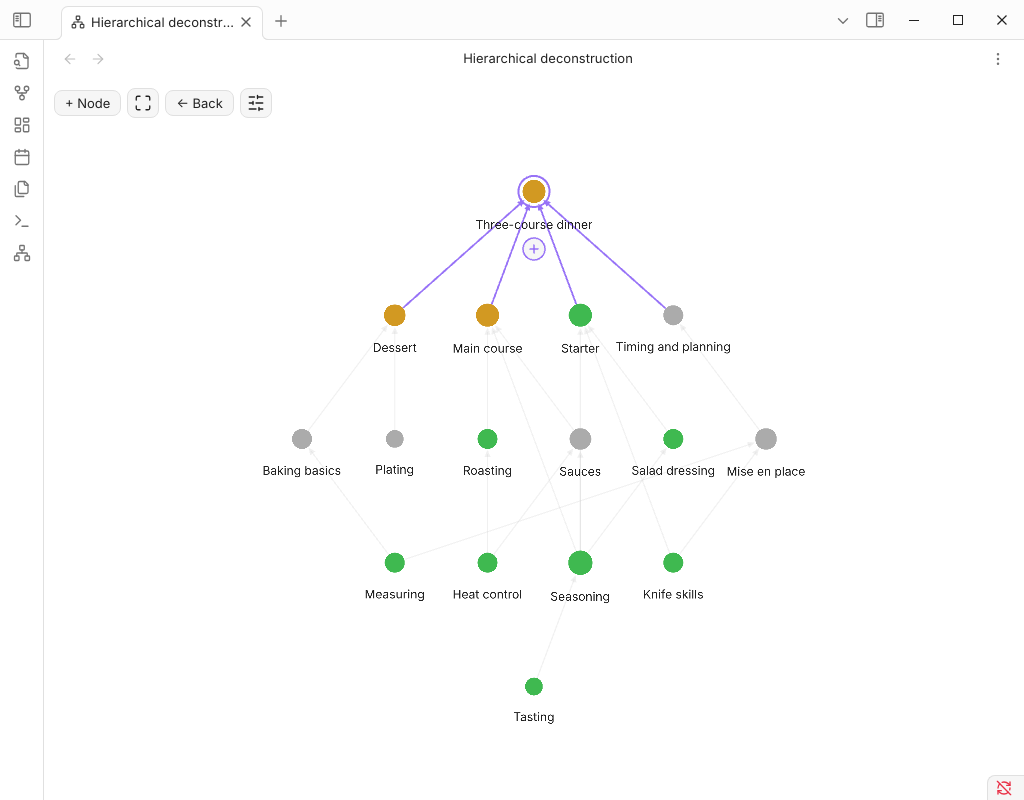
Build and browse skills as a hierarchy: each skill is built from its foundations. Focus view, states and quick creation of foundations.
HiDe — hierarchical deconstruction of skills
A graph where every skill is built from its foundations. Pick a skill and the camera zooms in: its foundations unfold beneath it, and faded "ghosts" above show what the skill is used for. Arrows point from foundation to skill.
How data is stored
Everything is plain notes — the plugin keeps no database:
---
requires: ["[[Empathy]]", "[[Sentence building]]"]   # what the skill is built from
state: done                                           # optional, sets the node color
---
requires are property links, so Obsidian's own graph, backlinks and rename-updates keep working. A skill is any note inside the plugin folder (default Hierarchical deconstruction) or any note with a requires property. Node positions, states and force settings live in the plugin's data.json.
Features
- Graph view (ribbon icon or command Open hierarchical deconstruction): click = focus, double-click = open note, right-click = menu.
- The interface is English; it switches to Russian automatically when Obsidian is set to Russian.
- + Node creates a new skill; the + under a selected node opens the same dialog and attaches the new node as a foundation of the selected one (an existing title is linked, not duplicated).
- Local graph of any note with adjustable depth.
- Editable states with colors; live force sliders (center, repel, link strength/distance, hierarchy pull, line width).
- Cycles are rejected: a skill can't be built from something built from it.
- Physics by d3-force and WebGL rendering (PIXI), like the core graph.
Install (manual)
Copy main.js, manifest.json, styles.css into <vault>/.obsidian/plugins/hide/ and enable the plugin.
Development
npm install
npm run build
Release: bump the version in manifest.json and versions.json, push a git tag equal to the version — the workflow publishes the release.
For plugin developers
Search results and similarity scores are powered by semantic analysis of your plugin's README. If your plugin isn't appearing for searches you'd expect, try updating your README to clearly describe your plugin's purpose, features, and use cases.