Hints Flow
approvedby slpbx
Capture from Telegram, WhatsApp, Slack, Email, SMS, Raycast and more using Hints AI Assistant.
Save data directly to Obsidian with specified template. Capture from Telegram, WhatsApp, Slack, Email, SMS, Raycast and more.
Hints Flow plugin
A Hints quick-capturing plugin for Obsidian.
You can save data directly to Obsidian with specified template from Telegram, WhatsApp, Slack, Email, SMS, Raycast and more.
Learn more about Hints integrations with Notion, Calendar, ClickUp, Trello, HubSpot, Pipedrive and Jira.
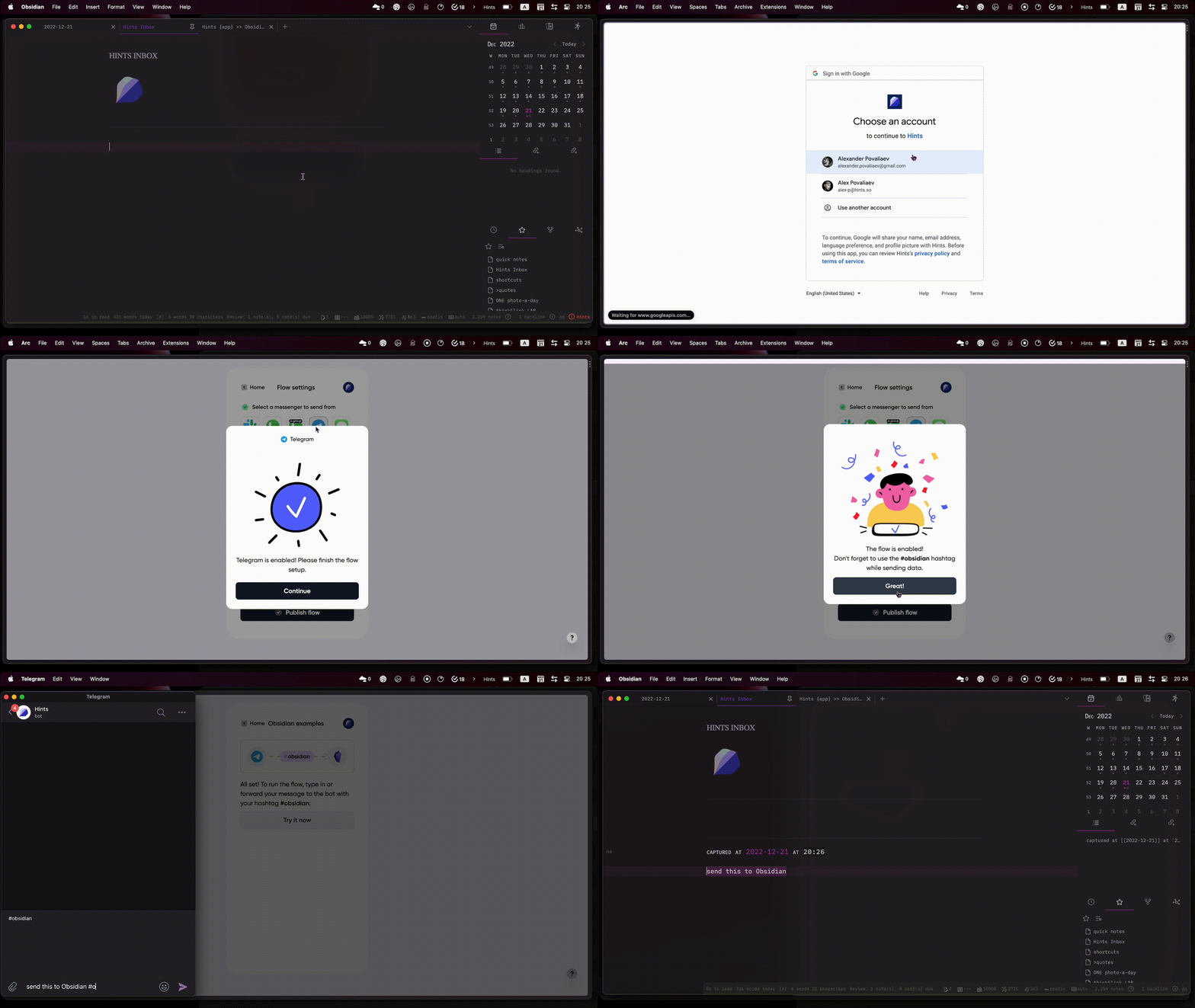
How to install
- Install the Hints Flow plugin from Obsidian marketplace
- Go to Hints Web App and create free account
- Hit
Create new flowand selectObsidiandestination - Choose one or more sources to capture from
- Select the tag that will be used for capturing (default
#obsidian)- if you only have one integration enabled, it will work without the # hashtag
- Click
Connect Obsidian, then go back to Hints app and clickPublish flow - Configure capturing template in
Hints Flowplugin setting in your Obsidian
How to use
- Forward or send any message to Hints bot via Telegram, WhatsApp or Slack
- Send via Email, SMS or capture with RayCast
- Review advanced use-cases and examples on our website
Don’t just store knowledge, move it forward!
For plugin developers
Search results and similarity scores are powered by semantic analysis of your plugin's README. If your plugin isn't appearing for searches you'd expect, try updating your README to clearly describe your plugin's purpose, features, and use cases.