HTML Shelf
approvedby Marco Gomiero
Browse and read the HTML files in your vault on mobile and desktop, without the file explorer. - This plugin has not been manually reviewed by Obsidian staff.
HTML Shelf
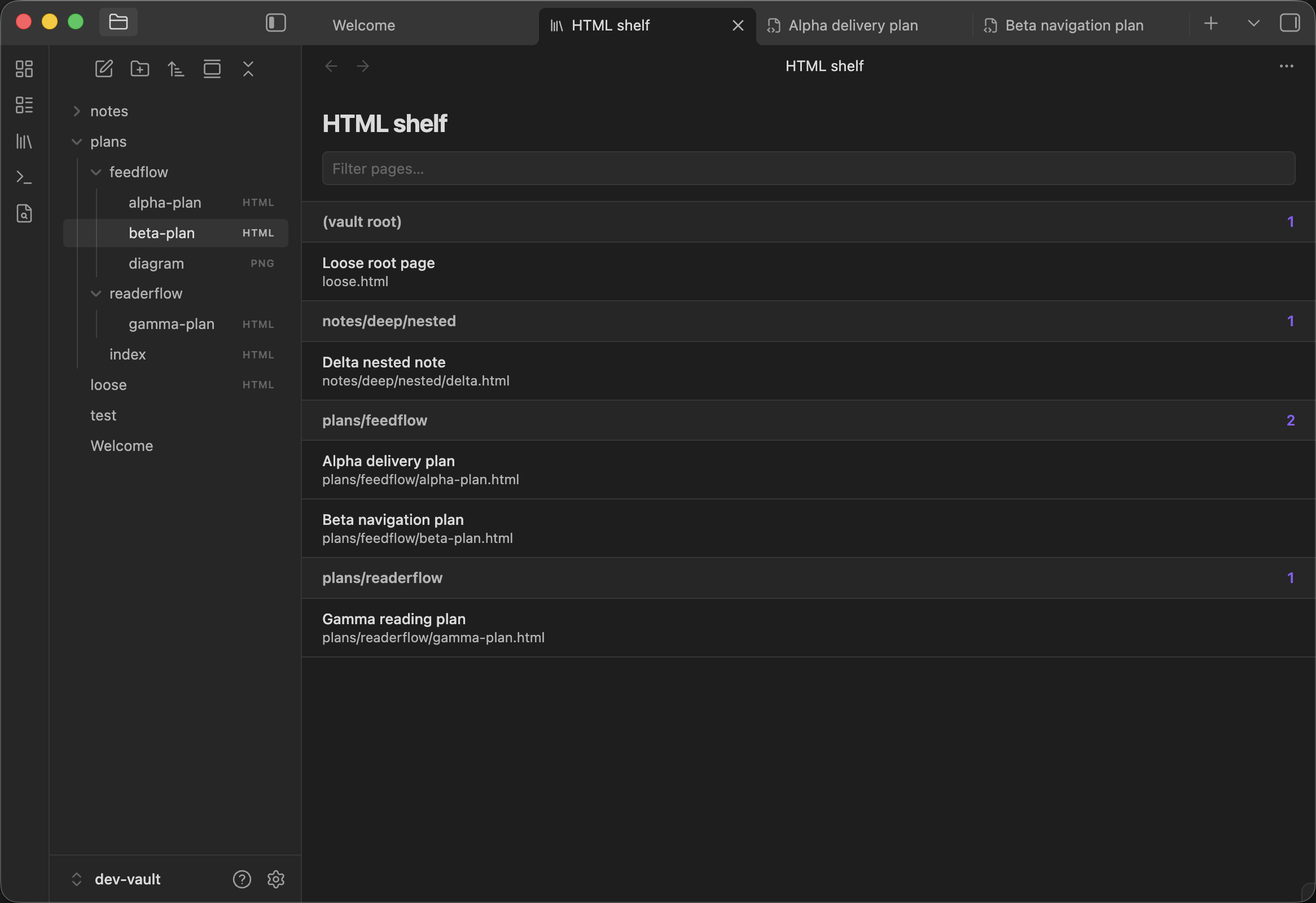
HTML Shelf discovers and reads the HTML files in your vault on mobile and desktop. It solves the awkward mobile workflow where HTML files are absent from Obsidian's file explorer or open in an external browser instead of alongside your notes.
Screenshots
Shelf on desktop
Shelf on mobile
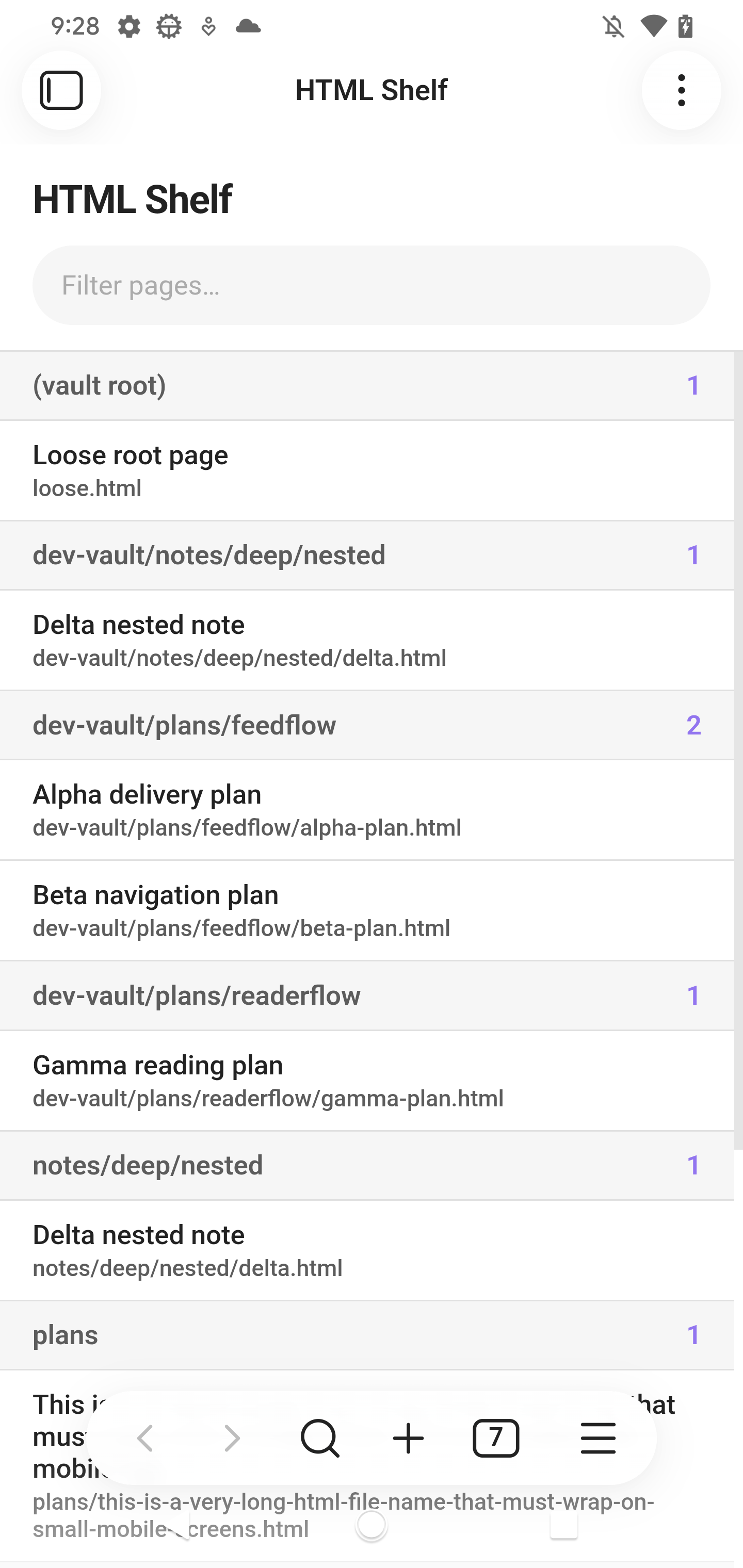
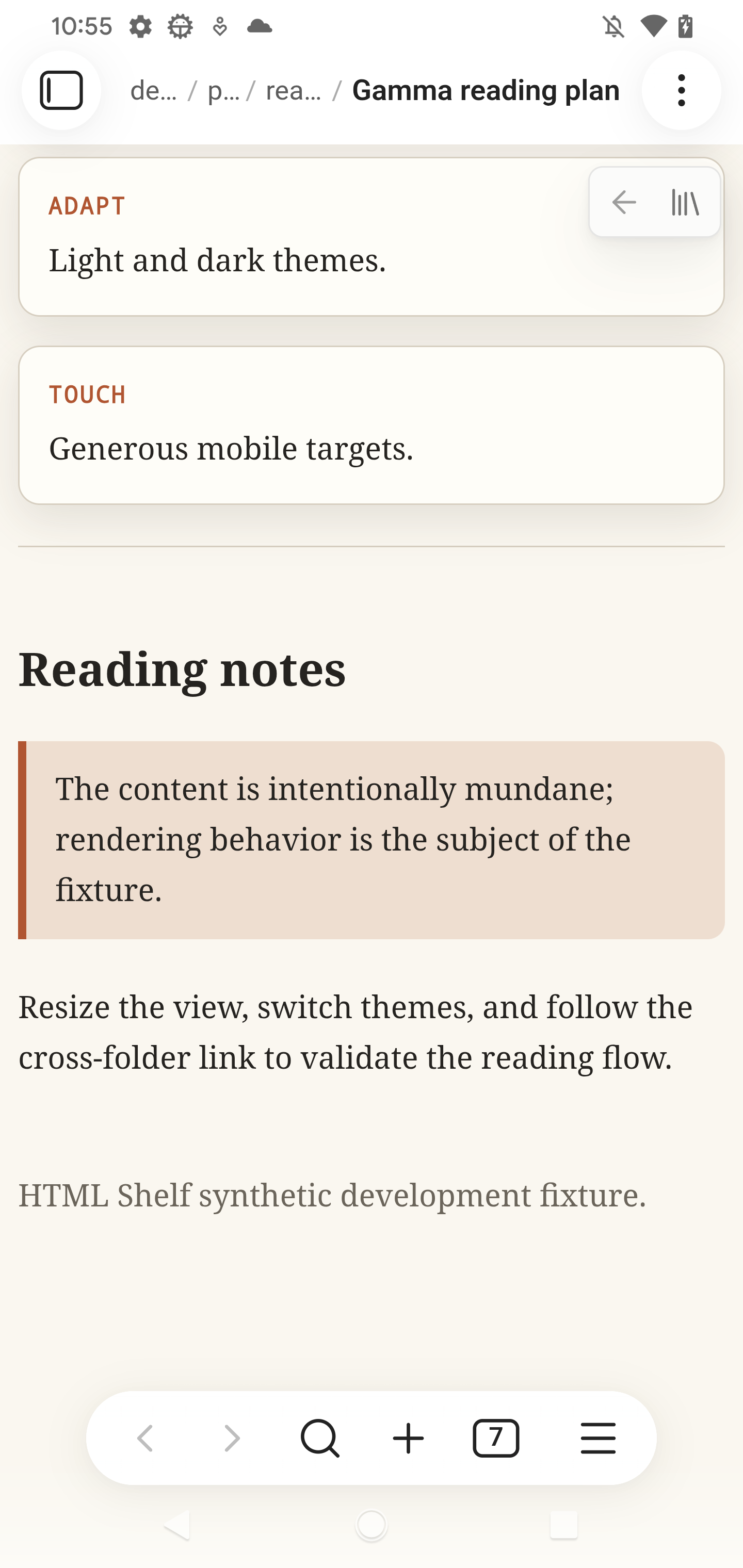
The screenshots use only the synthetic development vault included in this repository.
Install
Obsidian community plugins
- Open Settings → Community plugins in Obsidian.
- Select Browse and search for HTML Shelf.
- Select Install, then Enable.
Manual
- Download
main.js,manifest.json, andstyles.cssfrom the latest release. - Put all three files in
<vault>/.obsidian/plugins/html-shelf/. - Reload Obsidian, then enable HTML Shelf under Settings → Community plugins.
Obsidian Sync
Obsidian Sync does not sync .html and .htm files by default. If your HTML
library is stored on another device, enable Settings → Sync → Selective
sync → Sync all other types on both the source device and every device that
should receive the files. This setting is device-specific.
Restart Obsidian after changing the setting; on mobile, force-quit the app and reopen it. Wait for Sync to finish before opening HTML Shelf. Also confirm that the library folder is not listed under Excluded folders in the Sync settings.
Usage
- Select the library icon in the ribbon, or run HTML Shelf: Open shelf from the command palette.
- Type in Filter pages to search titles, paths, and sections.
- Select a page to render it inside Obsidian. Relative links to other HTML pages remain inside the plugin; the page bar provides Back and Shelf controls.
- Long-press a page on mobile, or right-click it on desktop, to open its menu. Copy path puts the vault-relative path on the clipboard, and Delete removes the file after confirmation. While viewing a page, its menu also includes Reload to read updated HTML from disk without reopening the file. Obsidian's deleted-files preference determines how deleted files are removed.
- Open Settings → HTML Shelf to include specific folders, exclude subtrees, or hide
.htmfiles from the shelf. Changes apply immediately.
index.html and index.htm files are treated as navigation targets and are not listed on the shelf.
Optional html-shelf.json curation
A folder may contain an html-shelf.json file to curate how pages beneath that folder appear:
{
  "title": "AI plans",
  "entries": [
    {
      "path": "feedflow/foo-plan.html",
      "title": "Foo plan",
      "section": "FeedFlow"
    },
    {
      "path": "readerflow/bar-plan.html",
      "title": "Bar plan",
      "section": "ReaderFlow"
    }
  ]
}
titleis an optional library display name.entriesis required. Every entry requirespathandtitle;sectionis optional.pathis relative to the folder containing the manifest. Absolute paths and paths containing..are rejected.- An explicit section is displayed as
<library title> · <section>when the manifest has a title, or simply<section>otherwise. - An entry without
sectionkeeps its normal scan-derived section, without the library-title prefix, so it remains grouped with unlisted siblings. - Unlisted HTML files still appear normally. A manifest curates; it does not hide files. Index files remain hidden.
- When nested manifests cover the same file, the deepest manifest wins.
- Invalid manifests are ignored, normal scanning continues, and Obsidian shows a notice.
Security
HTML Shelf treats vault HTML as untrusted content. Scripts, event handlers, embedded frames and objects, refresh redirects, executable URLs, remote stylesheets, and inline CSS @import rules are removed before rendering. Desktop and Android use a sandboxed iframe without script permission; iOS uses a sanitized, isolated Shadow DOM renderer because its WebView does not reliably support the same iframe navigation behavior.
Some network-capable content remains intentionally supported:
- Remote images and media referenced by a page may load, including tracking pixels.
- Inline CSS may fetch remote resources through
url(), including backgrounds, fonts, and cursors. - A referenced local CSS file is loaded unmodified and may itself import remote CSS.
These have the same privacy implications as opening that HTML in a browser. Review HTML from untrusted sources before adding it to your vault.
Limitations
- Relative links to non-HTML files, such as an image wrapped in an
<a>element, do not open in the initial release. - Relative paths are case-sensitive. A link whose casing differs from the vault file is reported as missing.
- Include .htm files affects the shelf listing only. A
.htmfile opened directly still renders. - HTML Shelf does not export or rewrite source files.
Contributing
Issues and pull requests are welcome. Install Node.js 20 or newer, then run:
npm ci
npm run check
Use the synthetic dev-vault/ fixtures for screenshots, tests, and bug reports. Do not commit content from a personal vault.
License
MIT © 2026 Marco Gomiero
For plugin developers
Search results and similarity scores are powered by semantic analysis of your plugin's README. If your plugin isn't appearing for searches you'd expect, try updating your README to clearly describe your plugin's purpose, features, and use cases.