Image Captions
approvedby Alan Grainger
Add captions to images with inline Markdown and link support. The caption format is compatible with the Commonmark spec and other Markdown applications.



Image Captions
Add an image in this format:
![[image.jpg|This is a caption]]
or this format:

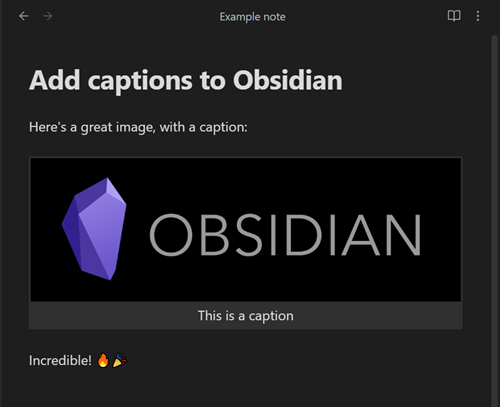
and it will add the caption underneath the image, like this:
Resize images
You can use the existing Obsidian width parameter to resize your images:
![[image.jpg|This is a caption|150]]
or this format:

Image alignment
You can center images or float them to the left and right, and resize also:
![[image.jpg|This is a caption|center]]

![[image.jpg|This is a caption|left]]

![[image.jpg|This is a caption|right|150]]
Markdown in captions
You can include inline Markdown and it will be rendered as part of the caption:
![[image.jpg|This is a caption with **bold text**]]
You can use Markdown links as normal:
]]
To use Wikilinks, you'll need to swap your square brackets [[]] for angle brackets <<>>:
![[image.jpg|This is a caption with <<a Wikilink>>]]
Use filename as caption
If you want to use the image filename as the caption, specify % as the sole text of your
caption, and it will replace that with the filename (without extension):
![[image.jpg|%]]
If you want to literally use the % character as the caption, you can escape it:
![[image.jpg|\%]]
If you want the filename including extension, use %.%.
Custom regex to filter caption
If you use other themes or plugins which require you to add data into the image description field, you can use a regex to remove those from the final caption. You will find this in the plugin Settings.
Two common examples would be from the ITS Theme, which lets you put |right etc to change the postion of your image.
To remove everything after the first pipe | character from your caption:
^([^|]+)
If you want to keep escaped pipes \| (in case you are using internal links), use:
^((\\\||[^|])+)
Styling
You can apply CSS styling by targeting the .image-captions-figure and .image-captions-caption classes.
External images
External images show their caption in both Reading and Editing / Live Preview modes:

This plugin was based on concepts from https://github.com/bicarlsen/obsidian_image_caption
For plugin developers
Search results and similarity scores are powered by semantic analysis of your plugin's README. If your plugin isn't appearing for searches you'd expect, try updating your README to clearly describe your plugin's purpose, features, and use cases.