Image Classify Paste
approvedby ostoe
Paste your image like Typora, the image link name not ![[Paste xxx]] but  with a relative directory.
Obsidian Image ClassifyPaste Plugin
This plug-in two features
1. Paste network image or local images using markdown standard syntax to make documents more compatible, The image will placed in the folder with the same name as the Markdown document.
example:
Suppose I am editing a file named Mytest.md, I will do the following:
- Copy image from Chrome Browers or local disk.
- Paste in
Mytest.mdmarkdown document. - The document will add one or more lines of content like this
![Paste Image 20230101.png]orwithout this plug-in, Imagee File location depends on software settings. Different from the default action, This plug-in allows you to insert pictures using standard Markdown link syntax, and will auto createMyTestdirectory which name same to markdown document. The pictures are placed in the directory with the same name and the same path as the markdown document.
PS: typora uses this way.
Demo:

2. Batch convert multiple image links in a markdown document to a compatible syntax format
Suppose there is a Mytest.md file, which has some content:
line one
line two
......
![[Paste Image xxxx1.png]]
![[Paste Image xxxx2.png]]
![[Paste Image xxxx3.png]]
......
Usage:
Ctrl + Psearch this plugin command withreconstrut-imageto batch convert multiple image links.- Auto Create
MyTestDirectory If not exist who's name same as markdown file. - Auto move multiple link file such as
Paste Image xxxx...pngtoMyTestdirectory, - update the markdown file content which
![[Paste Image xxxx1.png]]to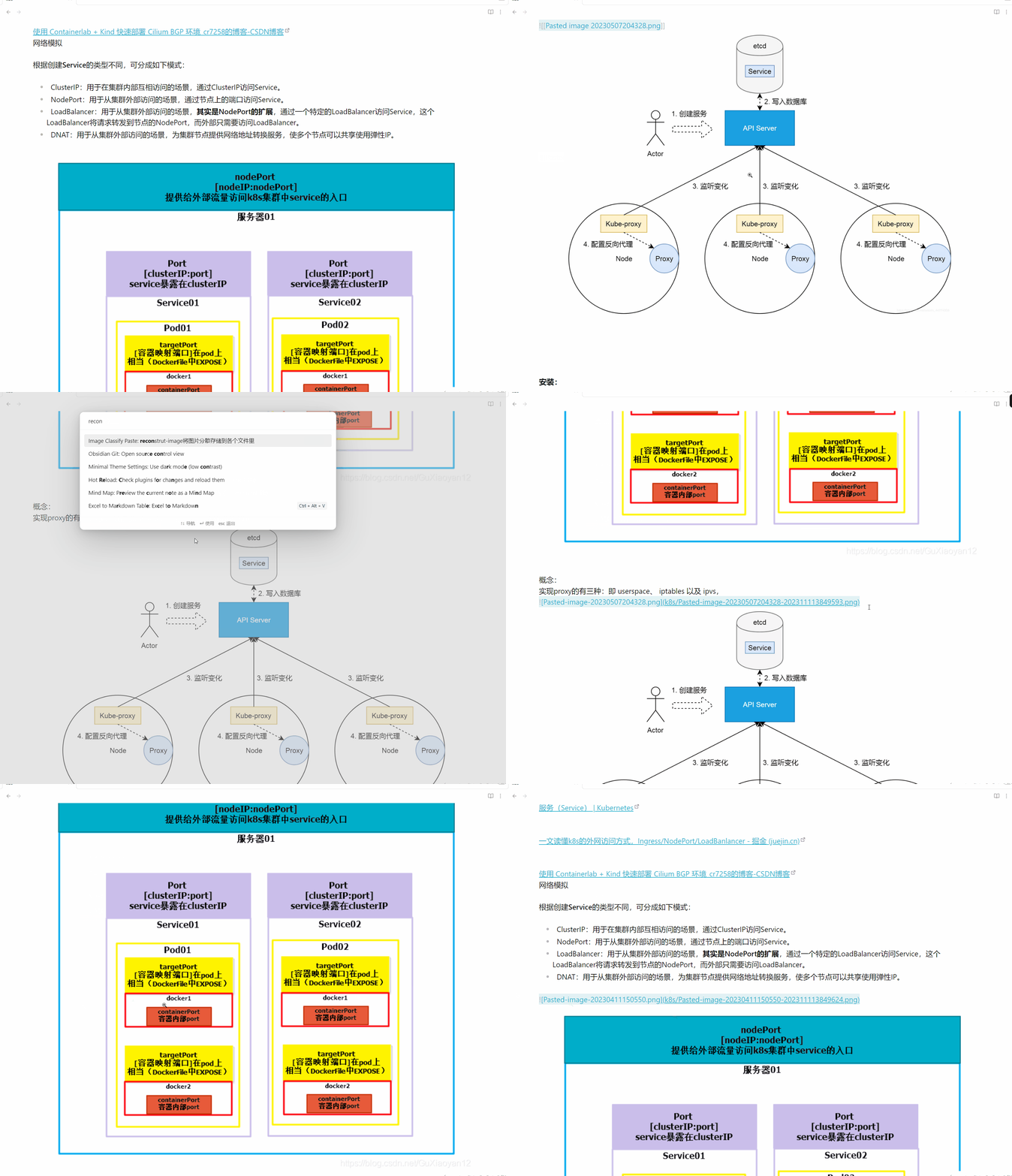
2024-01-16 v0.1.4
- Fixed some bug.
2024-01-15 v0.1.3
- Add Custom Path with
${filepath}Option.
2024-01-15 v0.1.2
- Fixed Custome Save Path: Distinguish between relative workspace path and relative current file path
- Plugin can able automatically save settings now.
2024-01-04 Updated functionality similar to typora settings
- Support setting relative storage location
- Support setting link transcoding (note that if there are spaces in the file, obsidian cannot recognize it, but typora can)
Fixed: Fixed the problem that if there is content before the line when pasting, it will be overwritten.
更新了类似于typora设置的功能
- 支持设置相对存储位置
- 支持设置文件链接转码(注意文件中有空格则obsidian无法识别,但typora可以)
TODO
- set paste name
- auto size
- Folder regular save; done!
调试快捷键:
如果更新了ob版本后 ,ctrl+shift+i无法调出devtool,在设置里面搜索“调试快捷键”,取消设置ctrl+shift+i,然后再使用该快捷键即可生效
macos: cmmand+option+i
For plugin developers
Search results and similarity scores are powered by semantic analysis of your plugin's README. If your plugin isn't appearing for searches you'd expect, try updating your README to clearly describe your plugin's purpose, features, and use cases.