IMDb
approvedby aaachen
Sync your IMDb list.
IMDb
Bring your IMDb data to Obsidian.
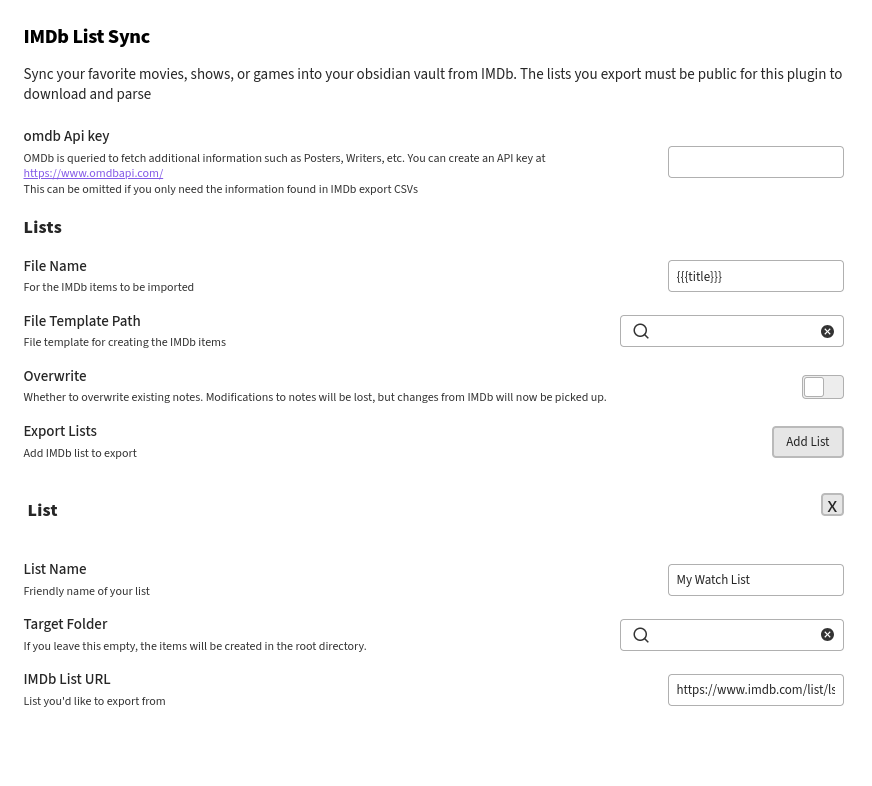
Setup Instructions
Prepare IMDb list to sync
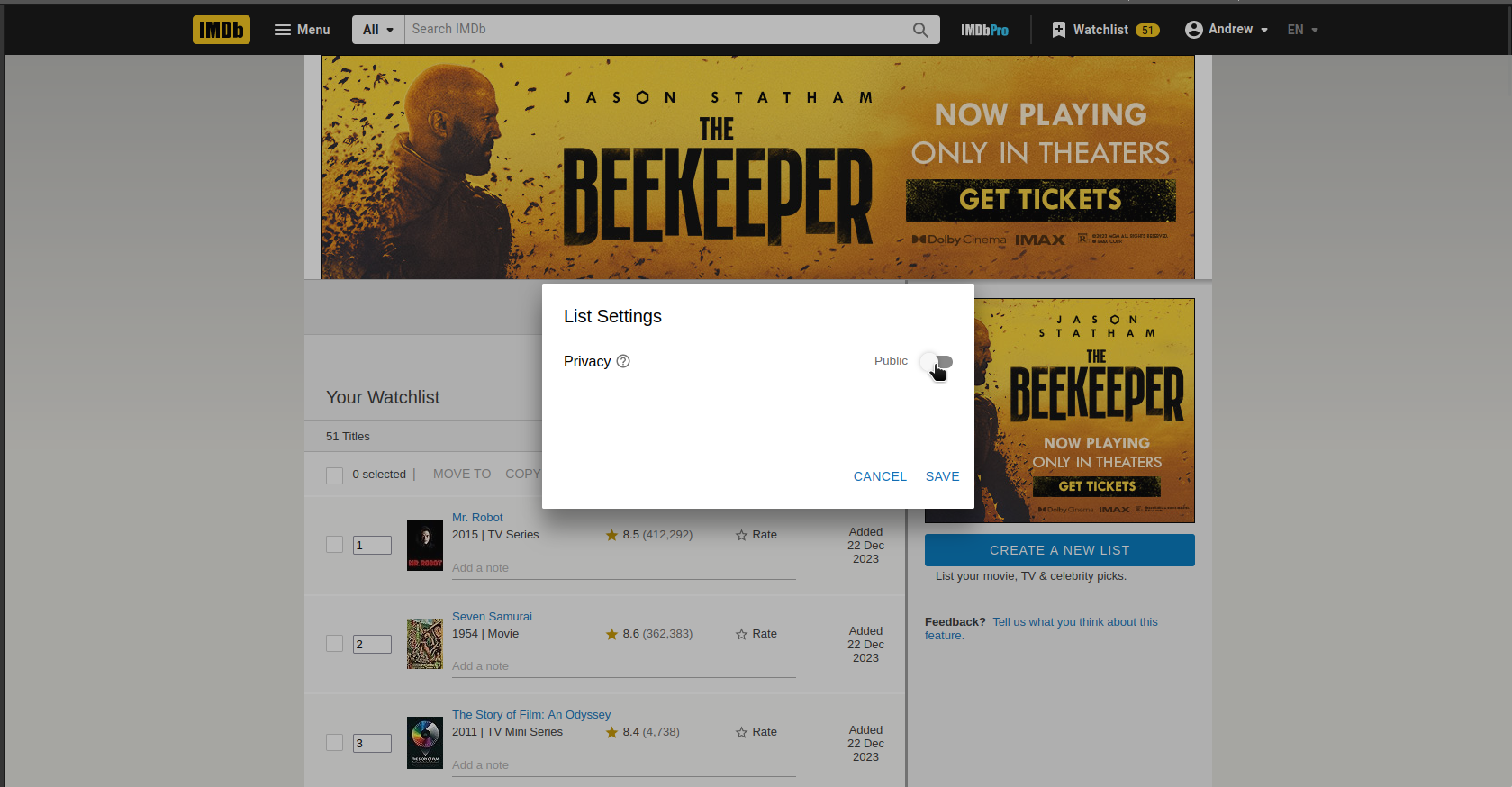
This plugin relies on the list to be public so it can download and parse the data.
At the time of writing, this can be configured under "Edit" > "Settings" at a given list page
Then, copy the list url. This url is in the format of https://www.imdb.com/list/ls502212336
- For
Watchlist, hover over theExport this listbutton at the bottom of the page, right click and selectCopy Link. See forum - For
My Ratings, click the menu, hover overExport, right click and selectCopy Link - For other lists, check the url in browser
(Optional) Create an OMDb key
OMDb is queried to fetch additional information such as Posters, Writers, Plot descriptions when creating the notes.
You can create an API key at https://www.omdbapi.com/
If you find the information in IMDb's CSV export to be sufficient, then this step is optional. However, I highly recommend it as I find the information on OMDb to be more complete and user-friendly
Creating a Template
This plugin requires you to specify a template, so you're given the maximum flexibility in structuring your notes. You can either use the Template plugin that Obsidian provides or Templater for more advance options. Examples for both are provided below
IMDb obsidian uses the mustache template language to define how the imported data is saved to Obsidian. You can find some helpful usage docs here
Example Templates
Variables available in the template
- id: The imdb id, Example:
tt0468569 - description: The description of the movie/show/game (i.e. plot)
- title: The show title
- imdbUrl: url on imdb
- type: The type of item, as provided in IMDb csv (i.e. movie, videoGame, tvSeries, tvMiniSeries)
- imdbRating: Rating on IMDb
- runtimeMin: Runtime in minutes
- year: Year the show is released
- releaseDate: Date the show is released
- genres: The genres
- votes: Number of votes on IMDb
- directors: Directors
- writers: Writers
- cast: Cast
- yourRating: Your rating on IMDb
- poster: Poster link
Running the Plugin
You can run the IMDb sync by executing the "IMDb Sync" command or by pressing the star ribbon in your menu bar.
Overwriting Notes
By default, once the plugin has synced an item from your list and created a note, that note will never be updated or changed, even if the data related to that item changes within your feed. For example if you sync a item, then give it a rating and sync again, that rating will not be synced to the note.
To have IMDb Obsidian overwrite old notes, toggle the overwrite plugin setting
on. This will cause IMDb Obsidian to always replace existing notes for items
with new ones. Be careful though - if you've made your own updates to the notes
files, they'll be lost on the next sync.
Output
In the end it's completely up to you how you style your notes for your movie/show/games. I use dataview to setup mine as follows:
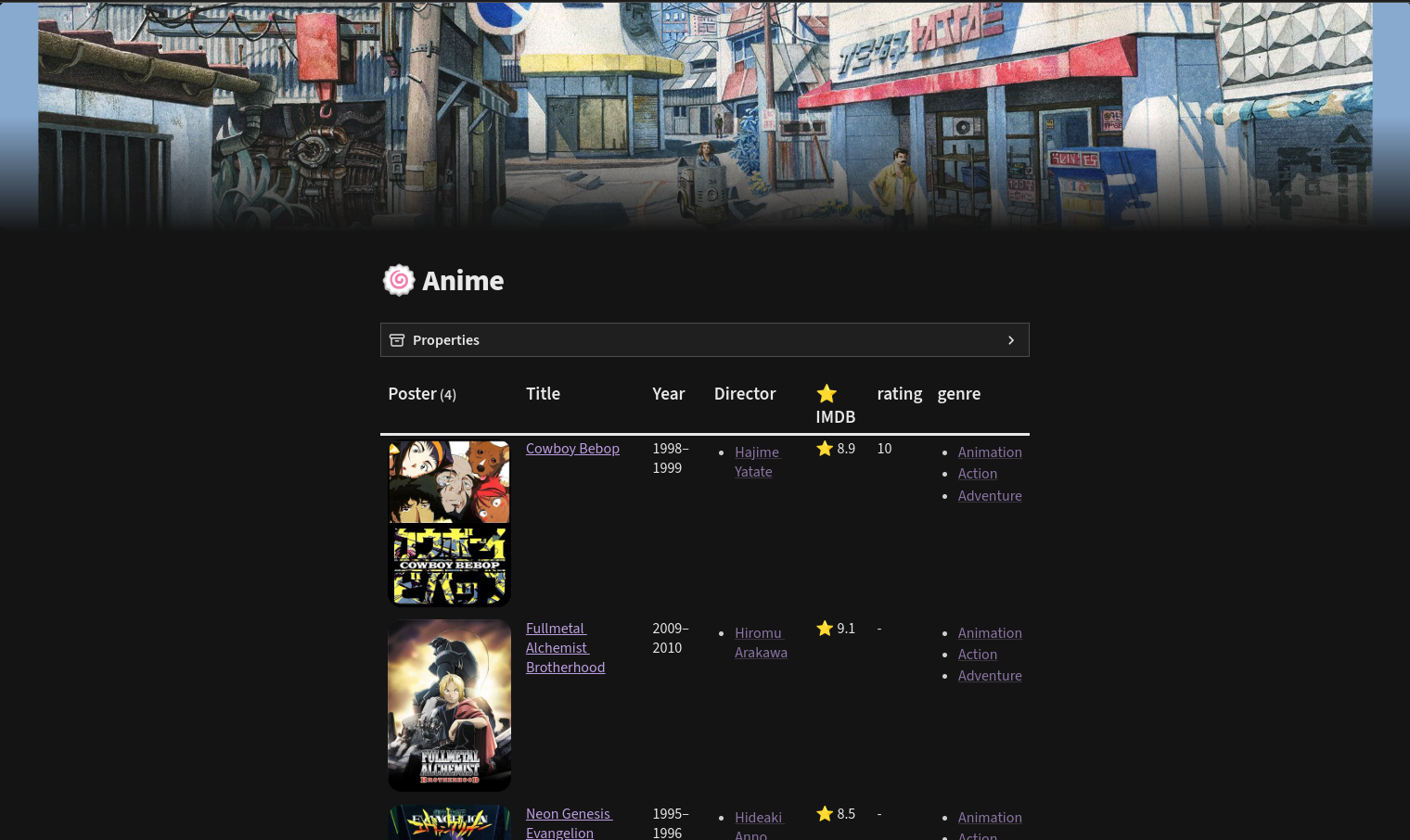
Dataview script:
table without id
(" as Poster,
file.link as Title,
year as Year,
director as Director,
"⭐ " + scoreImdb as "⭐ IMDB",
rating,
genre from "Entertainment"
where type = [[Series]] and contains(genre, [[Animation]])
Please check out the amazing work of these two here and here.
Credits
- This plugin is a fork of the Booksidian plugin, which I change things around for the IMDb usecase. Thanks both to Micha and Zachary who are the original author of plugin.
- Quickadd's movie.js for querying OMDb
For plugin developers
Search results and similarity scores are powered by semantic analysis of your plugin's README. If your plugin isn't appearing for searches you'd expect, try updating your README to clearly describe your plugin's purpose, features, and use cases.