Movie Search
approvedby gubchik123
Helps you find movies and create notes.
 Easily create movie notes.

Features
- Flow:
- Create a new movie note.
- Search for movies by keywords.
- Select the movie from the search results.
- Get the movie information immediately in the Obsidian note.
- Settings:
- Set the folder location where the new file is created.
- Set the template file location.
- Set up the services that you use to search for movies.
- Third-party plugins integration:
- Use the Dataview plugin to render the movie notes.
- Use the Templater plugin with.
- Advanced:
- Enables Inline scripts for templates.
How to install
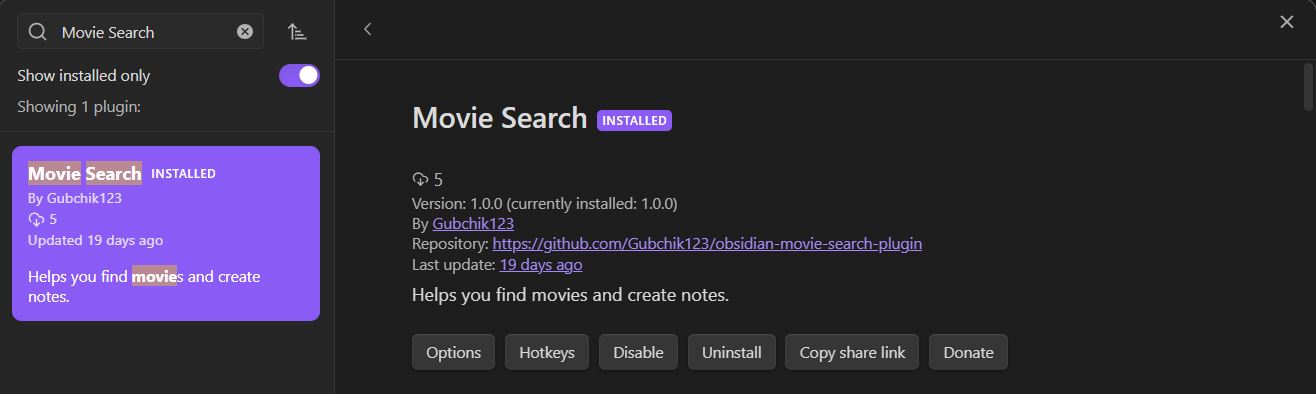
From Community Plugins
Click the link to install the Movie Search plugin: Install Link
OR
Search in the Obsidian Community plugins. And install it.
Manually (from GitHub)
Steps
- Clone the repository to your Obsidian plugins folder.
git clone https://github.com/Gubchik123/obsidian-movie-search-plugin.git
- Install the dependencies.
yarn install
- Build the plugin.
yarn build
- Reload Obsidian and enable the plugin in the settings.
How to use
1. Click the ribbon icon (star), or execute the command "Create new movie note".

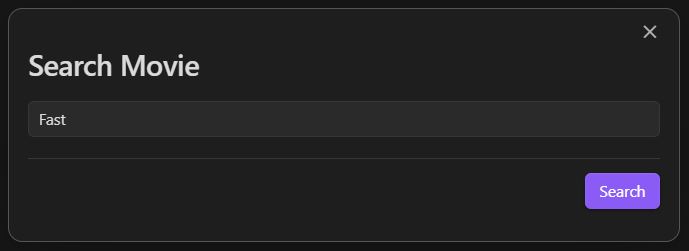
2. Search for movies by keywords.
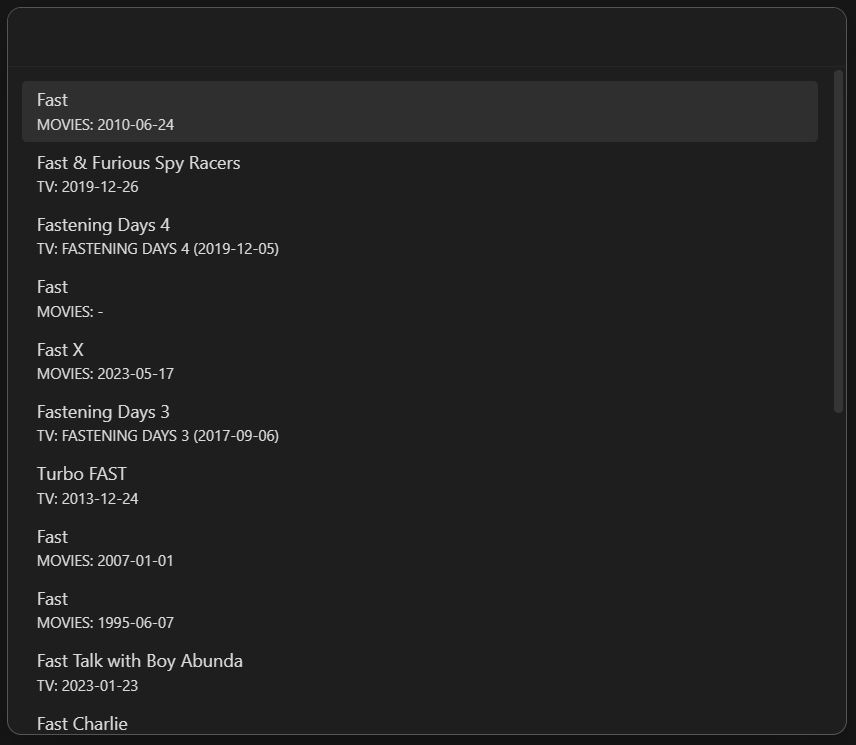
3. Select the movie from the search results.
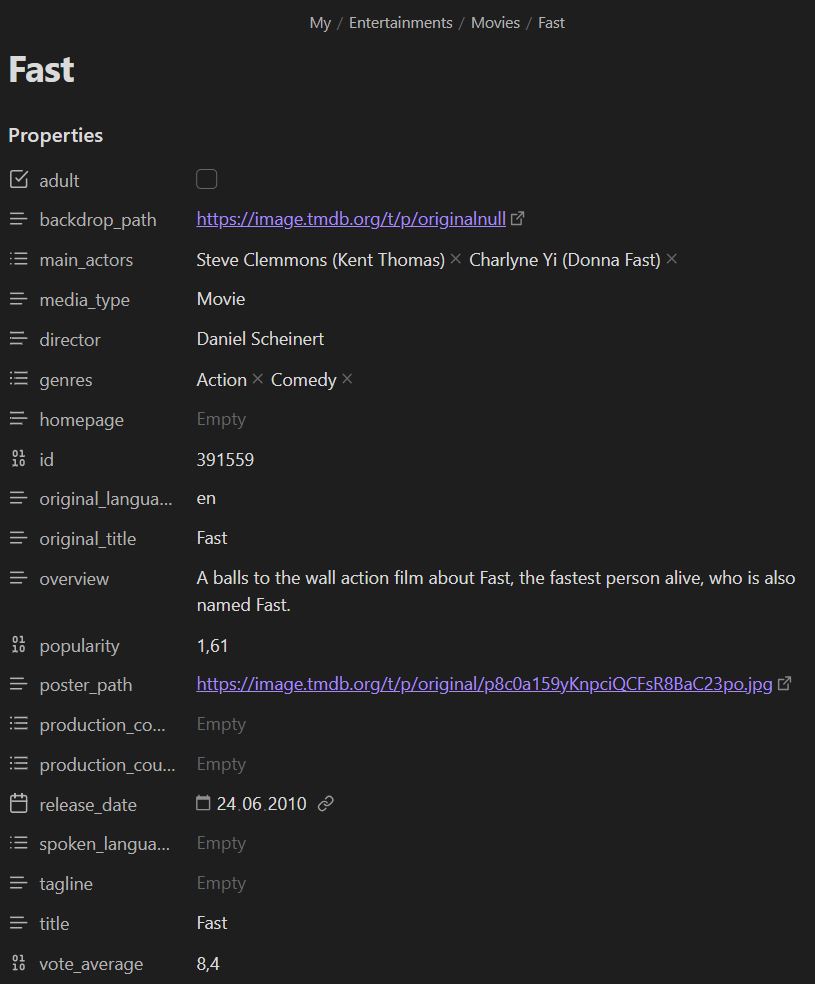
4. Voila! A note has been created.
How to use settings
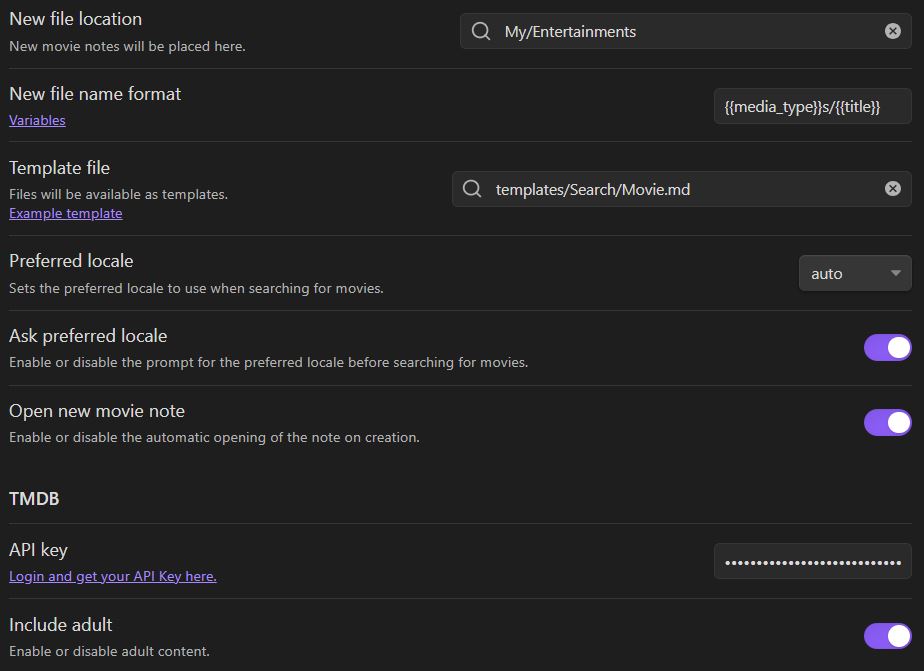
Options
New file location
Set the folder location where the new file is created. Otherwise, a new file is created in the Obsidian Root folder.
New file name format
Set the format of the new file name. The default is title of the movie.
Template file
You can set the template file location. There is an example template at the bottom.
Preferred locale
Set the preferred locale for the movie search. The default is 'auto', which means that the locale is automatically detected by user's query or browser settings.
Ask preferred locale
Enable or disable the asking of the preferred locale before searching for movies.
Open new movie note
Enable or disable the opening of the new movie note after creation.
TMDB Settings
API Key
Set the API key for TMDB.
You can get an API key from developer.themoviedb.org.
You can use either "Access Token Auth" (JWT) or "API Key Auth".
Include adult
Enable or disable the inclusion of adult content in the search results.
Example template
Personally I use the following template to create movie notes ;)
Please also find a definition of the variables used in this template below (look at: Template variables definitions).
templates/Search/Movie.md
---
created: "{{date:DD.MM.YYYY}} {{time:HH:mm}}"
tags:
- Entertainment
- { { media_type } }
status: TO WATCH
cover: "{{poster_path}}"
banner: "{{backdrop_path}}"
---
## 📺 -> {{title}}

### 1️⃣ -> Introduction
Title:: {{title}}
Tagline:: {{tagline}}
Release-date:: {{release_date}}
Rating:: {{vote_average}}
Vote-count:: {{vote_count}}
### 2️⃣ -> Summary
[Homepage]({{homepage}})
{{overview}}
### 3️⃣ -> My conclusion
...
#### Score:: 0
### 4️⃣ -> Global Information
Adult:: {{adult}}
Original-title:: {{original_title}}
Original-language:: {{original_language}}
Popularity:: {{popularity}}
Genres:: {{genres}}
Director:: {{director}}
Main-actors:: {{main_actors}}
Production-companies:: {{production_companies}}
Production-countries:: {{production_countries}}
Spoken-languages:: {{spoken_languages}}
### 5️⃣ -> TMDB information
ID:: {{id}}

The idea of the template was taken from the OB_Template. Look through the repository for more examples.
I use the Obsidian plugin Banners (in the note properties) to display the backdrop image.
Dataview rendering
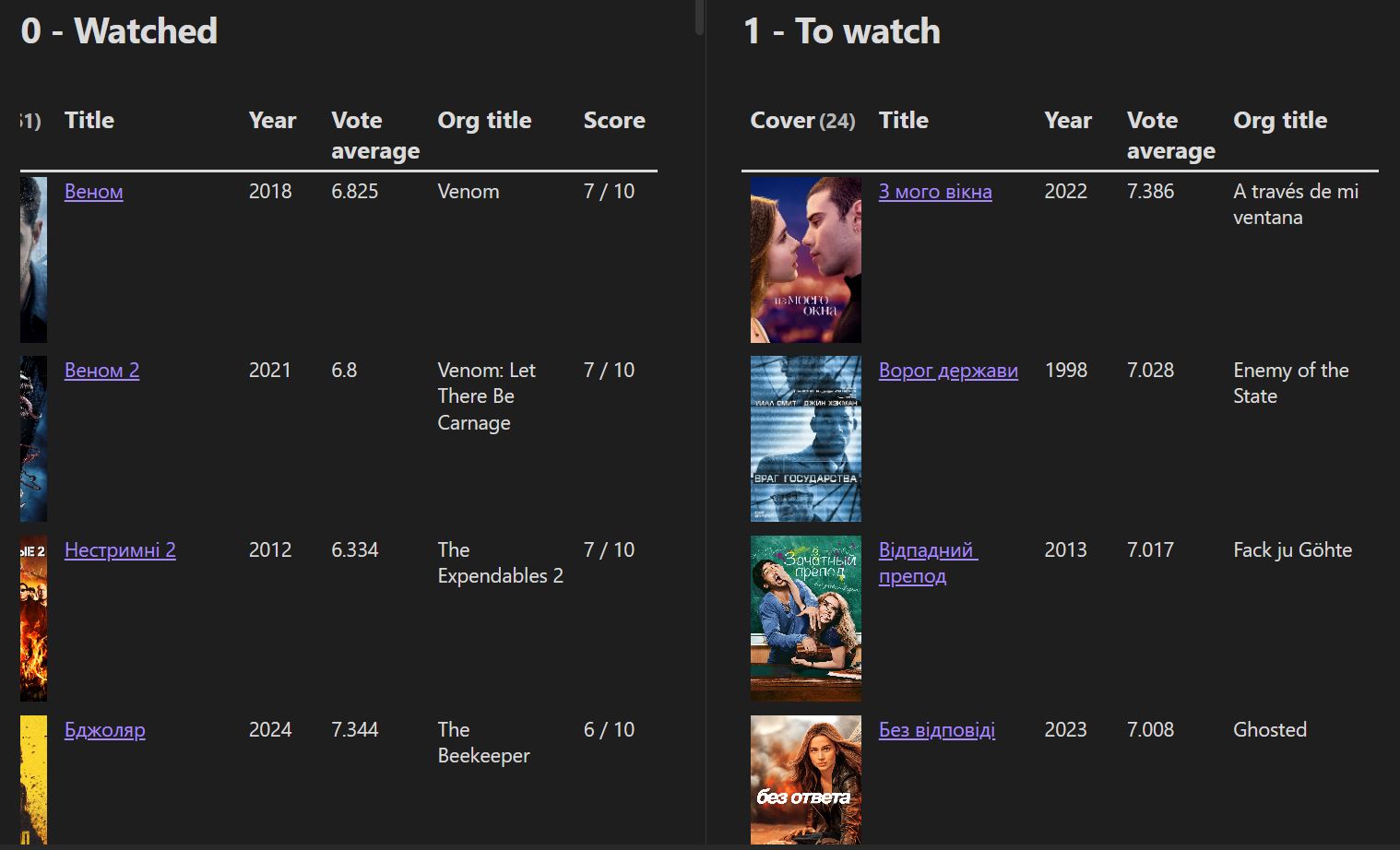
Here is the dataview query used in the demo
Examples
List of watched movies
```dataview
TABLE WITHOUT ID
"" as Cover,
link(file.link, Title) as Title,
dateformat(Release-date, "yyyy") as Year,
Vote-average as "Vote average",
Original-title as "Org title",
Score + " / 10" as Score
FROM "My/Entertainments/Movies" AND #Movie
WHERE status = "WATCHED"
SORT Score DESC, Vote-average DESC, Title ASC
```
List of movies to watch
```dataview
TABLE WITHOUT ID
"" as Cover,
link(file.link, Title) as Title,
dateformat(Release-date, "yyyy") as Year,
Vote-average as "Vote average",
Original-title as "Org title"
FROM "My/Entertainments/Movies" AND #Movie
WHERE status = "TO WATCH"
SORT Vote-average DESC, Title ASC
```
Template variables definitions
Please find here a definition of the possible variables to be used in your template. Simply write {{name}} in your template, and replace name by the desired movie data, including:
Table
| name | type | description |
|---|---|---|
| adult | boolean | The adult status of the movie. |
| backdrop_path | string | The backdrop image URL of the movie. |
| main_actors | string | The main actors of the movie. |
| media_type | string | It can be 'Movies' or 'TV'. |
| director | string | The director of the movie. |
| genres | string | The genres of the movie. |
| homepage | string | The homepage of the movie. |
| id | integer | The TMDB ID of the movie. |
| original_language | string | The original language of the movie. |
| original_title | string | The original title of the movie. |
| overview | string | The overview of the movie. |
| popularity | float | The popularity of the movie. |
| poster_path | string | The cover image URL of the movie. |
| production_companies | string | The production companies of the movie. |
| production_countries | string | The production countries of the movie. |
| release_date | string | The date the movie was published. |
| spoken_languages | string | The spoken languages of the movie. |
| tagline | string | The tagline of the movie. |
| title | string | The title of the movie. |
| vote_average | float | The average vote of the movie. |
| vote_count | integer | The vote count of the movie. |
| youtube_url | string | The youtube trailer URL of the movie. |
Advanced
Inline Script
Examples
To print out a movie object:
```json
<%=movie%>
```
or
```json
<%=JSON.stringify(movie, null, 2)%>
```
When you want to list or link genres:
---
Genres: <%=movie.genres.map(genre=>`\n  - ${genre}`).join('')%>
---

Genres: <%=movie.genres.map(genre => `[[Genre/${genre}]]`).join(', ')%>
License
Obsidian Movie Search Plugin is licensed under the MIT License.
Contributing
Feel free to contribute.
You can create an issue to report a bug, suggest an improvement for this plugin, ask a question, etc.
You can make a pull request to contribute to this plugin development.
Support
If this plugin helped you and you wish to contribute :)
Buy me coffee on buymeacoffee.com/Gubchik123

For plugin developers
Search results and similarity scores are powered by semantic analysis of your plugin's README. If your plugin isn't appearing for searches you'd expect, try updating your README to clearly describe your plugin's purpose, features, and use cases.