Imperial to Metric Converter
approvedby p0shkar
Plugin to convert measurements between imperial and metric. - This plugin has not been manually reviewed by Obsidian staff.
Imperial to Metric Converter
Plugin to convert measurements between imperial and metric.
Usage:
Use the command palette, right click menu or select text and run commands.
Examples:
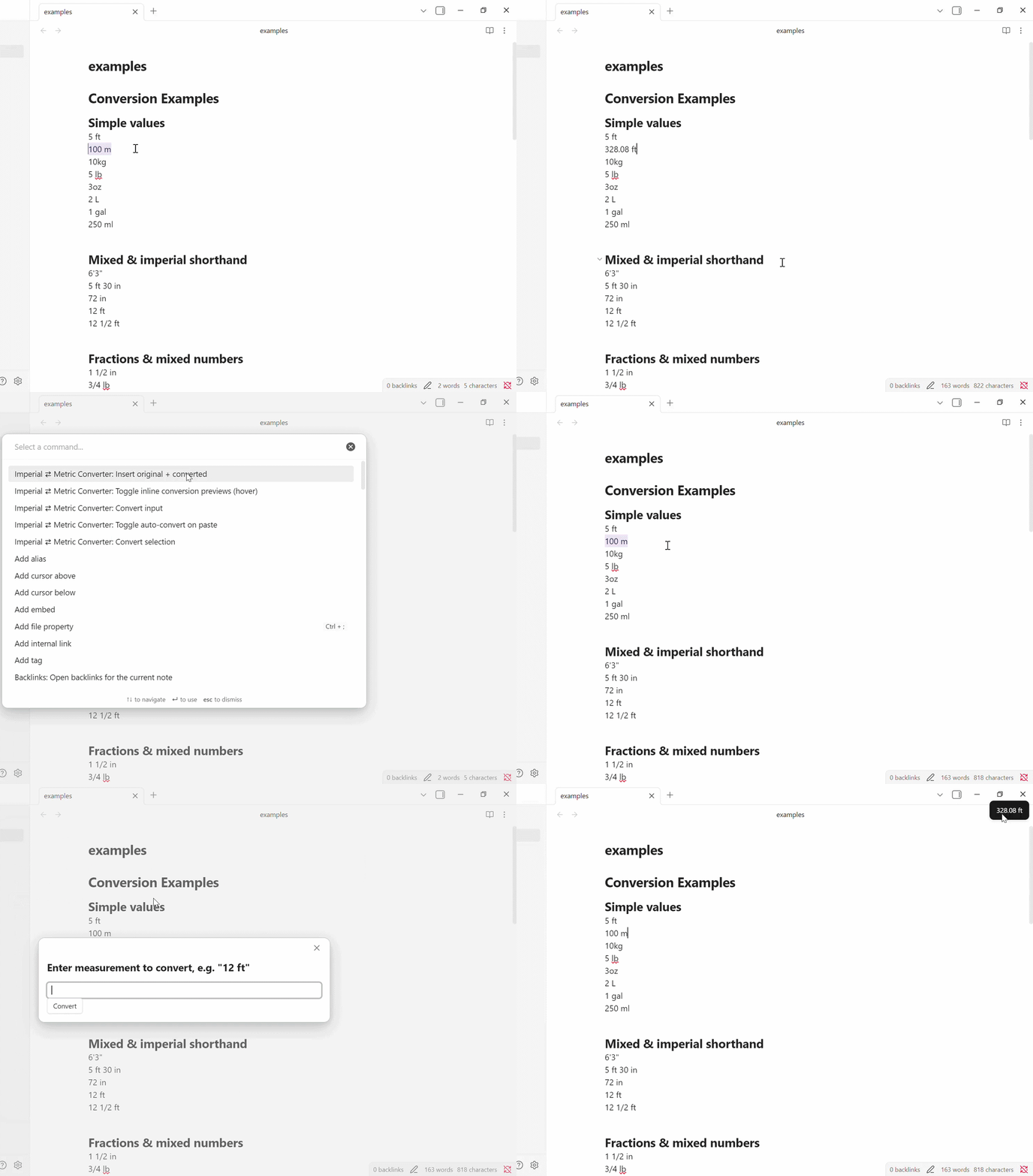
- Convert a simple value: select
12 ftand run "Convert selection" →3.66 m(default 2 decimals) - Mixed units: select
5 ft 3 in→ converts to1.60 m - Fractions: select
1 1/2 in→ converts to3.81 cm - Insert original + converted: select
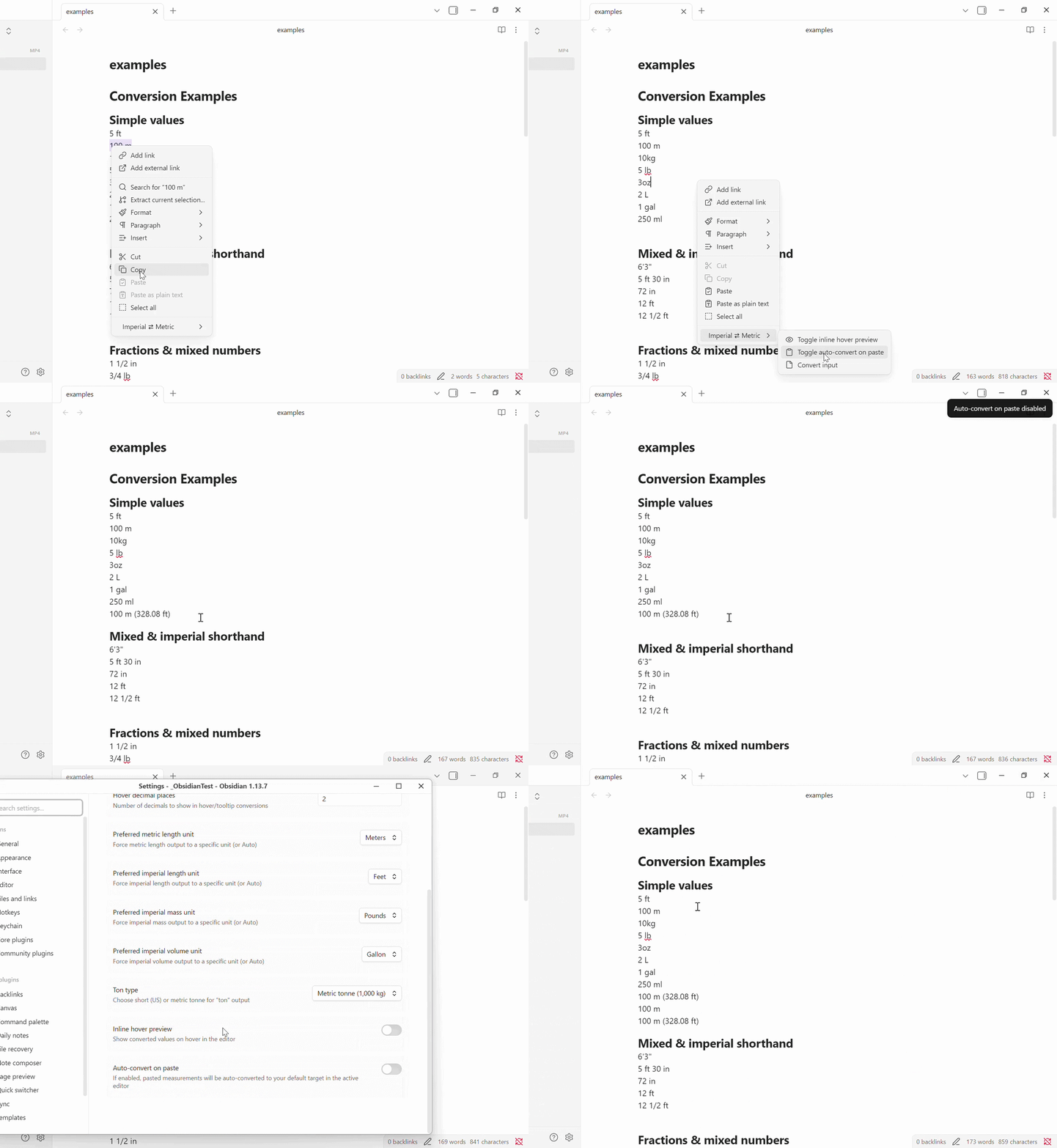
12 ftand run "Insert original + converted" →12 ft (3.66 m) - Auto-convert on paste: copy
5 ftand paste → converts to1.52 m
Features:
Conversion
- Convert selection: replaces
- Insert original + converted: inserts
original (converted)so you can keep both. - Input: prompts for an input value which is displayed but not inserted into the document.
Hover Preview
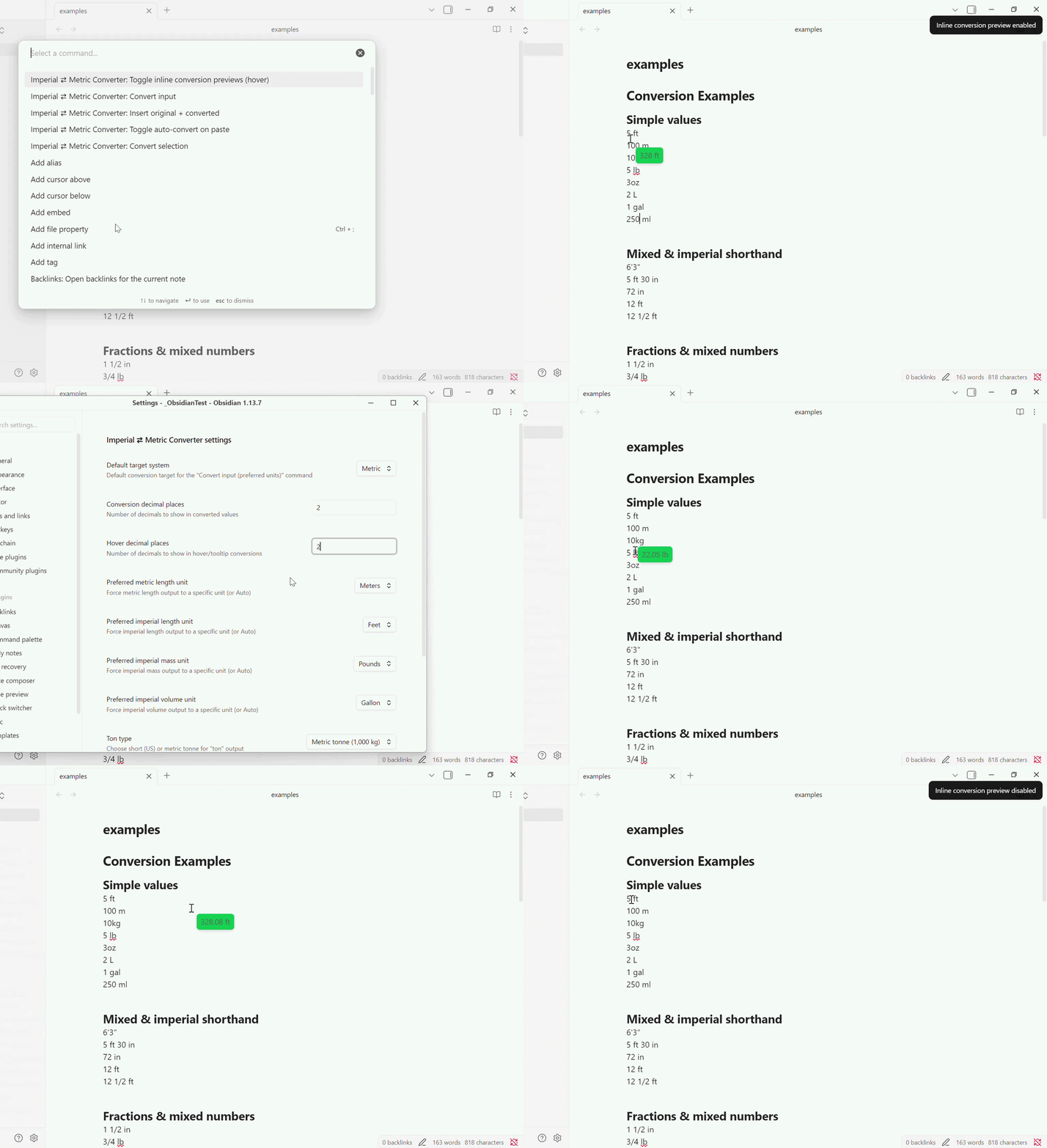
- Toggle: inline hover preview to show converted values on mouseover in the editor.
- Different decimal settings: you can configure how many decimals the converted value will be and set a different number of decimals that the hover preview will show.
Auto-Convert on Paste
- Toggle: auto-convert pasted measurements into the active editor (opt-in setting).
Parsing
- Parses fractions (
1/2), mixed numbers (1 1/2) and mixed-unit expressions (5 ft 3 in).
Supported units (aliases recognized):
- Length (imperial):
in,ft,yd,miand many spelled forms and localized names (inch, inches, foot, feet, pulgada, zoll, etc.) - Length (metric):
mm,cm,m,kmand spelled forms (meter, metre, metro, etc.) - Mass (imperial):
oz,lb,st,ton(configurable ton: short/metric) - Mass (metric):
g,kg,t(tonne) - Volume:
cup,pt,gal,l,ml- uses US definitions for gallon/pint
Settings
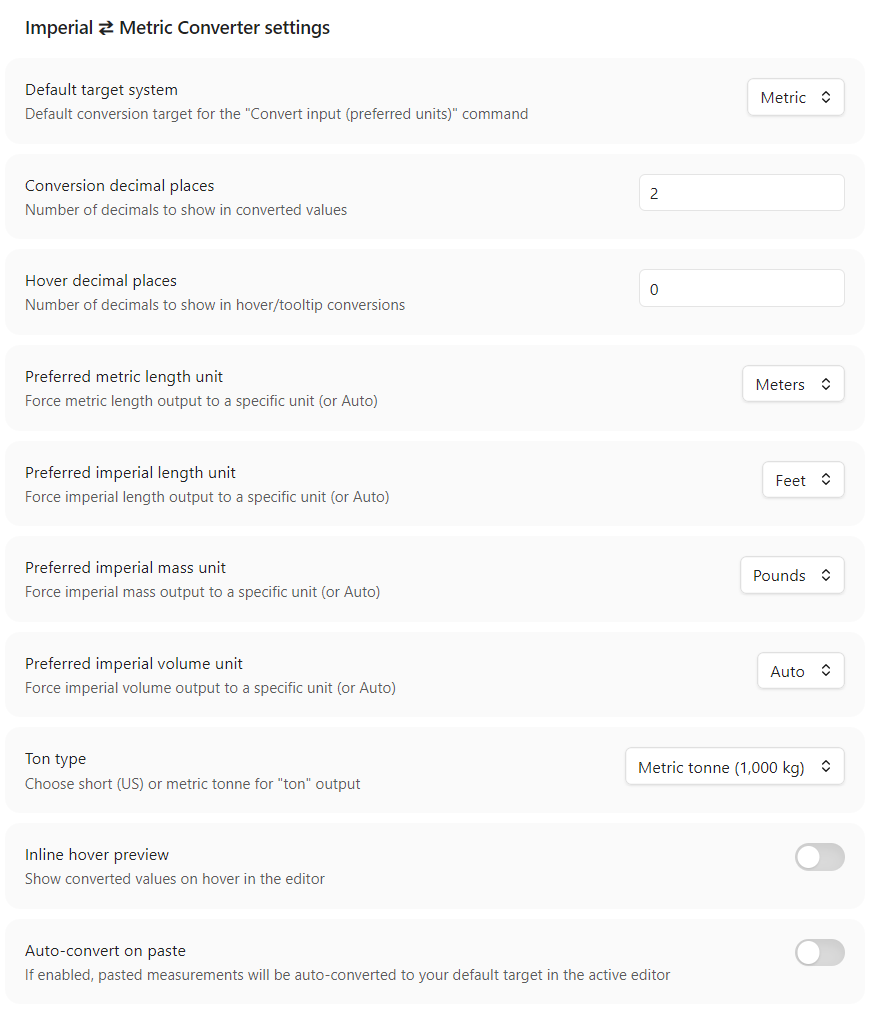
- Define the default measurement system (Metric or Imperial)
- Specify number of decimals when converting and when hovering
- Define preferred units of measurements or set it to auto to let the plugin decide
- Toggle Inline Hover and Auto-Convert on Paste settings.
Known limitations:
- Parsing relies on heuristics and regexes; some complex or ambiguous text may not be parsed correctly.
- Hover preview uses a simple line-based heuristic and may show the first matching measurement on a line rather than the exact token under the cursor.
- This plugin does not currently provide unit-aware rounding strategies beyond the configured decimal places.
- Localization: unit aliases include several common translations but are not exhaustive.
- Edge cases: nested brackets, multiple measurements on the same line, or inline Markdown formatting may interfere with parsing.
- If you see incorrect gallon/pint conversions, note this plugin currently only uses US definitions for gallon/pint/ton.
To Do:
- Adding an "input" button when using the "Convert Input", so the conversion is pasted into the current document and not only displayed.
- Add conversions for temperatures.
- Add support for multiple values in a sentence (the same row of text).
- Add support for "inches" and not just "in".
- Add support for missing symbols (eg. "'" for feet).
- Change "mL" to "ml".
- Add support for ranges (eg. "10-15 ft" or "3-5 cm").
- Make dynamic options for the toggles, eg. make the text change in the right click menu and command palette update from "enable ..." to "disable ..." instead of the more general "toggle ...".
- Background color selection for the inline hover.
Install from the Obsidian Community Plugin store
- Open Obsidian.
- Go to Settings -> Community plugins.
- Make sure Safe Mode is off.
- Click Browse.
- Search for "Imperial to Metric Converter".
- Click Install, then Enable.
- Open the plugin settings and configure your preferences.
Caveat
I'm not a developer, therefore this plugin and its current implementation are largely vibe coded. The feature set is functional, but the codebase may still contain rough edges, assumptions, and areas that need cleanup or hardening.
Contributing
Contributions are what make the open source community such an amazing place to learn, inspire, and create. Any contributions you make are greatly appreciated.
License
This project is licensed under the MIT License - see the LICENSE file for details.
Contact
Oskar Norén - p0shkar
Project Link - ImperialToMetric-for-Obsidian
Support
Support me with liquid energy:

For plugin developers
Search results and similarity scores are powered by semantic analysis of your plugin's README. If your plugin isn't appearing for searches you'd expect, try updating your README to clearly describe your plugin's purpose, features, and use cases.