Interval Timer
approvedby tamiroh
Run focus and break cycles using methods like the Pomodoro Technique, and record completed intervals on your Markdown task lines. - This plugin has not been manually reviewed by Obsidian staff.
⏰ Interval Timer
Run focus and break cycles using methods like the Pomodoro Technique, and record completed intervals on your Markdown task lines.


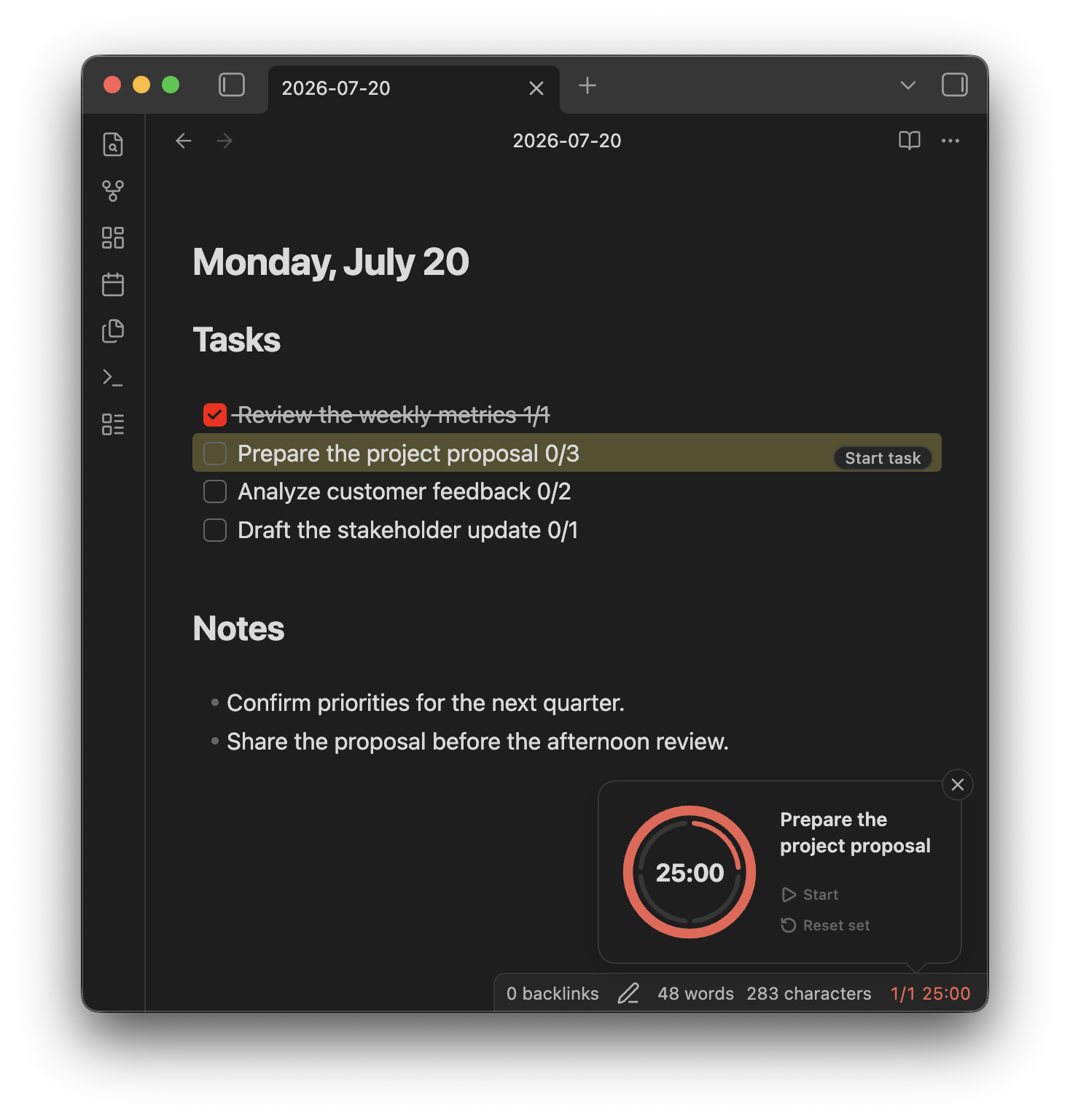
Concept
- Compact by design — A small timer with controls that appear when needed. No dedicated pane, leaving more room for your notes.
- Start where you plan — Start a focus session directly from a Markdown task line.
- Keep effort visible — Record completed intervals alongside your estimate, even before a task is done.
Quick Start
Start from the status bar
Click the timer in the status bar to start a focus interval. Hover over it to access the timer controls.
Start from a task line
Add completed and estimated intervals to a task:
- [ ] Prepare the project proposal 0/3
Place the cursor on the task and click Start. Each completed focus interval updates the task automatically (0/3 → 1/3).
Features
- Focus and break cycles — Set your own focus, short break, and long break durations, and choose how many focus intervals come before a long break. The interval count resets daily at midnight.
- Task line tracking — Start a timer from a task line and the task stays highlighted while it is tracked, with its count updated as intervals complete.
- Your call when time is up — Move on to the next interval automatically, or keep counting past zero until you decide to stop.
- Notifications that fit your setup — Choose a system or in-app notification, and add a screen flash when you need something harder to miss.
- Sound to keep the rhythm — A clock tick and background white noise during focus, plus a time's up sound, each with its own volume.
- Desktop and mobile — A status bar timer on desktop, a floating timer on mobile. The running timer and the tracked task survive a reload.
- Commands for every control — Start, pause, reset, and skip are available as commands, ready to bind to hotkeys.
For plugin developers
Search results and similarity scores are powered by semantic analysis of your plugin's README. If your plugin isn't appearing for searches you'd expect, try updating your README to clearly describe your plugin's purpose, features, and use cases.