Word Splitting for Japanese in Edit Mode
approvedby sonarait
Forked from Simplified Chinese Word Splitting
A patch for Obsidian's built-in CodeMirror Editor to support Japanese word splitting.
Word Splitting for Japanese in Edit Mode
A patch for Obsidian's built-in CodeMirror Editor to support Japanese word splitting
Obsidian内蔵のCodeMirrorエディタが日本語の単語分割をサポートするためのパッチ.
This plugin is based on the chs word splitting module by @linonetwo and modified to Japanese version.
For Japanese word segmentation, we used tiny-segmenter created by Taku Kudo.
Special Thanks to @linonetwo and Taku Kudo!
Demo
| Obsidian's Default Word Splitting パッチを適用していない場合 | Patched パッチを適用した場合 |
|---|---|
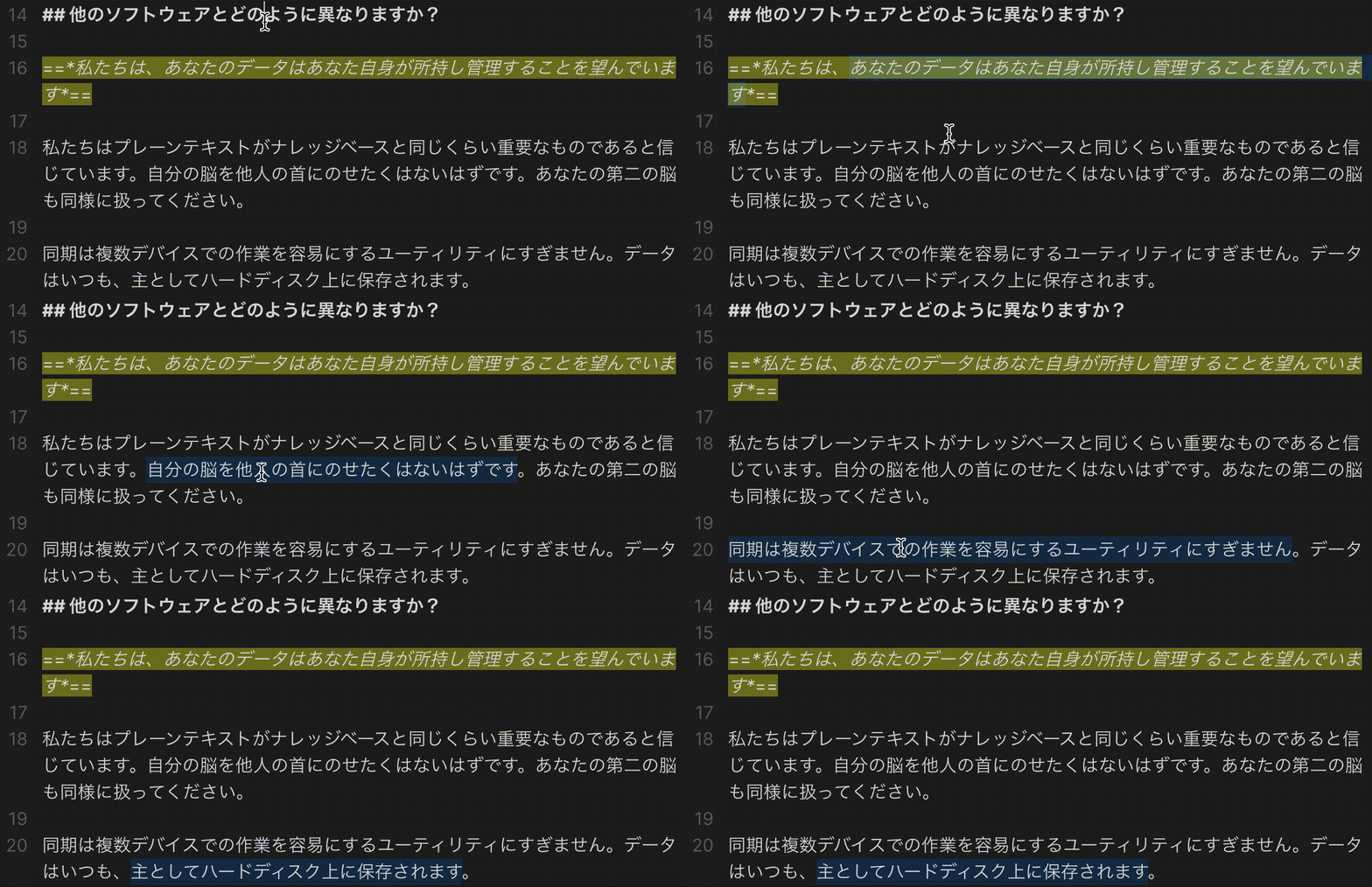 | 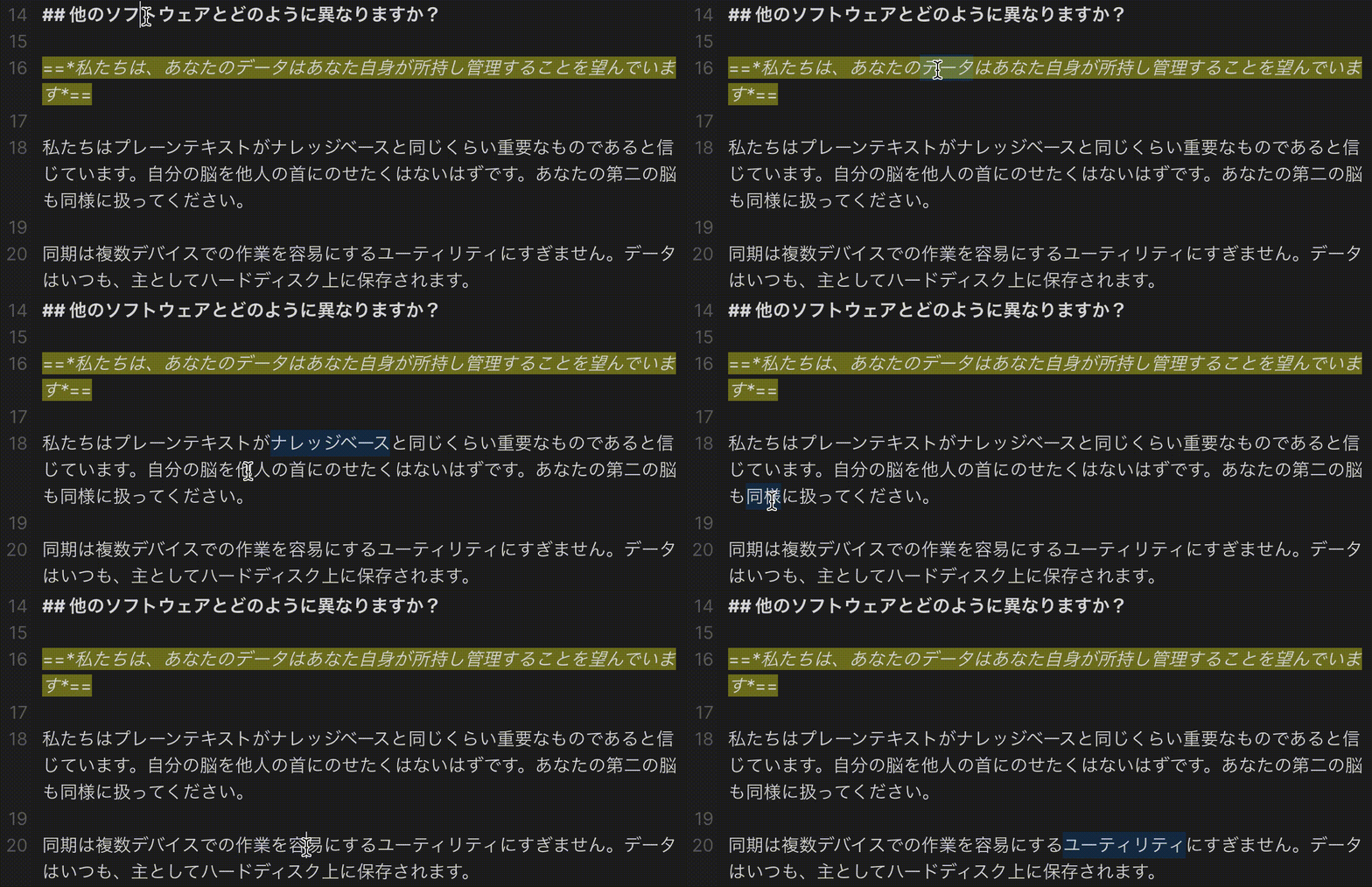 |
Compatibility
The required API feature is only available for Obsidian v0.13.8+.
必要なAPI機能は,Obsidian v0.13.8+でのみ利用可能です.
Installation インストール方法
From Obsidian
- Open
Settings>Community plugin - Make sure Safe mode is off
- Click
BrowseinCommunity plugins - Search for this plugin
- Click
Install - Once installed, click
Enableand the patch is ready to use.
設定からコミュニティプラグインを開きます.- セーフモードがオフであることを確認します.
コミュニティプラグインの閲覧をクリックします.- このプラグインを検索します.
インストールをクリック- インストールが完了したら,
有効化を押すことで,パッチは使用可能な状態になります.
From GitHub
- Download the Latest Release from the Releases section of the GitHub Repository
- Put files to your vault's plugins folder:
<vault>/.obsidian/plugins/japanese-word-splitter - Reload Obsidian
- If prompted about Safe Mode, you can disable safe mode and enable the plugin. Otherwise head to Settings, third-party plugins, make sure safe mode is off and enable the plugin from there.
Note: The
.obsidianfolder may be hidden. On macOS you should be able to pressCommand+Shift+Dotto show the folder in Finder.
- GitHubリポジトリのReleasesからLatest Releaseをダウンロードします.
- vaultのpluginsフォルダにファイルを配置します.
<vault>/.obsidian/plugins/japanese-word-splitterにファイルを置きます. - Obsidianをリロードします.
- セーフモードについてプロンプトが表示されたら,セーフモードを無効にしてプラグインを有効にすることができます.それ以外の場合は,
設定からコミュニティプラグインに移動し,セーフモードがオフになっていることを確認し,そこからプラグインを有効にしてください.
注意:
.obsidianフォルダは隠されている可能性があります.macOSでは,Command+Shift+Dotを押すと,Finderでフォルダを表示できるはずです.
For plugin developers
Search results and similarity scores are powered by semantic analysis of your plugin's README. If your plugin isn't appearing for searches you'd expect, try updating your README to clearly describe your plugin's purpose, features, and use cases.