by markuslitz
Turn daily notes into an interactive diary feed, vertical timeline, or two-page book view with mood & weather tracking, photo galleries, calendar insights, and Day One import.
Journalify
Journalify turns your plain Markdown daily notes into an interactive diary feed, vertical timeline, or two-page book view directly inside Obsidian — with 0 runtime dependencies, full Desktop & Mobile support, and zero proprietary lock-in.
Features
- 100% Plain Markdown & YAML Frontmatter
- Reads and writes your standard Obsidian daily notes (
YYYY-MM-DD.md,YYYY-MM-DD_dddd.md, or nested folders likeYYYY/MM/YYYY-MM-DD.md) without creating a proprietary database. - Automatically detects folder, date format, and template settings from Core Daily Notes or Periodic Notes, and supports multiple switchable journal profiles.
- Uses Obsidian's
MetadataCachefor fast in-memory indexing across thousands of daily notes with lazy windowed scrolling.
- Reads and writes your standard Obsidian daily notes (
- 3 Switchable Layout Modes + Live Split Sync
- Card feed: Continuous diary stream with smart folding for long notes or scratchpads below
---. - Vertical timeline: Chronological mood-node axis with structured metadata cards.
- Two-page book view: Open book spread with spine shading, favorite ribbon, keyboard page flipping (
←/→), and automatic single-page layout on mobile/narrow panes. - 1-click live split sync: Keep an adjacent native Obsidian Markdown editor synchronized with whichever card you activate.
- Card feed: Continuous diary stream with smart folding for long notes or scratchpads below
- 6 Built-in Theme Editions (Light & Dark Mode)
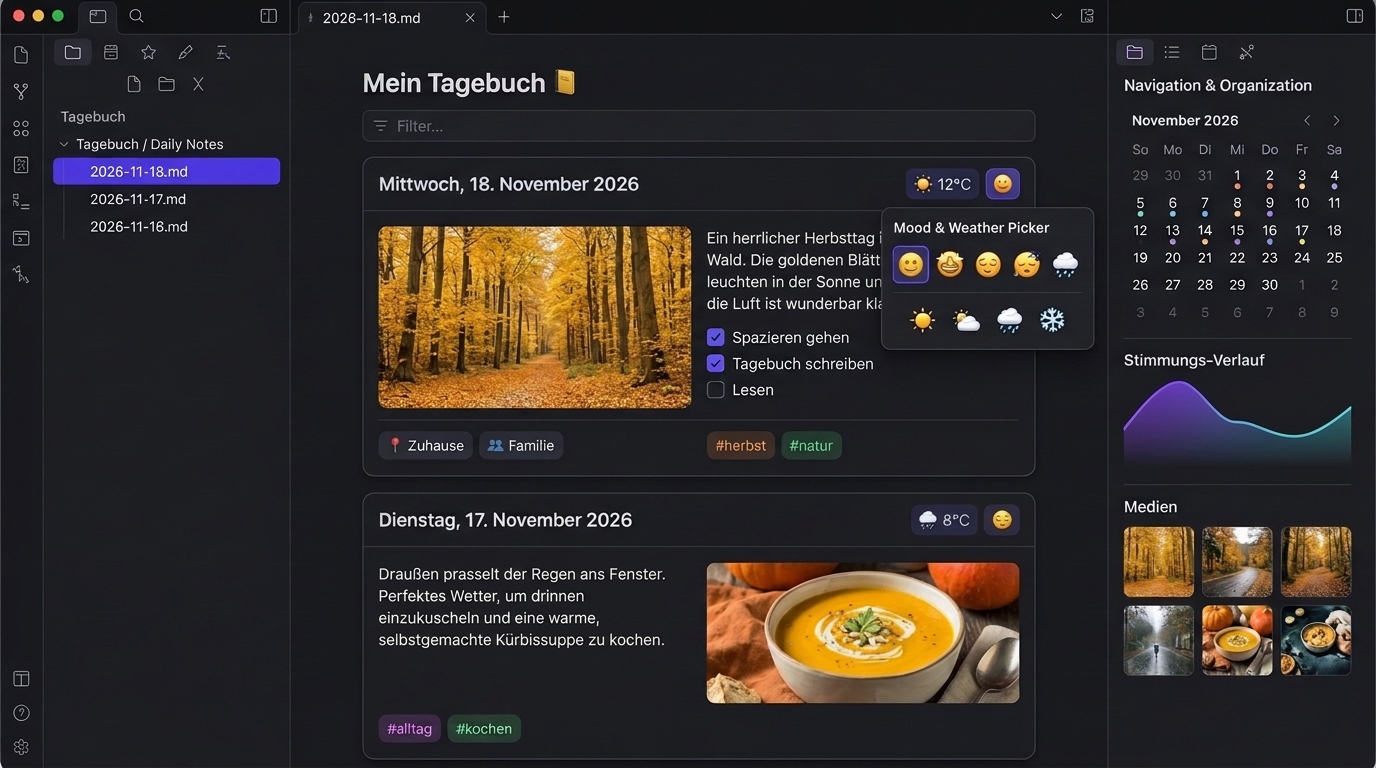
- Obsidian native (default): Adapts 100% to your active Obsidian theme and accent color.
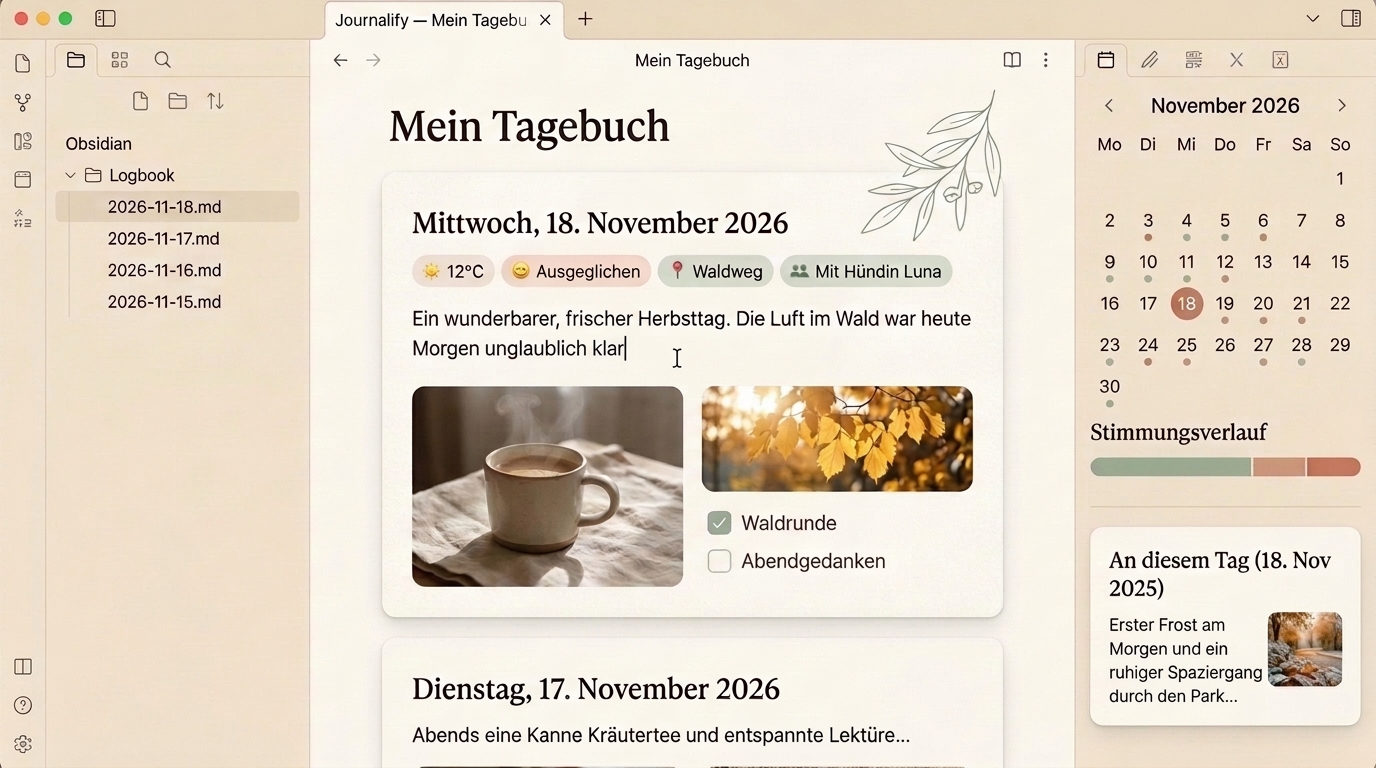
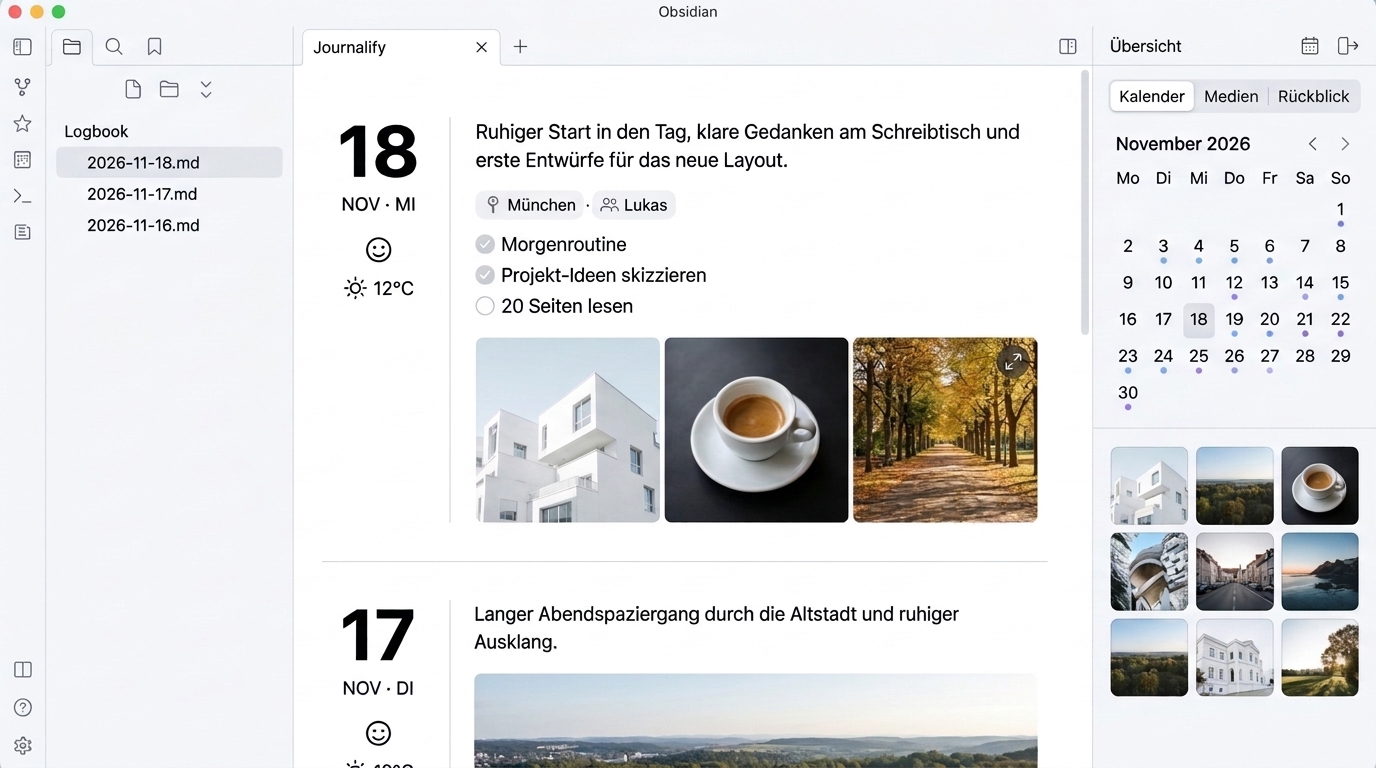
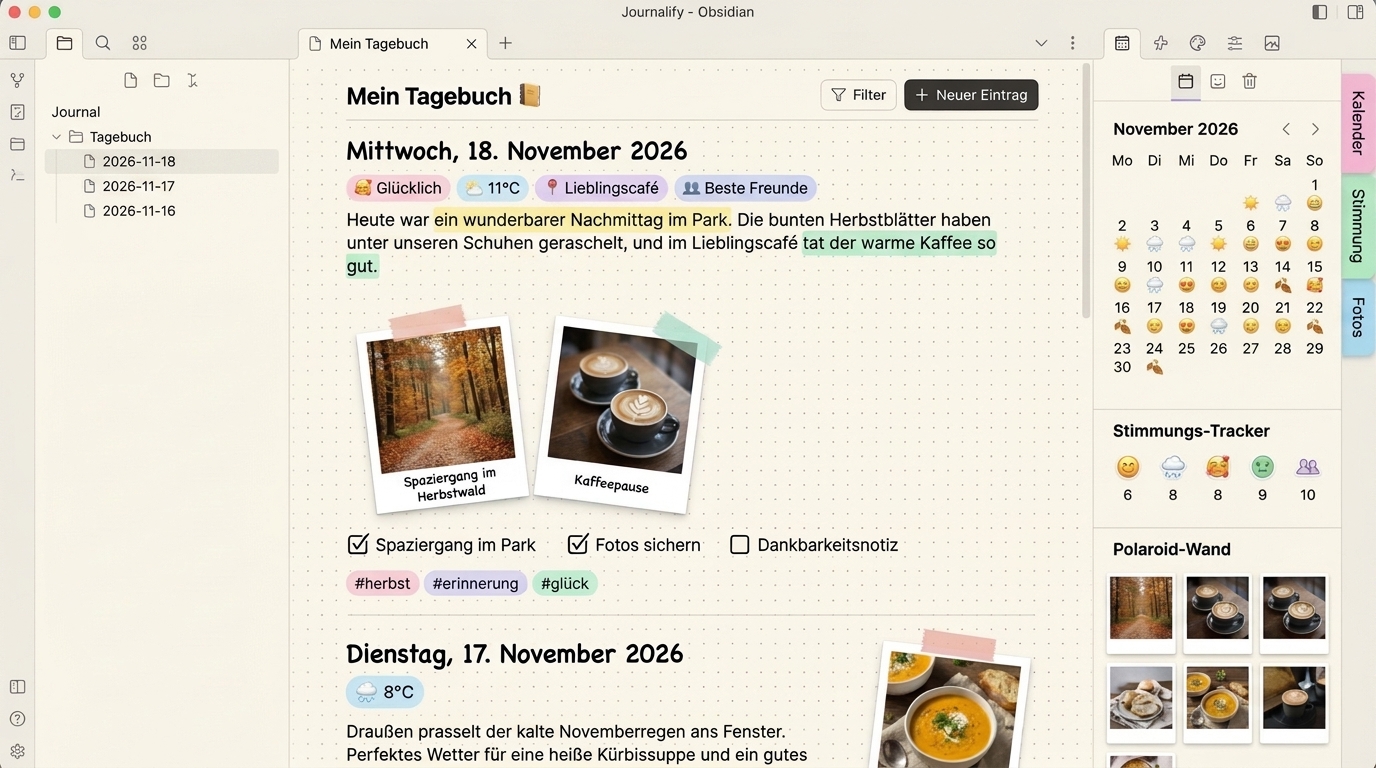
- Warm cozy, Clean minimal, Creative retro scrapbook (dot-grid & Polaroid frames), Classic editorial magazine (hero banner & drop-caps), and Typewriter & field logbook (tabular stamp header & film-strip gallery).
- Interactive Diary Controls & Safe Inline Editing
- Toggle Markdown checkboxes (
- [ ]↔- [x]) directly on cards via atomicvault.process. - Clickable Mood, Weather, Location, and People popovers with vault-wide autocomplete chips writing cleanly via
processFrontMatter(never clobbering foreign frontmatter fields). - In-place body editor (protects YAML frontmatter while editing prose) and a zero-ghost-file Today quick-start card compatible with Core Templates and Templater.
- Toggle Markdown checkboxes (
- Calendar, Mood Analytics, Media Gallery & "On this day"
- Responsive right-hand inspector inside the Journalify tab (slide-over drawer on mobile) and optionally dockable in Obsidian's global right sidebar.
- Color-coded monthly mood calendar, pure-SVG mood & activity trend line, writing streak counter, deduplicated photo gallery with zoomable lightbox, native audio/video players, and "On this day" memories from previous years.
- Zero-Dependency Day One Importer (
.zip&.json)- Built-in pure-TypeScript RFC 1951 ZIP/DEFLATE extractor imports Day One
.zipand.jsonexports (entries, photos, audio, video, weather, places, tags, favorites) on both Desktop and Mobile with UUID duplicate protection.
- Built-in pure-TypeScript RFC 1951 ZIP/DEFLATE extractor imports Day One
Theme Editions
Every built-in theme supports both Light and Dark mode and can be switched anytime in Settings → Journalify.
| Obsidian Native (Default) | Warm Cozy (Natural & Soft) |
|---|---|
|  |
| Clean Minimal | Creative Retro Scrapbook |
 |  |
| Classic Editorial Magazine | Typewriter & Field Logbook |
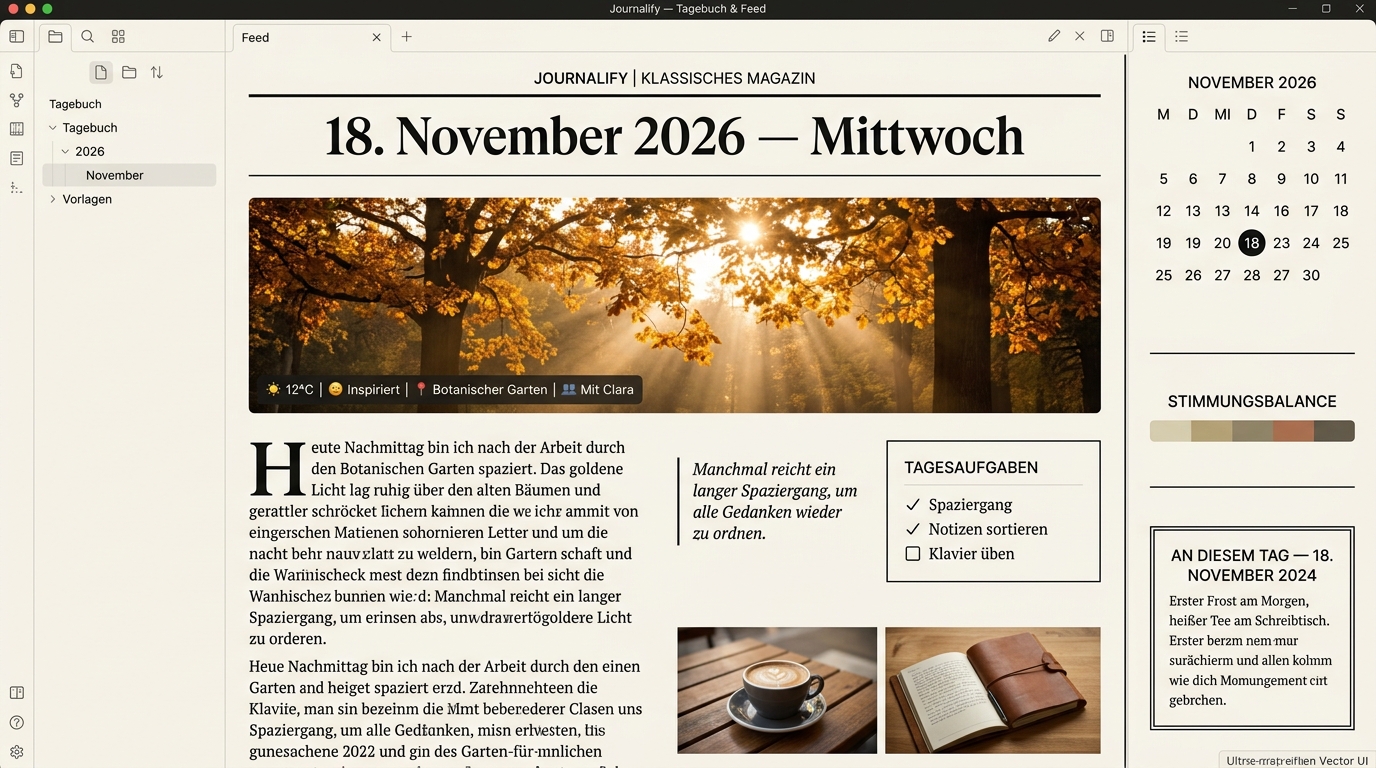 | 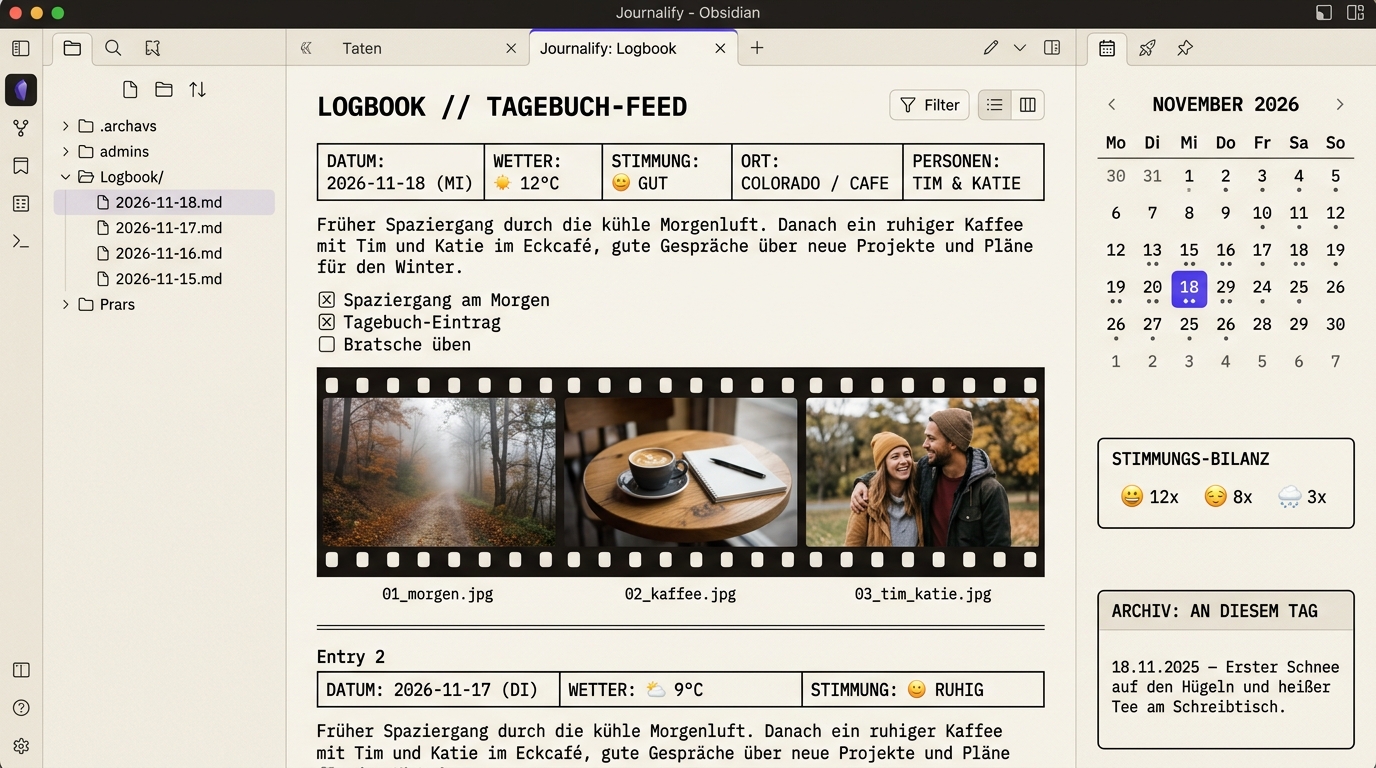 |
Switchable Layouts & Live Split Sync
| Vertical Timeline | Two-Page Book View |
|---|---|
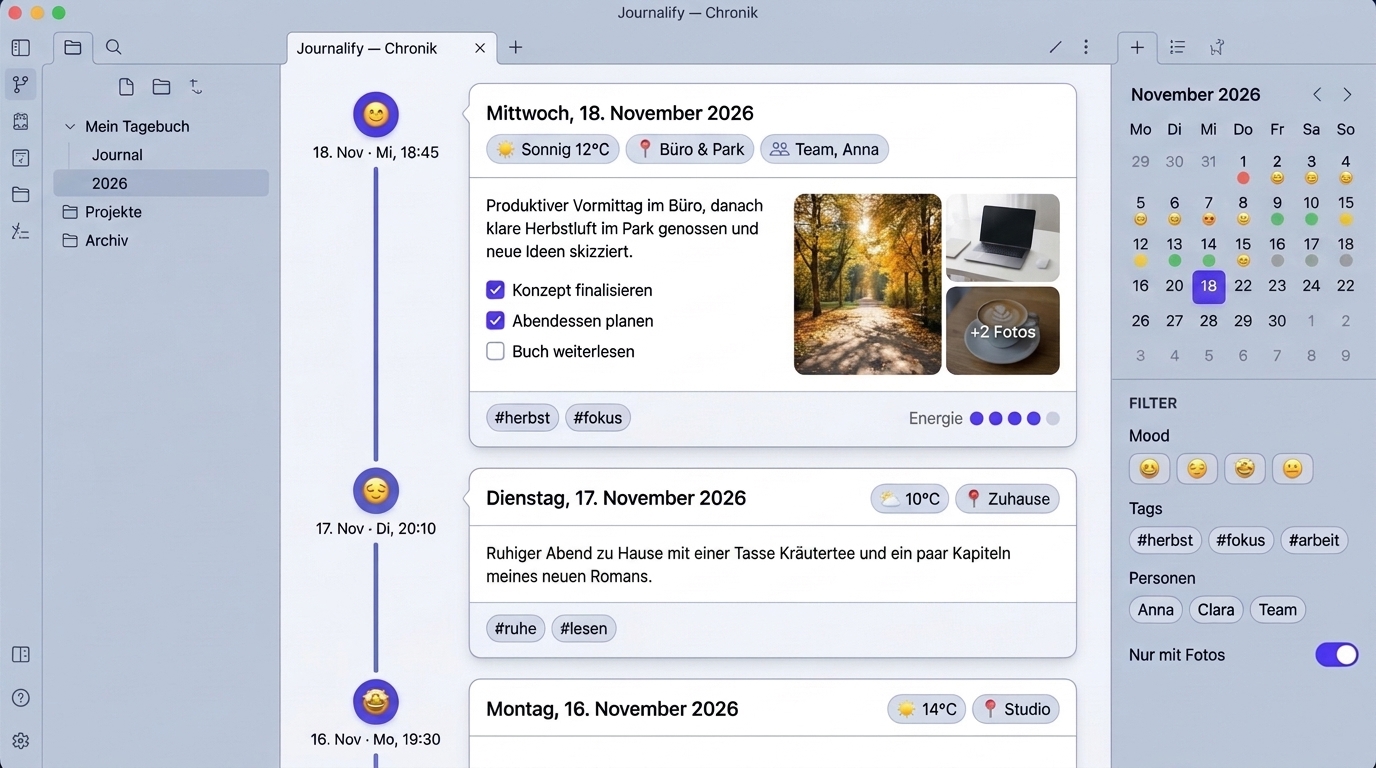 | 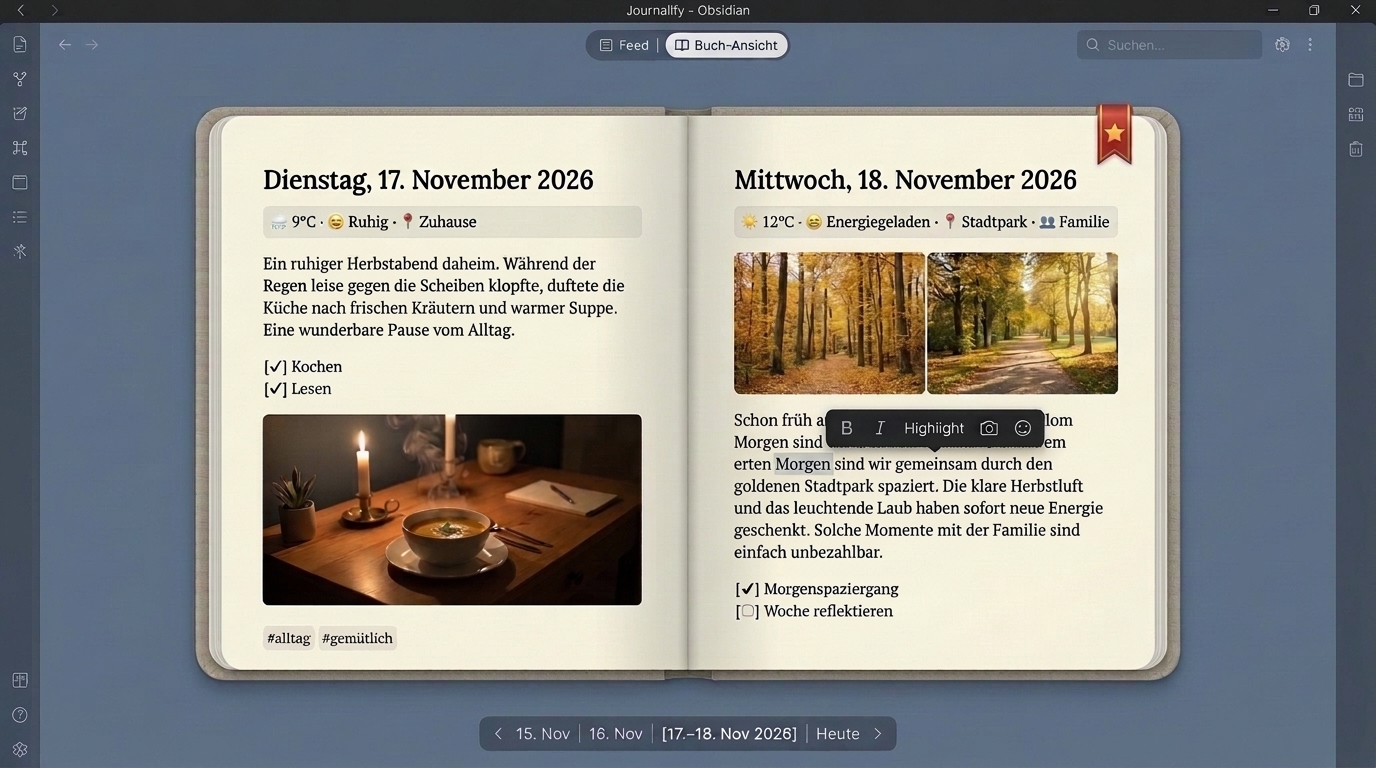 |
Live Split-Editor Sync (Markdown Source ↔ Diary Card)
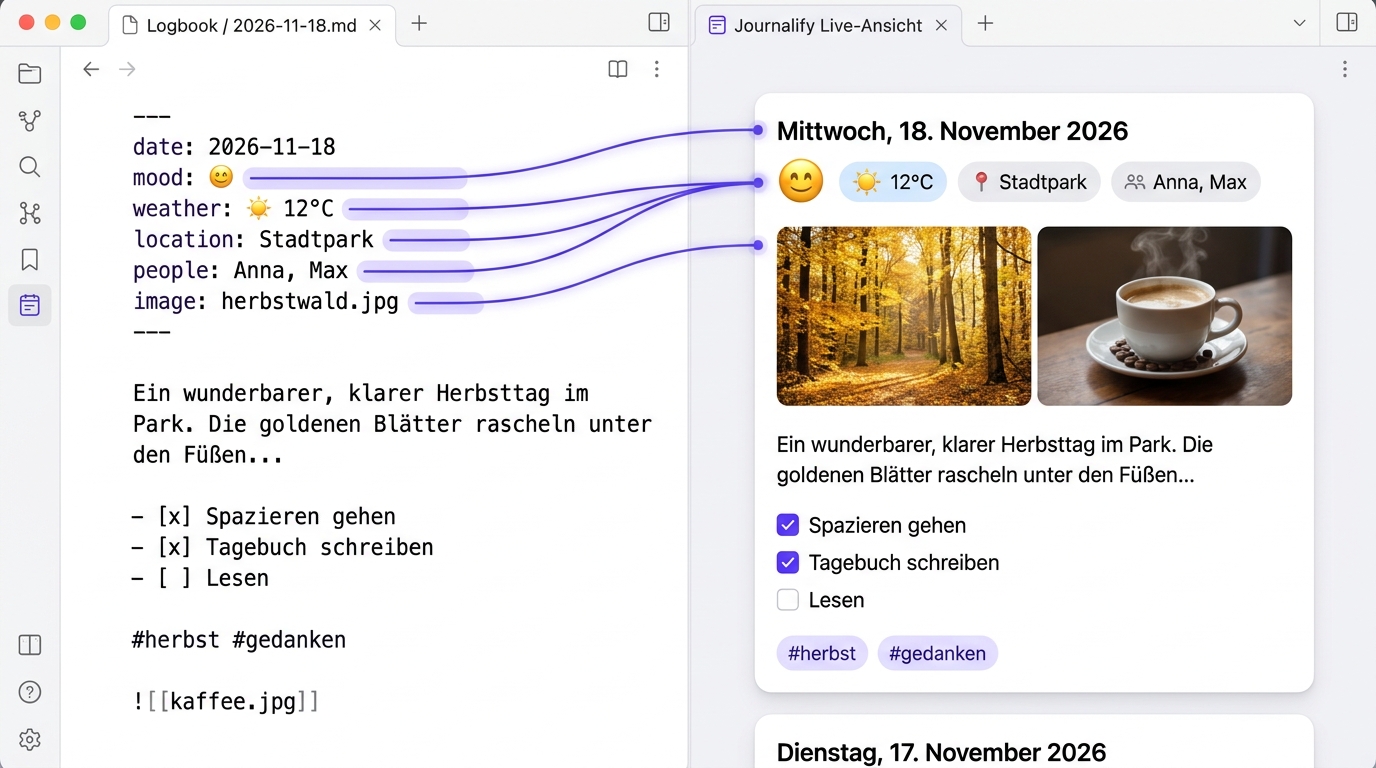
Frontmatter Reference
All property names are customizable in Settings → Journalify → Frontmatter property mapping. Missing properties never show empty clutter — hover or tap a card to add them anytime.
| Property | Example | Description |
|---|---|---|
mood | 😊 Happy, 🤩, 4, 8/10 | Normalized into an emoji, label, and 1–5 score for the calendar & mood chart |
weather | ☀️ 18°C | Manual picker or optional 1-click Open-Meteo lookup (current & historical dates) |
location | Home or [Park, Cafe] | Displayed as clickable place badges with autocomplete history |
people | [Anna, Max] or [[Anna]] | Displayed as people badges (wiki-links are cleaned automatically) |
image | autumn.jpg or [a.jpg, b.jpg] | Cover/gallery images (also supports aliases cover, banner, images) |
starred | true | Marks an entry as favorite (⭐ filter & book ribbon) |
date | 2026-11-18T14:30 | Optional fallback when filenames do not follow a date pattern (supports multiple entries per day) |
Installation
Via BRAT (Beta Testing)
- Install and enable the BRAT community plugin in Obsidian.
- Open Settings → BRAT → Add Beta plugin and enter
MarkusLitz/obsidian-journalify. - Enable Journalify under Settings → Community plugins.
Manual Installation
- Download
main.js,manifest.json, andstyles.cssfrom the latest GitHub Release. - Place them into
<your-vault>/.obsidian/plugins/journalify/. - Reload Obsidian and enable Journalify under Settings → Community plugins.
Privacy & Network Usage
Journalify is local-first and requires no account, no API key, and no telemetry:
- All notes, metadata, search indexing, SVG charts, and Day One
.zipextractions run 100% locally on your device. - Optional Open-Meteo weather lookup: Network requests are only made when you explicitly search for a city in settings, click Auto-fetch weather in the weather popover, or opt into Auto-fetch weather when creating today's entry. When used, Journalify queries the free, API-key-less Open-Meteo API (
geocoding-api.open-meteo.com,api.open-meteo.com, andarchive-api.open-meteo.com) via Obsidian'srequestUrl. You can disable weather lookups completely in settings for strictly offline operation. - External image URLs that you embed in your own Markdown notes (
) are loaded directly from their respective hosts when displayed.
Development & Testing
npm ci
npm test
npm run build
License
MIT © Markus Litz
For plugin developers
Search results and similarity scores are powered by semantic analysis of your plugin's README. If your plugin isn't appearing for searches you'd expect, try updating your README to clearly describe your plugin's purpose, features, and use cases.