by kikyung
Enlarge small kanji in Japanese study notes with a full-screen zoom viewer, furigana and hover lookups.
Kanji Zoom
Kanji too small to read? Kanji Zoom opens your Japanese study notes full-screen at up to 72px, so every stroke is clear — with furigana and kanji hover lookups on top.

https://github.com/user-attachments/assets/3414fe81-4e29-4cd0-81a4-2287321b60ea
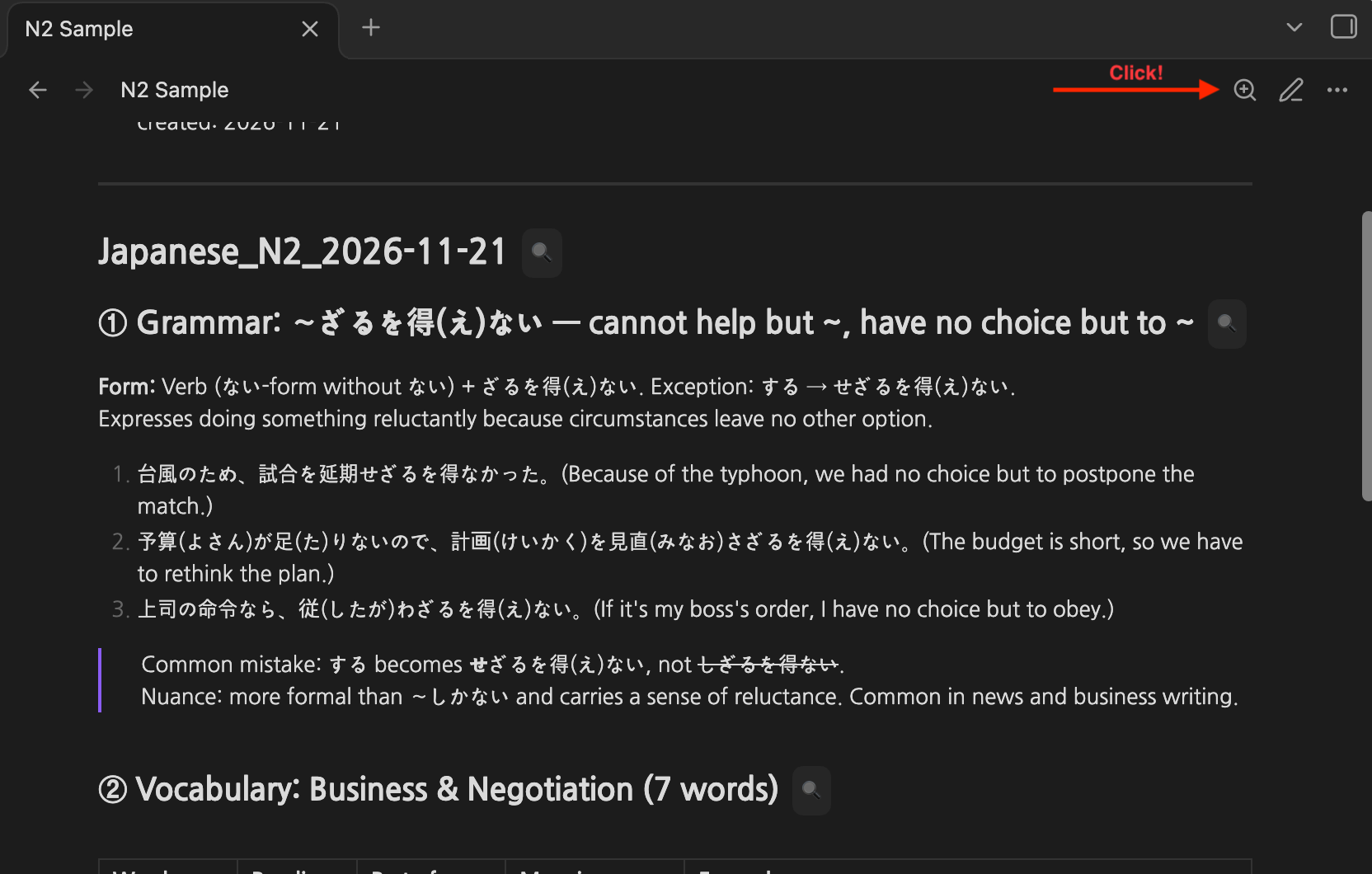 1. Click 🔍 next to the reading/edit toggle |
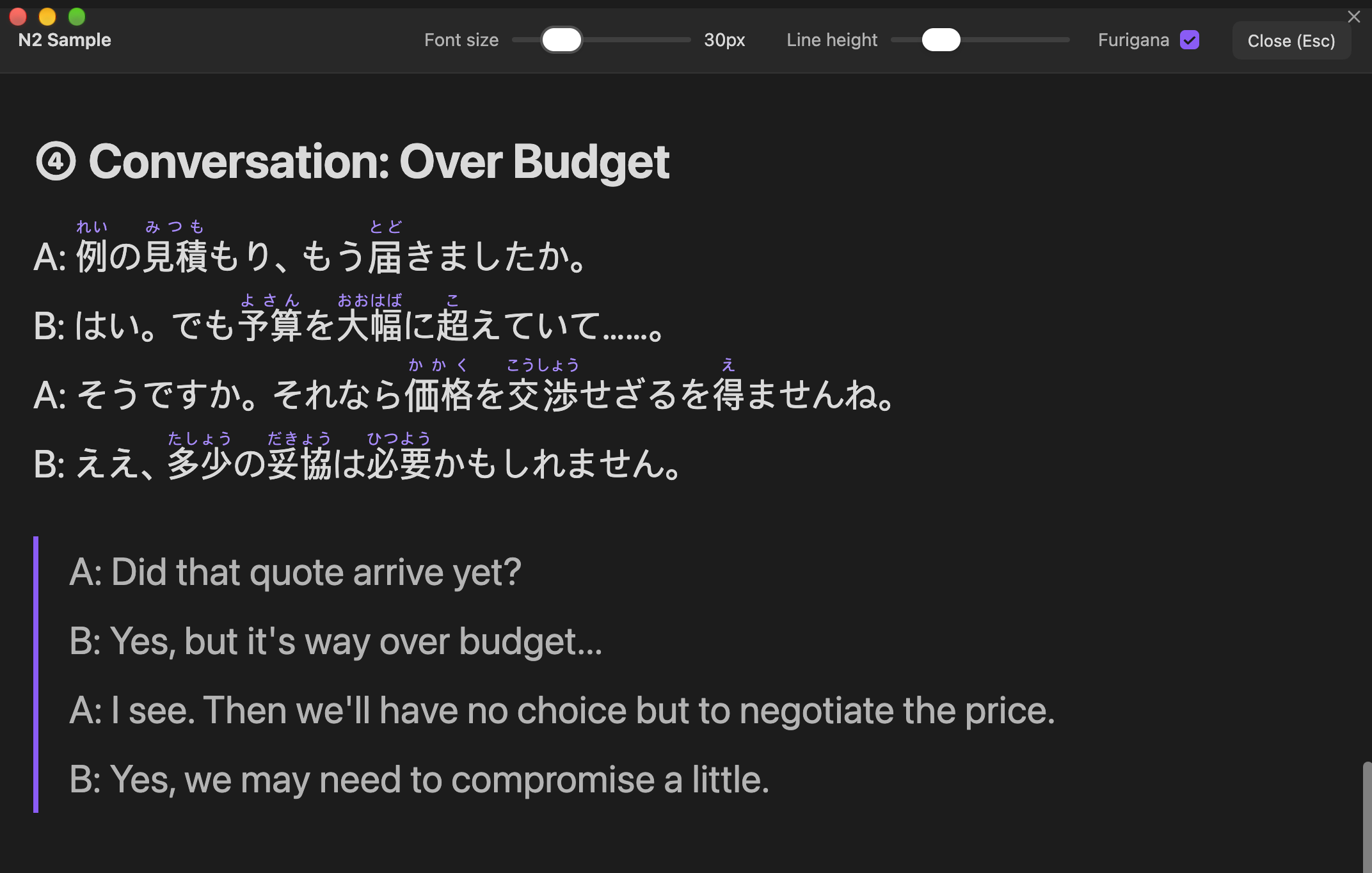 2. Read big with furigana above every kanji |
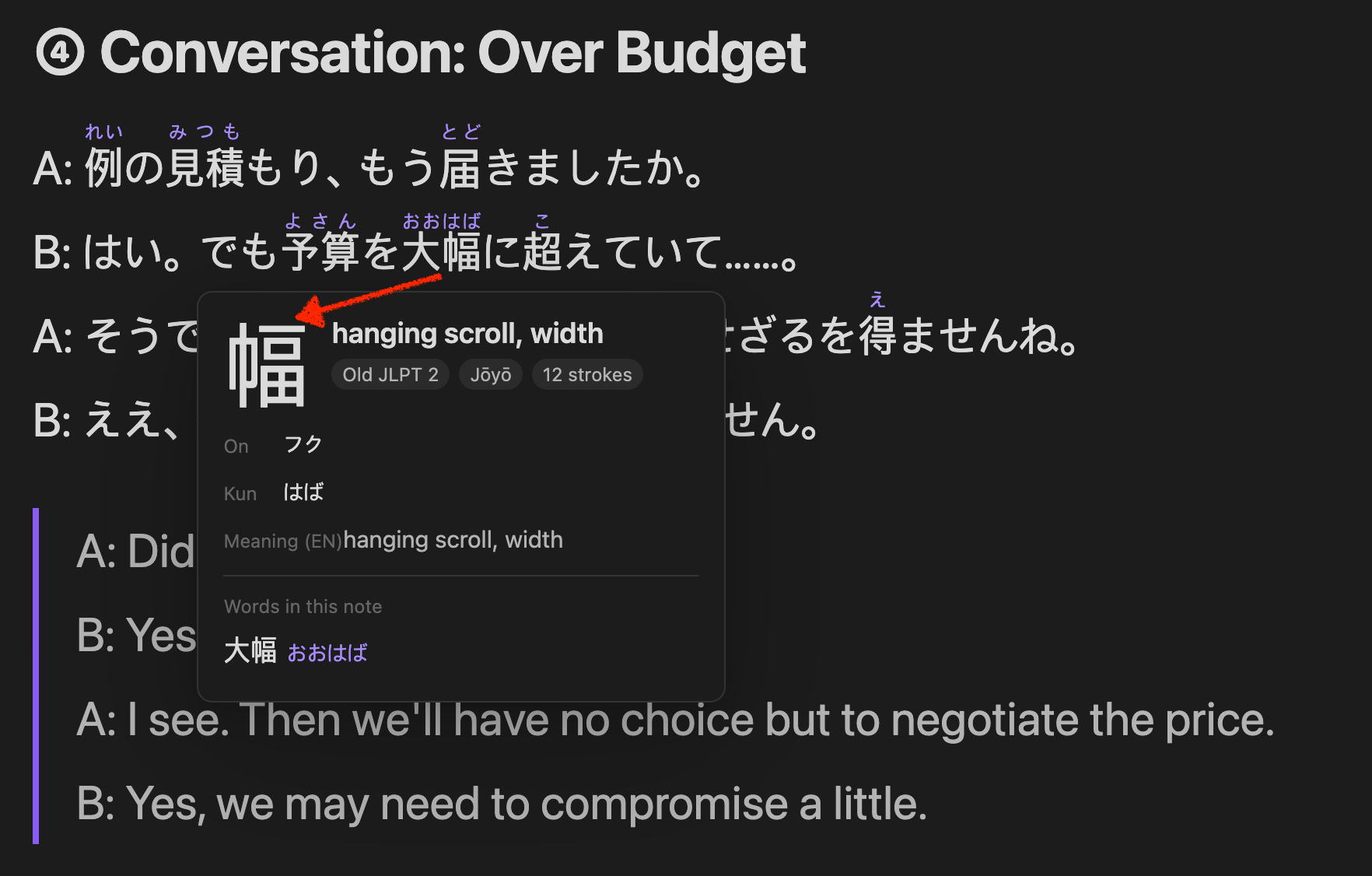 3. Hover a kanji for readings, meanings and your note's words |
Features
- Zoom viewer — opens the current note (or one section) full-screen. Font size 18–72px, line height and furigana toggle are remembered.
- Furigana — inline readings like
参加(さんか)or参加(さんか)are rendered as ruby text above the kanji. - Kanji popup — hover (or tap on mobile) any kanji to see:
- On / Kun readings, meanings, stroke count, grade, old JLPT level (KANJIDIC2, ~3,000 kanji, works offline)
- Meanings in English, French, Spanish or Portuguese — follows Obsidian's language or pick one in settings (falls back to English when a kanji has no translation)
- Optional Korean (hanja) reading — on by default when Obsidian is in Korean
- Words in this note that contain the kanji — pulled from your vocabulary tables, grammar headings and inline readings
- Korean and English UI (follows Obsidian's language).
How to open
- 🔍 icon in the note's header bar (top right)
- 🔍 ribbon icon
- Command palette: Kanji Zoom: Open current note (assign a hotkey if you like)
- Reading view: 🔍 button next to h1–h3 headings opens just that section
In the viewer: + / -, Cmd/Ctrl + = / -, or Cmd/Ctrl + mouse wheel (trackpad pinch too) change the font size; Esc closes.
The viewer's toolbar works as a title bar, so you can still drag the window.
Note format tips
Vocabulary tables are detected by header names:
| Column | Recognised headers |
|---|---|
| Word | 단어, 語, word, kanji (otherwise the first column) |
| Reading | 읽기, 読み, reading |
| Part of speech | 품사, 品詞, pos |
| Meaning | 뜻, 의미, 意味, meaning, translation |
Grammar headings like ## 문법: ~を問(と)わず — ~을 따지지 않고 are picked up as word — meaning.
See samples/ for an example note.
Installation
From Community plugins
Settings → Community plugins → Browse → search Kanji Zoom. (after approval)
Manual
- Download
main.js,manifest.json,styles.cssfrom the latest release. - Put them in
<your vault>/.obsidian/plugins/kanji-zoom/. - Reload Obsidian and enable Kanji Zoom in Settings → Community plugins.
That's it — the kanji dictionary is built into main.js. Nothing else to download, and it works offline.
Development
Only for working on the plugin itself — users don't need any of this.
No Node.js required.
python3 tools/check.py          # build + Obsidian compatibility checks + tests (run before every commit)
python3 tools/build.py          # build only: src/main.js + data/kanji.json → main.js
python3 tools/test.py           # tests only (Node.js, or macOS JavaScriptCore if Node isn't installed)
Edit src/main.js, never main.js (it is generated). tools/check.py catches common Obsidian review rejections: manifest rules, innerHTML, default hotkeys, Node-only require on a mobile-enabled plugin, network calls, regex lookbehind (older iOS), and unfinished manifest values in --release mode. CI runs it on every push.
Regenerate data/kanji.json from the KANJIDIC2 source (maintainers only, e.g. for a new KANJIDIC2 release; the result is committed and embedded at build time):
curl -LO http://www.edrdg.org/kanjidic/kanjidic2.xml.gz
python3 tools/build_kanji.py kanjidic2.xml.gz data/kanji.json
Release: bump version in manifest.json, add it to versions.json, then push a tag with the same version (e.g. 0.1.1). GitHub Actions builds main.js and creates a draft release.
Support
If this plugin helps your study, you can buy me a coffee ☕.
License
- Code: MIT
- Kanji data: KANJIDIC2 © Electronic Dictionary Research and Development Group, used under CC BY-SA 4.0 — see data/LICENSE-KANJIDIC2.md. JLPT levels are the old 4-level ones from KANJIDIC2.
For plugin developers
Search results and similarity scores are powered by semantic analysis of your plugin's README. If your plugin isn't appearing for searches you'd expect, try updating your README to clearly describe your plugin's purpose, features, and use cases.