LaTeX Complete
approvedby yetchill
Autocomplete LaTeX commands in math expressions with Chinese and English descriptions and configurable completion keys. - This plugin has not been manually reviewed by Obsidian staff.
LaTeX Complete
A lightweight, offline LaTeX autocomplete plugin for Obsidian with bilingual command descriptions and configurable completion keys.
一个轻量、离线、支持中英文命令说明和自定义补全键位的 Obsidian LaTeX 自动补全插件。
Features
- LaTeX command autocomplete in inline and display math
- Chinese and English command descriptions
- Case-sensitive prefix matching
- Configurable completion keybindings
- Lightweight and offline: no AI, network requests, or telemetry
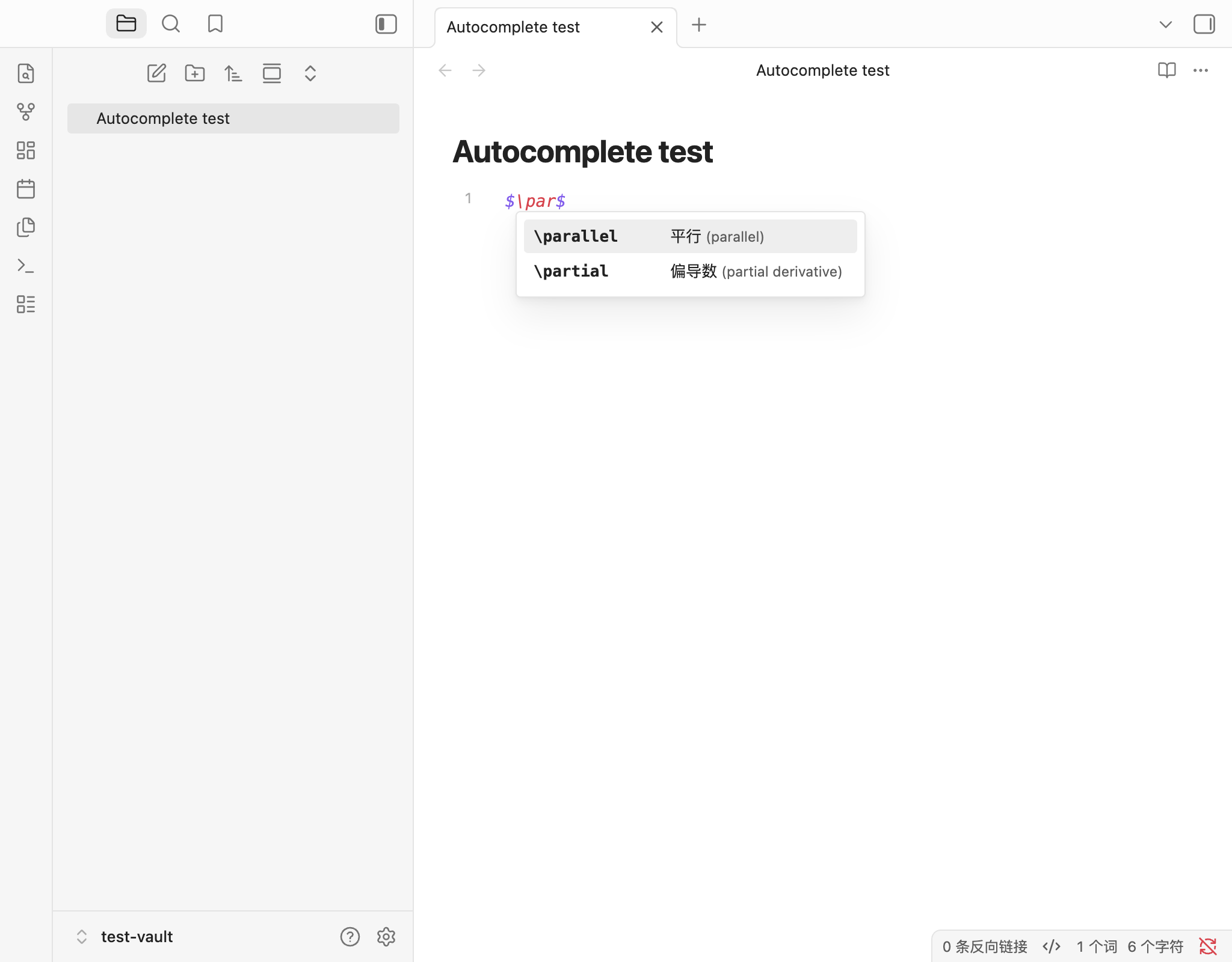
Type \par inside a math expression to see:
\parallel    平行 (parallel)
\partial     偏导数 (partial derivative)
Screenshot
Installation
Install manually from the latest GitHub Release. The plugin is not yet listed in the Obsidian Community Plugins registry.
- Download
latex-complete-v0.1.0.zip. - Extract the
latex-completefolder. - Move it into your vault's
.obsidian/plugins/directory. - Open Obsidian → Settings → Community plugins and enable LaTeX Complete. Turn off restricted mode if needed.
The installed files should be arranged like this:
<Vault>/.obsidian/plugins/latex-complete/
  manifest.json
  main.js
  styles.css
  LICENSE
You can also download manifest.json, main.js, and styles.css separately from the release and place them in that folder. Preserve your existing data.json when updating to keep your keybindings.
Users do not need Node.js or npm.
Usage
Inside $...$ or $$...$$, type \ followed by at least one letter. For example, type $\par$ and place the cursor after \par.
Use the arrow keys to select \partial, then press Tab to complete it:
$\partial$
Completion inserts the command name only. Add any required arguments yourself.
Default keybindings
| Action | Default |
|---|---|
| Previous candidate | ArrowUp |
| Next candidate | ArrowDown |
| Accept candidate | Tab |
| Dismiss completion | Escape |
| Additional accept key | Enter |
Turn off Enter also accepts completion in settings if you prefer Enter to keep its normal behavior.
Completion keys take effect only while suggestions are open. Otherwise, Obsidian's usual keyboard behavior is preserved.
Custom keybindings
Open Settings → LaTeX Complete, click a keybinding button, and press the new key or combination, such as Ctrl+N, Ctrl+P, Cmd+Enter, or Shift+Tab.
Click elsewhere to cancel recording. Duplicate bindings and reserved shortcuts are rejected with a message. Changes are saved automatically; Restore defaults resets the bindings.
Supported contexts
- Inline math:
$...$ - Display math:
$$...$$, including multiple lines
Suggestions do not appear in ordinary Markdown text, inline code, or fenced code blocks.
Current limitations
- Focused on
$...$and$$...$$; inline math is single-line. - Prefix matching only, with a dictionary of common mathematical commands.
- No snippets, fuzzy search, natural-language conversion, or AI features.
- Other completion plugins may use the same shortcuts. Mobile has not been tested.
Development
Requires Node.js 22 or later.
npm install
npm run build
npm test
The installable plugin is built into dist/latex-complete/. For browser and isolated Obsidian tests, see tests/README.md.
License
MIT License.
For plugin developers
Search results and similarity scores are powered by semantic analysis of your plugin's README. If your plugin isn't appearing for searches you'd expect, try updating your README to clearly describe your plugin's purpose, features, and use cases.