by 1maker
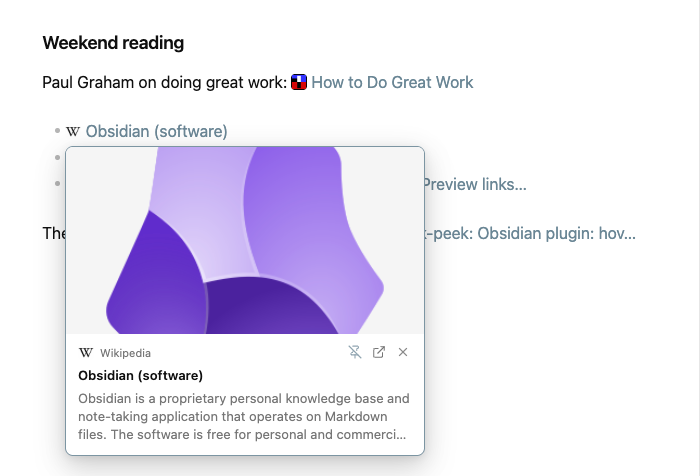
Hover any external link to see an OpenGraph preview card. Works in Live Preview, Reading view and Canvas; metadata is cached locally.
Link Peek
English | 简体中文
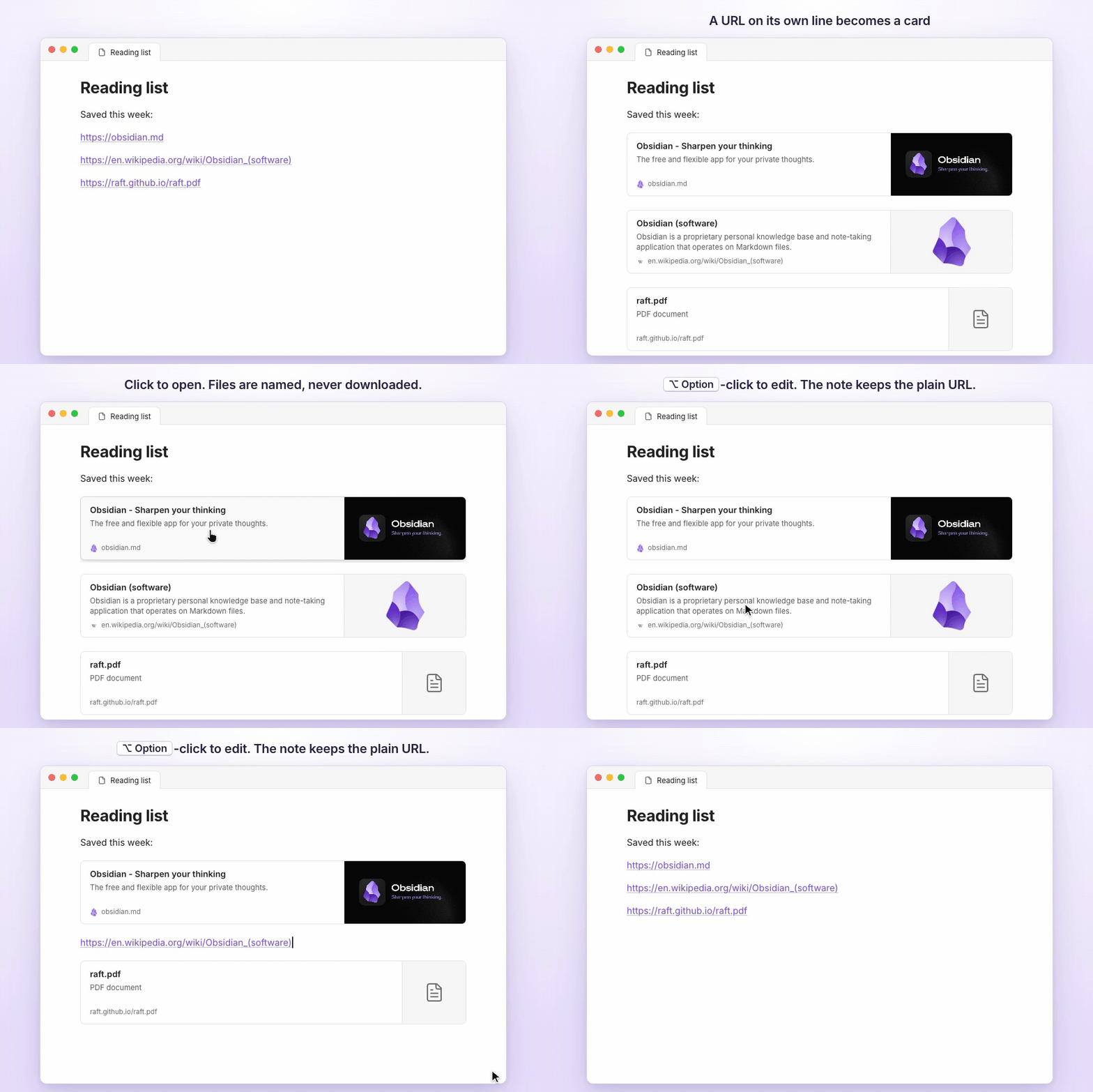
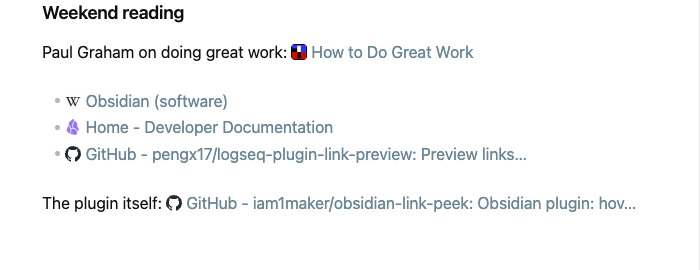
Hover an external link in Obsidian to see a preview card with the page's title, description and image. Bare URLs can also show up as page titles, and a URL on its own line as a card.
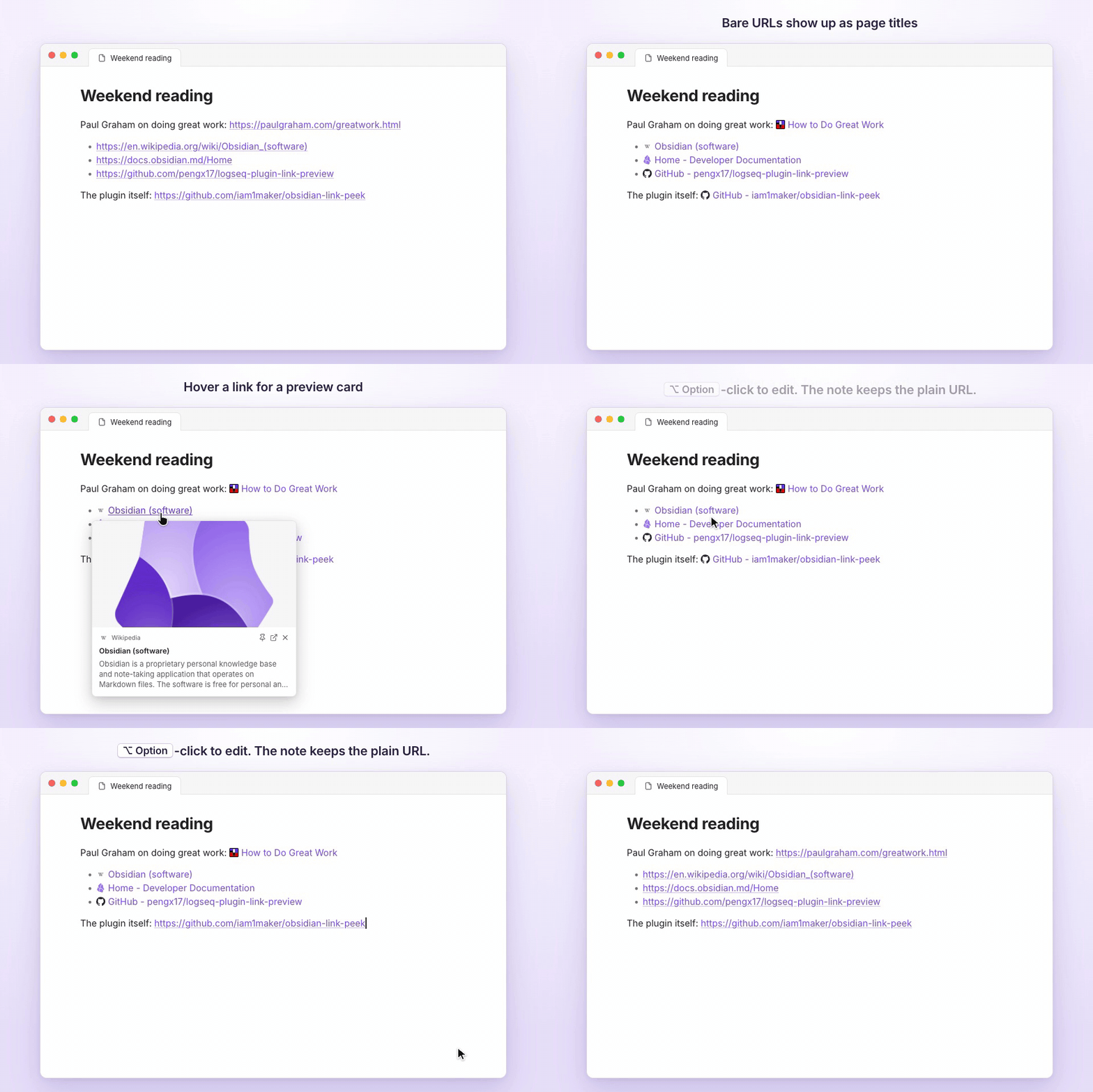
- Works in Live Preview, Reading view, Canvas, Properties, Bases and pop-out windows.
- Never changes your notes. The Markdown stays a plain URL.
- No third-party service. Link Peek reads the metadata from the link's own site and caches it locally.
Link cards
A URL that sits alone on its line can show as a card, like a bookmark. Turn it on under Settings → Link Peek → Link cards. Links to files (PDF, archives, video) show the file name and type and are never downloaded.
Install
Settings → Community plugins → Browse → search for "Link Peek".
Tips
- Pin a card to keep it open while you type or click elsewhere.
- Inline link titles and link cards are off by default. To edit a link shown as a title or a card, put the cursor on it or Option/Alt-click it.
- Add
link-peek: offto a note's properties to keep that note's URLs as they are. - Titles and cards past the cache lifetime still show; hovering the link refreshes them in the background.
- Cards opening too eagerly? Set a trigger key (Cmd/Ctrl, Option/Alt or Shift).
- From the keyboard, use the command Preview link under cursor.
- The interface follows Obsidian's language; Simplified Chinese is included.
Privacy
Hovering a link sends one GET request to that link's site and nowhere else. There is no telemetry; images and icons load straight from the site. Inline titles and link cards only reuse what hovering has cached, unless you switch them to their Fetch mode. The clipboard is never read, and only Copy URL in a link's right-click menu writes to it.
Screenshots
Inspired by logseq-plugin-link-preview. Building from source: docs/development.md. License: MIT.
For plugin developers
Search results and similarity scores are powered by semantic analysis of your plugin's README. If your plugin isn't appearing for searches you'd expect, try updating your README to clearly describe your plugin's purpose, features, and use cases.