Maguilanote
approvedby Lucas Coutinho
Milanote-like visual workspace boards inside Obsidian: infinite canvas, notes, images, links, columns, to-do lists, arrows and more. - This plugin has not been manually reviewed by Obsidian staff.

A Milanote-style visual workspace for Obsidian: notes, images, links, files, columns, to-do lists, color swatches, comments, audio recordings, nested boards and arrows on an infinite canvas, entirely inside your vault.
Local-first by design. Each board is a single .board JSON file in your vault. There's no account, no server, and no real-time collaboration; sync your vault however you already do (Obsidian Sync, Git, Syncthing, a shared folder...). Cloud collaboration is out of scope for this project, not a missing feature.
Demo
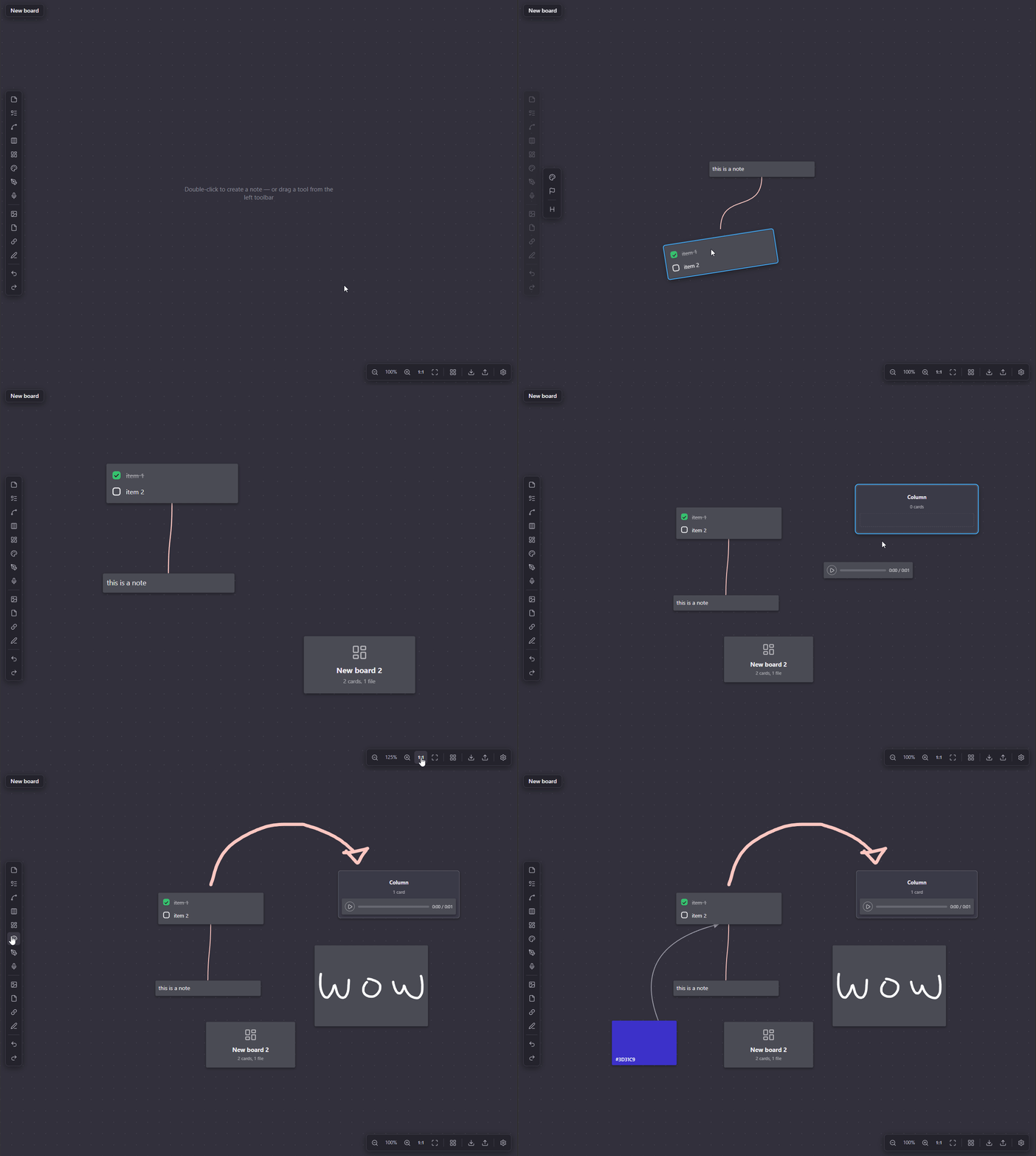
Features
Boards
- Infinite canvas, nested boards with breadcrumb, board-to-board shortcuts
- Broken-link detection, card previews, item locking, move/duplicate across boards
- Built-in and custom templates
Card types
- Text note, image, link (auto title, YouTube embed), file (any type, audio/video player)
- Vault file drag & drop, to-do list, column, color swatch, comment, document note
- Record: drag onto the board, double-click to open the recording popup (pick a microphone, record, play back); the card's contextual toolbar → "Transcribe text" sends it to the OpenAI Whisper API (requires an API key in Settings) and drops the result into a connected note card
Drawing
- Draw: freehand on the board (pen/select/eraser, color, stroke size, pen-pressure), strokes grouped into editable drawings on save
- Sketch: a card you draw inside via a popup canvas; shows a preview on the board
Connections
- Line tool: drag it onto the board, then drag either endpoint onto a card to anchor it (or leave it free)
- Card-hover blue dot: drag to another card to draw an arrow (drop on empty canvas for a free end)
- Two routing modes, switchable per line from its right-click menu: Free (straight, drag its middle dot to curve it) and Smart (auto-routed around cards)
- Arrows, solid/dashed, arrowhead toggle, reversible, labels, color
- Rubber-band select works on lines too (both ends must be inside the selection box); Delete removes selected lines
Text editing
- Full Markdown: headings, bold/italic/strikethrough, lists, quotes, code, links,
[[wikilinks]] - Card background colors, plus an independent accent color (left-side stripe)
Contextual toolbar
- Selecting a card opens its options in the same lateral slot used by the Draw toolbar: card color, accent color, show/hide title, and type-specific actions (replace reference, transcribe recording)
- Right-click keeps only structural actions: lock/unlock, duplicate, bring to front/back, delete
Canvas
- Select/drag, multi-select, group move, resize
- Alt+drag duplicate, snap-to-grid, undo/redo, cut/copy/paste
- Zoom controls
Settings
- Gear icon next to the breadcrumb trail opens the Settings panel
- Customization: separate body/heading fonts (pick a preset or any Google Font by name), dark/light theme, and per-theme colors (board background, default card background, each card color preset)
- Shortcuts: rebind any keyboard shortcut (click to record, reset to default), plus a collapsible mouse/gesture reference
Search & export
- In-board search, export to Markdown, import from OS/vault
Collaboration
- Local comment cards, unlimited local storage (it's your disk)
Manual installation
- Copy
main.js,manifest.jsonandstyles.csstoYOUR_VAULT/.obsidian/plugins/maguilanote/. - In Obsidian → Settings → Community plugins, enable Maguilanote.
Usage
- The ribbon icon or the "Maguilanote: New board" command creates a
.boardfile. - Double-click the canvas to create a note. The left toolbar adds every other card type — drag a tool onto the canvas to create it where you drop it (a plain click on a drag-only tool just shakes it as a hint). Draw is the exception: click it (or press
D) to enter draw mode. - Click a card to select it; drag to move. Inputs inside a card only activate once it is selected. Double-click to edit/open.
- Drag files from the OS or from Obsidian's file explorer straight onto the board (
.boardfiles become nested boards). - Alt+drag duplicates. The bottom bar has zoom controls, 1:1, fit, and a snap-to-grid toggle (Ctrl while dragging inverts snap).
- Click the gear icon next to the breadcrumb trail to open Settings (fonts, theme, colors, shortcuts).
Building from source
With npm available:
npm install
npm run build
Without npm (Node 22+ only):
node build-local.mjs
Both produce main.js at the project root. See docs/DEVELOPMENT.md for details.
Documentation
This README covers the essentials. For everything else, see docs/:
- ARCHITECTURE.md — how the plugin is built: source layout, data model, rendering and build pipeline.
- DEVELOPMENT.md — full dev setup, build commands, verification checklist.
- DEPENDENCIES.md — dependency pinning policy and current versions.
- FAQ.md — "how do I change X" answers (colors, defaults, card types, shortcuts, and more).
- CHANGELOG.md — living log of significant project changes.
Docs are a living part of this project: significant changes must update the relevant doc and get a changelog entry in the same change, not as a follow-up. See the documentation policy in .claude/CLAUDE.md.
For plugin developers
Search results and similarity scores are powered by semantic analysis of your plugin's README. If your plugin isn't appearing for searches you'd expect, try updating your README to clearly describe your plugin's purpose, features, and use cases.