Better Math in Callouts & Blockquotes
approvedby ryotaushio
Add better Live Preview support for math rendering inside callouts & blockquotes.
Better Math in Callouts & Blockquotes
This is an Obsidian.md plugin to add better Live Preview support for math rendering inside callouts & blockquotes.
Note: The feature of this plugin was originally a part of LaTeX-like Theorem & Equation Referencer, another community plugin of mine. I completely rewrote it with a bunch of improvements and decided to release it as a separate plugin for better modularity.
Features
Math in Callouts
In Live Preview, the vanilla Obsidian does not render MathJax in callouts while editing them. This plugin solves this problem.
Moreover, it also enables proper handling of multi-line math blocks; see the next section below.
Example
| Without this plugin | With this plugin |
|---|---|
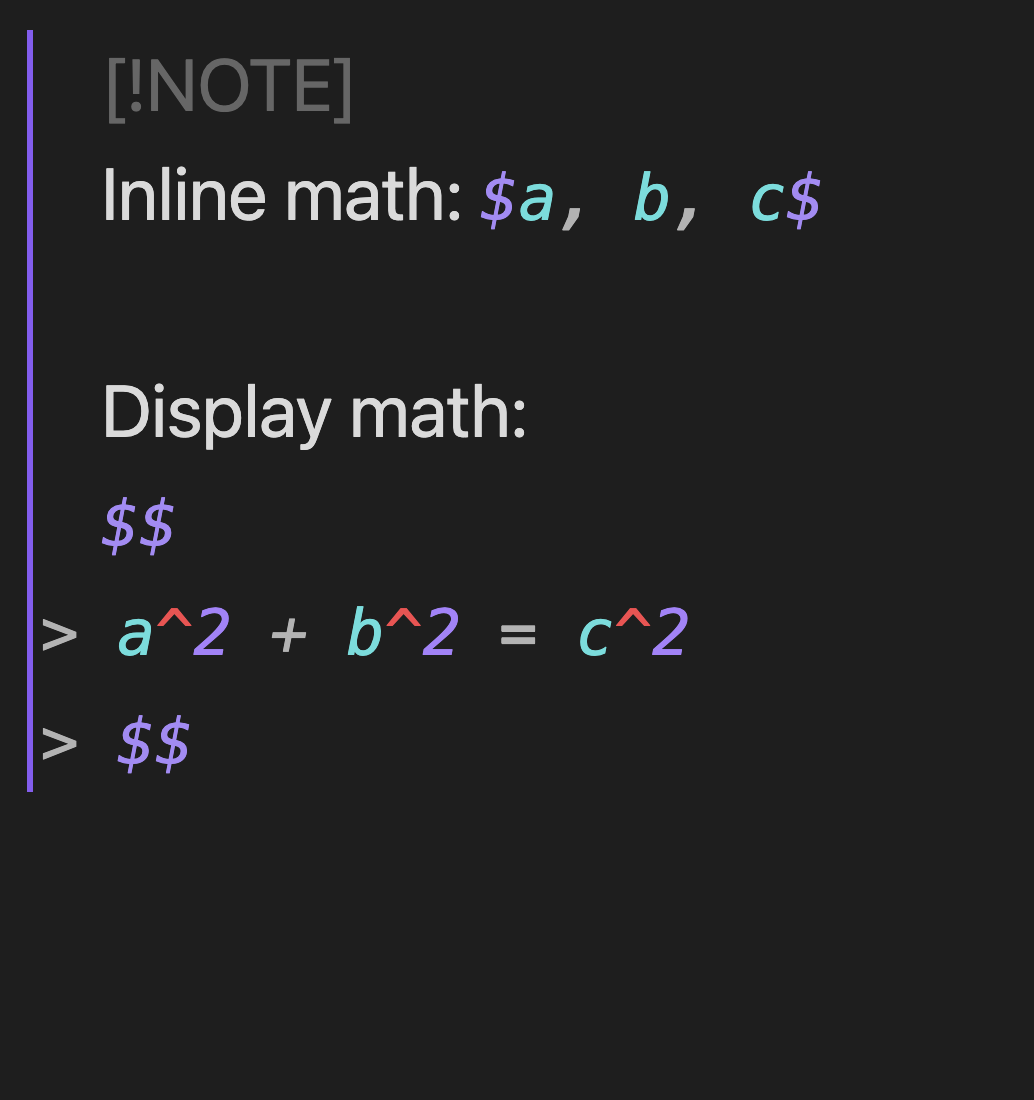 | 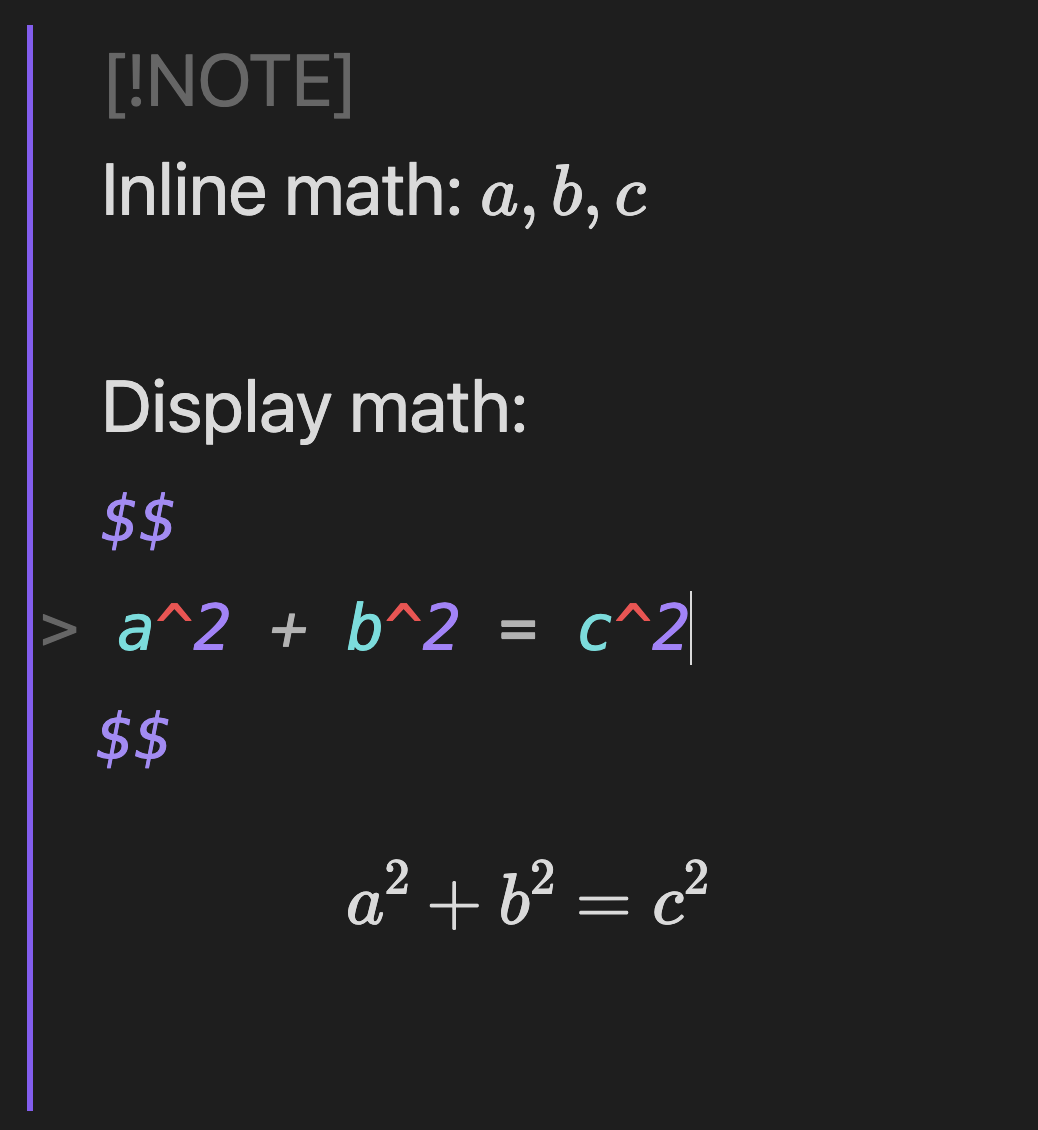 |
Math in Blockquotes
In Live Preview, the vanilla Obsidian misunderstands a ">" symbol at the beginning of a line in a blockquote or a callout as an inequality sign ("greater than") in multi-line math blocks, while Reading View properly recognizes them. This plugin makes them consistent with Reading View.
Example
> $$
> \begin{align}
> a &= b \\
>   &= c
> \end{align}
> $$
| Without this plugin | With this plugin |
|---|---|
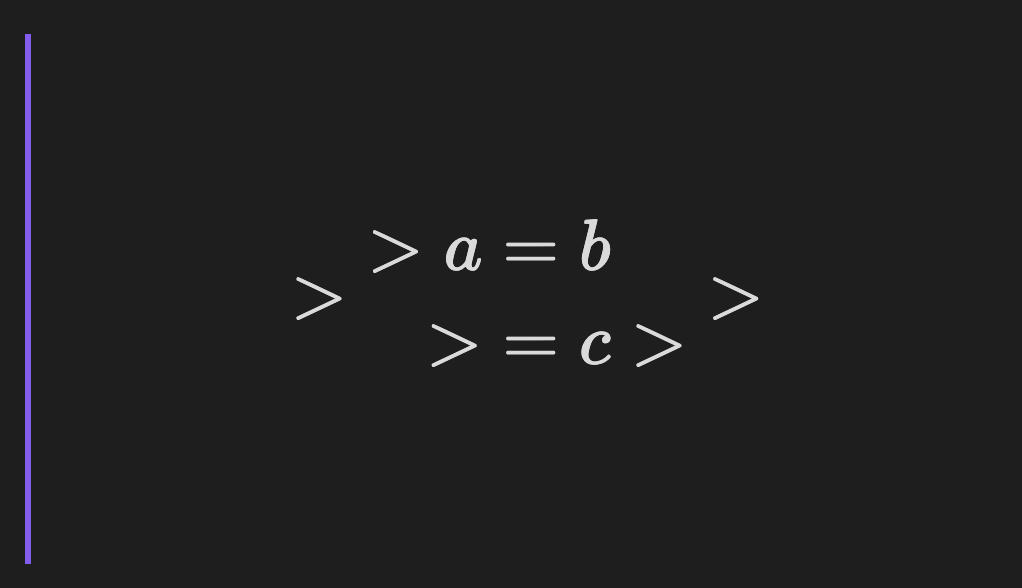 | 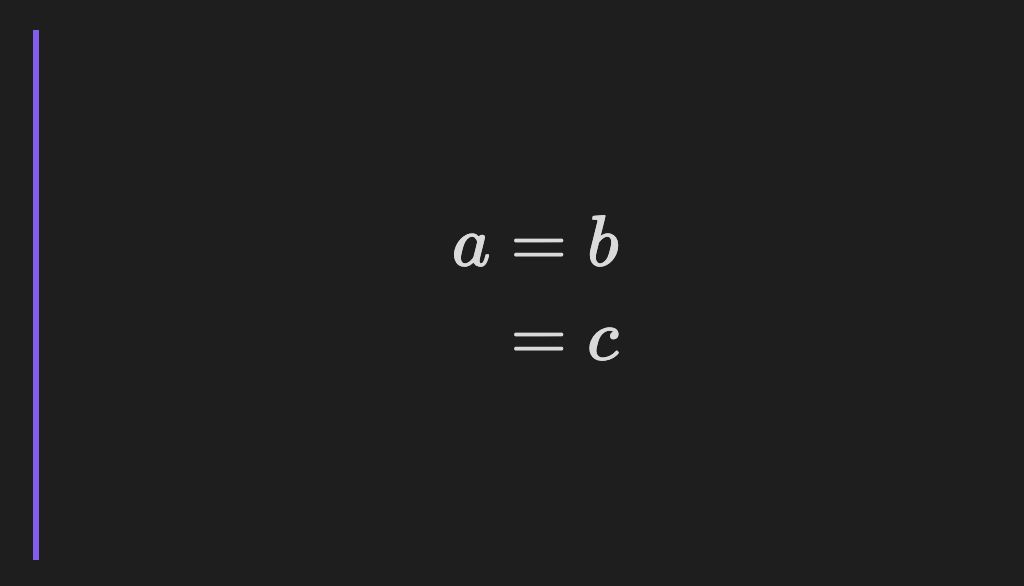 |
Installation
You can find this plugin in the community plugin browser within Obsidian.
You can also install the latest beta release using BRAT.
- Install the latest version of BRAT and enable it.
- Open the following URL in browser:
obsidian://brat?plugin=RyotaUshio/obsidian-math-in-callout. - Click the "Add Plugin" button.
- (Optional but highly recommended) In the BRAT settings, turn on
Auto-update plugins at startupat the top of the page.
Companion plugins
Here's a list of other math-related plugins I've developed:
- LaTeX-like Theorem & Equation Referencer
- No More Flickering Inline Math
- MathJax Preamble Manager
- Auto-\displaystyle Inline Math
Support development
If you find this plugin useful, please support my work by buying me a coffee!

For plugin developers
Search results and similarity scores are powered by semantic analysis of your plugin's README. If your plugin isn't appearing for searches you'd expect, try updating your README to clearly describe your plugin's purpose, features, and use cases.