by Mitchell Gaydash
Create notes for movies, TV shows, games, albums, books and word lookups, with cover art.
Media Note Creator
An Obsidian plugin that creates notes for movies, TV shows, games, albums and books, with cover art, and for words you look up. It is a port of the obsidian-tools command-line tool, and writes the same notes it does.
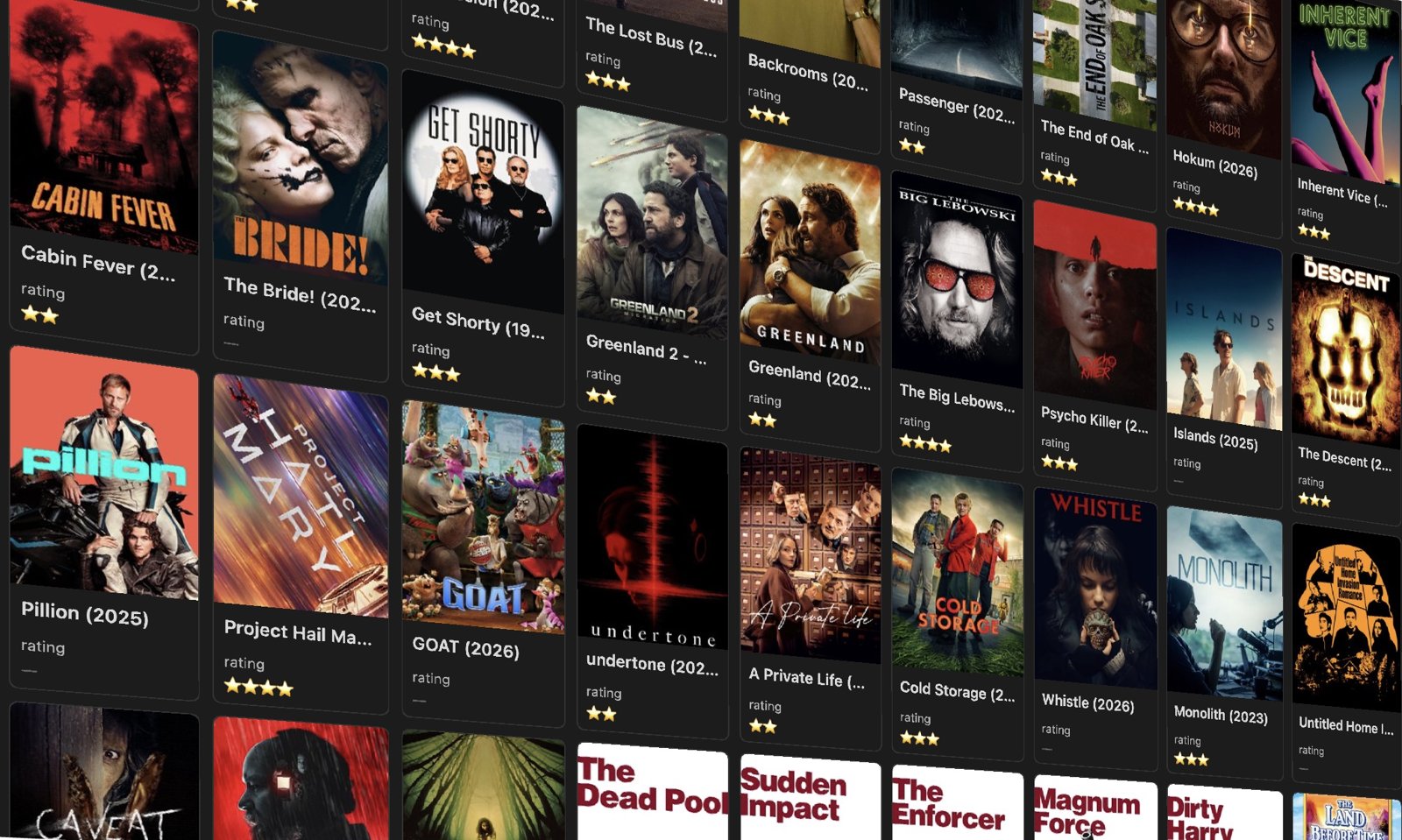
| Command | Source | Note name | Collection |
|---|---|---|---|
| Add movie note | TMDB | Title (Year).md | [[Movies]] |
| Add TV note | TMDB | Title (Year).md | [[Series]] |
| Add game note | IGDB | Title (Year).md | [[Games]] |
| Add album note | MusicBrainz and the Cover Art Archive | Artist - Album (Year).md | [[Albums]] |
| Add book note | Google Books | Author - Title (Year).md | [[Books]] |
| Add word lookup | Free Dictionary API, falling back to Wiktionary | Word.md | [[Lookups]] |
A word lookup writes the pronunciation, definitions with examples, synonyms and antonyms (as links), and a source line crediting Wiktionary, whose text is CC BY-SA. Words with several origins, such as "bass" the fish and "bass" the sound, appear as separate choices. Lookups have no cover and use the part of speech as the tag. If the Free Dictionary API is down, the plugin switches to Wiktionary for the rest of the batch; those notes have definitions but no pronunciation or synonyms.
What it does
Run one of the commands above from the command palette and enter
one or more titles, one per line. If you have text selected in a note, the
prompt starts filled with it, one title per selected line. List bullets, task
checkboxes, headings and [[wikilink]] brackets are removed, so a selected
watchlist works as is. When it finishes, each selected line whose note was
created becomes a link to that note. Bullets and checkboxes stay, and the
Link text setting decides what the link shows:
| Link text | - mission impossible becomes |
|---|---|
| Title and year, as the source shows them (default) | - [[Mission - Impossible (1996)|Mission: Impossible (1996)]] |
| Title, as the source shows it | - [[Mission - Impossible (1996)|Mission: Impossible]] |
| The text as you typed it | - [[Mission - Impossible (1996)|mission impossible]] |
| Name of the new note | - [[Mission - Impossible (1996)]] |
The display text is left out when it would just repeat the note name.
For each title the plugin:
- Searches the source. Add a year to narrow the search:
Dune (2021). - Picks the result automatically when exactly one title matches. Otherwise it shows a pick list, and Esc skips that title. A game with no release date yet asks before it is added.
- Creates the note with a
collectionproperty, tags (genres; play modes for games; release types such as live or compilation for albums), a link to the source page, and a description: director or creator and top cast for films and TV, developer and publisher for games, artist and label for albums, the blurb and author for books. Games, albums and books with no date get(TBD)in place of the year. - Downloads the cover, resizes it to your chosen width, saves it next to the
note with the same name as a
.jpg, and embeds it at the top of the note.
If a note with that name already exists, you are asked before it is replaced.
Collection pages
Every note links to its collection page, such as [[Movies]]. Run
Create collection pages and bases to make those pages, each showing its
notes through an Obsidian Bases view. For
each collection it creates, in the notes folder:
Movies Base.base, listing every note whosecollectionis[[Movies]], with a Covers card view (newest first) and a Table view. Lookups get an A–Z table grouped by first letter and a Recently updated view.Movies.md, which embeds the base's first view.
It never replaces a file. A page or base that already exists anywhere in the
vault is left alone, and you see what will be created before anything is
written. If you rename a collection page later, also change the name inside
link("...") in its base, which Obsidian does not update for you.
Install
Until Media Note Creator is in the community plugin list, install it with BRAT:
- Install and enable BRAT from Settings → Community plugins.
- Run BRAT: Add a beta plugin for testing from the command palette.
- Enter
mgaydash/obsidian-media-pluginand select Add plugin. - Enable Media Note Creator under Settings → Community plugins.
BRAT keeps the plugin up to date as new releases come out.
Setup
Get keys for the sources you want, then in Obsidian open Settings → Media Note Creator and, for each key, create a Keychain entry and paste it in.
| Media | Key | Where to get it |
|---|---|---|
| Movies, TV | TMDB API key | themoviedb.org → Settings → API |
| Games | Twitch client ID and client secret | Register an application at dev.twitch.tv (IGDB guide) |
| Albums, words | None | |
| Books | Google Books API key | Google Cloud console: turn on the Books API, then create an API key |
Optionally choose a Notes folder. When empty, notes go to the "Default location for new notes" set in Settings → Files and links.
Requires Obsidian 1.11.4 or later, because API keys are stored in the Obsidian Keychain rather than in the plugin's settings file. Works on desktop and mobile.
Network use
The plugin contacts these services only when you run one of its commands, and only the one for the media type you chose. It sends the titles you enter and your key for that service. Nothing else from your vault leaves your device. The plugin collects no analytics.
Movies, TV, games and books need a free account with that service to get a key (TMDB, Twitch and Google Cloud). Albums and word lookups need no account.
| Media | Hosts |
|---|---|
| Movies, TV | api.themoviedb.org, image.tmdb.org |
| Games | id.twitch.tv (sign-in), api.igdb.com, images.igdb.com |
| Albums | musicbrainz.org, coverartarchive.org (and archive.org, where covers are stored) |
| Books | www.googleapis.com, books.google.com |
| Words | api.dictionaryapi.dev, and en.wiktionary.org when that is down |
MusicBrainz and dictionary requests carry a User-Agent naming this plugin. MusicBrainz requests are spaced at least one second apart, as it asks.
Development
npm install
npm run dev     # rebuild main.js on every save
npm test        # unit tests (Vitest)
npm run lint    # ESLint with Obsidian's plugin rules
npm run build   # type-check and production build
To try it in Obsidian, clone this repo into a test vault at
<vault>/.obsidian/plugins/media-note-creator/, run npm install and npm run build,
then enable Media Note Creator under Settings → Community plugins. Reload
Obsidian after each rebuild, or install the Hot Reload plugin.
License
MIT
For plugin developers
Search results and similarity scores are powered by semantic analysis of your plugin's README. If your plugin isn't appearing for searches you'd expect, try updating your README to clearly describe your plugin's purpose, features, and use cases.