Mermaid Export Fit
approvedby Rosetta Zidian Guo
Prevents wide Mermaid diagrams from breaking during PDF/HTML export. - This plugin has not been manually reviewed by Obsidian staff.
Mermaid Export Fit
Mermaid Export Fit keeps wide Mermaid diagrams visible in Obsidian and prevents them from breaking during PDF/HTML export.
It is intentionally invisible in daily use: install it, restart your Obsidian vault, and keep writing Mermaid as usual.
Why This Exists
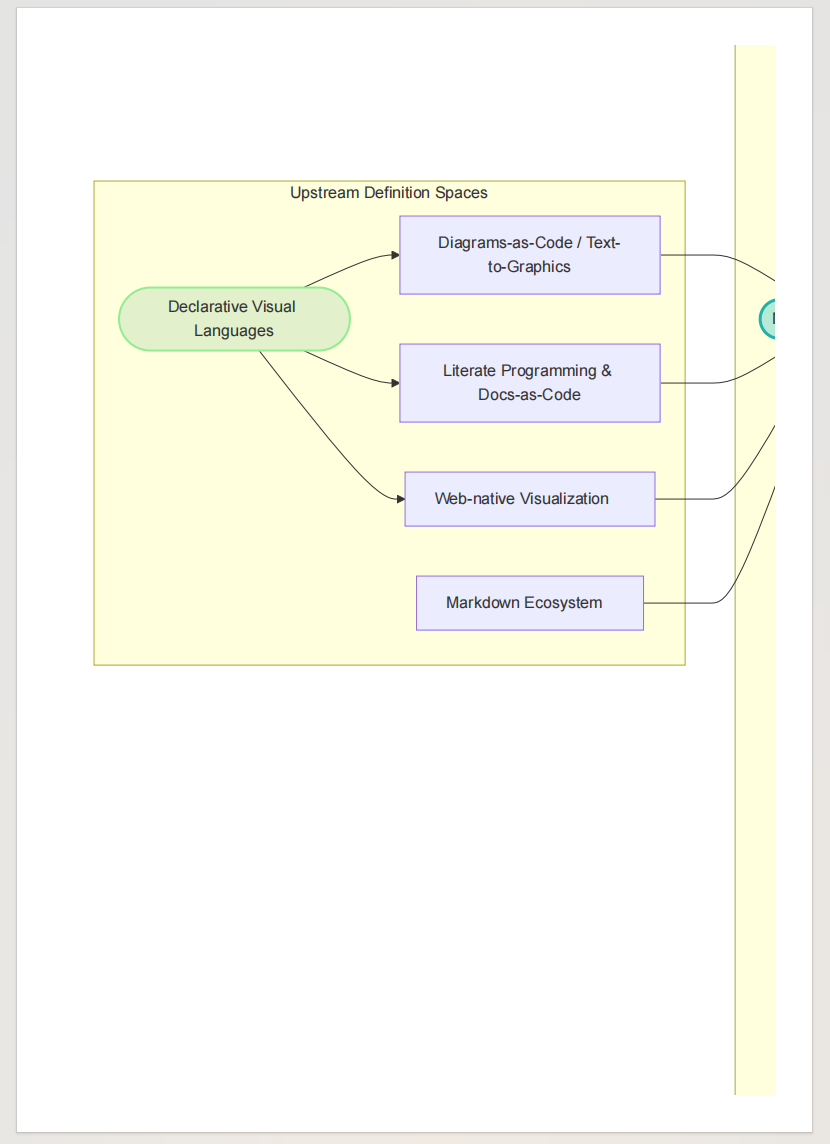
Large Mermaid diagrams often have a natural width that is wider than the Obsidian reading pane or PDF page. Without export-aware fitting, the right side of the diagram can be clipped in the exported document.
Kudos to this plugin: Mermaid Popup. It is useful for inspecting Mermaid diagrams inside Obsidian. Mermaid Export Fit focuses on a different pain point: keeping the diagram intact when the note is exported to PDF or HTML.
Before Mermaid Export Fit, a large diagram can be clipped in the exported PDF:
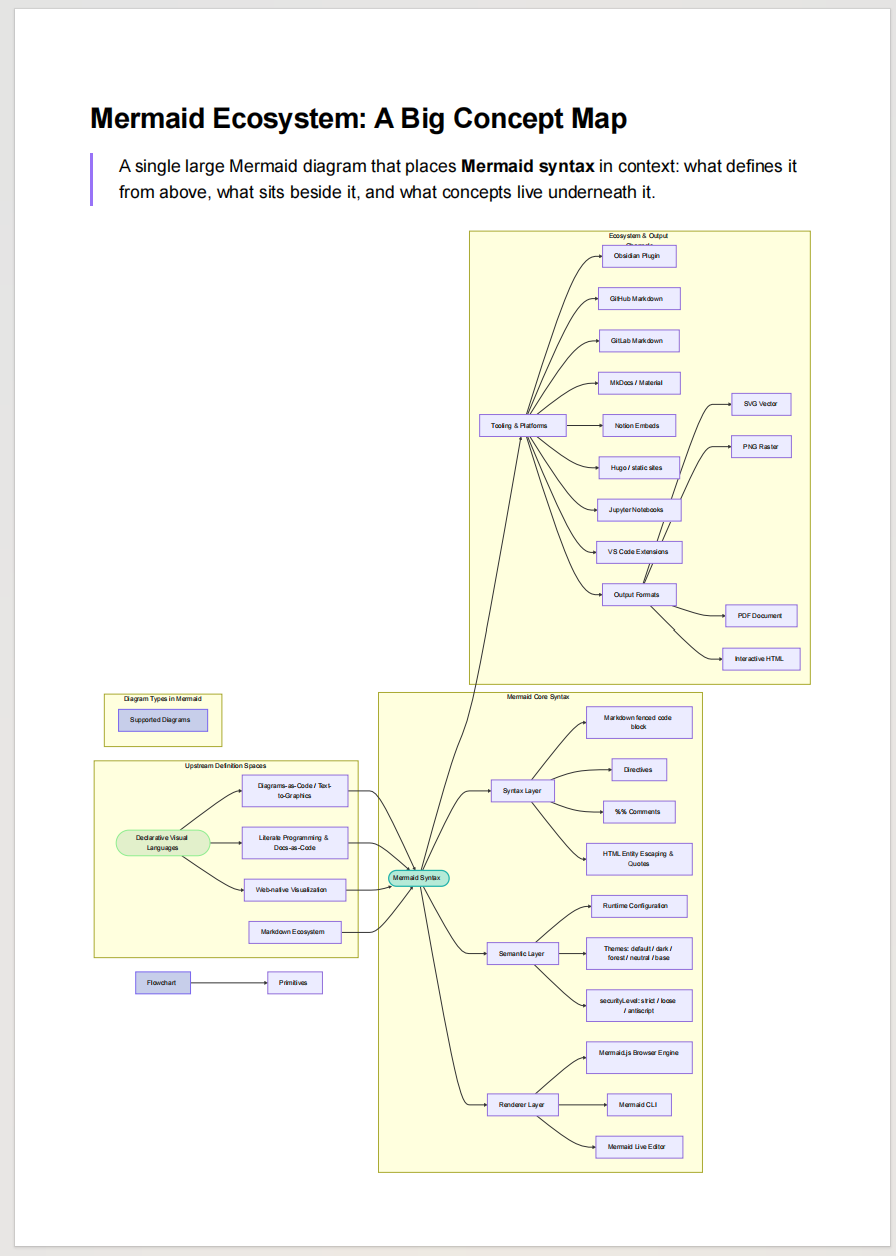
After Mermaid Export Fit is installed, the exported PDF keeps the whole diagram visible:
Features
- Preserves Mermaid SVG clarity instead of forcing every diagram to shrink in normal reading.
- Adds horizontal scrolling when a diagram is wider than the reading pane.
- Fits Mermaid diagrams to page width during PDF and HTML export.
- Provides an English-first settings page with a globe button for English/Chinese switching.
Installation
- Copy the
mermaid-fit/folder into your vault's.obsidian/plugins/directory. - In Obsidian, open Settings -> Community plugins and enable community plugins.
- Enable Mermaid Export Fit.
- Restart or reload your Obsidian vault.
- Done. The plugin works automatically with no extra setup.
Usage
There is no workflow to learn. Once the plugin is enabled and the vault has been restarted, Mermaid diagrams are adjusted automatically in reading mode, live preview, and export.
Language
The plugin uses English by default. Open Settings -> Community plugins -> Mermaid Export Fit, then click the globe icon in the upper-right of the plugin settings page to switch between English and Chinese.
Commands
Open the command palette with Ctrl+P:
| Command | Action |
|---|---|
| Refresh all Mermaid diagrams | Re-scan the current workspace and apply Mermaid fit behavior. |
| Scale Mermaid diagrams to fit container | Force Mermaid SVGs to fit the available width. |
Settings
- Enable horizontal scrolling: Keep wide diagrams scrollable without clipping.
- Fit diagrams when exporting: Scale Mermaid SVGs to page width for PDF/HTML export.
Privacy
Mermaid Export Fit works locally in Obsidian. It does not use the network, collect telemetry, or send vault content to any service.
Compatibility
- Obsidian desktop
- Obsidian mobile
- PDF export
- HTML export
- Slides/presentation views
License
MIT. See LICENSE.
中文简介
Mermaid Export Fit 默认使用英文界面,可在插件设置页右上角点击地球图标切换为中文。它解决的核心痛点是:大型 Mermaid 图表在 Obsidian 内部可以想办法查看,但一旦导出为 PDF/HTML 仍可能被裁切;安装本插件并重启 vault 后,导出也会自动适配,不需要额外操作。
版本: 1.0.2
For plugin developers
Search results and similarity scores are powered by semantic analysis of your plugin's README. If your plugin isn't appearing for searches you'd expect, try updating your README to clearly describe your plugin's purpose, features, and use cases.