Mermaid Canvas
approvedby cheney
Enhanced Mermaid diagram editor with adaptive canvas, smooth zoom/pan, split view, and fullscreen support. - This plugin has not been manually reviewed by Obsidian staff.
★ 1 stars↓ 419 downloadsUpdated 2mo agoMIT
Mermaid Canvas
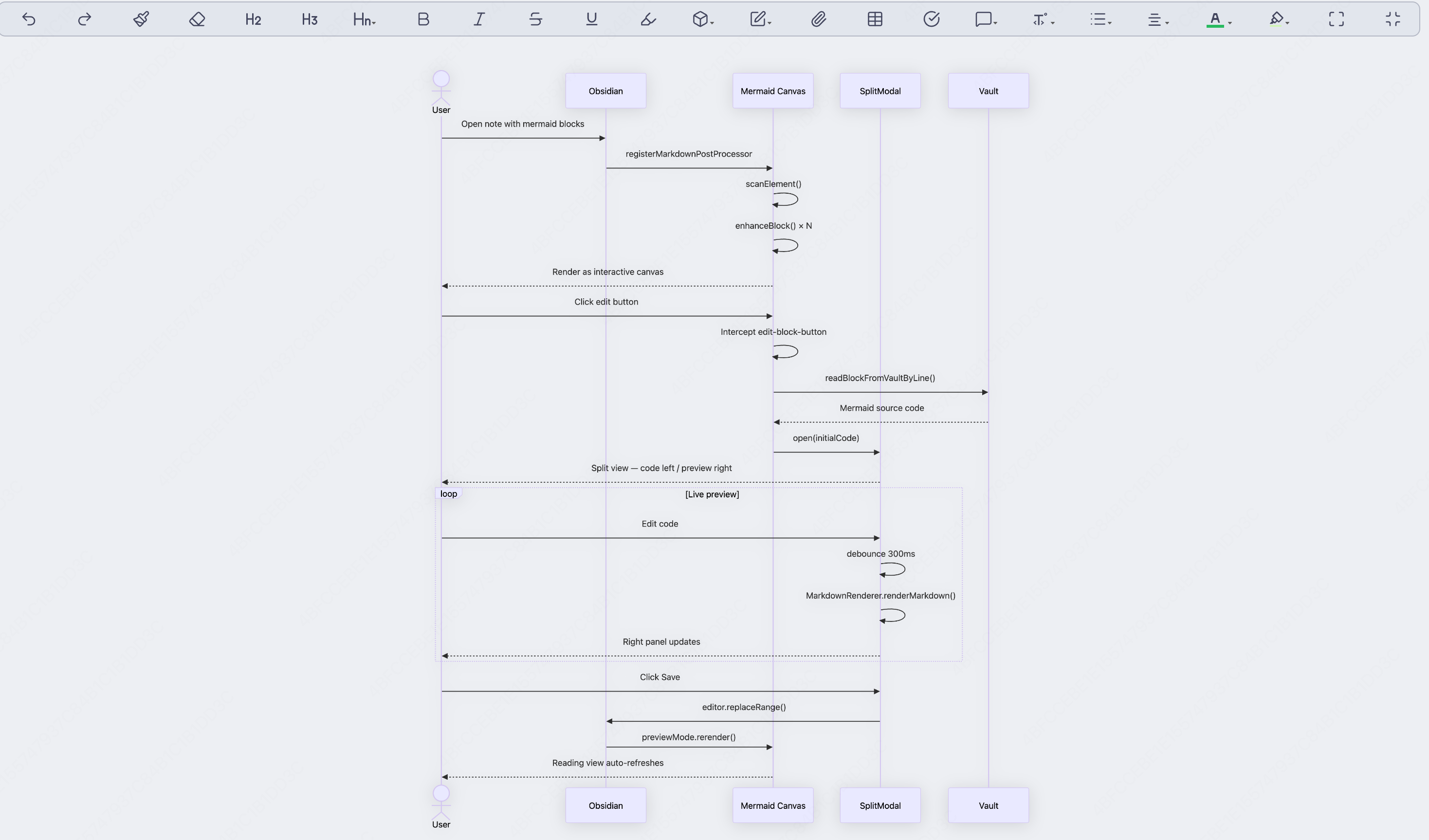
An Obsidian plugin that turns every mermaid code block into an interactive canvas — zoom, pan, fullscreen, copy, export, and a built-in split editor. No more squinting at cramped diagrams.
Preview
Inline canvas — clean view
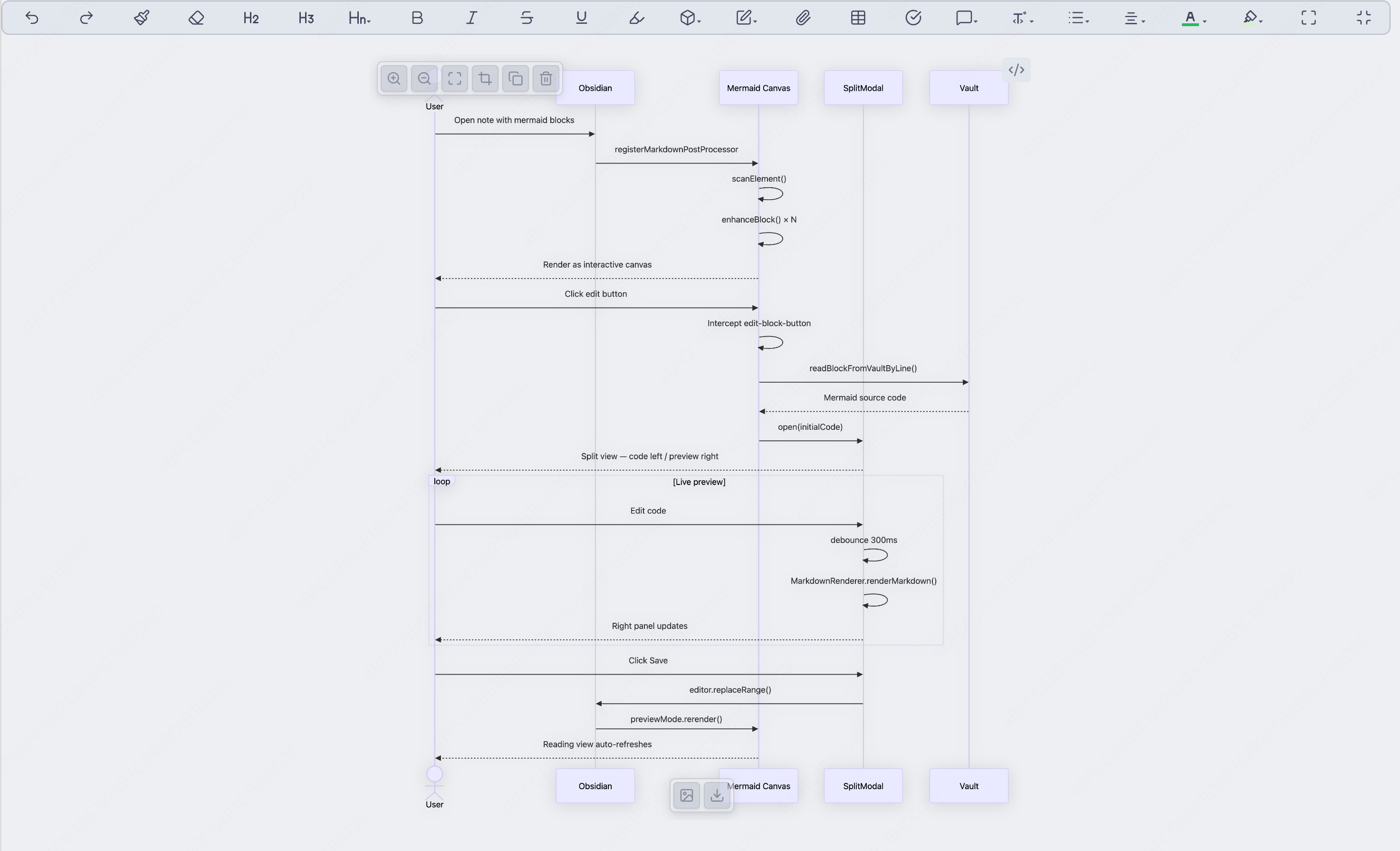
Hover to reveal controls
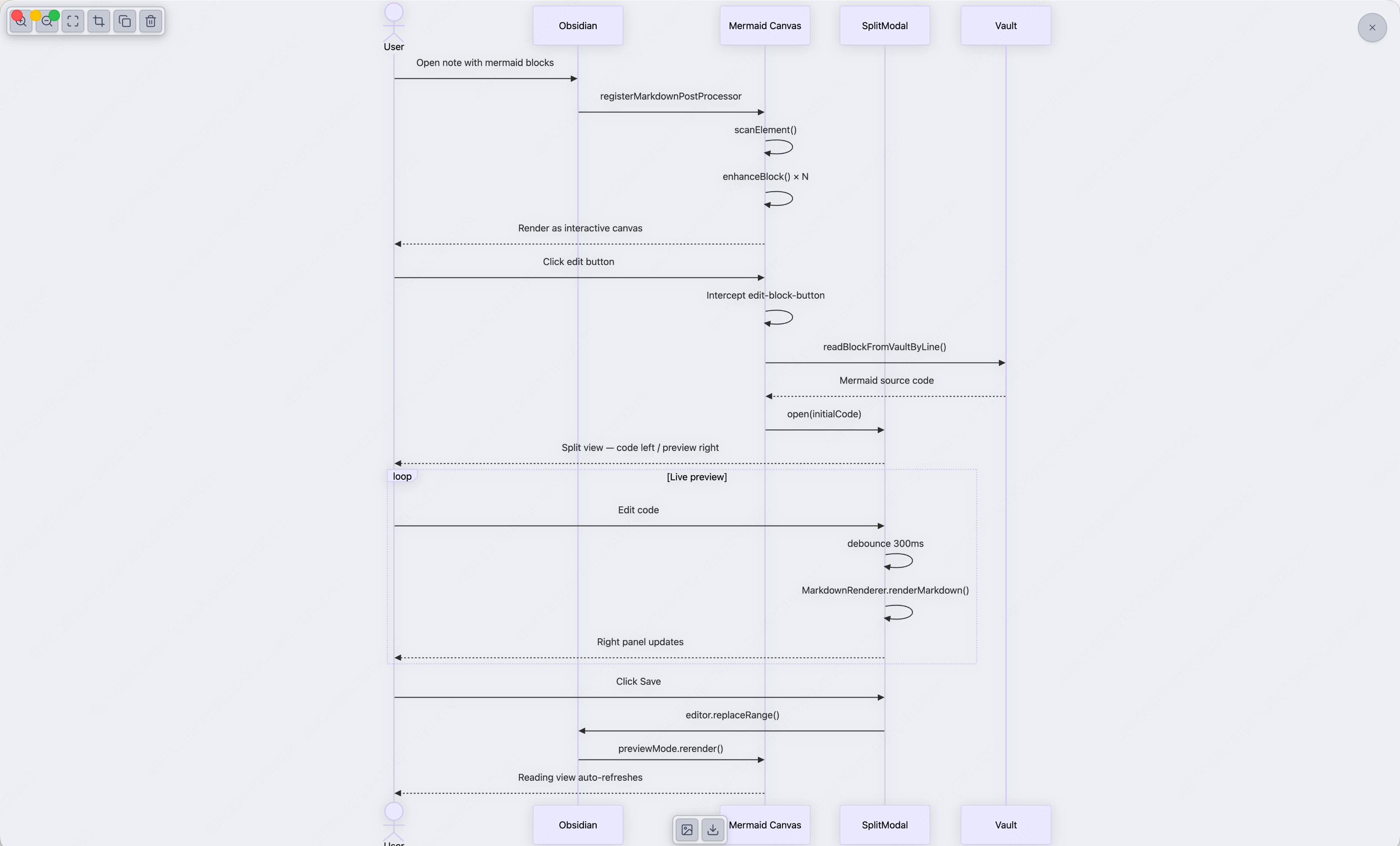
Fullscreen mode
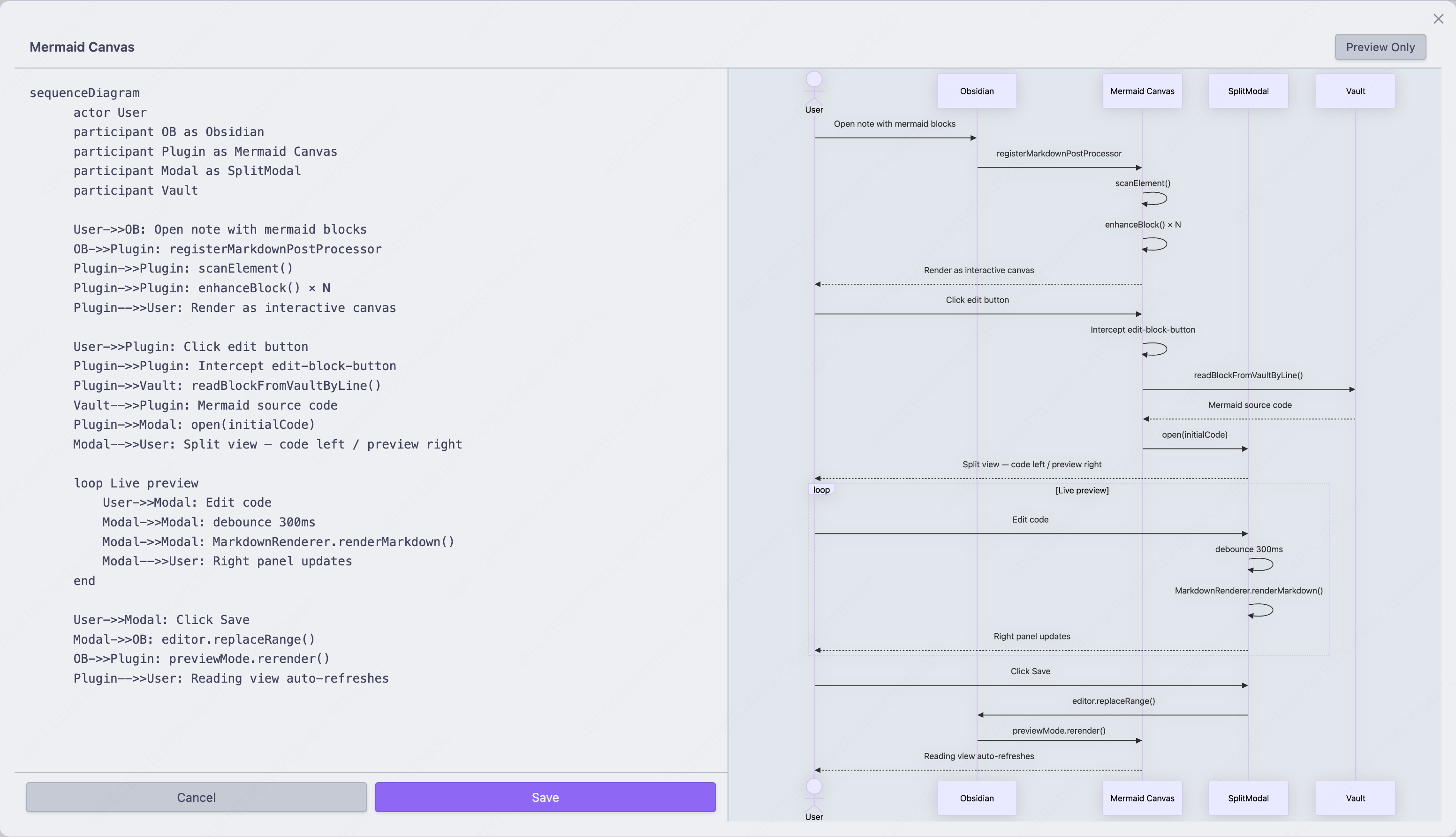
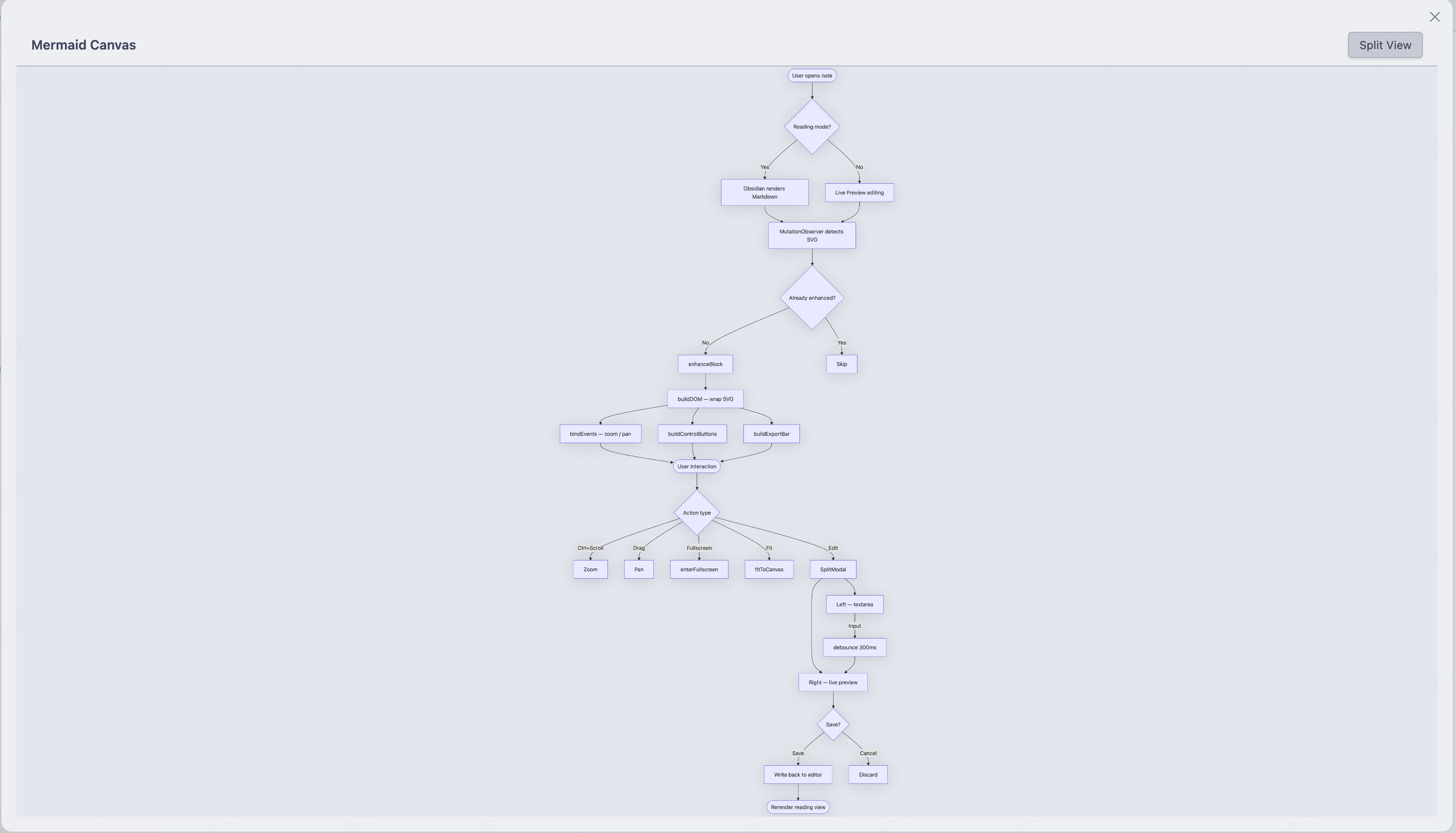
Split editor — code left, live preview right
Features
- Adaptive canvas — SVG renders at natural size, fills available width, no hardcoded constraints
- Smooth zoom & pan —
Ctrl/Cmd+ scroll wheel to zoom toward cursor, drag to pan - Control bar — hover to reveal Zoom In / Zoom Out / Fullscreen / Fit / Copy / Delete
- Export bar — hover bottom-center to export as PNG or SVG
- Fullscreen mode — expand any diagram to fill the viewport, Esc to exit
- Fit to canvas — one click to auto-scale the diagram to fit the available space
- Copy code — copy the raw mermaid source to clipboard
- Export PNG / SVG — download the diagram directly from the canvas
- Delete block — remove the entire code block with one click (available in editing mode only)
- Split editor — use the
Mermaid Canvascommand (or type/and search for it) to insert a block and open a live split-view editor - Edit interception — click Obsidian's native edit button on any mermaid block to open the split editor pre-loaded with the correct code
- Auto-refresh — saving in the split editor immediately updates the reading view
- Error resilience — invalid or empty blocks are gracefully skipped
Usage
| Action | How |
|---|---|
| Insert + edit | Mermaid Canvas command (Command Palette or / search) |
| Edit existing | Click the ✏️ edit button on any rendered mermaid block |
| Zoom | Ctrl/Cmd + scroll wheel (or two-finger pinch on trackpad) |
| Pan | Click and drag the diagram |
| Fullscreen | Hover → click Maximize button, Esc to exit |
| Fit to canvas | Hover → click Fit button |
| Copy code | Hover → click Copy button |
| Export PNG | Hover bottom-center → click Image button |
| Export SVG | Hover bottom-center → click Download button |
| Delete block | Hover → click Trash button (editing mode only) |
Installation
Manual
- Download the latest
main.js,styles.css, andmanifest.jsonfrom Releases - Copy them into
your-vault/.obsidian/plugins/mermaid-canvas/ - Reload Obsidian and enable the plugin in Settings → Community Plugins
From Source
git clone https://github.com/cheney12138/mermaid-canvas-plugin.git
cd mermaid-canvas-plugin
npm install
npm run build
# Then copy main.js, styles.css, manifest.json to your vault's plugins folder
Settings
- Zoom sensitivity (1–10) — how fast the scroll wheel zooms
License
MIT
For plugin developers
Search results and similarity scores are powered by semantic analysis of your plugin's README. If your plugin isn't appearing for searches you'd expect, try updating your README to clearly describe your plugin's purpose, features, and use cases.