Metronome + Tuner
approvedby Patrick Fanella
A precise metronome and chromatic tuner inside Obsidian. - This plugin has not been manually reviewed by Obsidian staff.
Metronome + Tuner
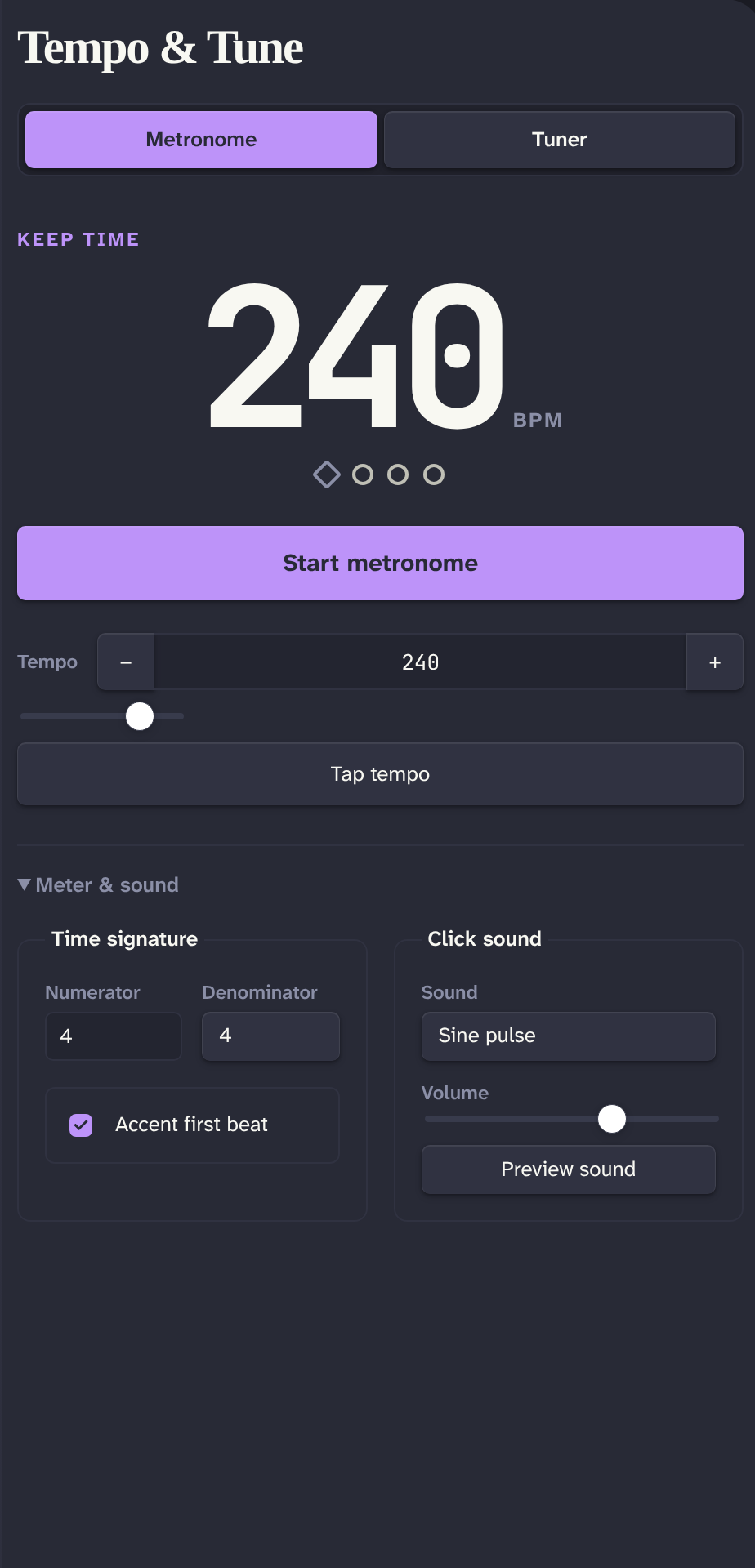
Metronome + Tuner adds timing and chromatic tuning tools to Obsidian.
Features
- Metronome from 30 to 300 BPM with Tap tempo, configurable time signature, first-beat accent, volume, and seven click sounds
- Chromatic tuner with frequency, confidence, cents, and note readouts
- Configurable A4 reference from 415 to 466 Hz
- Keyboard-accessible tabs and controls
- Desktop and mobile support
Privacy
The plugin requests microphone access only after you select Use microphone. It analyzes microphone audio locally and does not record, store, transmit, or play that audio. Microphone permission and availability depend on the device, operating system, and Obsidian mobile platform.
Install
After the plugin is accepted into the Obsidian marketplace:
- Open Settings → Community plugins in Obsidian.
- Select Browse, search for Metronome + Tuner, and select Install.
- Select Enable.
Manual install
Download main.js, manifest.json, and styles.css from a release. Copy them into:
<vault>/.obsidian/plugins/metronome-tuner/
Restart Obsidian, then enable Metronome + Tuner under Settings → Community plugins.
Usage
Select the ribbon icon or run Open to open the Tempo & tune view.
- In Metronome, set the tempo, select Tap tempo, configure Meter & sound, then select Start metronome. Press Space while focus is outside a control to start or stop playback.
- In Tuner, select Use microphone, allow microphone access, and play one clear note near the microphone. Select Stop listening when finished.
- Change startup defaults under Settings → Metronome + Tuner.
Commands
- Open
- Start metronome
- Stop metronome
Development
Node.js 24 or later is required.
npm install
npm run dev
npm run dev watches the source and writes main.js at the repository root.
Validation
npm run lint
npm test
npm run typecheck
npm run build
npm run build:clean
npm run check
npm run verify:release
npm run build writes a production main.js. npm run build:clean removes any existing main.js first. npm run check runs linting, tests, type checking, and a clean production build. npm run verify:release is the release gate: it runs check, then validates release metadata and the newly built artifacts. Pass a tag to check it locally, for example npm run verify:release -- 1.0.0.
Release process
- Set the same strict
x.y.zversion inpackage.json,manifest.json, andversions.json. - Run
npm run verify:release -- x.y.z. - Create and push an exact
x.y.ztag. Do not add avprefix. - CI creates or updates a draft GitHub release. Review its assets and notes, then publish it manually.
Do not publish a generated draft without manual verification.
Support and issues
Created by Patrick Fanella. Find more work at Subcult and GitHub. Support is available through Obsidian's native funding link.
Questions or feedback? Email patrick@subcult.tv. Report bugs or request features in GitHub Issues.
For plugin developers
Search results and similarity scores are powered by semantic analysis of your plugin's README. If your plugin isn't appearing for searches you'd expect, try updating your README to clearly describe your plugin's purpose, features, and use cases.