Micro templates
approvedby epszaw
Flexible embedded micro templates powered by Javascript functions.
★ 9 stars↓ 4,111 downloadsUpdated 3y agoMIT
Obsidian Micro Templates
How it works
The plugin allows to use templates stored inside your vault as text snippets.
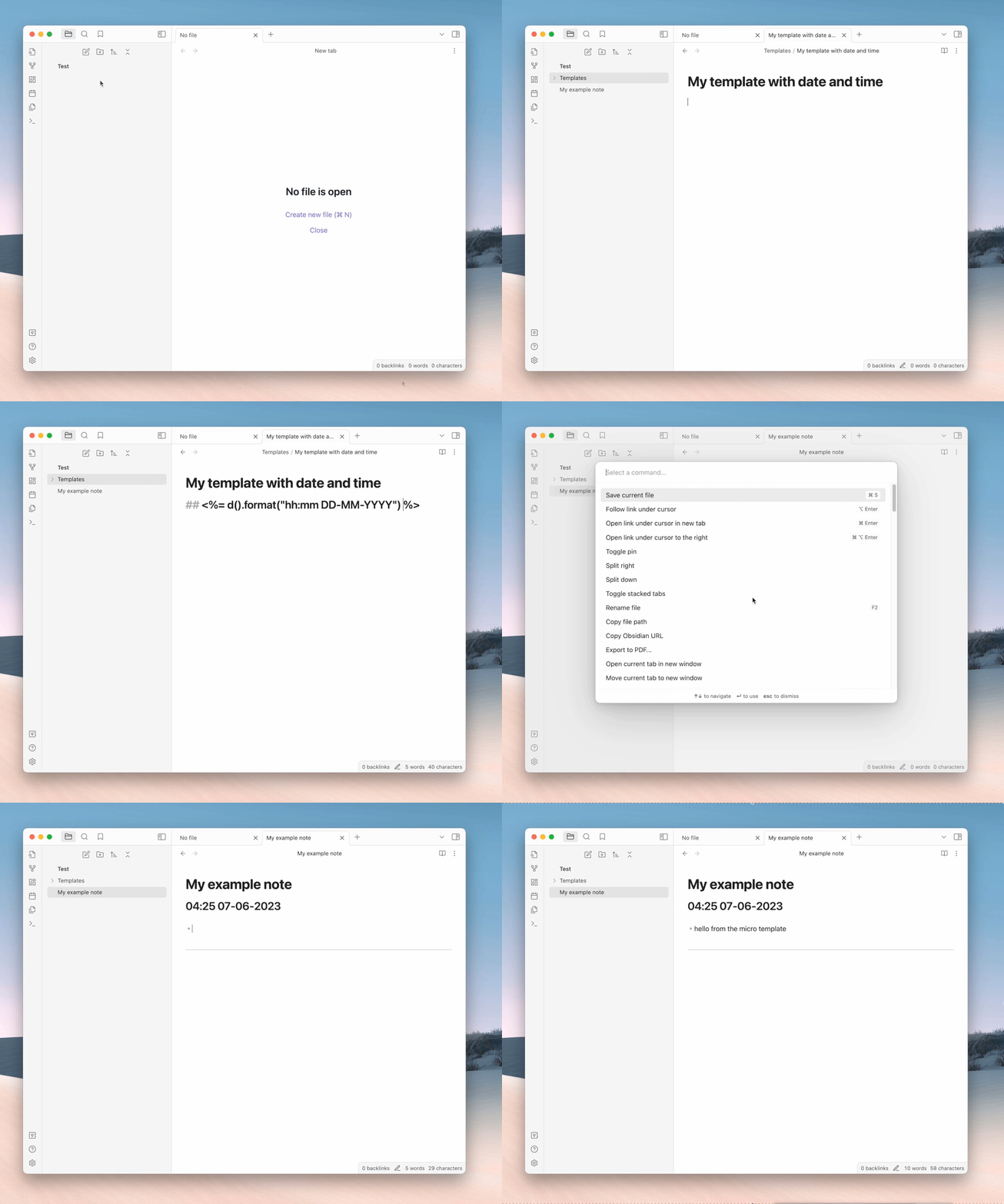
Usage
- Create a folder with templates inside your vault or select an existing one.
- Use
Ctrl/Cmd + Pto open the command palette and selectMicro temlates: select source folder(or set it manually in the plugin settings). - Then, use
Ctrl/Cmd + Pto open the command palette and selectMicro temlates: insert templateanywhere you want.
Features
The plugin uses ejs template engine to compile templates. It means that you can use any javascript code inside your templates.
Additionaly it provides dayjs to use it as is right in the templates:
<%= d().format("YYYY-MM-DD") %>
Use $cur marker string to mark place where cursor should be placed after template insertion:
This is a template cursor should be between these [ $cur ] bkackets.
For plugin developers
Search results and similarity scores are powered by semantic analysis of your plugin's README. If your plugin isn't appearing for searches you'd expect, try updating your README to clearly describe your plugin's purpose, features, and use cases.