Slash snippets
approvedby echo-saurav
Use slash command to insert quick text
Slash snippets

Quickly insert your most-used text snippets while writing in Obsidian. Perfect for things like Dataview blocks, callouts, templates, or any reusable text.
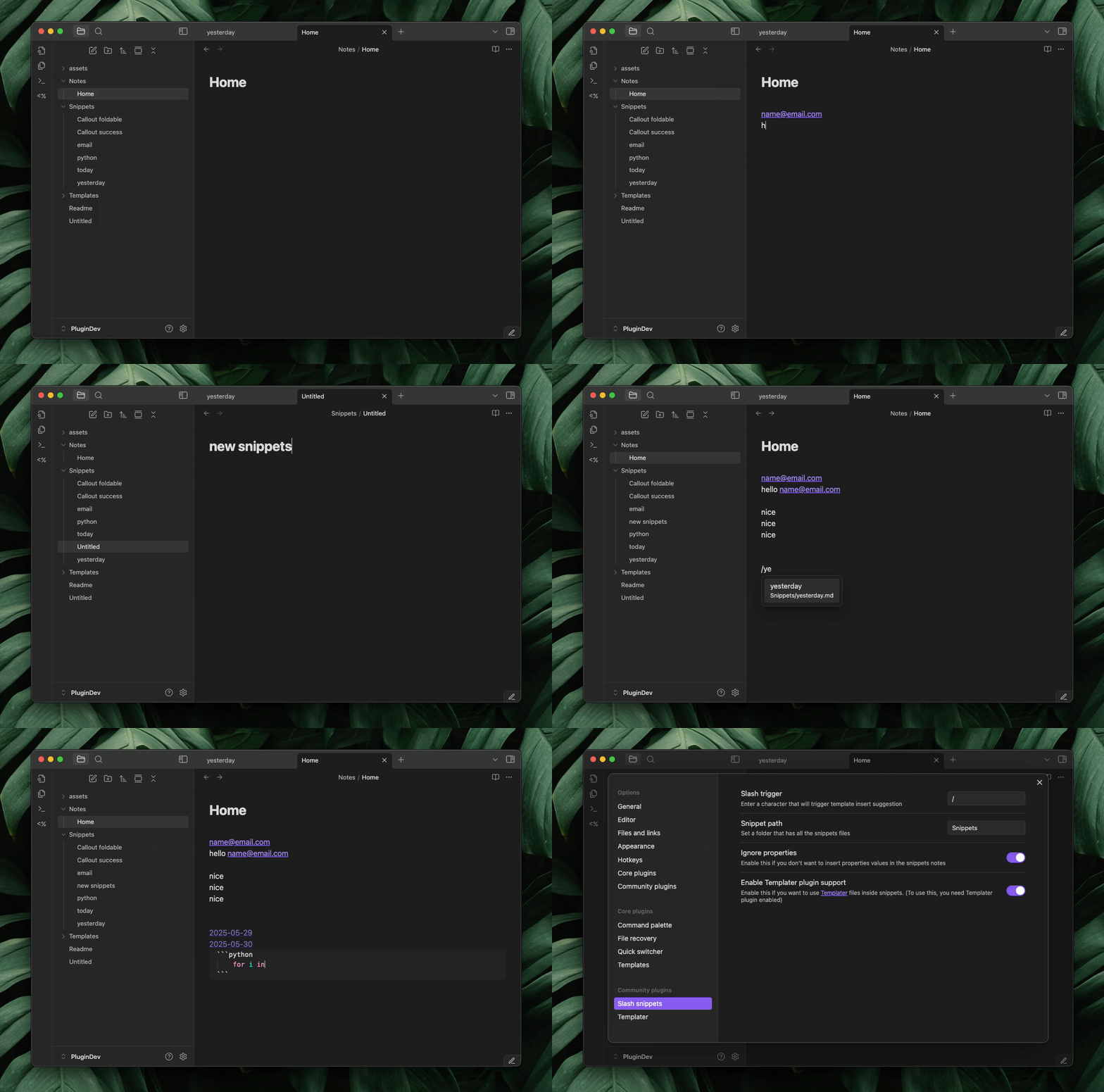
Setup
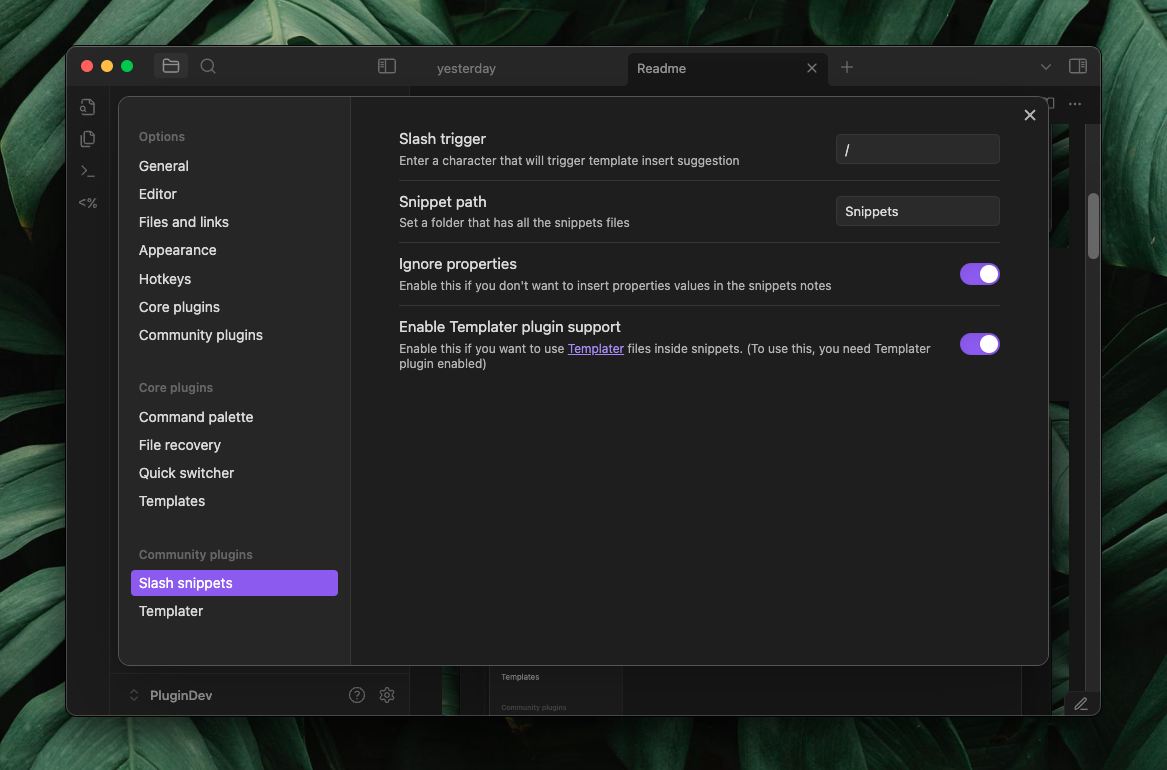
- Pick a trigger character, by default, it’s / (slash).
- Enter the folder path where you'll keep all your text snippets.
- Set a folder path where you will be store all your text snippets.
- Turn on Ignore properties if you don’t want property values included when inserting snippets.
- Enable Templater support if you want to use Templater syntax inside snippets.
- Add your snippets to the folder you specified.
How to install
Currently its under review , you can install using BRAT plugin or manually
Manual Installation
- Download
main.js,manifest.json,styles.cssthe latest release from the releases page - create a folder name
slash-snippets-pluginin.obsidian/plugins - put all the file you downloaded in your vault's
.obsidian/plugins/slash-snippets-plugin/directory - Reload Obsidian
- Enable the plugin in Settings -> Community Plugins
Text Variables
cursor position
use %%cursor%% in the snippet file to have a predefined position after the snippet is inserted.
Example:
<iframe src="%%cursor%%" height="400px" width="100%"></iframe>
Text selection insert
insert last selected text into snippet.
Example
> [!faq]- %%textSelection%%
>

Here are some inspirations for snippets
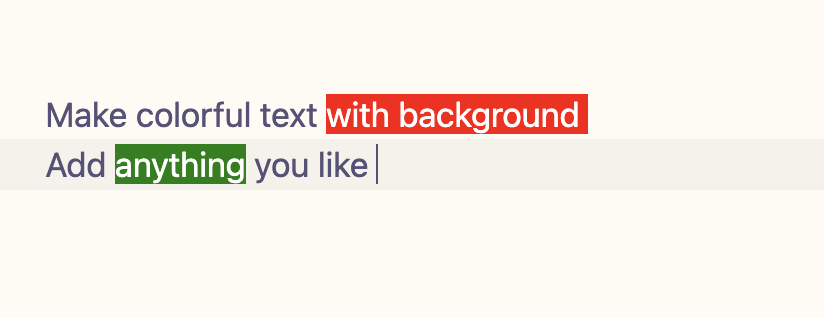
Colorful text
<span style='background:red; color: white'>%%cursor%%</span>
Or this, if you want text selection
<span style='background:red; color: white'>%%cursor%%%%textSelection%%</span>
Callouts
> [!faq]- Are callouts foldable?
> yes
> [!success]
> nice!
2 col table
| 1   | 2   |
| --- | --- |
|     |     |
3 col table
| 1   | 2   | 3   |
| --- | --- | --- |
|     |     |     |
4 col table
| 1   | 2   | 3   | 4   |
| --- | --- | --- | --- |
|     |     |     |     |
|     |     |     |     |
Html snippets
</br> </br>
<iframe src=" " height="400px" width="100%"></iframe>
mermaid chart
```mermaid
flowchart LR
    Start --> Stop
```
Also you can mix with templater code to make powerful snippets**
Iframe
<iframe src="<% await tp.system.prompt("Ifram Url") %>" height="400px" width="100%"></iframe>
Markdown comment
<!-- <% tp.file.cursor() %> -->
You can create some snippets named as today, yesterday and so on
today
[[<%tp.date.now("YYYY-MM-DD")%>]]
tomorrow
[[<% tp.date.now("YYYY-MM-DD" ,1) %>]]
yesterday
[[<% tp.date.now("YYYY-MM-DD" ,-1) %>]]
last week
[[<% tp.date.now("YYYY-MM-DD" ,-7) %>]]
Quick dataview
```dataview
LIST FROM "<%tp.file.cursor()%>"
SORT file.mtim DESC
```
```dataview
TABLE
<%tp.file.cursor(1)%>
FROM "<%tp.file.cursor()%>"

WHERE
<%tp.file.cursor(2)%>

SORT file.mtim DESC
```
Progress bar for tasks in a note with inline dataview
`= "<progress value='" + (length(filter(this.file.tasks.completed, (t) => t = true)) / length(this.file.tasks)) * 100 + "' max='100'></progress>" + "<br>" + round((length(filter(this.file.tasks.completed, (t) => t = true)) / length(this.file.tasks)) * 100) + "% completed"`
List all backlinks
## Backlinks
```dataview
LIST FROM [[<%tp.file.title%>]]
```
List all outgoing links
## Outlinks
```dataview
LIST
WITHOUT ID
file.link
FROM  "/"

WHERE
contains(file.inlinks ,[[<%tp.file.title%>]] )

```
AI Templates with obsidian-ai-templater plugin
Answer question about the note
<%*_
const content = tp.file.content
const userInput = await tp.system.prompt("What you want to write?")

let cleanContent = content.replace(/^-{3}[\s\S]*?-{3}\s*/gm, '');
cleanContent = cleanContent.replace(/<%\*_[\s\S]*?_%\>/g, '');
cleanContent = cleanContent.replace(/<%[\s\S]*?%\>/g, '');
cleanContent = cleanContent.trim();

const prompt = `
${userInput}
Do this based on the note bellow ,
---
${cleanContent}
--

Do not add any yaml for notes, only do or asked as user said. keep it simple and short
`
const aiWrite = await tp.ai.chat(prompt)

_%>
<% tp.file.cursor() %>
<% aiWrite %>
Make summery of current note
<%*_
const content = tp.file.content

let cleanContent = content.replace(/^-{3}[\s\S]*?-{3}\s*/gm, '');
cleanContent = cleanContent.replace(/<%\*_[\s\S]*?_%\>/g, '');
cleanContent = cleanContent.replace(/<%[\s\S]*?%\>/g, '');
cleanContent = cleanContent.trim();

const prompt = `
Make a summery of the text bellow
---
${cleanContent}
--

Only make summery dont make heading or anything else, your output will be inserted into a note , so write it as a note's summery sections.
`
const summery = await tp.ai.chat(prompt)
_%>
<% tp.file.cursor() %>
## Summery
<% summery.trim() %>
Make tasks list for notes
<%*_
const content = tp.file.content
let cleanContent = content.replace(/^-{3}[\s\S]*?-{3}\s*/gm, '');
cleanContent = cleanContent.replace(/<%\*_[\s\S]*?_%\>/g, '');
cleanContent = cleanContent.replace(/<%[\s\S]*?%\>/g, '');
cleanContent = cleanContent.trim();

const prompt = `
Read this notes bellow carefully and make markdown tasks list based on what the notes talking about doing or planning
---
${cleanContent}
--

Only make tasks dont make heading or anything else, your output will be inserted into a note , so write it as a note's ## Todo's sections, so you dont have to write heading for todo's, Only markdown task
ex:
- [ ] something
`
const tasks = await tp.ai.chat(prompt)
_%>
<% tp.file.cursor() %>
## Todo's
<% tasks %>
Mermaid chart
<%*_
const content = tp.file.content
let cleanContent = content.replace(/^-{3}[\s\S]*?-{3}\s*/gm, '');
cleanContent = cleanContent.replace(/<%\*_[\s\S]*?_%\>/g, '');
cleanContent = cleanContent.replace(/<%[\s\S]*?%\>/g, '');
cleanContent = cleanContent.trim();


const prompt = `
Read this notes bellow carefully and make top down mermaid flowchart based on what the notes talking about, include key points the note says
---
${cleanContent}
--
`
const mermaidChart = await tp.ai.chat(prompt)
_%>
<% tp.file.cursor() %>
<% mermaidChart %>
Answer question about note
<%*_
const content = tp.file.content
const userInput = await tp.system.prompt("What you want to write?")

let cleanContent = content.replace(/^-{3}[\s\S]*?-{3}\s*/gm, '');
cleanContent = cleanContent.replace(/<%\*_[\s\S]*?_%\>/g, '');
cleanContent = cleanContent.replace(/<%[\s\S]*?%\>/g, '');
cleanContent = cleanContent.trim();

const prompt = `
${userInput}
Do this based on the note bellow ,
---
${cleanContent}
--

Do not add any yaml for notes, only do or asked as user said. keep it simple and short
`
const aiWrite = await tp.ai.chat(prompt)

_%>
<% tp.file.cursor() %>
<% aiWrite %>
For plugin developers
Search results and similarity scores are powered by semantic analysis of your plugin's README. If your plugin isn't appearing for searches you'd expect, try updating your README to clearly describe your plugin's purpose, features, and use cases.