by liyifan
Right-click any PDF, Word, PPT, Excel, or image in your vault to convert it to Markdown via the MinerU parse API. Long PDFs are auto-split and merged back into one file, with an images/ sidecar and a run-in-background option.

mineru-converter


English | 简体中文
Let MinerU's accurate-parse API and Obsidian work together: convert any PDF / Word / PPT / Excel / image in your vault to editable Markdown with one right-click.
This repository hosts the MinerU Converter Obsidian plugin plus the engineering notes and tooling behind it.
Contents
| Folder | What's in it |
|---|---|
plugin/ | The Obsidian plugin (TypeScript → bundled main.js). Ready to install. |
docs/01-API文档理解.md | Structured understanding of the MinerU v4 API — every endpoint, parameter, state machine, and error code. |
docs/02-实操经验总结.md | Hard-won engineering notes: rate limits, CDN SSL workaround, 200-page limit, encrypted PDFs, proxy pitfalls, batch processing. |
docs/03-Obsidian插件开发规划.md | Product plan + technical design + interaction patterns for this plugin. |
code/ | Python tools that pre-date the plugin (252-file batch converter). Useful when you have a giant library to process. |
Quick start (Obsidian plugin)
- Apply for a MinerU API token at https://mineru.net/apiManage/apiManage (free tier available).
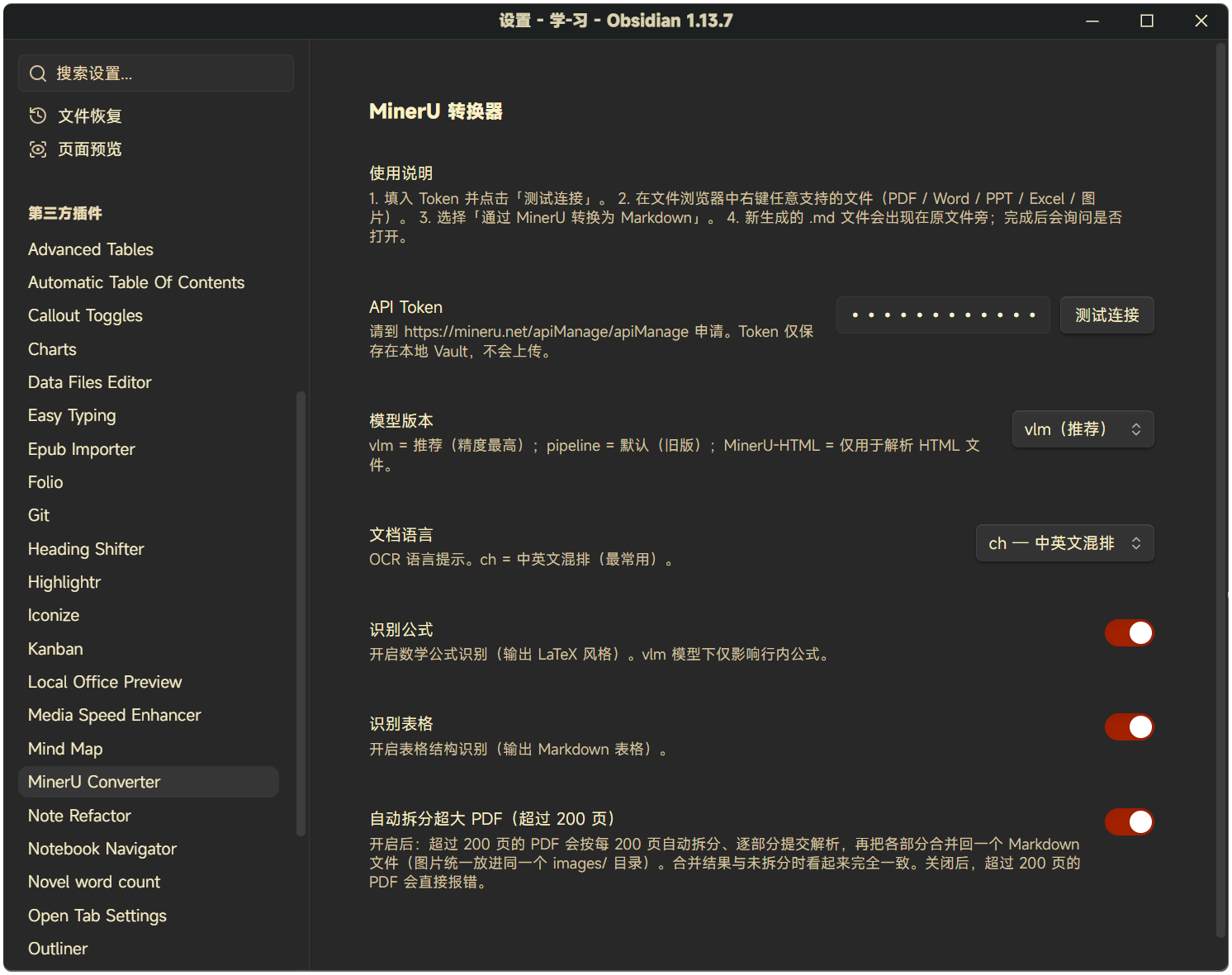
- In Obsidian → Settings → Community plugins → MinerU Converter, paste the token. Click Test connection to verify.
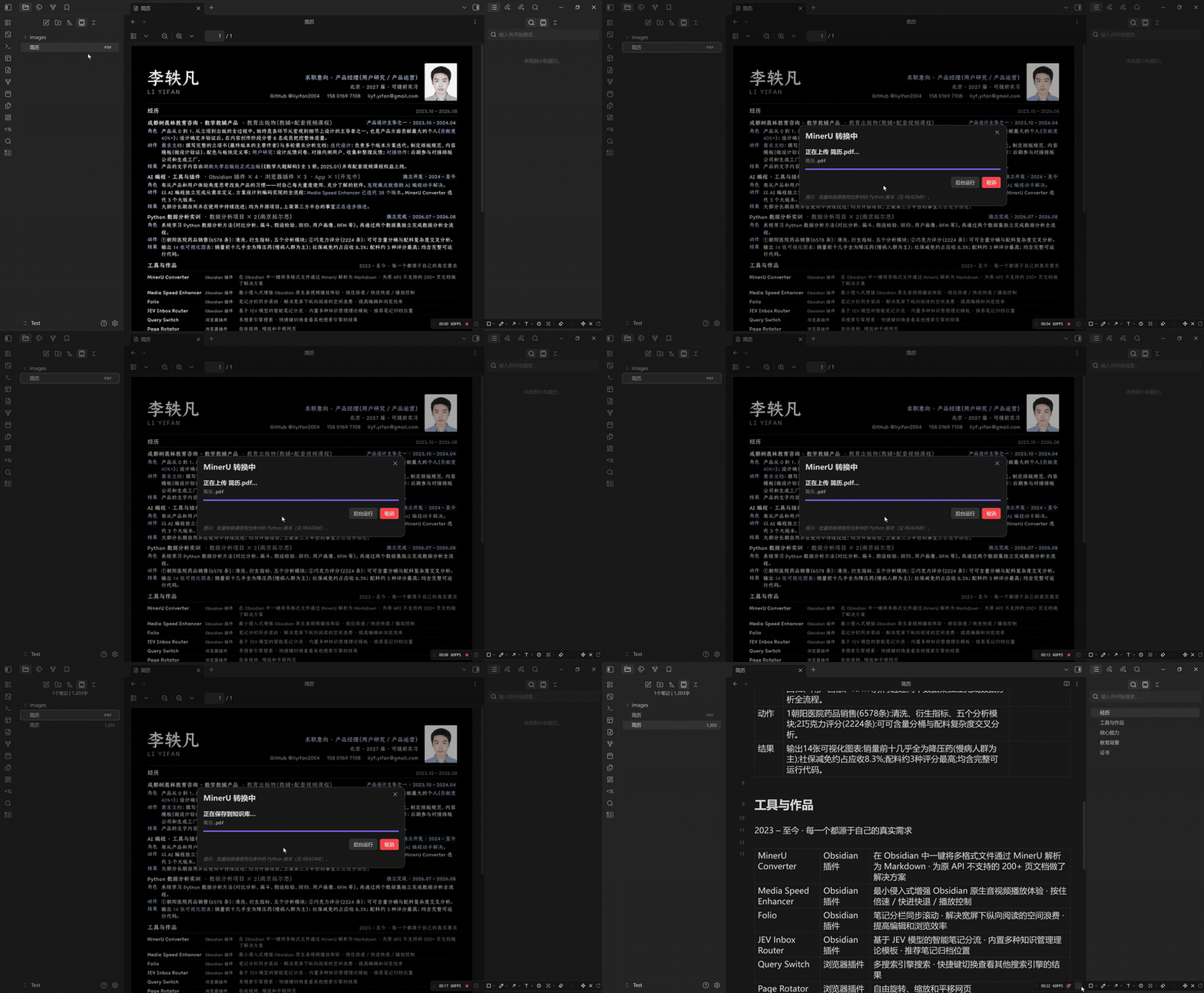
- Right-click any PDF / Word / PPT / Excel / image in the file explorer → Convert to Markdown via MinerU.
- A
.mdfile appears next to the original. The plugin will ask if you want to open it.
PDFs longer than 200 pages are handled automatically: the plugin splits the page tree into 200-page parts, submits each part to MinerU in turn, then merges the Markdown and images back into a single .md file next to the original. The output looks identical to a non-split conversion — no part markers, one shared images/ folder. Turn this off in Settings → MinerU Converter → Auto-split oversized PDFs.
For supported formats and limits, see docs/03-Obsidian插件开发规划.md.
Demo
Right-click a PDF, wait a few seconds, get Markdown:
Settings — API token, model version, OCR language, formula / table recognition, auto-split for oversized PDFs:
Quick start (Python batch tool)
If you have hundreds of files to convert, the plugin's per-file flow is slow. Use the Python tools in code/ instead:
pip install requests PyPDF2
# Edit TOKEN and ROOT_DIR at the top of code/mineru_convert.py
python code/mineru_convert.py
The script auto-batches (40 files per batch, 70 s between batches to respect MinerU's 50/min limit), resumes on re-run, and writes .md siblings in place.
Plugin development
cd plugin
npm install
npm run dev   # watch mode, auto-rebuilds main.js
To test locally, copy the produced main.js, manifest.json, and styles.css into <your-vault>/.obsidian/plugins/mineru-converter/, then enable Community plugins → MinerU Converter in Obsidian settings.
Releases are built and attested by GitHub Actions when a bare-semver tag is pushed. Every asset carries a GitHub artifact attestation and can be verified with gh attestation verify main.js -R liyifan2004/obsidian-mineru-converter. See plugin/README.md for the release flow.
License
For plugin developers
Search results and similarity scores are powered by semantic analysis of your plugin's README. If your plugin isn't appearing for searches you'd expect, try updating your README to clearly describe your plugin's purpose, features, and use cases.