MOC Link Helper
approvedby bogdancodreanu
Helps with some MOC janitor-linking tasks.
MOC Link Helper
Requires Dataview plugin to work.
Desktop only. Cannot use on mobile.
This is a plugin to help linking your child notes to your MOC notes. This task is usually achieved by two-way link:
- The MOC note includes children notes in its content.
- A child note has an up property saying that it comes from a specific MOC.
What this plugin does
Adds the command MOC Link Helper: Open View that will open the view to help you link notes and also find possible "lost notes" of your MOC.
The Open View command is also added as a ribbon button.
How to use
View - Notes Included
The Notes Included view is where you will see all the notes in the selected MOC and be able to do the following operations:
- Add a link to this MOC to all of the notes up frontmatter property.
- You will be warned with the notes that do not have an up-link to the current MOC not, but are included in your MOC.
- Remove the link to this MOC from all included notes.
- This can be useful for when you want to remove an MOC.
This view also contains 3 filtering options of the notes
- All - shows you all included notes
- Linking operations do not affect MOC notes on this filter.
- Notes - shows you all included notes, except MOC notes
- MOC - shows only included MOC notes
- Operations will work on all MOCs. (If you want all the sub-MOCs to have an up-link to this note)
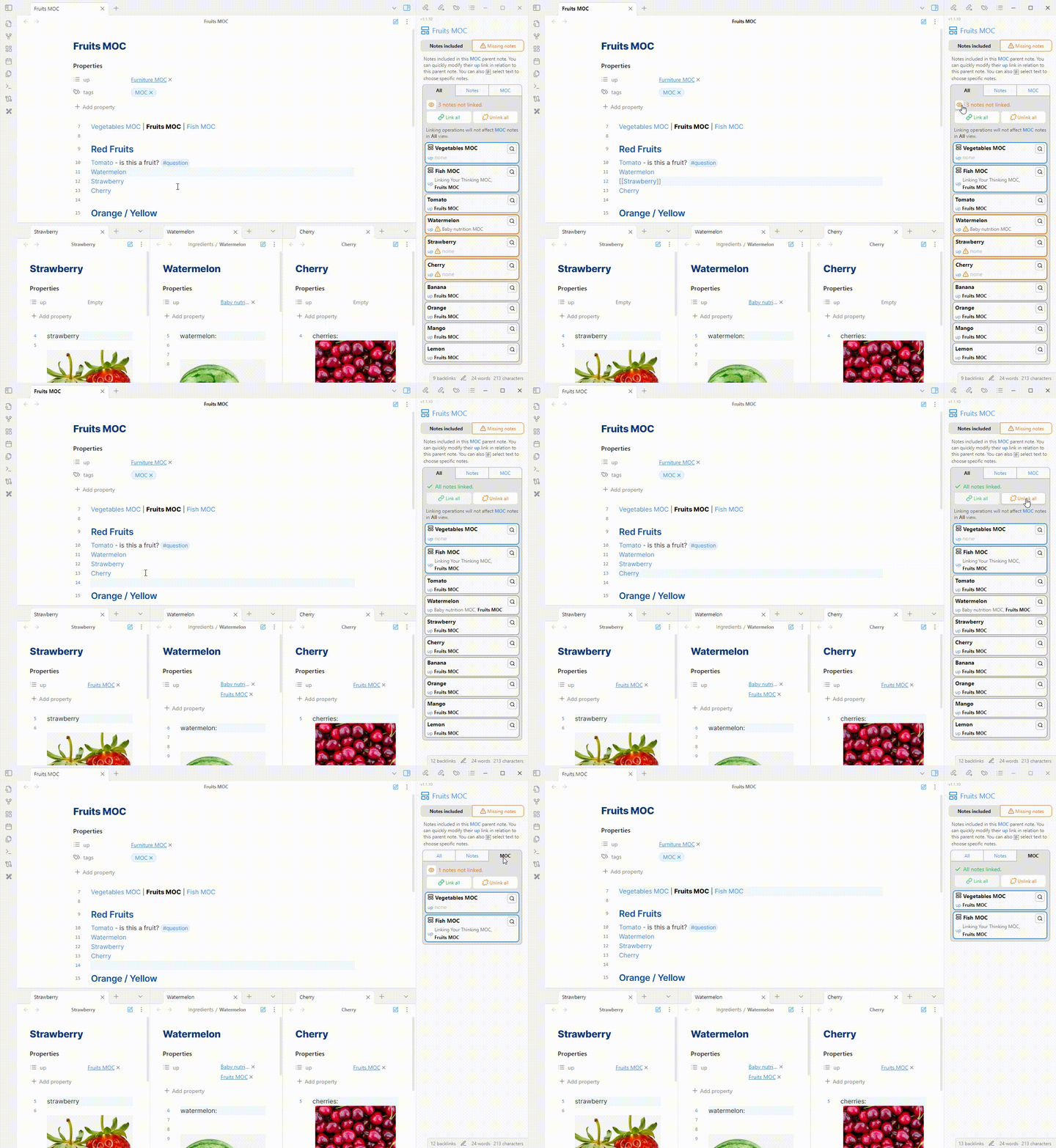
- You can also select text in the MOC and it will filter the notes on the view to the selected ones only.
- This can be useful for when you want to split your MOC from including all notes to mutliple smaller MOCs. So if I want to turn Red Fruits into an MOC, I firstly remove the link to the Fruits MOC from all the red ones.
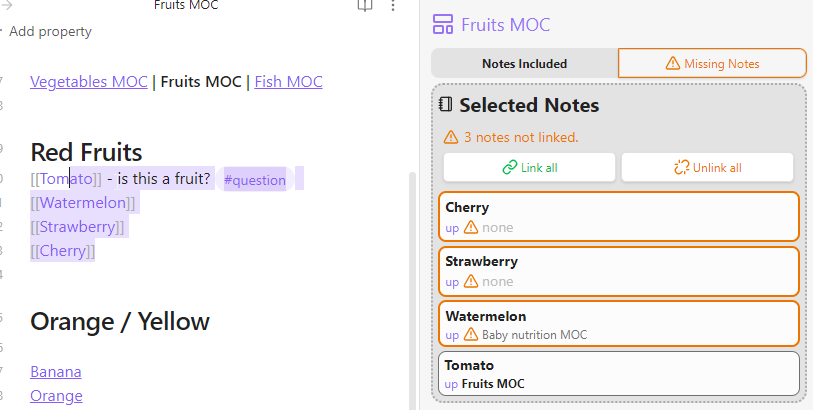
When selection is activated, the linking operations will be applied only to the selected files.
- Will link even MOCs if they are selected
View - Missing Notes
This view will show any notes that have an up-link to this MOC, but are not included in the MOC.
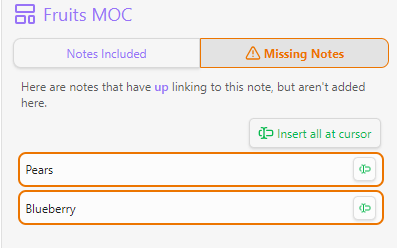
- You can easily insert them as links at the position of your text cursor.
Child notes
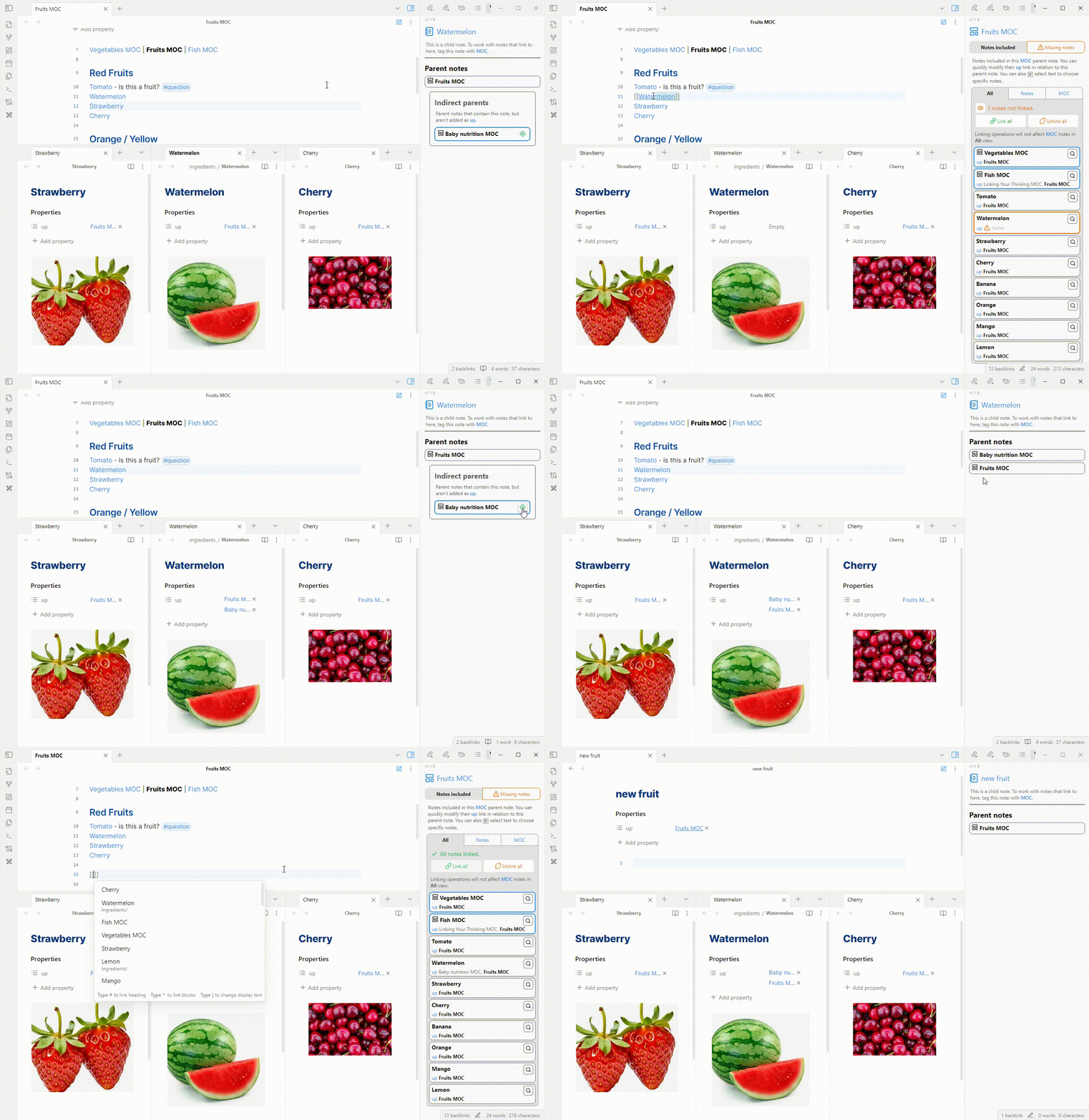
There are also small functionalities on child notes. You can see the note's parents (which are included in its up links) and also a possible MOCs that it belongs to.
Issues
If you find any issues or bugs, or complains, please submit them at https://github.com/BogdanCodreanu/obsidian-moc-checker/issues.
Donate
If this project saves you time and you want to donate, please do so at

For plugin developers
Search results and similarity scores are powered by semantic analysis of your plugin's README. If your plugin isn't appearing for searches you'd expect, try updating your README to clearly describe your plugin's purpose, features, and use cases.