Modern Outline
approvedby KreNtal
A modern and customizable minimap outline for your notes. - This plugin has not been manually reviewed by Obsidian staff.
Modern Outline
A modern minimap outline for Obsidian. Displays your note's headings as small markers overlaid on the edge of the note, hover to reveal heading names, click to jump.
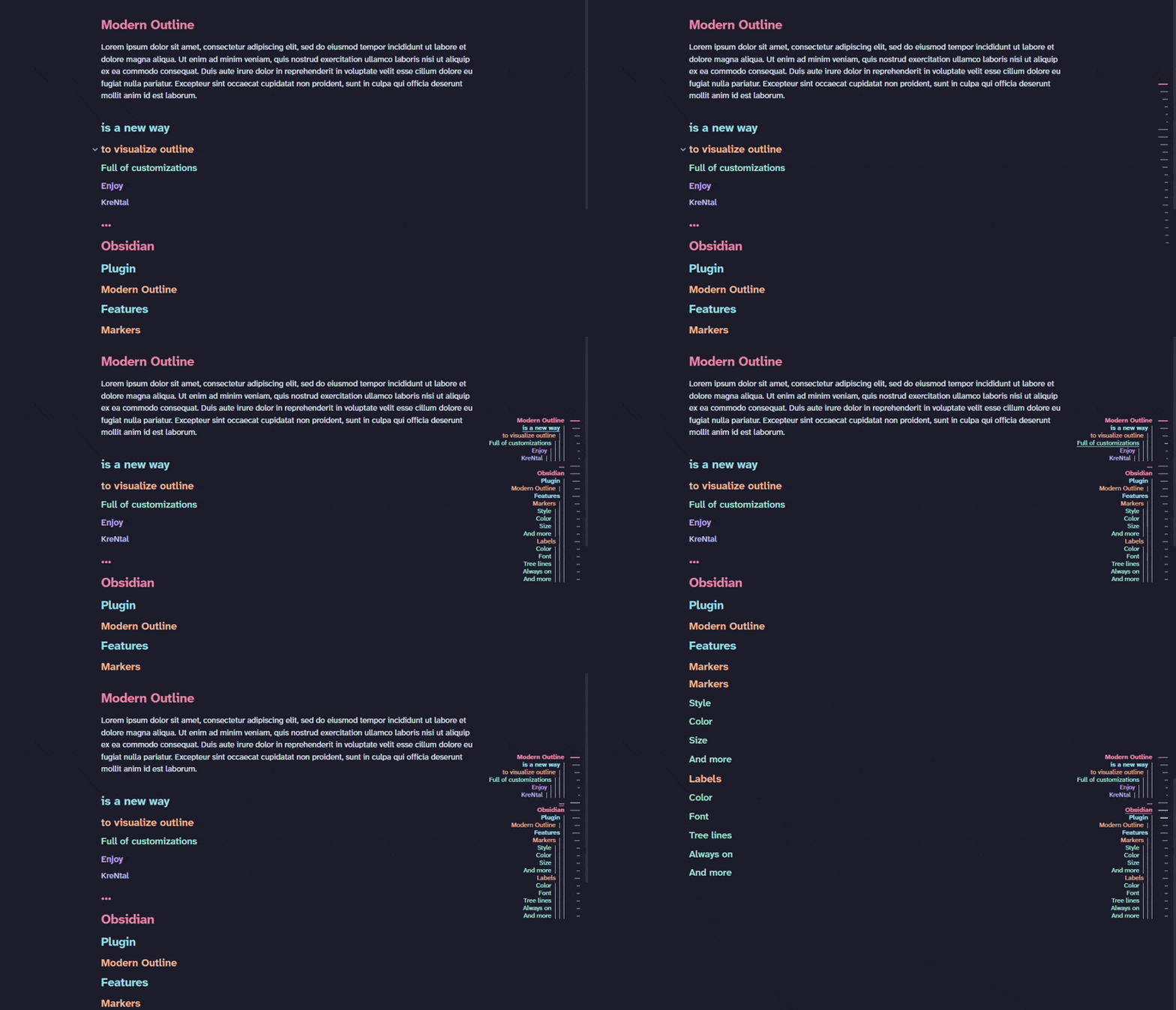
Features
- Marker strip overlaid directly on the note, no sidebar panel needed.
- Different marker shapes.
- Hover the strip to reveal all heading labels.
- Active heading highlighted as you scroll, works in both editing and reading mode.
- Click any marker or label to jump to that heading.
- Labels always visible mode: skip the hover, show labels at all times.
- Label hierarchy: show heading depth via indent, font size, or both.
- Tree lines: vertical lines connecting each heading to its children.
- Fully themeable: independent marker/label colors, highlight color, marker shape & size, label font.
- Adapts to dense notes: spacing compresses and the active heading stays in view.
Theme headings option uses the heading colors defined by your active Obsidian theme (e.g.
--h1-color … --h6-color), falling back to a built-in palette when the theme doesn't define them.
Usage
Open any note — the outline strip appears automatically on the edge of the note. Hover the strip to reveal heading labels with a slide animation, then click any label to jump to that heading.
Use the ribbon icon or the command Modern Outline: Toggle to show or hide the strip.
All visual options are under Settings → Community plugins → Modern Outline:
- Layout — left/right side, vertical alignment, and animations on/off
- Markers — style (Dash, Pill, Circle, Diamond, Literal, Hash), size, and color theme
- Labels — color, font, hierarchy style, and always-visible mode
- Headings — minimum and maximum heading level to display
Installation
From the community plugin list
- Open Settings → Community plugins → Browse
- Search for Modern Outline and install it
- Enable it in Settings → Community plugins
Manual
- Download
main.js,styles.css,manifest.jsonfrom the latest release - Copy them into
<vault>/.obsidian/plugins/modern-outline/ - Reload Obsidian and enable the plugin in Settings → Community plugins
Motivation
- Wanted to show modern and beautiful outline in my notes.
- Dind't want to have them in a side panel.
For plugin developers
Search results and similarity scores are powered by semantic analysis of your plugin's README. If your plugin isn't appearing for searches you'd expect, try updating your README to clearly describe your plugin's purpose, features, and use cases.