by Yoonchae Lee
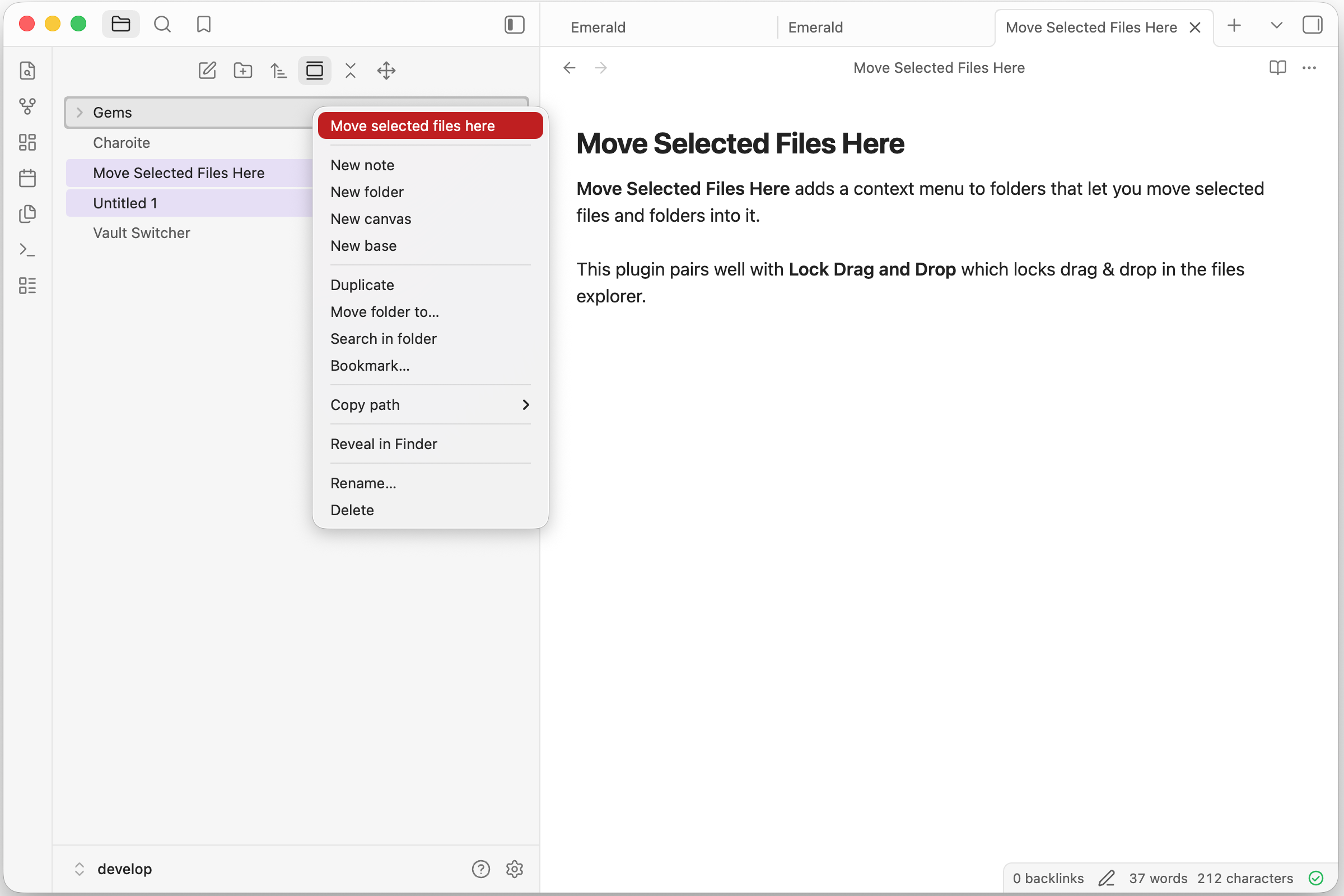
'Move selected files here' context menu is added.
Move Selected Files Here
Move Selected Files Here adds a context menu action to move selected files and folders into a folder in Obsidian.
- Select one or more files or folders in the File Explorer.
- Right-click the destination folder and click Move selected files here.
Development
Install dependencies and build the plugin:
pnpm install
pnpm run build
The build writes main.js and manifest.json to ./dist/.
Then symlink the ./dist/ folder from the Obsidian plugin folder.
ln -s <path to ./dist/> move-selected-files-here
If you want to sync your plugins, you will need to copy the folder instead of symlinking.
Creating a release
Run below command to create and upload new version tag. This makes use of npm version lifecycle hook and the script.
pnpm version 0.1.0
git push origin main 0.1.0
Disclaimer
This plugin was developed with AI assistance, but all code was manually reviewed by a human.
This plugin is not affiliated with official Obsidian product.
For plugin developers
Search results and similarity scores are powered by semantic analysis of your plugin's README. If your plugin isn't appearing for searches you'd expect, try updating your README to clearly describe your plugin's purpose, features, and use cases.