Jump to link
approvedby mrjackphil
Quickly navigate between links, or jump to any word on the page using hotkeys.
Obsidian Plugin: Jump to link
Quickly navigate between links, or jump to any word on the page using hotkeys.
Jump To Link
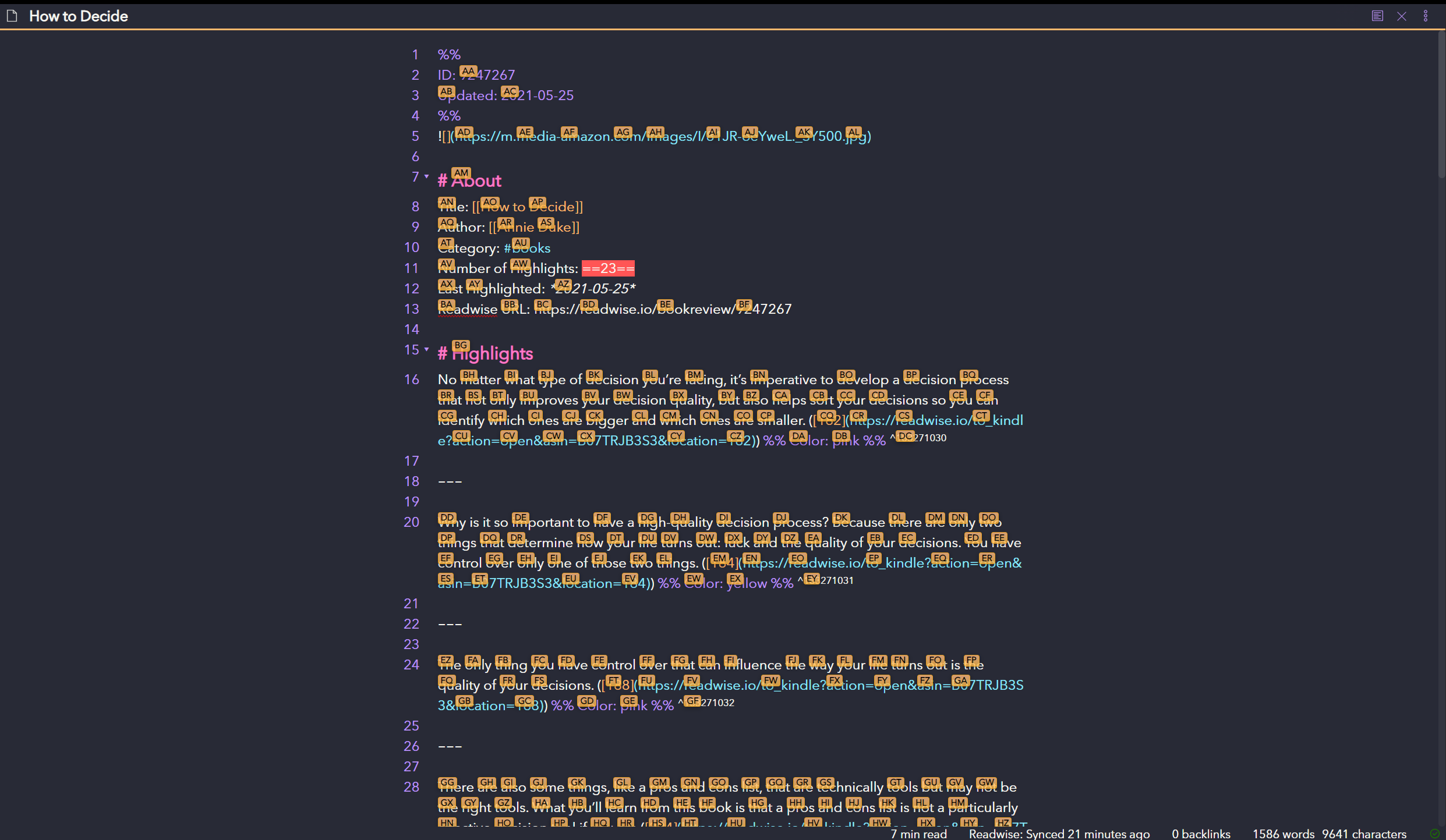
Jump to Anywhere (RegEx based navigation)
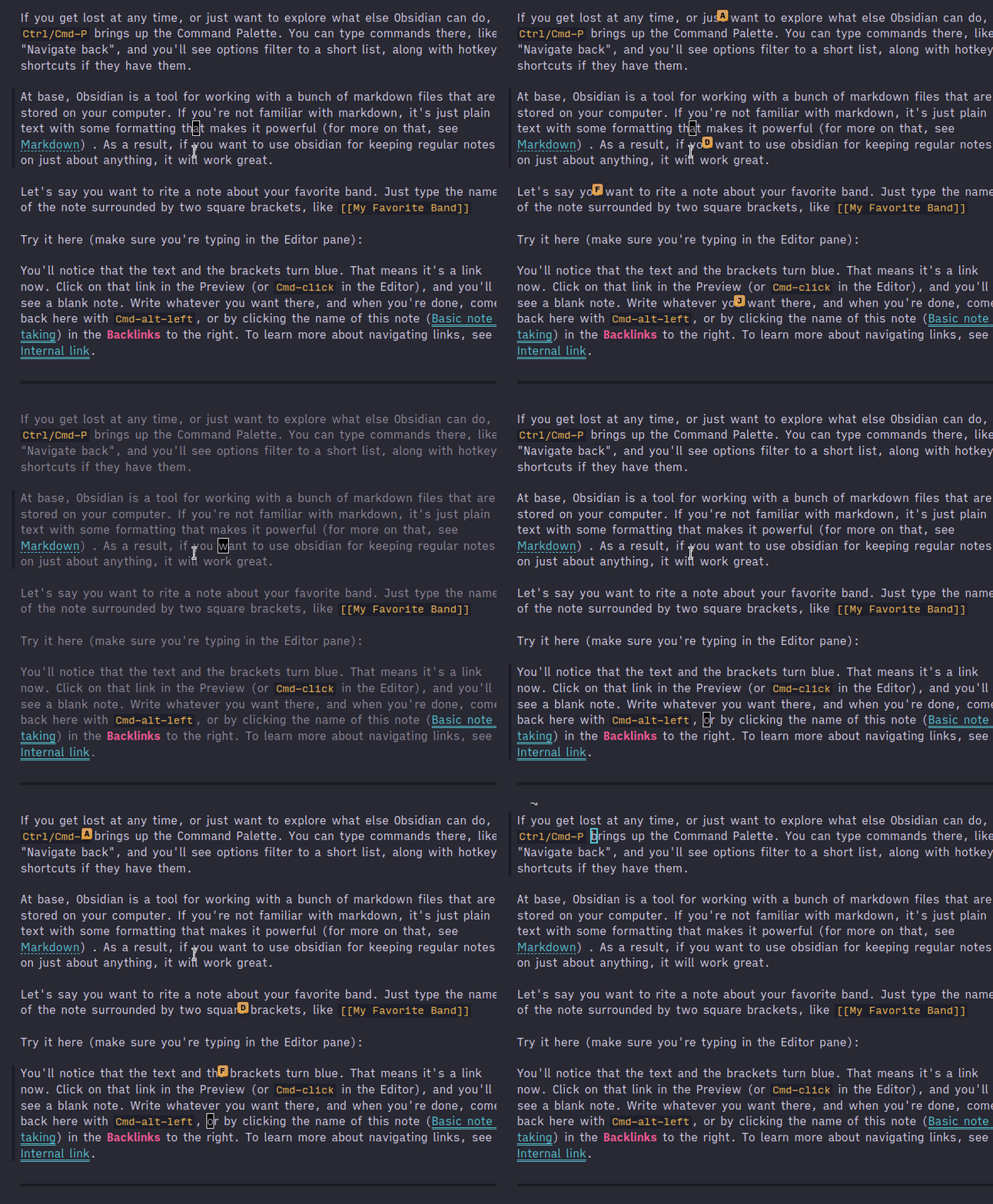
Lightspeed
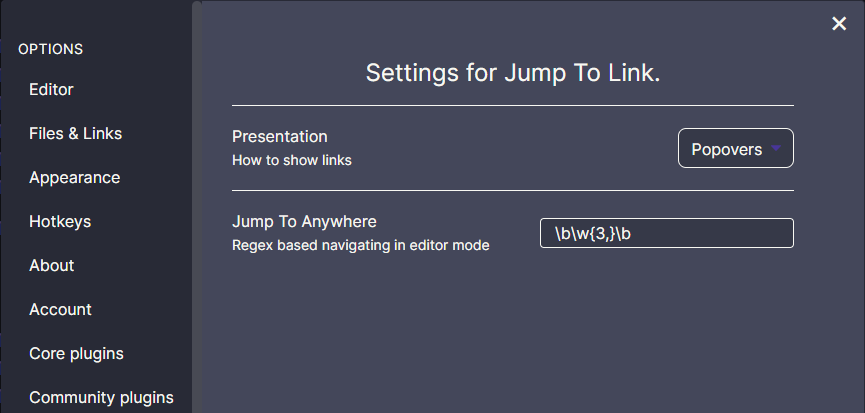
Settings
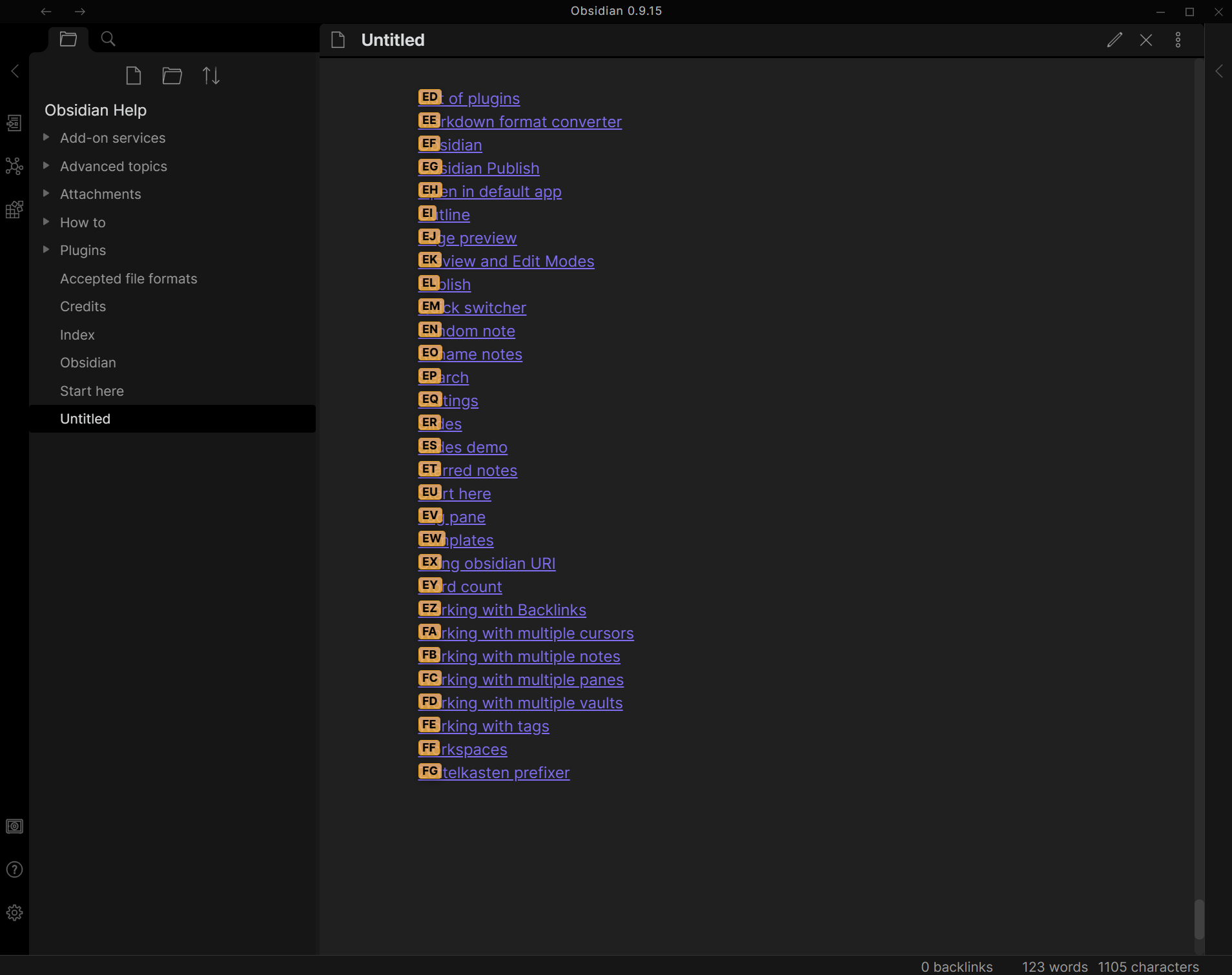
How to use (Link Navigation)
- Open command palette (
Ctrl+P), find and choose theJump to link: Show link hintscommand - To reach it faster, assign your own hotkey under
Settings -> Hotkeys(the plugin no longer ships default hotkeys, so they cannot clash with yours) - If there are any links in opened file you should see letters over them which should be pressed to open the link
- Hold
Shiftwhile pressing link letters should open note in a new pane
How to use Jump to Anywhere (Editor Navigation)
- Use the command palette, or a hotkey you assigned to
Jump to anywhere regex, to instantly jump to any word on the page! - If you hold
Shiftwhile pressing the hotkey, you will select to the word you jump to. - Jump to Anywhere is a RegEx based navigation feature, similar to
vim-easymotion. - Jump to Anywhere works both in regular editor mode, and in VIM mode!
- Custom RegEx can be configured to user preference
- Default configuration adds a label on words 3 characters or greater: [Regex:
\b\w{3,}\b] - Suggested
Characters used for link hintssetting for Jump to Anywhere:asdfghjklqwertyuiopzxcvbnm- These settings ensure that all 26 letters are available for jumping in documents with large amounts of text.
- If there are more matches than available letters, the label will show
undefinedand it will not be possible to jump there.
How to use Lightspeed
Lightspeed is originally a vim plugin similar to vim-sneak or easymotion. See this issue for videos.
You can either assign a hotkey, or use it in combination with the Obsidian vimrc plugin:
exmap jumpToLink obcommand mrj-jump-to-link:activate-lightspeed-jump
nmap gs :jumpToLink<CR>
The idea and original code is from @kohane27.
The look of it when invoked can be modified with CSS. By default, it is:
.theme-dark, .theme-light {
  --jump-to-link-lightspeed-color: var(--text-muted);
}
Lightspeed is only supported in the new Codemirror 6 editor.
How to install the plugin
Install plugin from the Community Plugins section.
Known issues
Support
For plugin developers
Search results and similarity scores are powered by semantic analysis of your plugin's README. If your plugin isn't appearing for searches you'd expect, try updating your README to clearly describe your plugin's purpose, features, and use cases.