Click Hint
approvedby kbwo
Provide keyboard-driven hints for clickable elements.
★ 10 stars↓ 539 downloadsUpdated 1y agoMIT
Click Hint Plugin for Obsidian
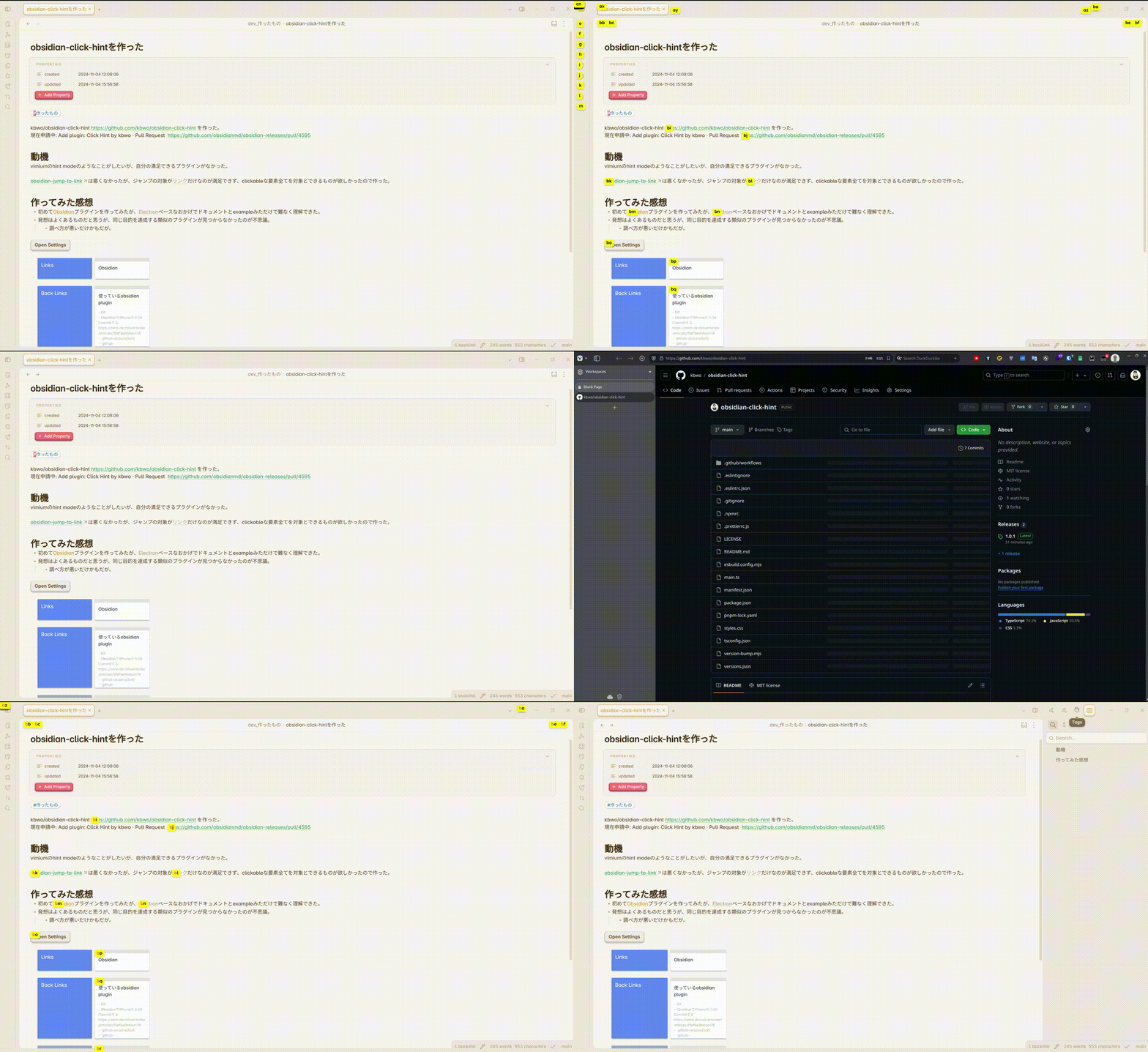
A plugin for Obsidian that enhances navigation by providing keyboard-driven hints for clickable elements.
Inspired by:
- easymotion/vim-easymotion: Vim motions on speed! https://github.com/easymotion/vim-easymotion
- philc/vimium: The hacker's browser. https://github.com/philc/vimium
- mrjackphil/obsidian-jump-to-link: Quick jump between links using hotkeys https://github.com/mrjackphil/obsidian-jump-to-link
Features
- Quick keyboard navigation to any clickable element (links, buttons, etc.)
- Customizable hint characters
- Support for both internal and external links
- Visual feedback for partial matches
How to Use
- Install the plugin from Obsidian's Community Plugins
- Enable the plugin in Obsidian settings
- Use the command "Show click hints" to activate hint mode
- Type the characters shown in the hints to navigate to your desired element
Configuration
You can customize the following settings:
- Hint Characters: Define which characters to use for hints (default: a-z)
Installation
From Obsidian
- Open Settings in Obsidian
- Navigate to Community Plugins and disable Safe Mode
- Click Browse and search for "Click Hint"
- Install the plugin and enable it
Manual Installation
- Download the latest release from the releases page
- Extract the files to your
.obsidian/plugins/click-hint/folder - Reload Obsidian
- Enable the plugin in Community Plugins settings
For plugin developers
Search results and similarity scores are powered by semantic analysis of your plugin's README. If your plugin isn't appearing for searches you'd expect, try updating your README to clearly describe your plugin's purpose, features, and use cases.