by moke525
Write long-form fiction with a workspace per work, plus graph, timeline, fission board, map, spacetime, cards, table and full-text search over plain Markdown notes.
✍️ Novel-kit
中文 | English




An all-in-one writing suite for long-form web novels in Obsidian.
One work is one folder in your vault · Settings, outlines and manuscripts are all plain Markdown · Seven views over the same notes.
[!IMPORTANT] This plugin is built for the desktop version — desktop only.
✨ Feature Highlights
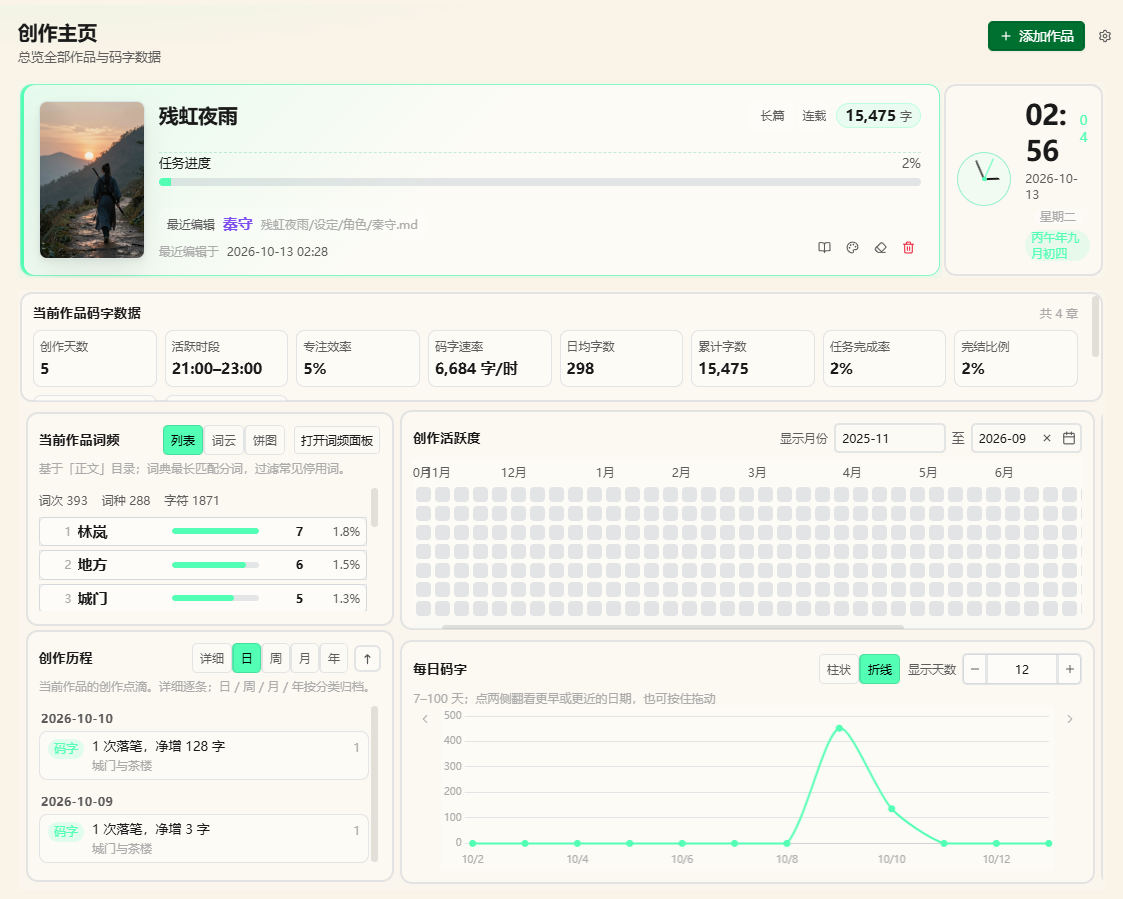
🏠 Creative Homepage
Progress & KPIs · Daily word-count curve and heatmap · Word frequency · Todos · Clock · Drag to add or remove widgets, layout saved to System/home.json
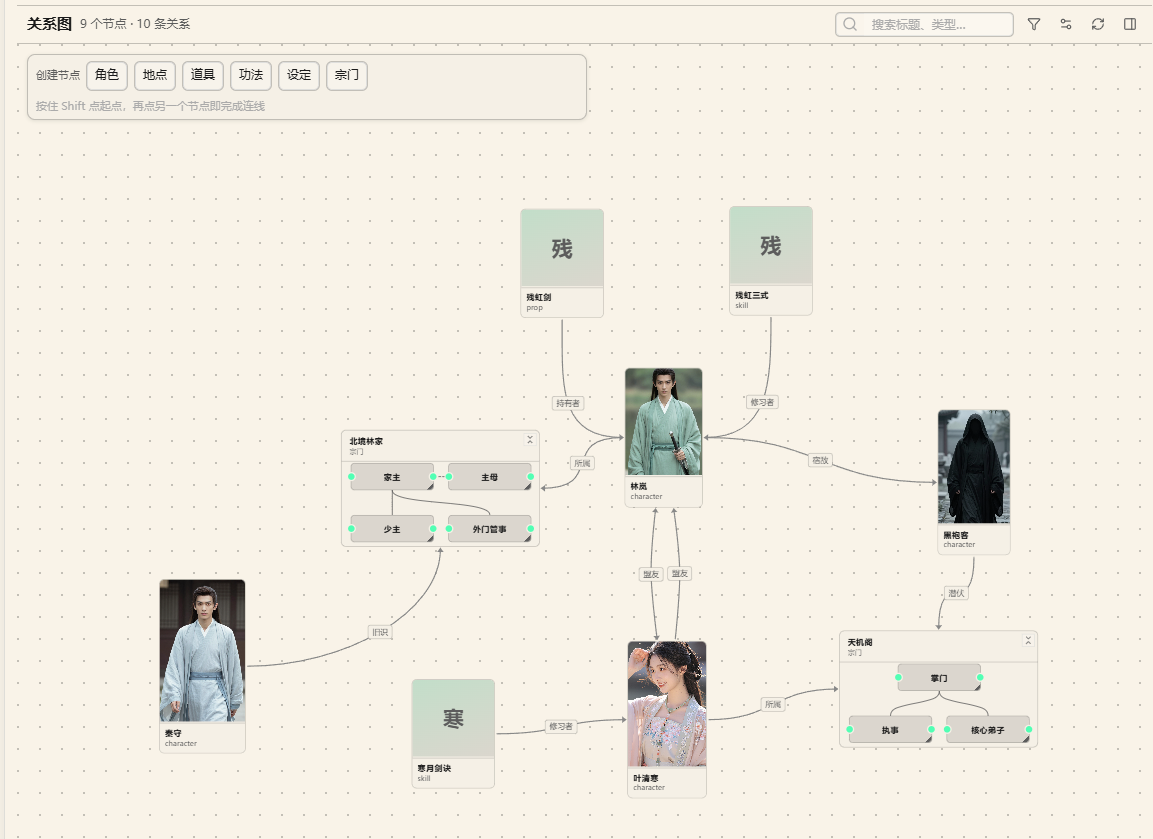
🕸️ Graph
Visualizes relations plus foreshadowing / hooks · "Filter" decides what shows and what gets highlighted · "Display config" handles file types, colors and edges
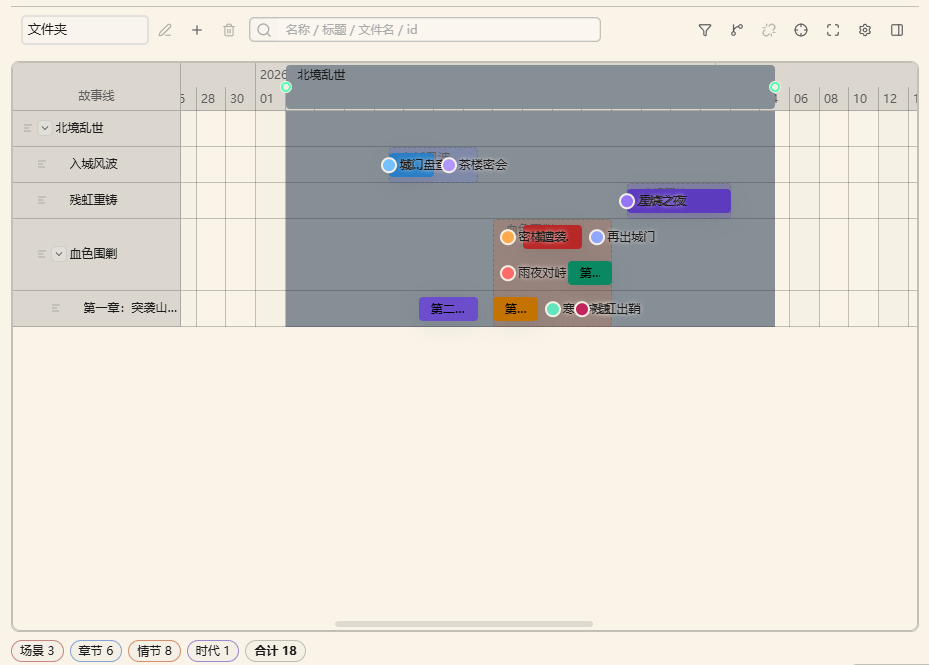
📅 Timeline
Scenes ordered by time · With "Folder" grouping, dragging really moves files · Edit start/end dates straight in the frontmatter
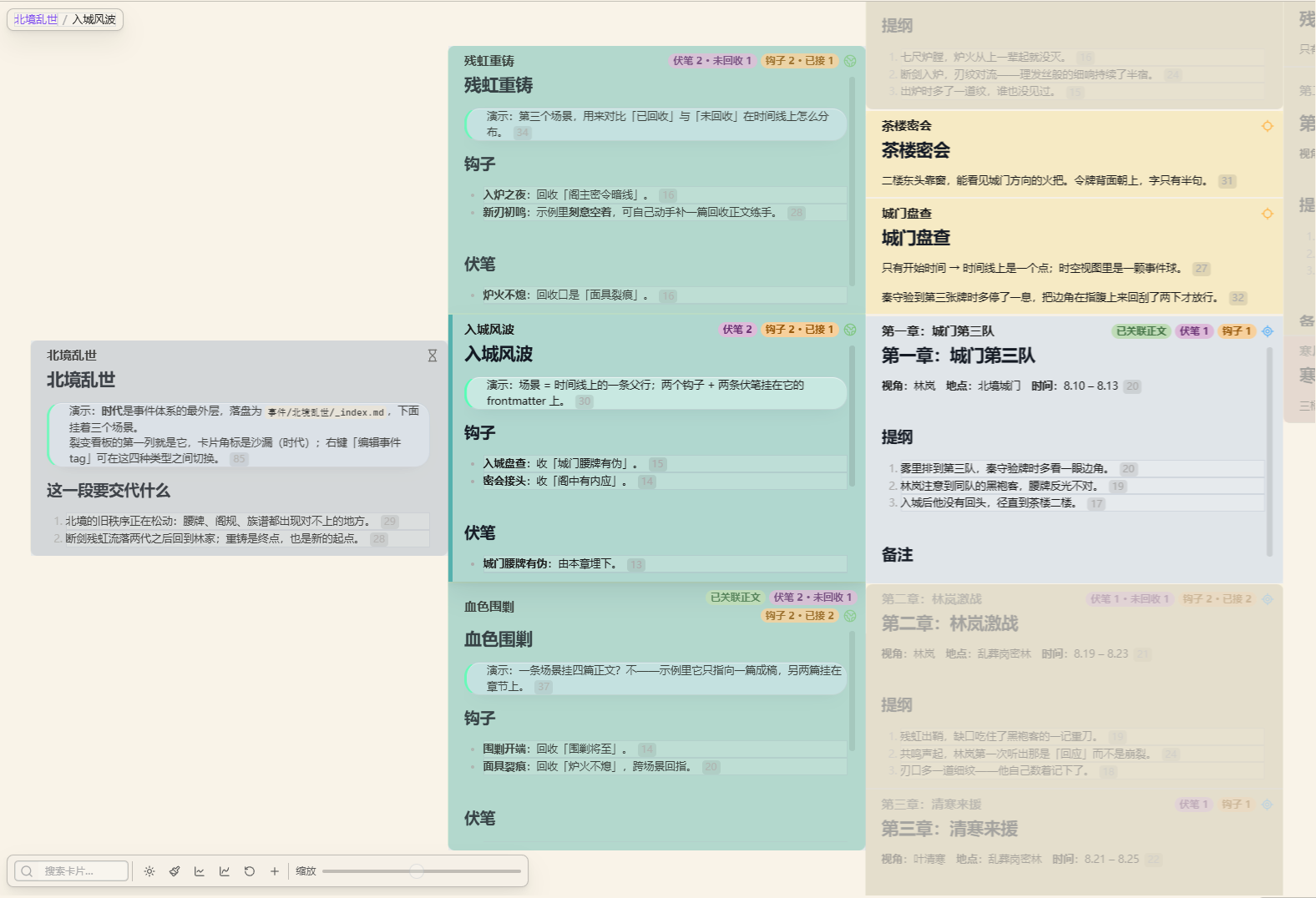
🧬 Fission
Multi-column card outline · Drag to reorder plot beats · Cards are the notes — you are editing the same files · Right-click to retag the event kind (era / scene / chapter / plot)
🗺️ Map & Spacetime
Coordinate markers on a base image · Spacetime maps the image to a plane and time to the z axis · Coordinates read "map name:x,y" (full-width colon and comma)
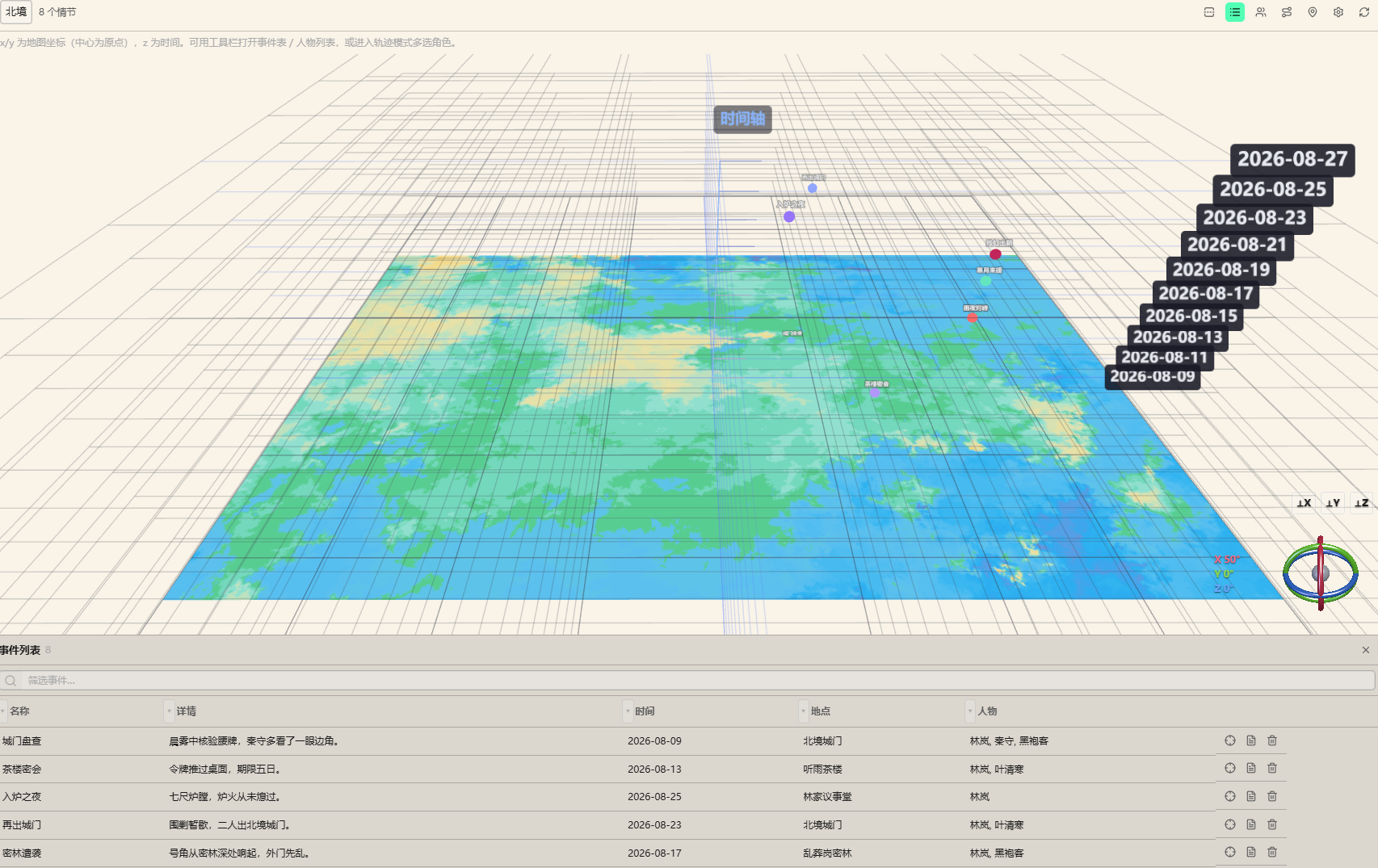
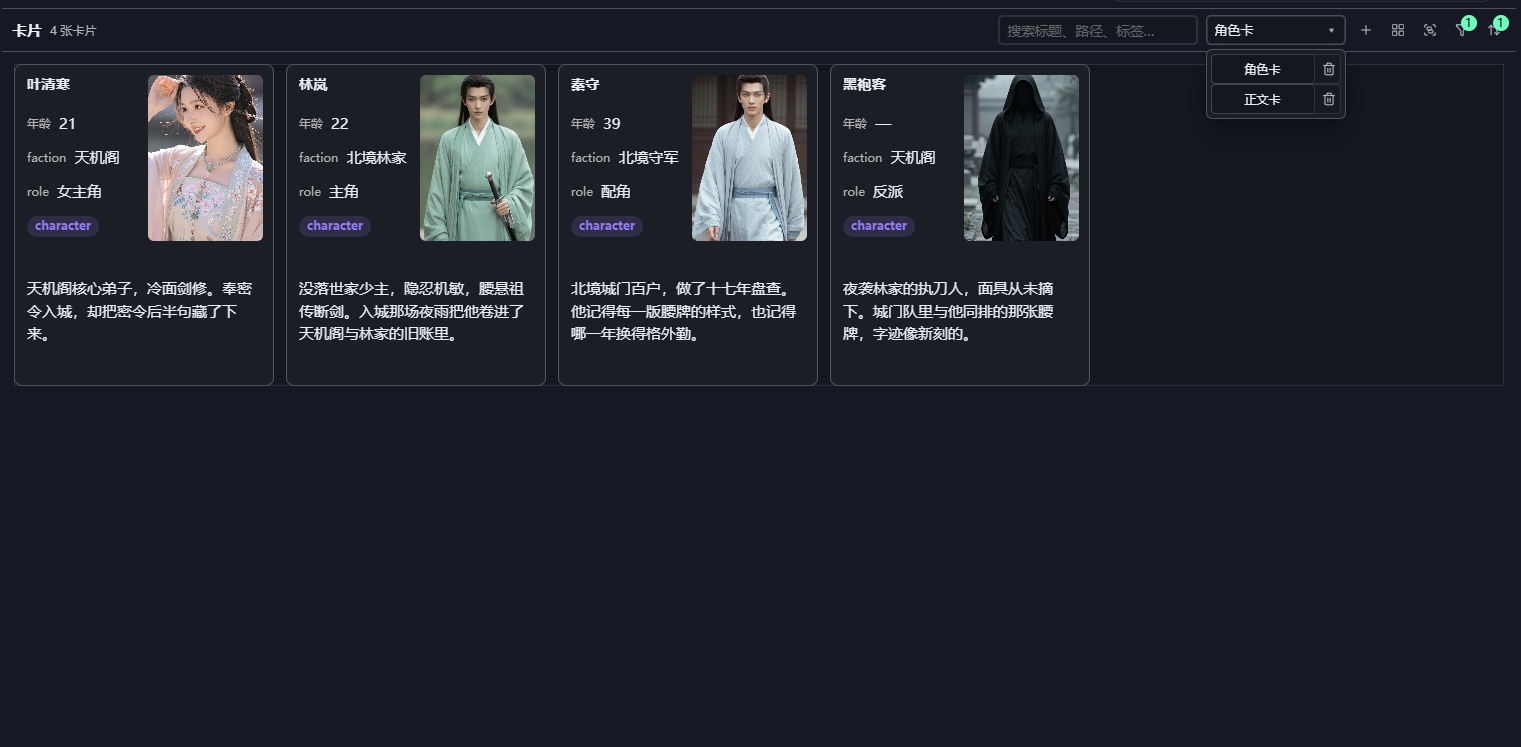
🃏 Cards & Table
Cards form a configurable field wall · Table supports grouping, filtering, pinning columns and in-place editing · Both support drag ordering and cross-group drag
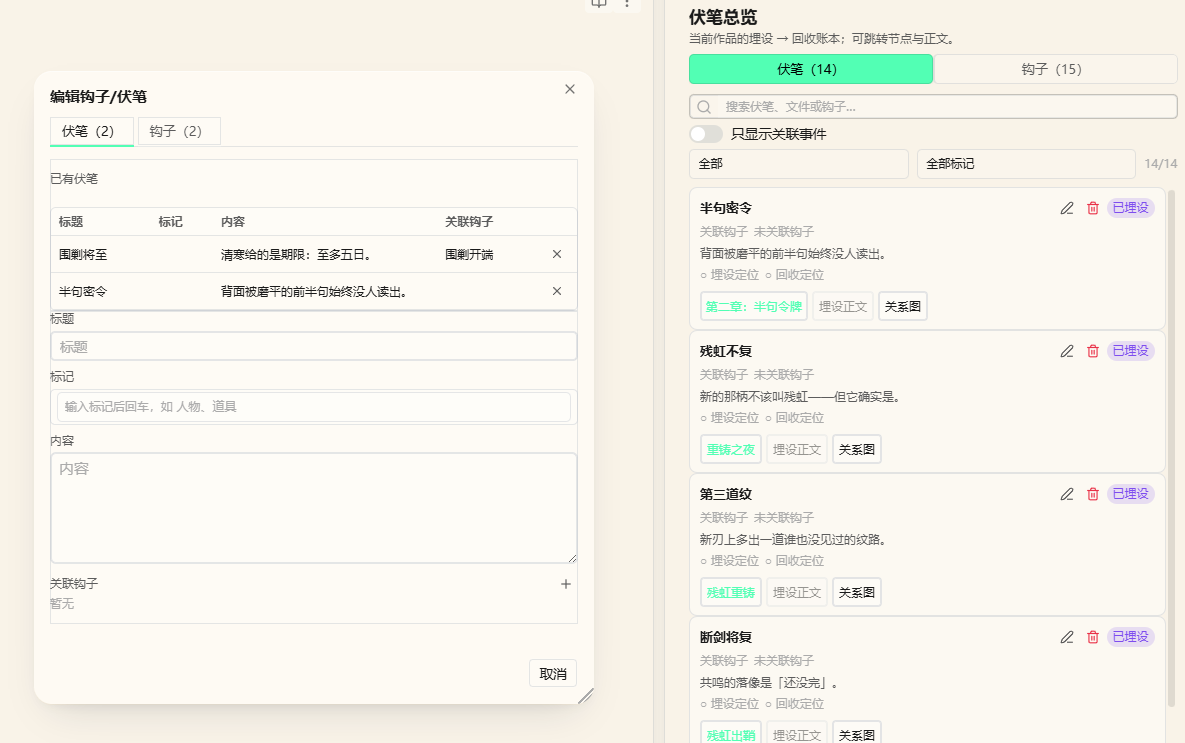
🧵 Foreshadowing · Hooks · Plot · Manuscript
The main operation happens in the prose: select a sentence → right click → plant or resolve; state walks through Unplanted → Planted → Linked → Resolved
📝 Creative Assistants
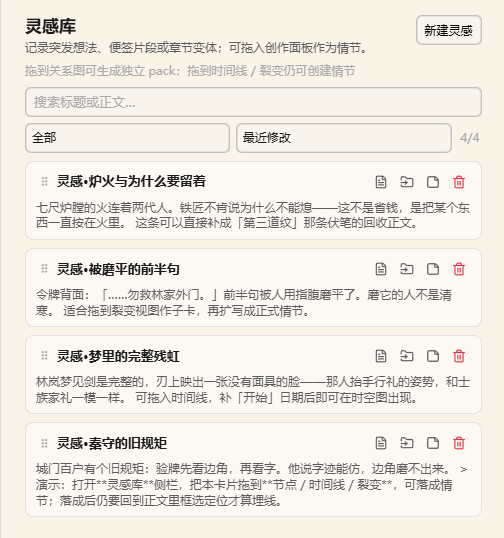 Inspiration Cards Drag into graph / timeline / fission to become plot beats | 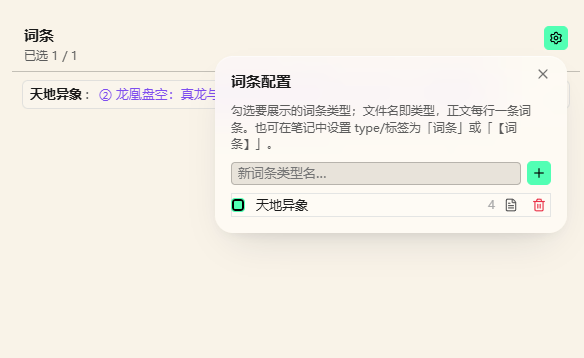 Glossary Quick lore lookup, organized in layers | 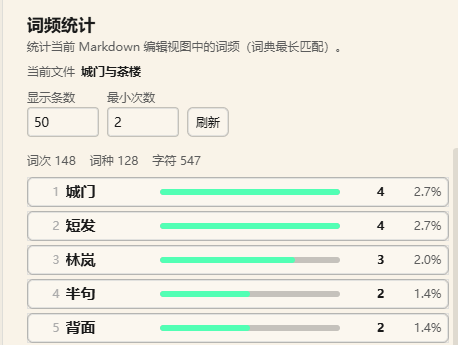 Word Frequency See your habits and repeats at a glance |
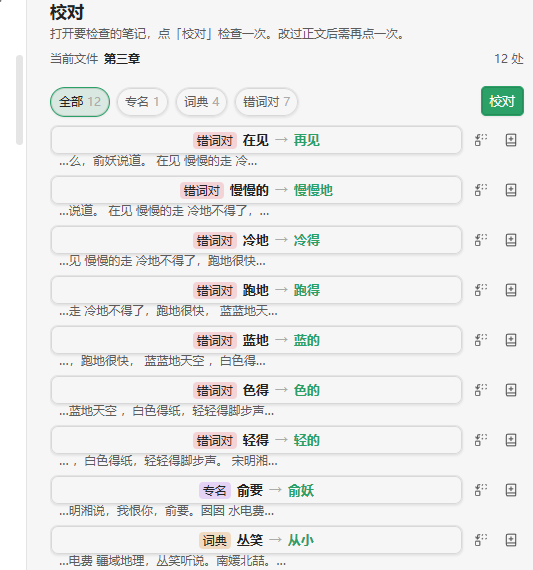 Proofreading In-place checks, confirm each fix | 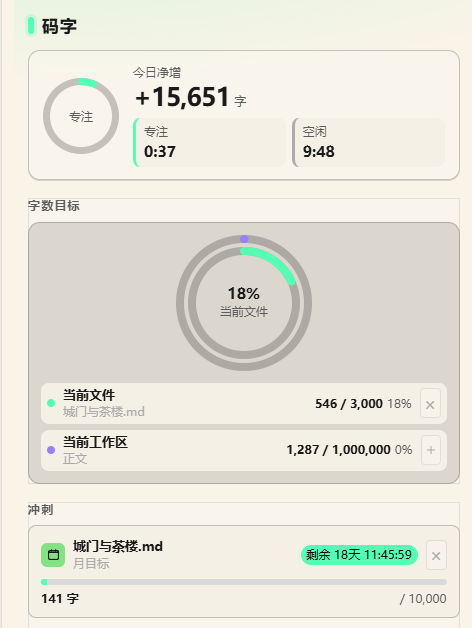 Writing Goal Daily targets and progress nudges | 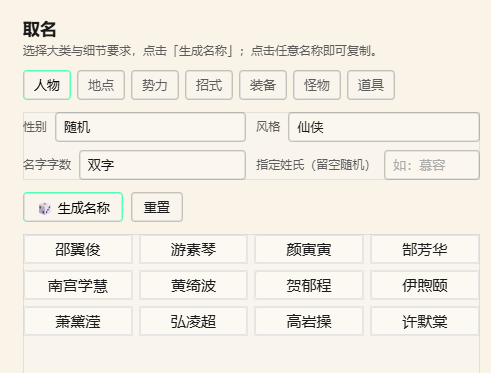 Naming Generate character and place names by style |
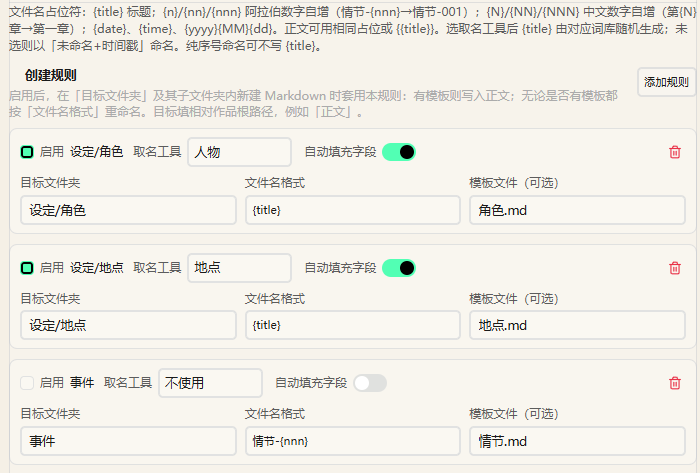 File Templates Auto-apply a template and rename by "target folder + filename pattern" | 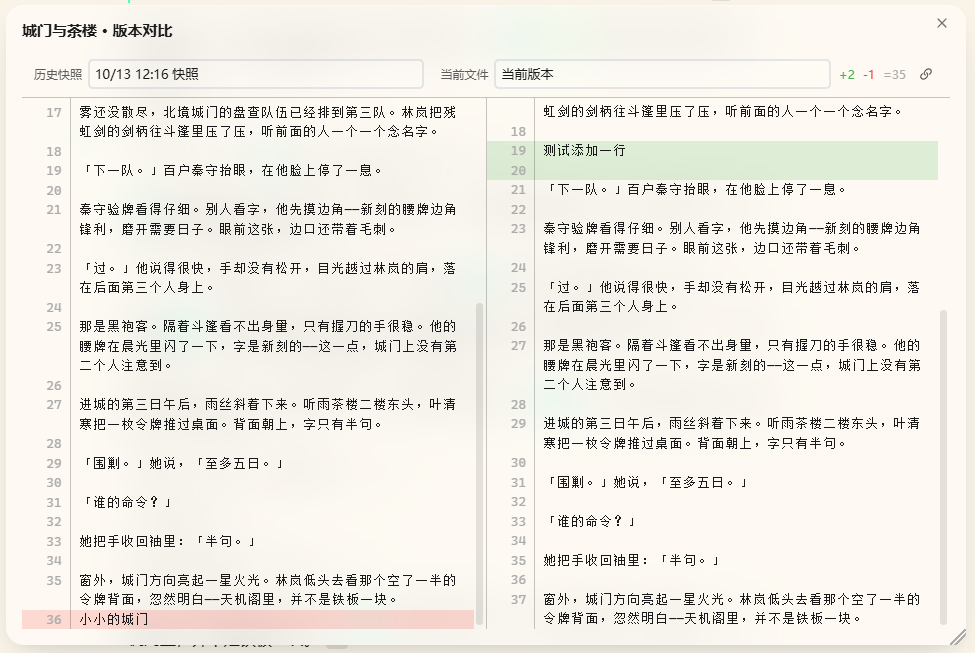 History Snapshots Auto-archived, side-by-side diff before restoring | 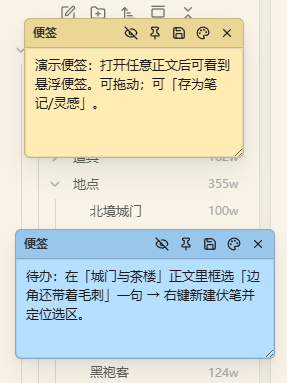 Sticky Notes Jot things down, auto-saved |
🖥️ Desktop
This plugin is desktop only: every feature is designed around desktop interactions (the manifest declares isDesktopOnly).
📥 Installation
| Method | Steps |
|---|---|
| Community plugins (recommended) | Settings → Community plugins → Browse → search novel-kit → install and enable |
| Manual | Put main.js, manifest.json and styles.css into <your vault>/.obsidian/plugins/novel-kit/, then enable it |
Requires Obsidian 1.8.7 or later; desktop only (the plugin uses Node / Electron APIs).
🚀 Quick Start
- Register a work: open the creative homepage and click "New work", or run the command "Register novel workspace". The folders
设定/,事件/,正文/,灵感/andSystem/are created for you. - Try the sample (optional): when no work exists yet, the panel top shows "Load sample", which writes 《残虹夜雨》 — 1 era (北境乱世), 3 scenes and 6 outline sections, 4 manuscript chapters, 14 clues (8 resolved, 6 deliberately left open to demo filtering), one "北境" map with four coordinates, 4 inspiration cards, 2 sticky notes, plus two Chinese walkthrough notes. Following the tour is the fastest way in.
- Start writing: draft under
正文/, select sentences to plant foreshadowing and hooks; open the main panel (book icon in the ribbon) when you want the whole picture.
🎯 Key Commands
| Command | Description |
|---|---|
| Register novel workspace | Register a folder in your vault as a work |
| Switch active work | Move between registered works |
| Open novel panel | Open the main panel with all seven views |
| Open creative homepage | Open the dashboard homepage |
| Load sample | Write the sample work 《残虹夜雨》 |
| New / Resolve foreshadowing | Plant and resolve on the current selection |
| Toggle writing mode | Desktop: typewriter scrolling |
See the commands section of the reference.
⚙️ Key Settings
| Setting | Default | Description |
|---|---|---|
| Default view | Graph | Which view opens first in the panel |
| View layout | By viewport | Multi-column on wide screens; single column + tabs on narrow screens |
| Stop words | Built-in | Words ignored by word-frequency counting |
| Auto snapshot | On | Whether notes are archived automatically |
| CSS snippets | Off | Desktop: inject custom styles into the vault |
See the settings section of the reference.
❓ FAQ
If a work won't open, it's usually one of three things: it isn't registered (click "New work" first), it isn't selected at the top of the panel, or the 正文/ path is wrong (write under the 正文/ of a registered work).
Notes missing from the graph is usually "Only show connected" hiding nodes with no relations — turn that off, or add a relation; if a whole category is missing, tick its file type under "Filter" or "Display config" in the toolbar.
Markers missing on the map: check that coordinates read "map name:x,y" (full-width colon and comma) and that the map's enabled types include locale. If a timeline edit doesn't stick, change the "开始" / "结束" fields directly in the note's frontmatter.
Word counts not adding up usually means the homepage counts manuscripts in the currently active work — confirm the right work is selected, then refresh.
More Q&A in the reference FAQ.
💾 Data
Settings, outlines and manuscripts are all Markdown notes in your vault. The plugin only maintains two extra things:
- Plugin
data.json(.obsidian/plugins/novel-kit/data.json): the work list, the active work, and global settings. Deleting it loses registrations and settings and touches no notes. - Per-work
System/*.json: view layouts, filter rules, homepage templates, todos, sticky notes. Deleting one only resets that slice of view configuration.
🌐 Network use
The plugin works fully offline, collects no telemetry, and never uploads your notes. Only the two features below reach the network, and only when you trigger them yourself — there are no background requests:
| Feature | When it goes online | Service it contacts |
|---|---|---|
| Word-frequency / proofreading dictionaries | When you click "Download" for a dictionary in settings | cdn.jsdelivr.net (jieba dictionaries), www.mdbg.net (CC-CEDICT) |
| Homepage web-table widget | When you enter a URL and click "Fetch" | The URL you entered |
Both only download data to your machine (dictionaries are saved to .obsidian/plugins/novel-kit/word-freq-dicts/); nothing of yours is sent out. Word frequency still works without downloading a dictionary — only the built-in stop-word list is available and segmentation is less accurate.
⚖️ Disclosures
- No telemetry: there is no client-side telemetry and no background network requests (network use is limited to the two cases in the previous section).
- Open source: the full source is in this repository, released under the Apache-2.0 License.
🛠️ Development
Requires Node.js 18 or later. npm install, then npm run dev to develop (output goes to test-vault/.obsidian/plugins/novel-kit/), and npm run build for a production bundle in build/.
After making changes:
npm test              # vitest: homepage templates / sample data / style rules
npm run check         # svelte-check type checking
npm run visual:check  # visual regression (run npm run build first)
npm run lint          # Biome
The entry point is src/main.ts; each feature lives in its own src/features/<name>/ folder (manager.ts + appView.ts + settings.ts), and only css-snippets and export are desktop-only. See the reference's development notes.
📄 License & 💬 Feedback
Third-party components
This plugin bundles and uses the following open-source projects, with thanks (copyright notices retained as their licences require):
| Component | Licence | Copyright |
|---|---|---|
| three.js | MIT | © 2010–2024 three.js authors |
| Chart.js | MIT | © 2014–2024 Chart.js Contributors |
| 3d-force-graph | MIT | © Vasco Asturiano |
| MiniSearch | MIT | © Luca Ongaro |
| jsdiff | BSD-3-Clause | © 2009–2015 Kevin Decker <kpdecker@gmail.com> |
| relation-graph | MIT | © seeksdream |
| CC-CEDICT | CC BY-SA 4.0 | © CC-CEDICT project (downloaded on demand, not bundled) |
⭐ Star · 🐛 Issues
💗 Support
If you like this plugin and want to support the author to keep updating, you can buy the author a bubble tea here!
| WeChat Pay | Alipay |
|---|---|
 |  |
Happy writing! ✍️
For plugin developers
Search results and similarity scores are powered by semantic analysis of your plugin's README. If your plugin isn't appearing for searches you'd expect, try updating your README to clearly describe your plugin's purpose, features, and use cases.