WebNovel Assistant
approvedby HatanoChihiro
A comprehensive Obsidian plugin for web novel writers. Track word counts, goals, and focus time. Manage foreshadowing, timelines, and timed tasks. Includes a bilingual UI and OBS overlay. - This plugin has not been manually reviewed by Obsidian staff.
✍️ WebNovel Assistant
English | 中文


为网络小说与故事创作者打造的 Obsidian 一站式写作套件。
精准字数统计与目标追踪 · 作品写作历程 · 故事时间线与伏笔管理 · 章节智能创建与拆分 · 设定图谱与专注打字模式。
💖 支持项目 · 请作者喝杯咖啡
如果这个插件对你的码字事业有所帮助,欢迎支持作者,你的支持是我持续更新的最大动力!

✨ 功能一览
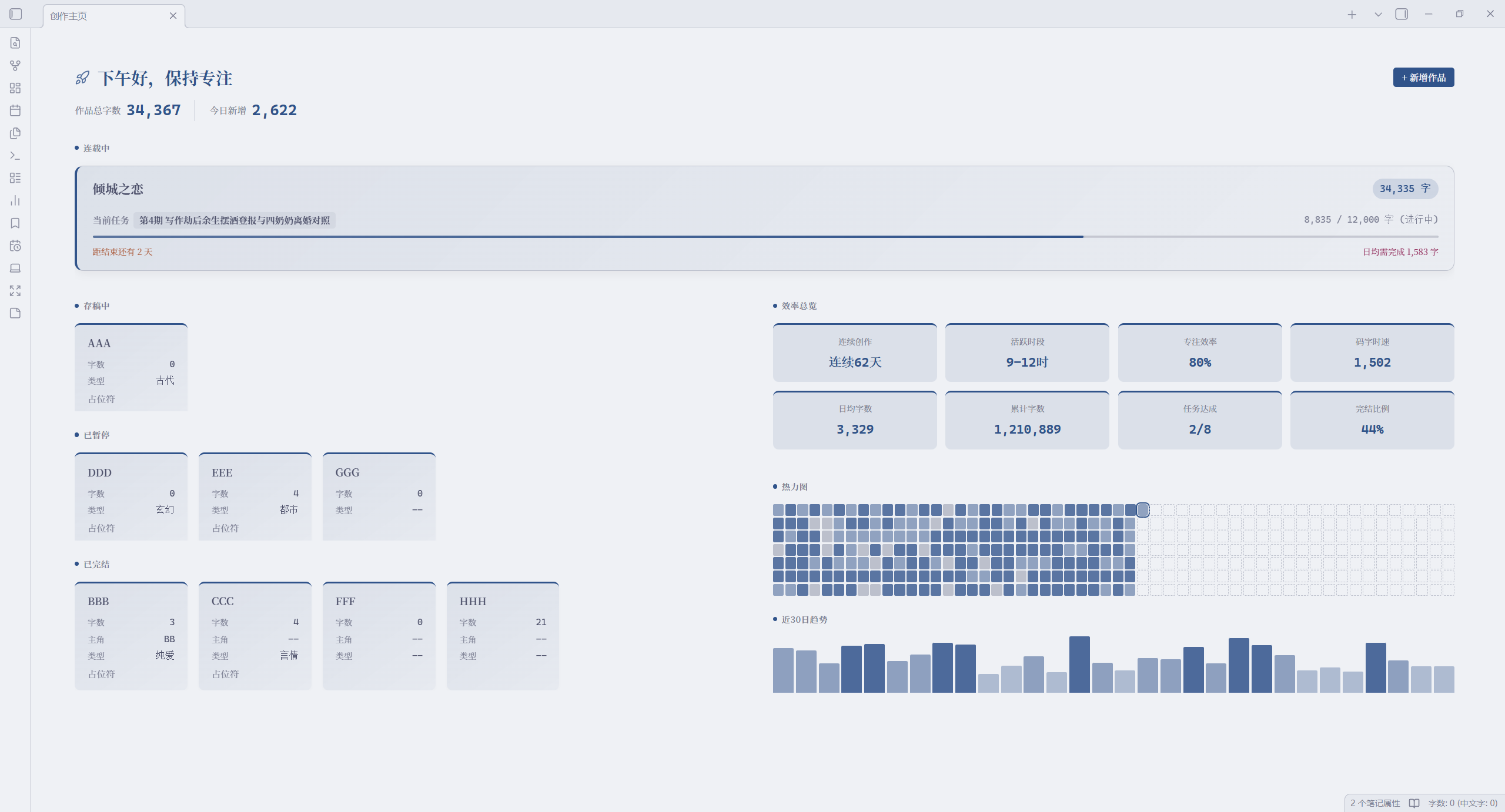
🏠 创作主页
全宽仪表盘 · 动态欢迎语 · 作品总览 · 数据面板 · 一键新建与导入作品
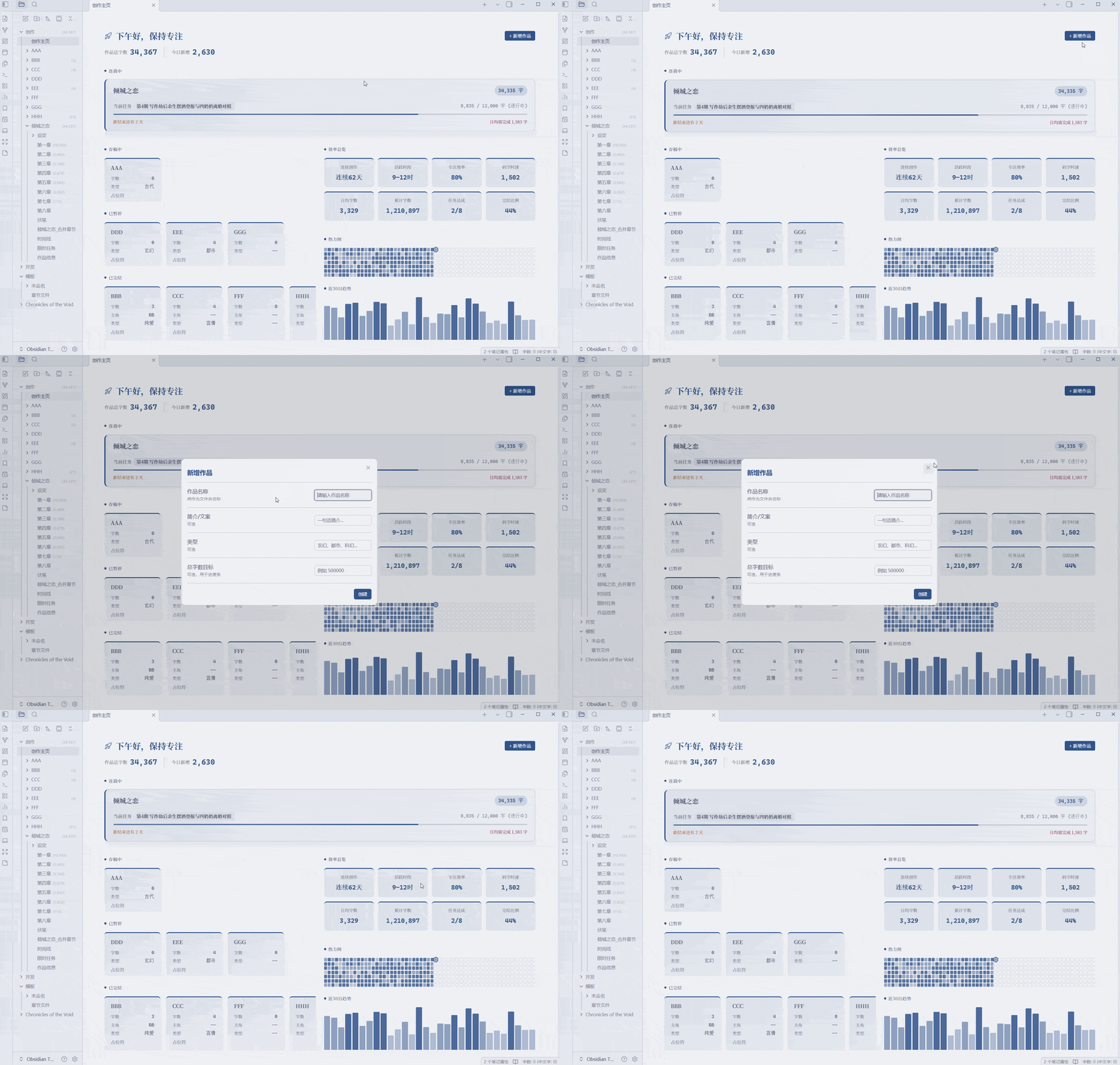
🗂️ 写作工作台
全章节面板 · 时间轴看板 · 伏笔看板 · 设定看板 · 任务看板 · 写作历程
六类视图可按需显示;写作历程记录作品与章节变化,支持筛选、排序、跳转及章节状态字数快照。旧作品从升级后的首次变化开始记录,不补写既有历史
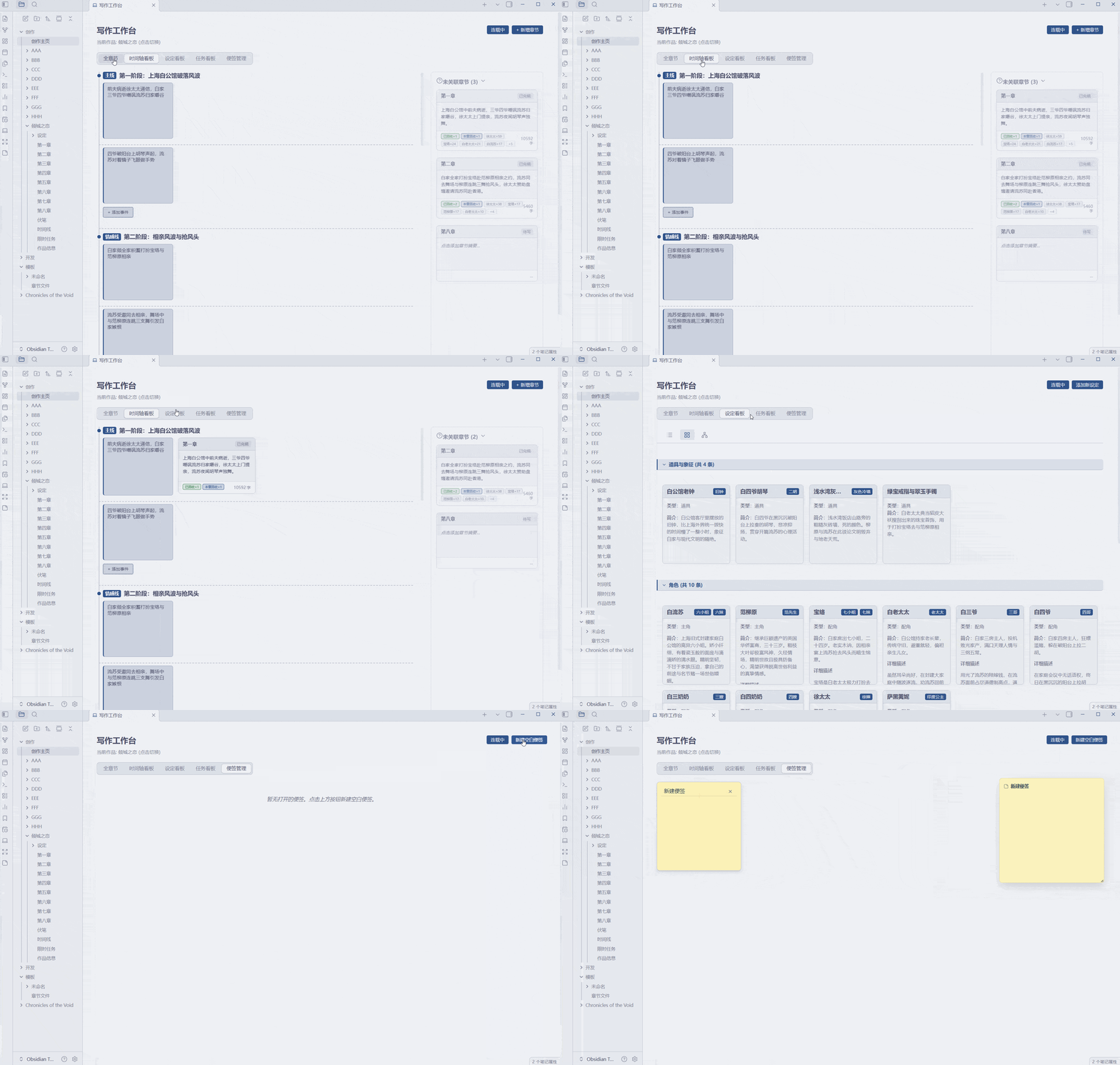
🌑 沉浸写作模式
全屏专注 · 打字机居中滚动与行淡化 · 动态仪表盘 · 插槽化布局
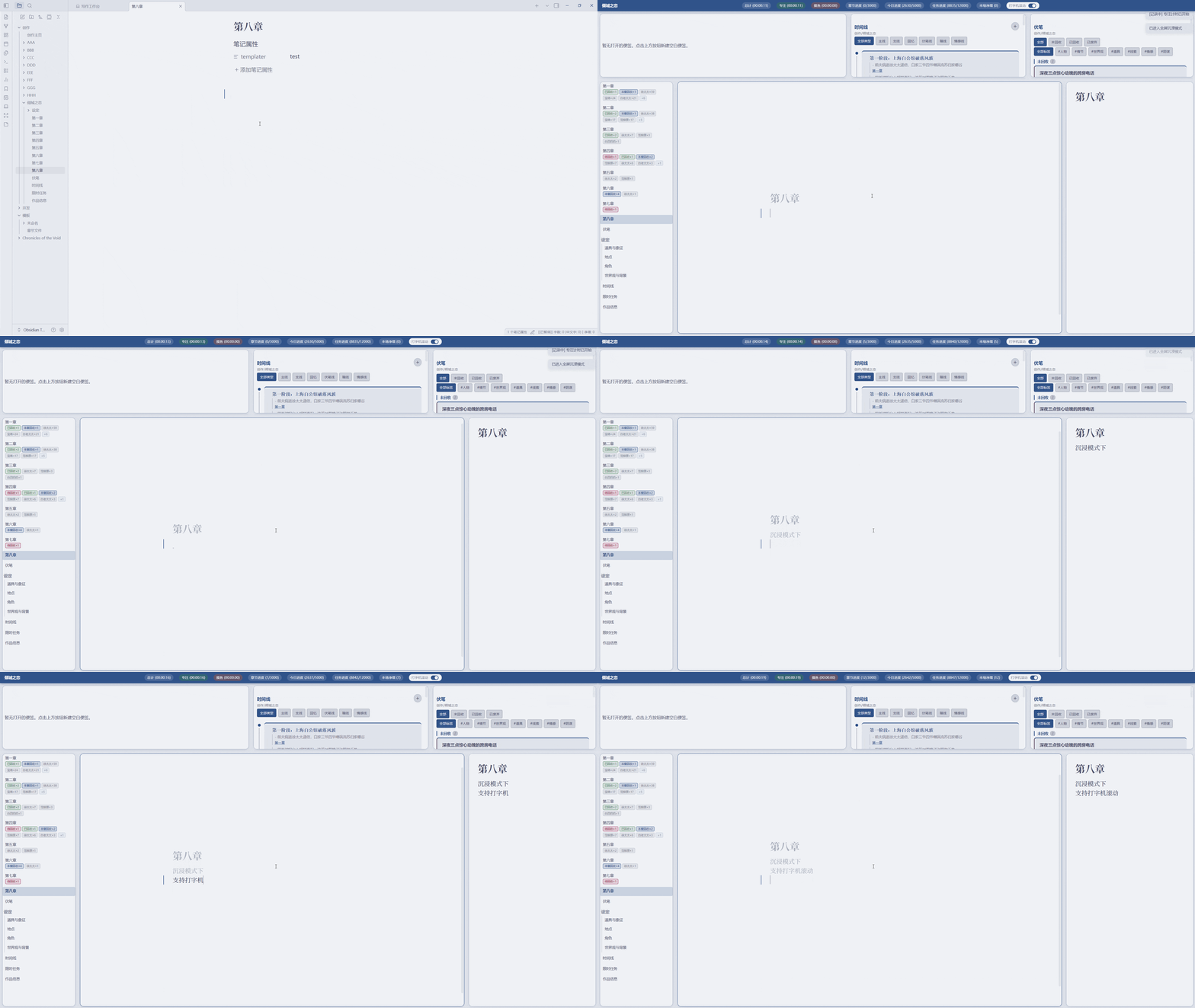
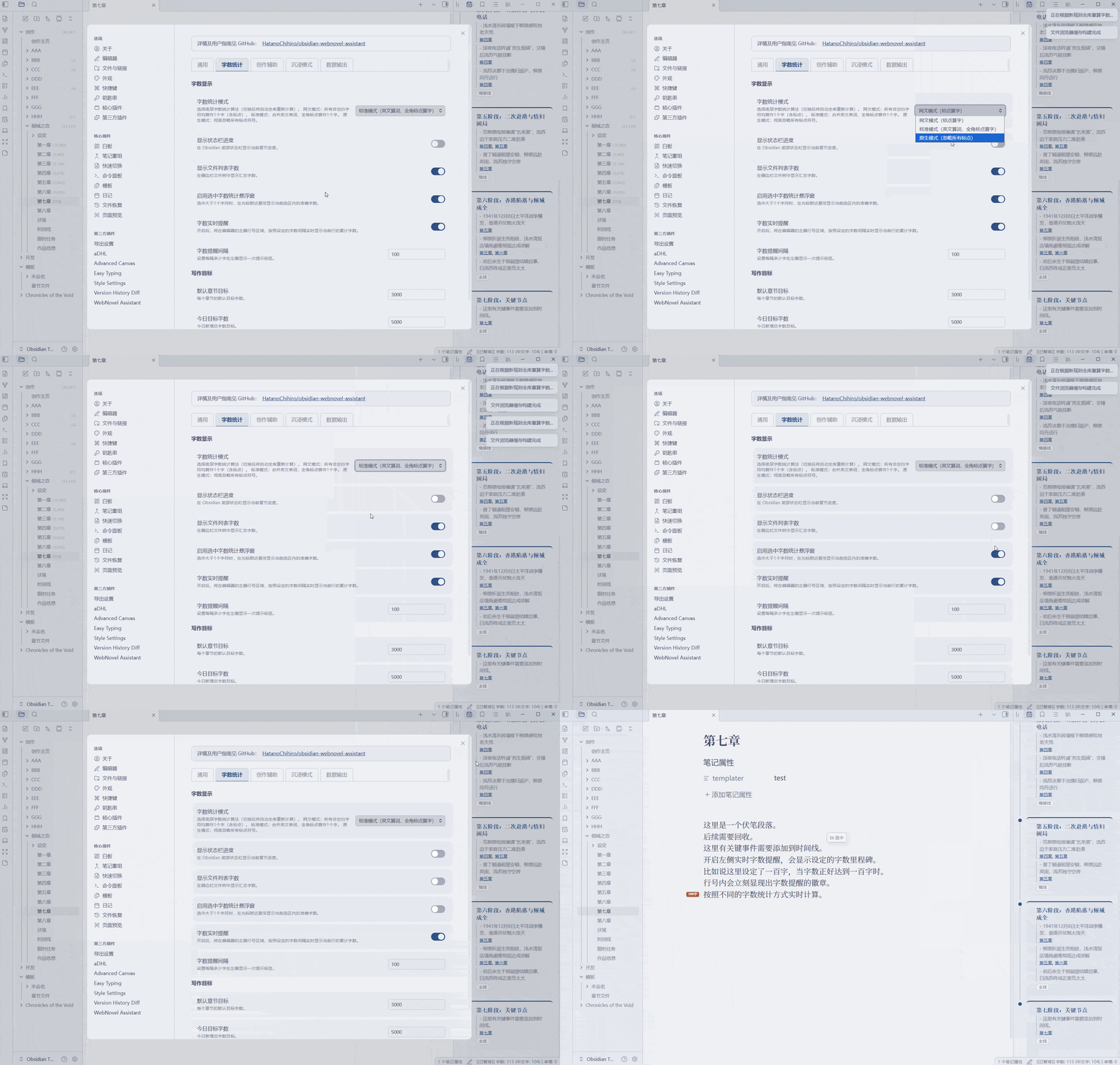
📊 字数统计与目标追踪
3种字数统计模式 · 多向目标追踪 · 严格章节模式 · 选区字数提示 · 章节排除统计 · 文件夹字数显示
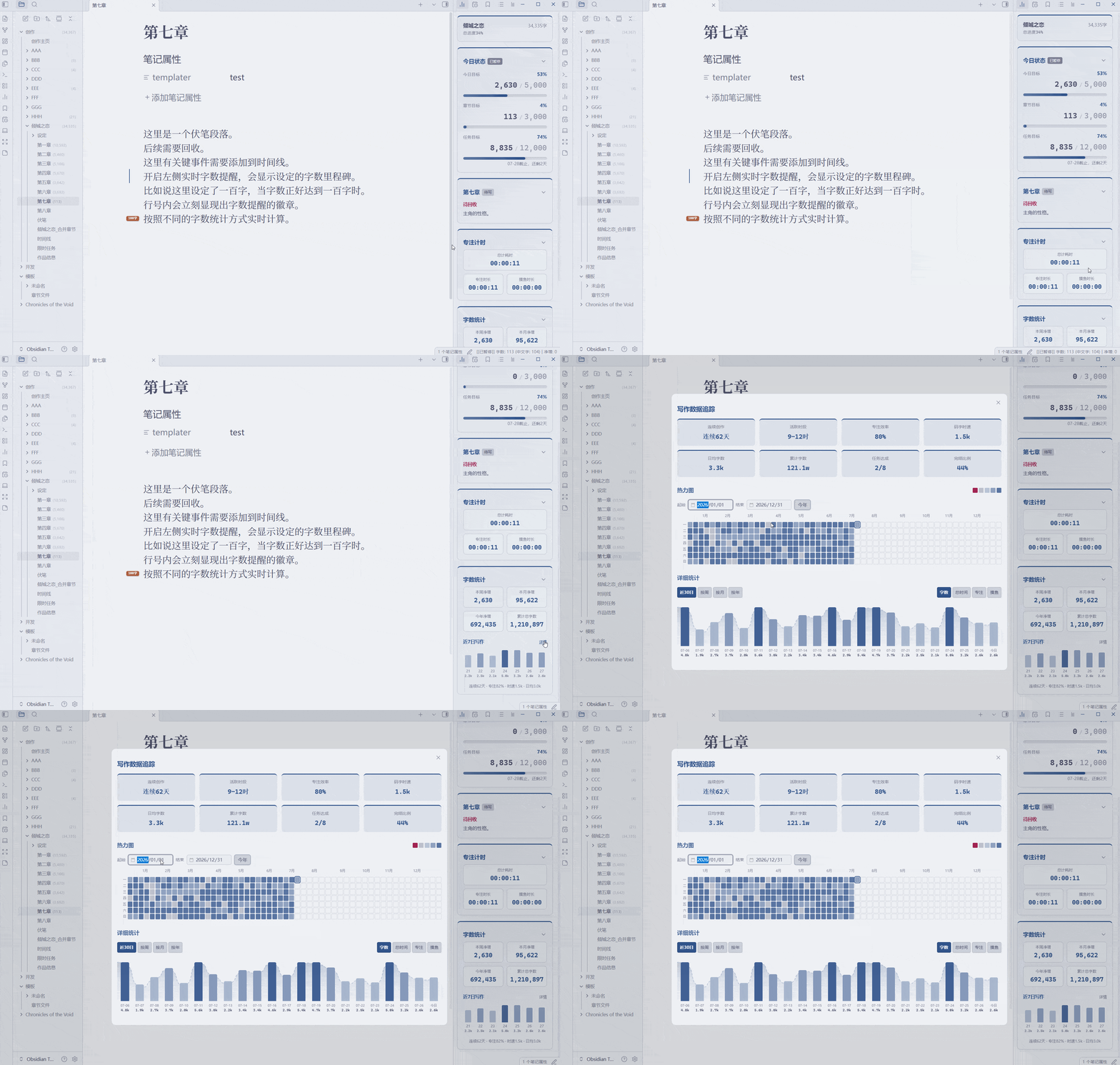
⏱️ 专注时间追踪
自动区分专注与摸鱼 · Worker线程 · 365热力图 · 柱状+趋势 · 效率卡片
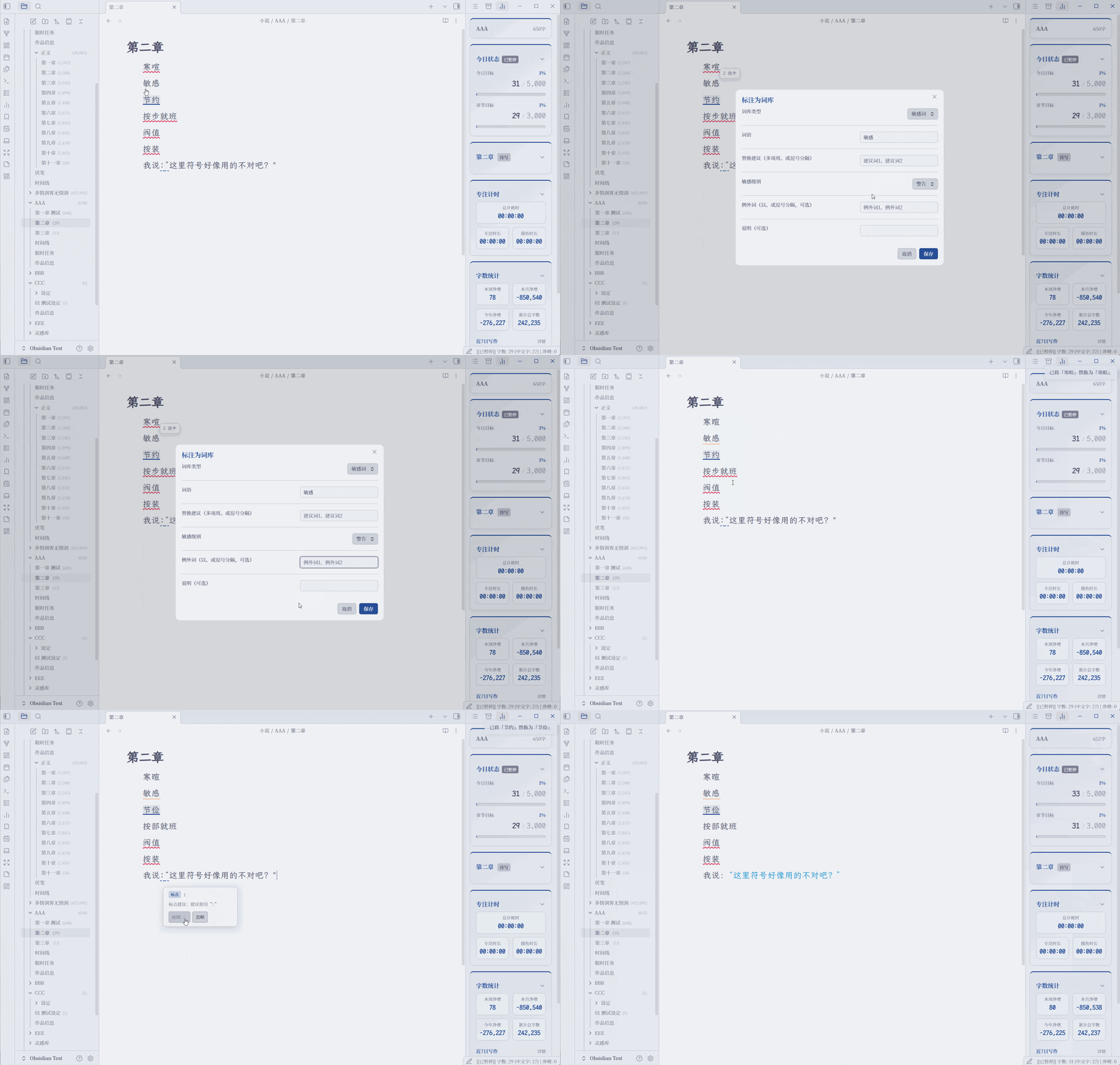
🔍 校对
完全本地的编辑器内联检查 · 错词与敏感词 · 近义词一致性 · 中英文语境标点 · 可选“的/地/得”规则 · 建议卡片与确认后单处替换 · 单处/整词忽略及记录恢复
📝 创作辅助工具
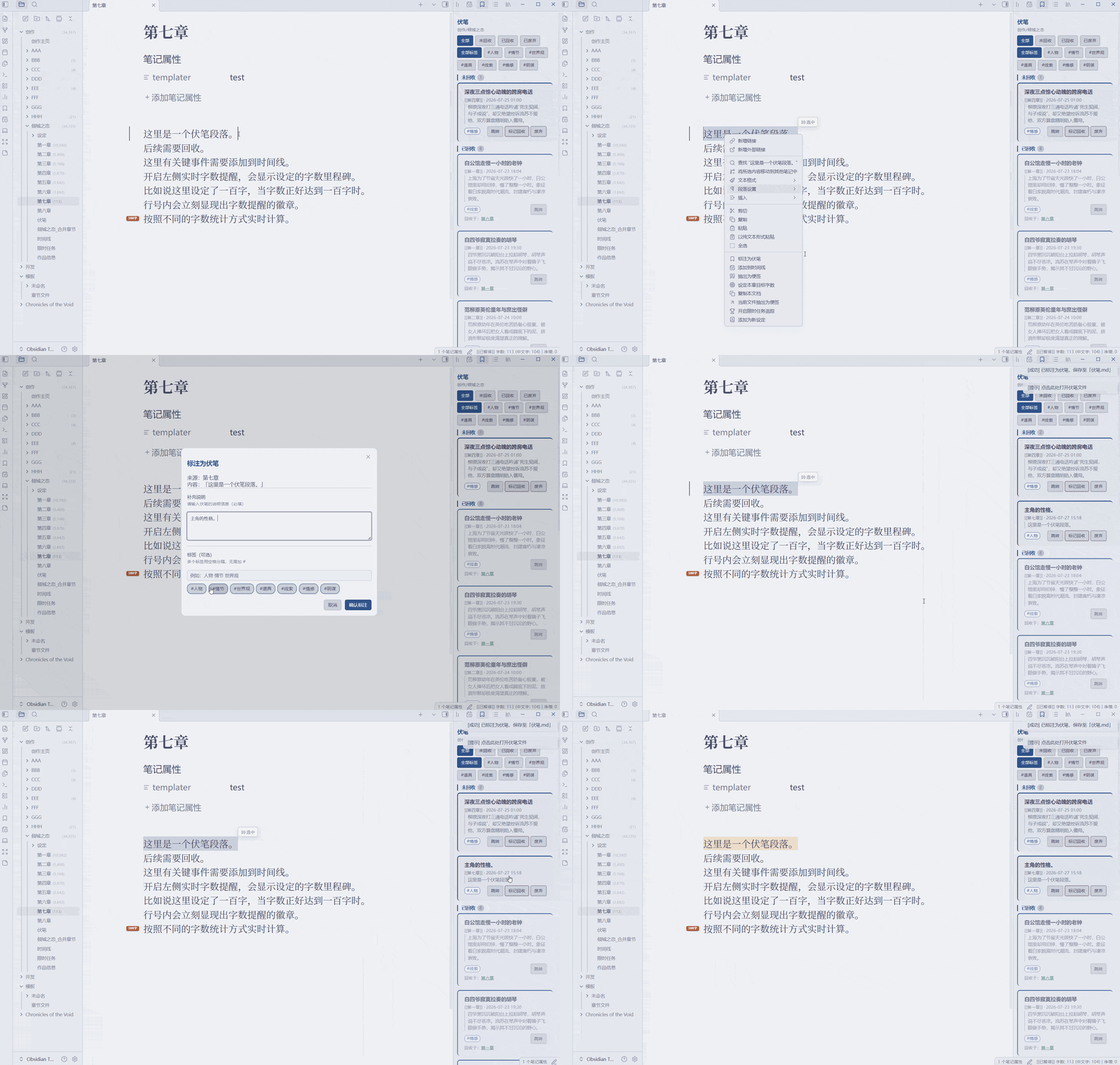 伏笔管理 标注 → 阶段推进 → 彻底回收 | 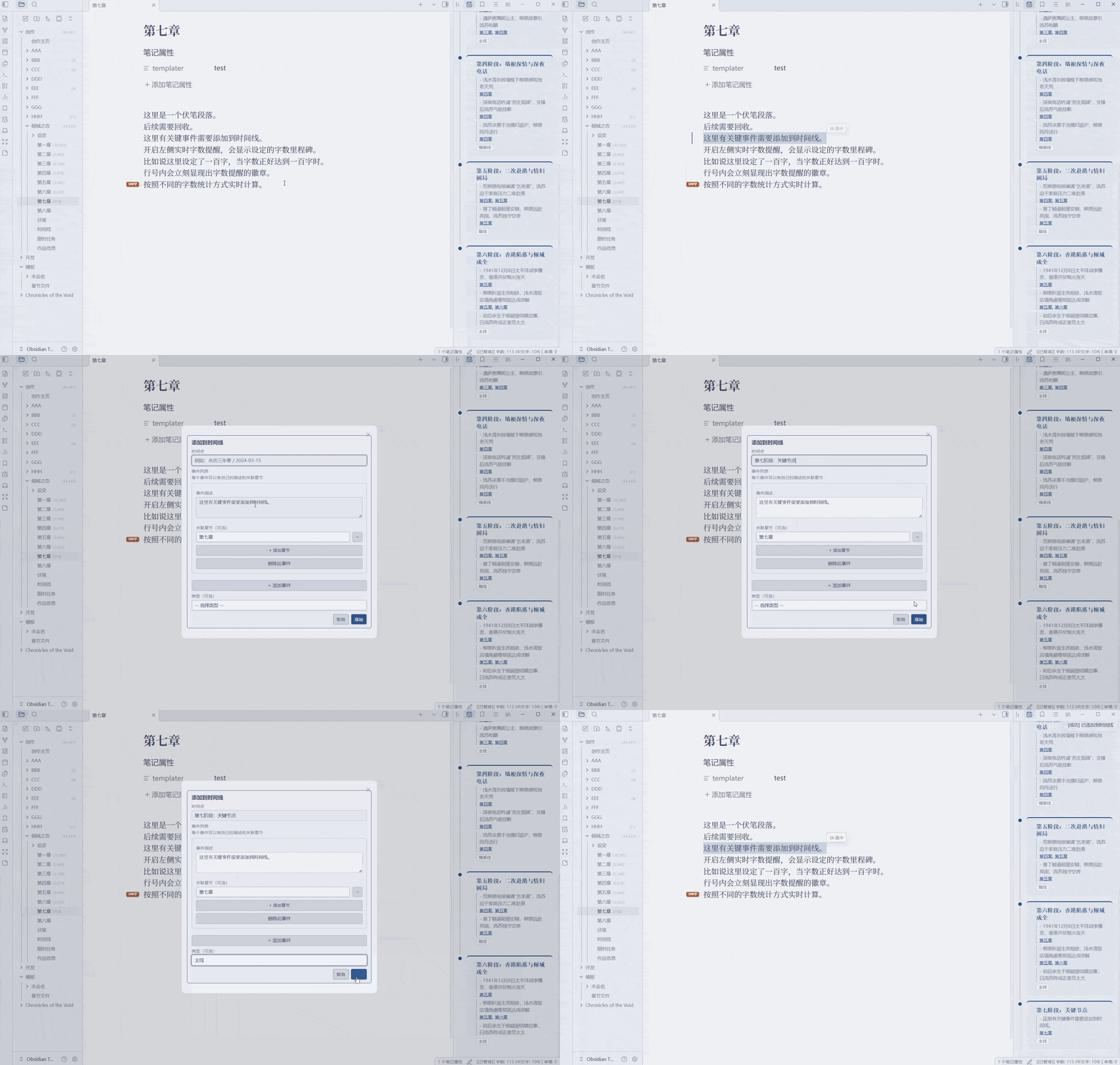 时间线系统 事件记录、多章节关联、类型分类 | 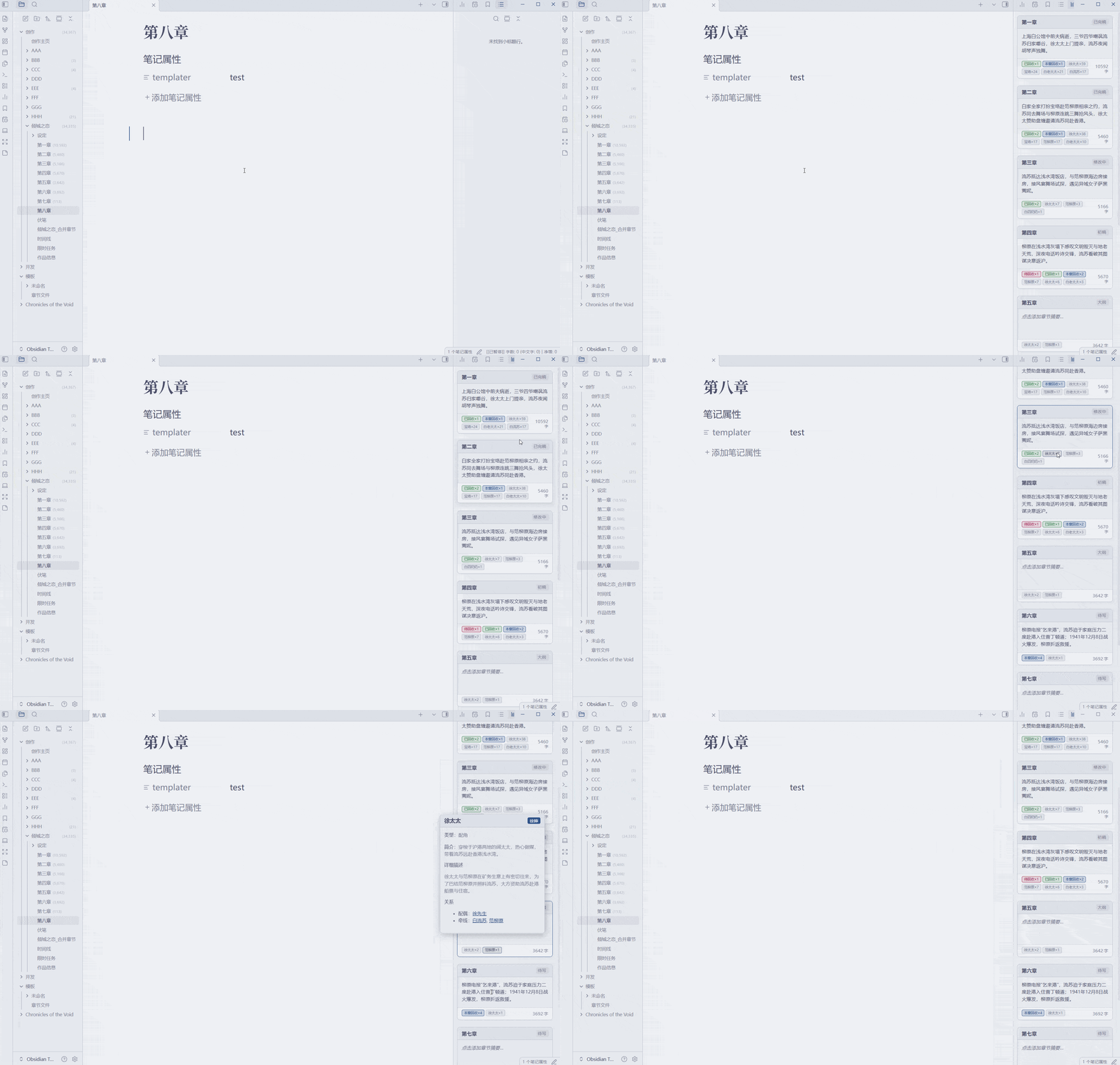 章节一览 卡片式展示、状态标记、摘要编辑 |
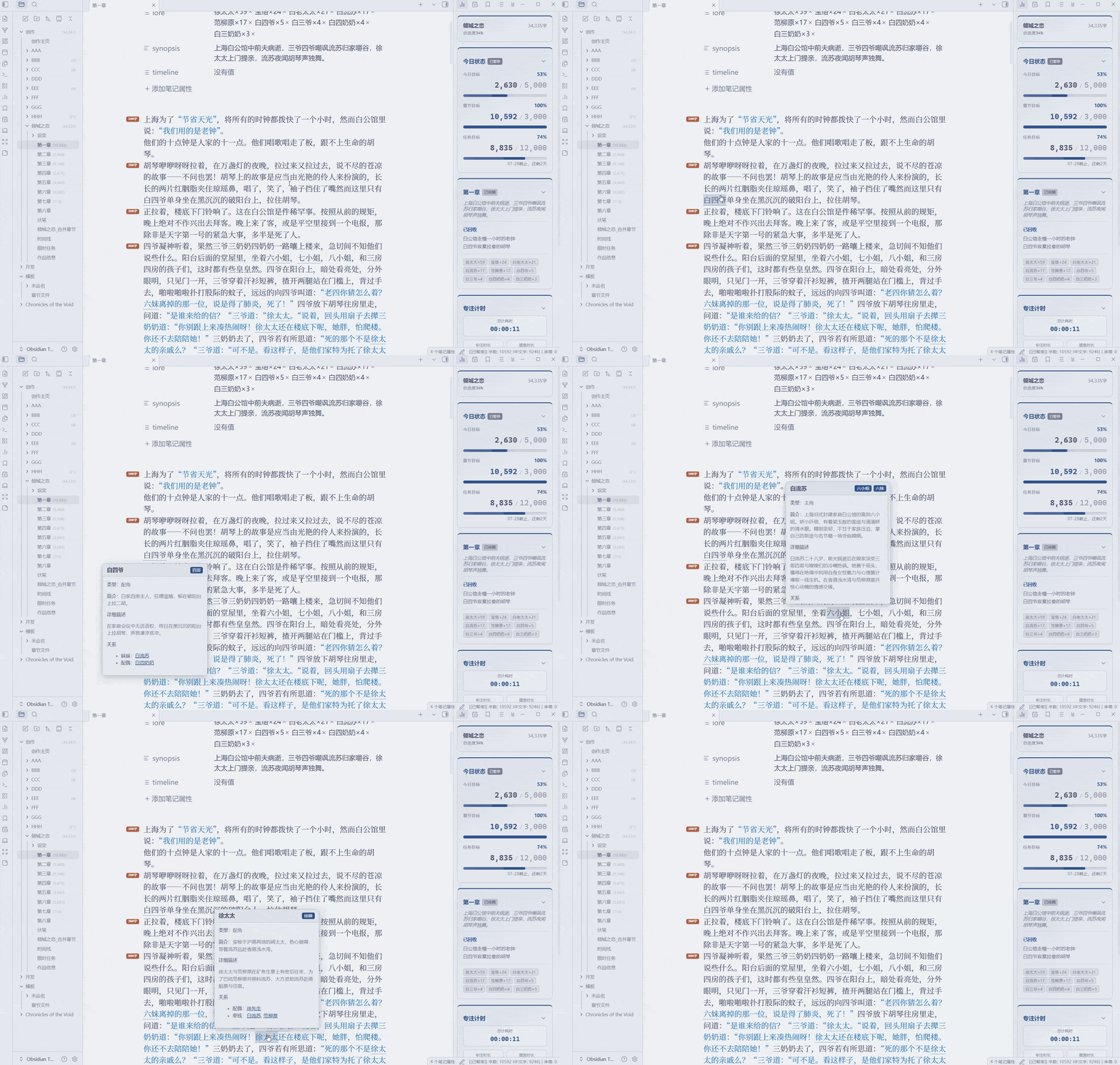 设定速查与图谱 嵌套目录、单文件词条、自动标注与关系图谱 |  悬浮便签 自动保存、Markdown渲染 |  任务追踪 创建周期任务、支持自主放弃 |
 高级搜索 支持当前书籍、全局、自定义,快速跳转 |  合并章节 桌面预览修订 · 移动端预览导出 | 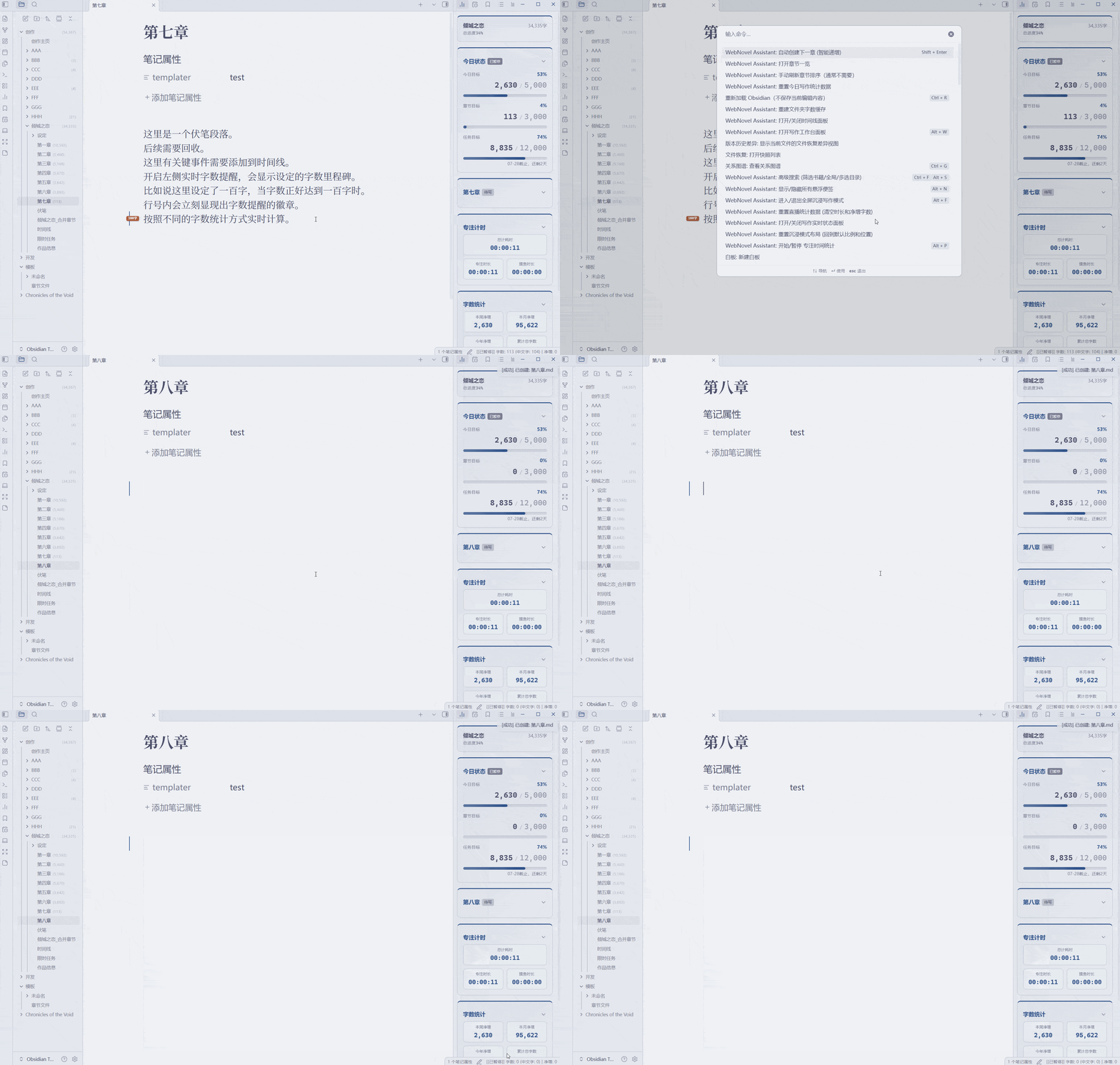 智能创建与拆分章节 智能递增 · 光标拆分 · 章节模板 |
🎥 OBS直播叠加层 & 📱 移动端
| 🎥 OBS叠加层 | 📱 移动端 |
|---|---|
| 实时显示写作数据 | 浮动字数统计与专注计时小窗 |
| 自定义样式、透明度、内容 | 贴边吸附与自动收起手柄模式 |
| 零延迟、零磁盘消耗 | 复制本文档纯净文本 — 一键带标题提取纯净正文 |
📥 安装
| 方式 | 步骤 |
|---|---|
| 社区插件市场 (推荐) | 设置 → 第三方插件 → 浏览 → 搜索 "WebNovel Assistant" → 安装 → 启用 |
| BRAT | 安装 BRAT → 添加仓库 HatanoChihiro/obsidian-webnovel-assistant → 启用 |
| 手动安装 | 下载 → 解压到 .obsidian/plugins/web-novel-assistant/ → 重启启用 |
🚀 快速开始
- 安装插件 → 打开任意 Markdown 文件
- 状态栏显示实时字数 → 点击设置目标
- 命令面板
Ctrl/Cmd+P→ 搜索 "WebNovel" - 设置 → 自定义各项功能
🎯 主要命令
| 命令 | 说明 |
|---|---|
| 进入/退出 沉浸写作模式 | 切换全屏沉浸创作环境 |
| 打开/关闭写作实时状态面板 | 详细统计和历史图表 |
| 打开/关闭伏笔面板 | 管理伏笔标注和回收 |
| 打开/关闭时间线面板 | 管理故事时间线 |
| 打开写作工作台面板 | 管理章节、时间线、伏笔、设定、任务和写作历程看板 |
| 打开章节一览 | 卡片式展示章节纲要 |
| 开始/暂停 专注时间统计 | 切换专注/摸鱼计时 |
| 标注为伏笔 | 将选中文字标注为伏笔 |
| 新建空白悬浮便签 | 创建浮动便签 |
| 高级搜索 | 搜索书籍/全局/自定义范围 |
| 自动创建下一章 (智能递增) | 智能递增章节编号 |
| 在光标处拆分章节 | 将光标后的正文移入按模板创建的新章节 |
| 启用/禁用普通编辑打字机滚动 | 切换普通编辑器的居中滚动与非聚焦行淡化 |
| 重建设定缓存 | 重建设定条目和章节设定引用统计 |
| 标注为词库 | 将任意 Markdown 文档中的选中文字录入自定义词典 |
所有命令可在 设置 → 快捷键 中自定义
详细设置与故障排查请参阅完整使用指南 / User Guide。
⚙️ 主要设置
| 设置 | 默认值 | 说明 |
|---|---|---|
| 语言 | 跟随系统 | 界面语言,首次安装自动检测 |
| 默认章节目标 | 3000 | 新文件的默认章节目标 |
| 今日目标字数 | 5000 | 今日写作目标 |
| 显示文件列表字数 | 关闭 | 大型项目建议关闭 |
| 智能章节排序 | 关闭 | 自动按章节编号排序 |
| 写作工作台视图显示 | 全部显示 | 按需显示或隐藏六类工作台视图 |
| 打字机滚动(普通编辑) | 关闭 | 独立设置居中偏移量与非聚焦行透明度 |
| 护眼模式 | 关闭 | 编辑器背景护眼色 |
| 沉浸便签尺寸 | 280px | 沉浸模式下便签卡片边长 |
| 伏笔文件名 | 伏笔 | 可按工作区自定义 |
| 时间线文件名 | 时间线 | 可按工作区自定义 |
| 限时任务文件名 | 限时任务 | 可按工作区自定义 |
| 设定文件夹名称 | 设定 | 支持字典大纲模式 |
| 字数统计模式 | 标准模式 | 标准/网文/原生 统计算法 |
🌐 联网行为说明
校对扫描及全部笔记分析均在本地完成,插件无自动联网请求。基础错词库与“的/地/得”规则词典未内置打包,首次使用需在设置中手动下载。只有用户主动点击 更新基本错词库 或 更新规则词典 时,才会通过 Obsidian 的 requestUrl API 从 raw.githubusercontent.com/HatanoChihiro/obsidian-webnovel-assistant 下载公开 JSON 词典;绝不上传正文、仓库路径、设备标识、账户数据或遥测信息。下载内容只会按纯词典数据严格校验并缓存,不允许包含远程正则或脚本,不会作为代码执行,也不会用于更新插件本身或依赖。
✍️ WebNovel Assistant
English | 中文
An all-in-one writing studio for novel and story writers in Obsidian.
Accurate word count & goal tracking · Writing Journey · Story timeline & foreshadowing · Smart chapter creation & splitting · Lore graphs & focus timers.
📖 User Guide 🎥 OBS CSS Guide 📋 Changelog
💖 Support the Project · Buy the Author a Coffee
If this plugin helps with your writing, consider supporting the author. Your support is the greatest motivation for continuous updates!

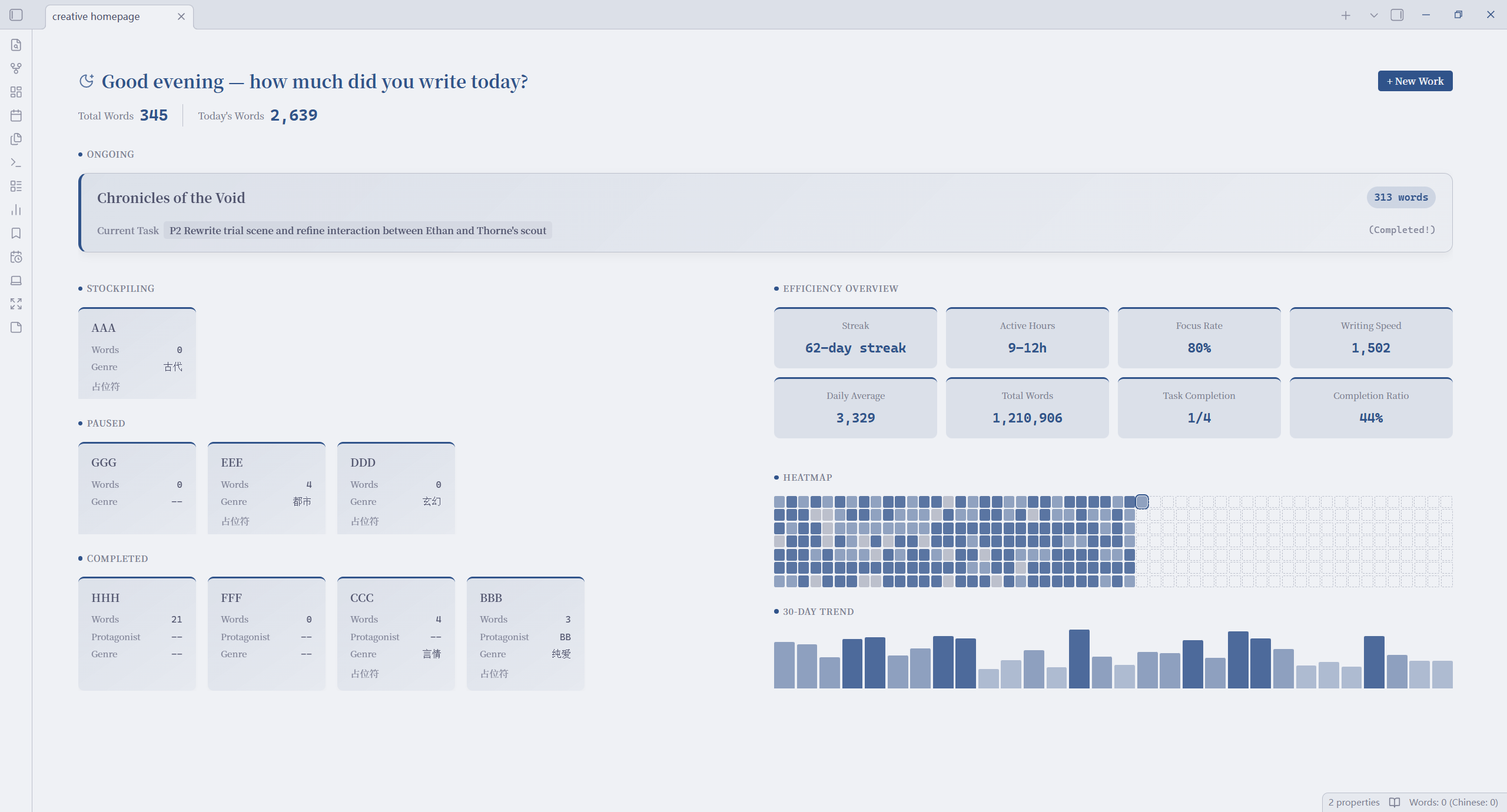
✨ Feature Highlights
🏠 Creative Homepage
Full-width Dashboard · Dynamic Welcome · Novel Overview · Stats Panel · One-Click New Novel & Import Novel
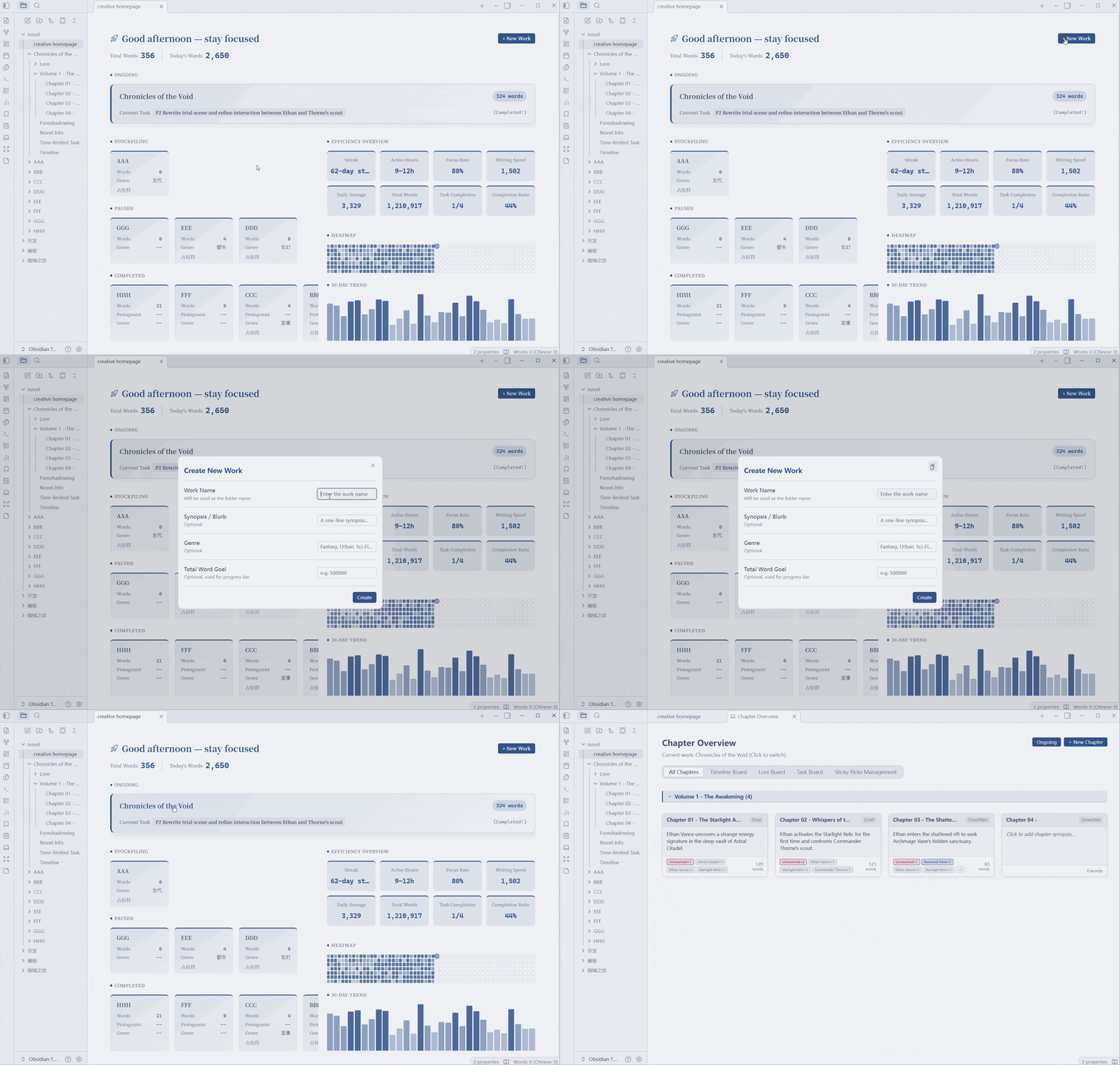
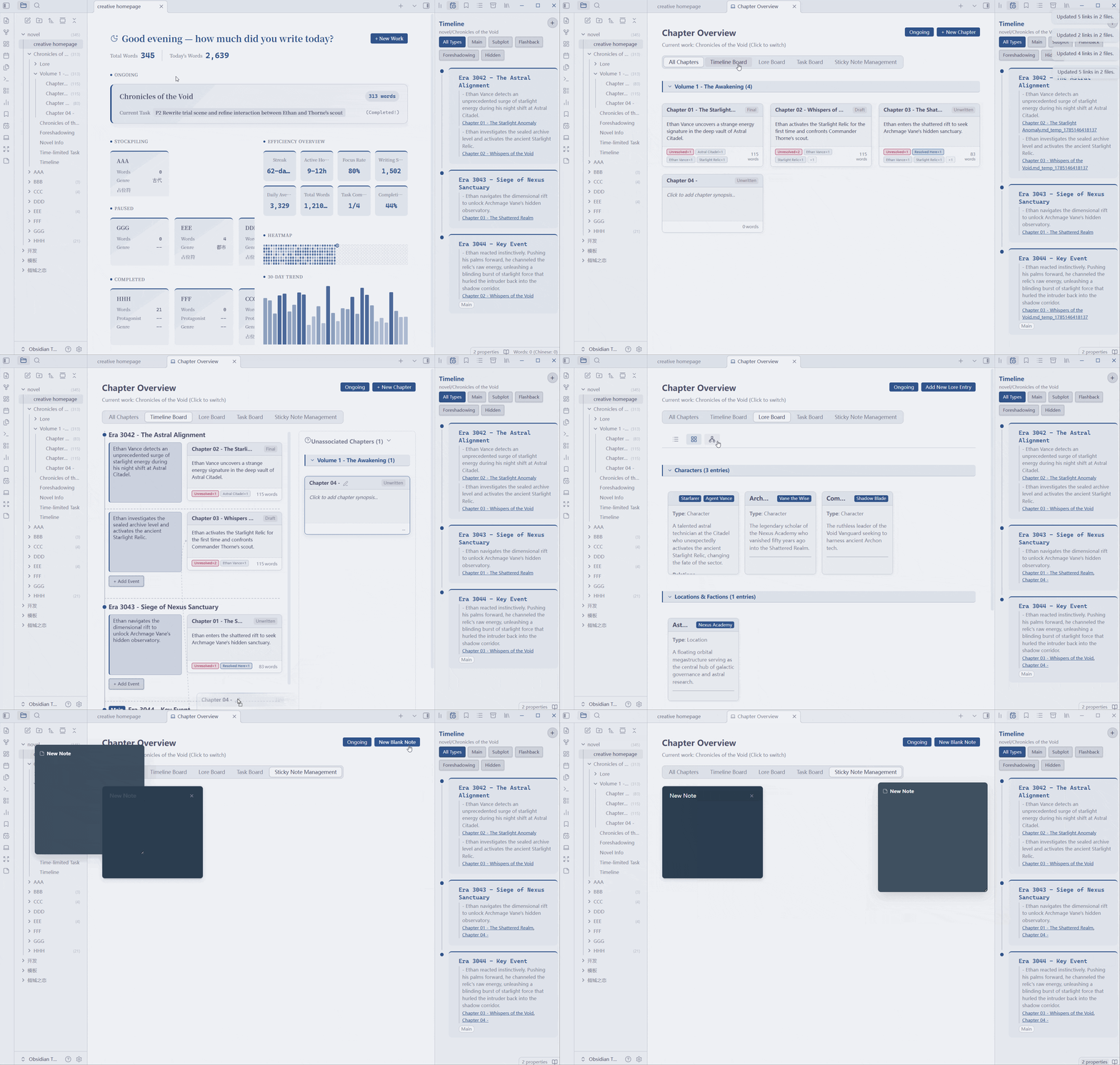
🗂️ Writing Workbench
All Chapters Panel · Timeline Board · Foreshadowing Board · Lore Board · Task Board · Writing Journey
Show only the boards you need. Writing Journey records work and chapter changes with filtering, sorting, navigation, and chapter-status word-count snapshots. Existing works start recording from their first change after upgrading; earlier history is not backfilled
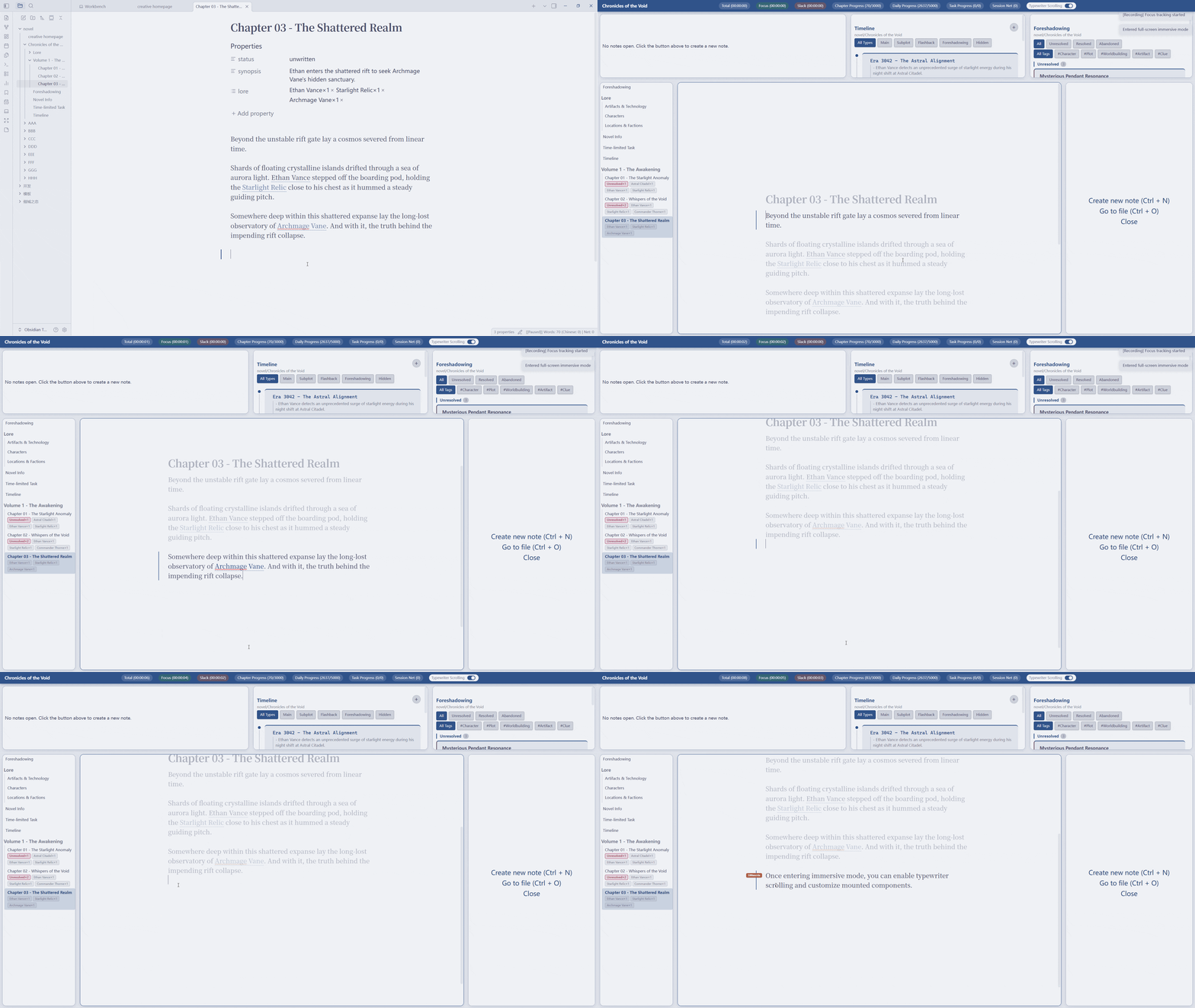
🌑 Immersive Writing Mode
Full-screen Focus · Typewriter Scroll & Line Dimming · Dynamic Dashboard · Slot-based Layout
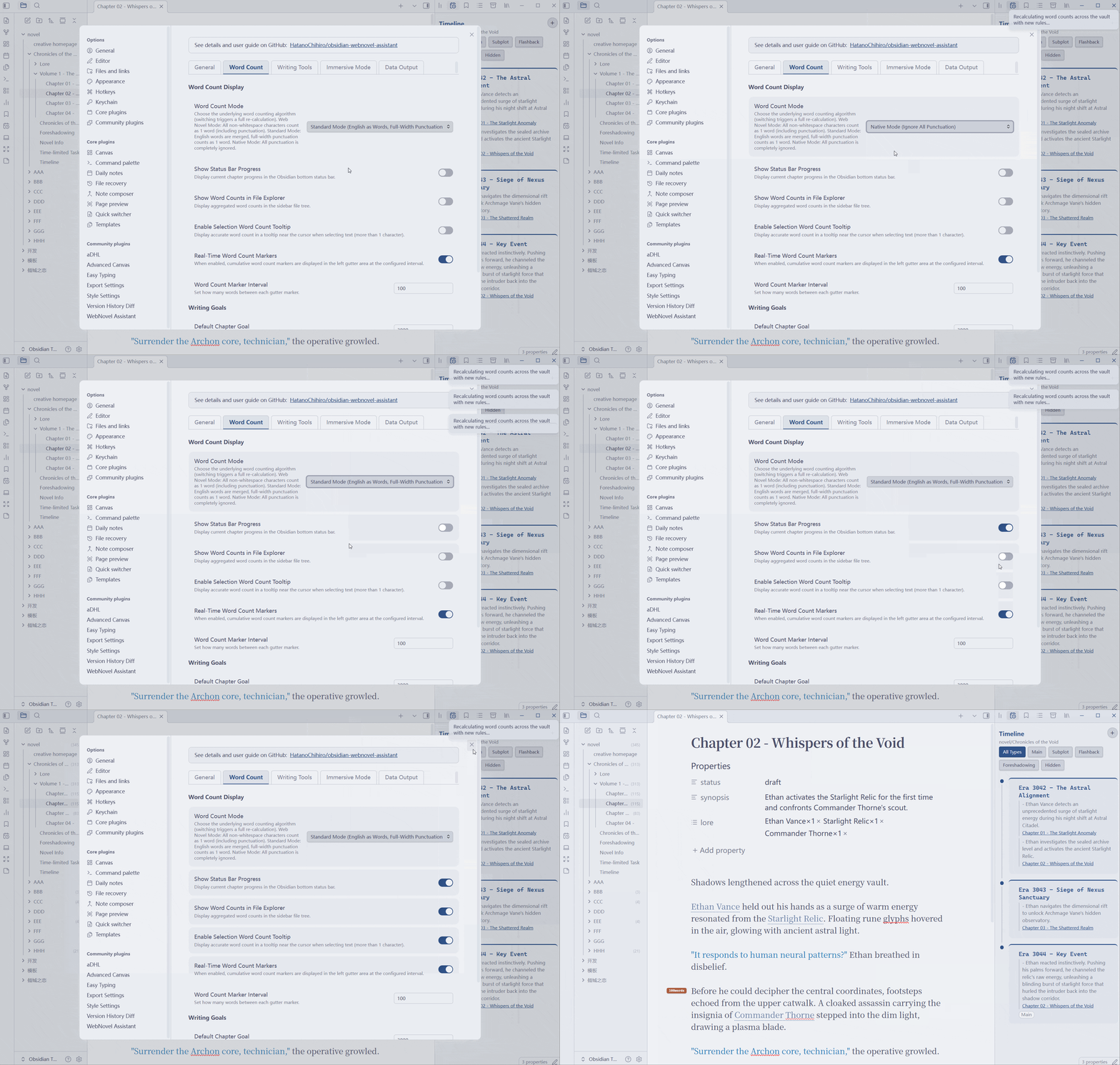
📊 Word Count & Goals
3 Counting Modes · Multi-direction Goal Tracking · Strict Chapter Mode · Selection Count Tooltip · Chapter Exclusion · Folder Word Counts
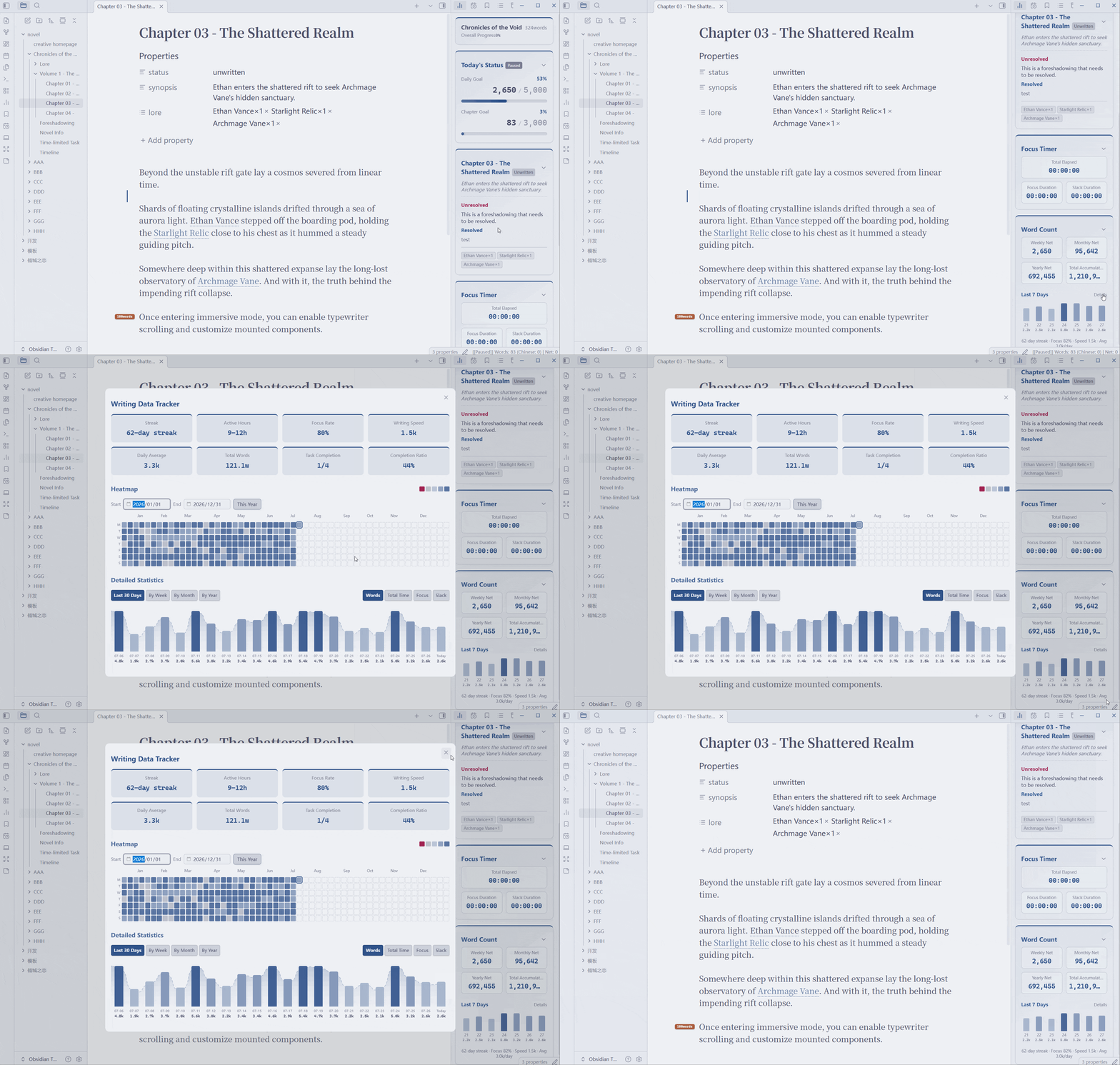
⏱️ Focus Time Tracking
Auto focus vs. slack detection · Web Worker · 365 Heatmap · Bar+line trend · Efficiency card
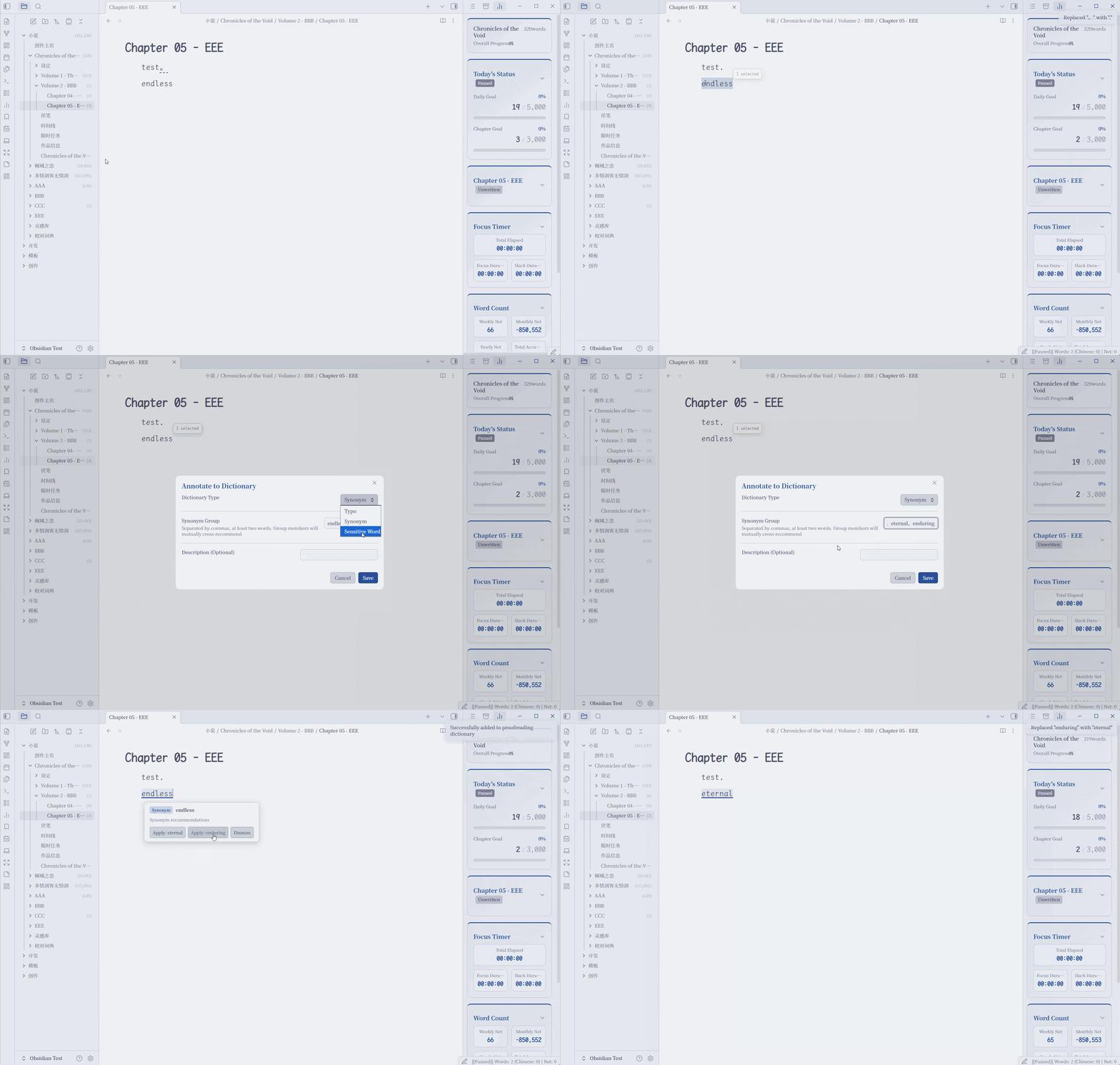
🔍 Proofreading
Fully local inline diagnostics · Typos & sensitive words · Synonym consistency · Text-aware Chinese/English punctuation · Optional De/Di/De rules · Review cards & confirmed one-at-a-time replacement · Per-occurrence/whole-word dismissal and ignored-item recovery
📝 Creative Assistants
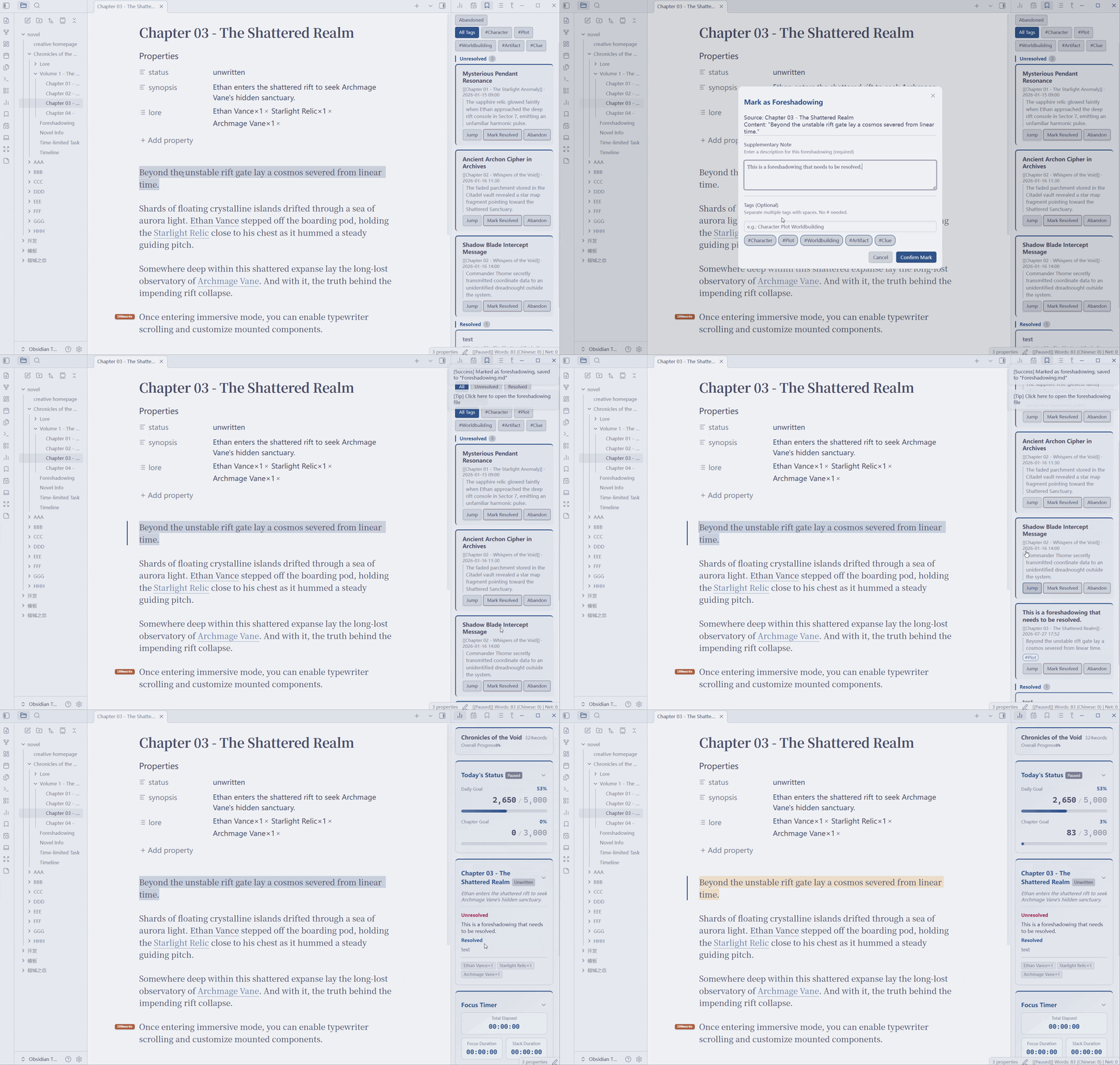 Foreshadowing Manager Mark → Multi-stage tracking → Final resolution | 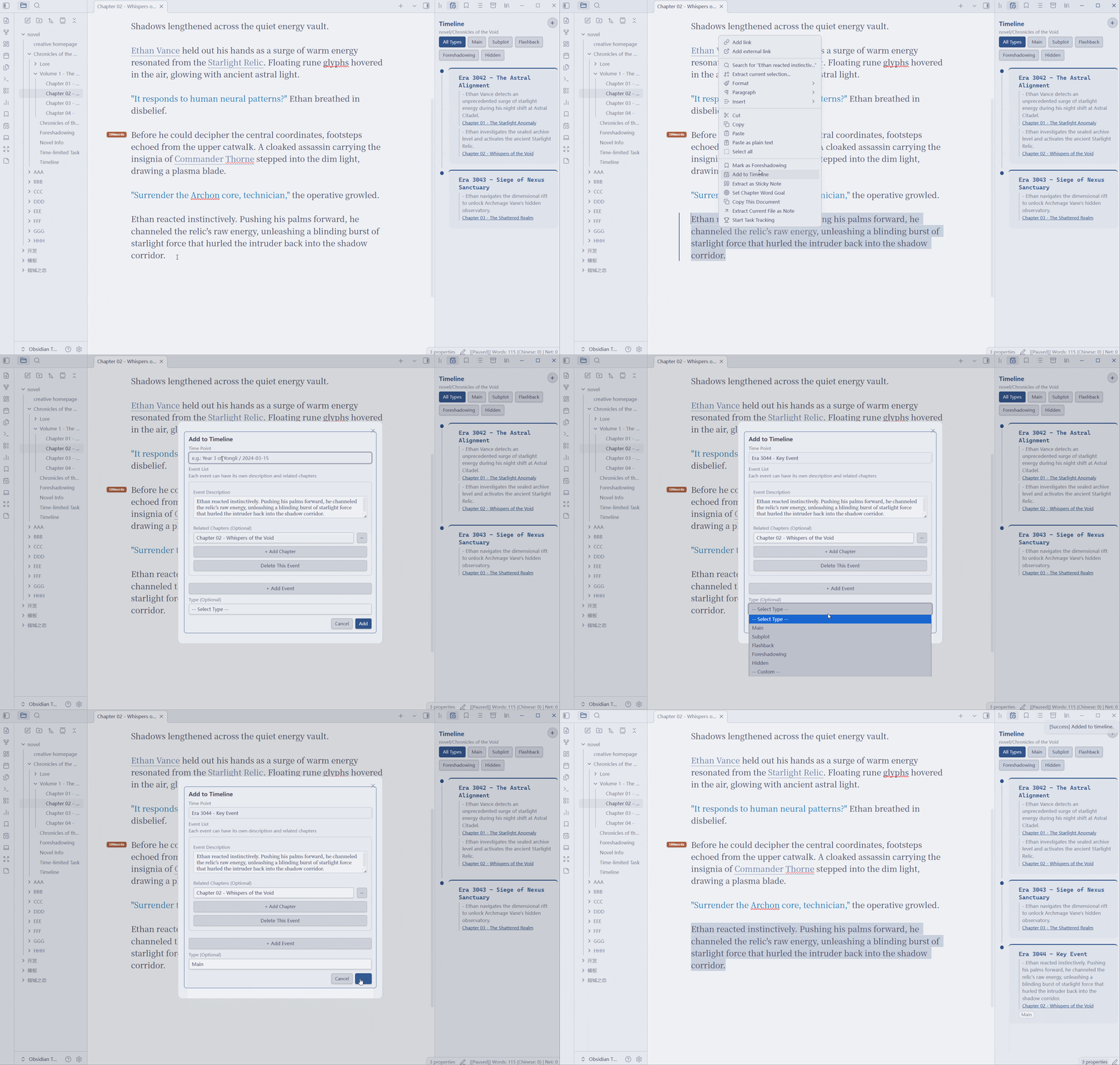 Timeline System Events, multi-chapter links, custom types | 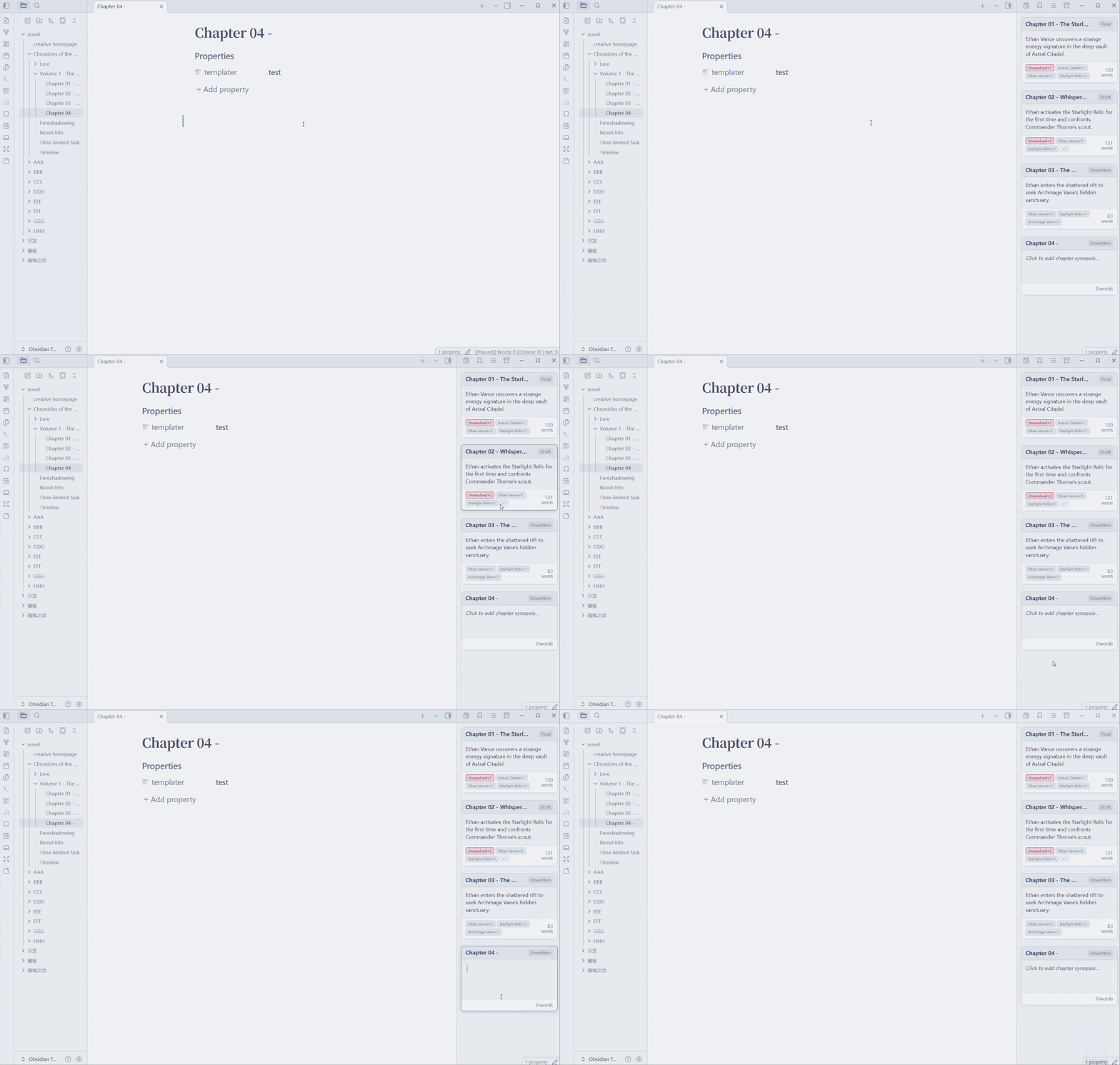 Chapter Corkboard Card overview, status & synopsis editing |
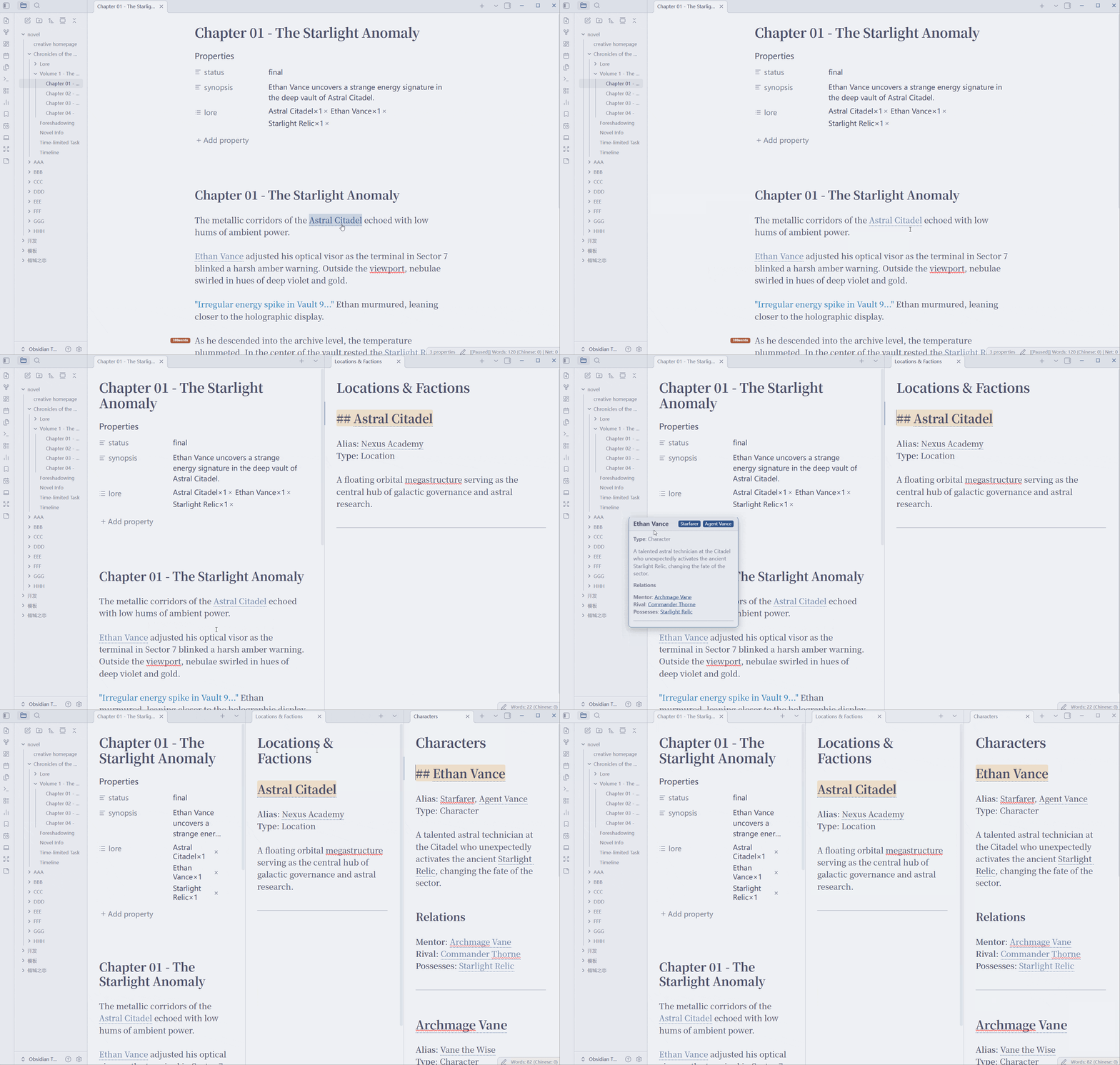 Lore Quick Lookup Nested folders, file entries, auto-highlights & relation graph | 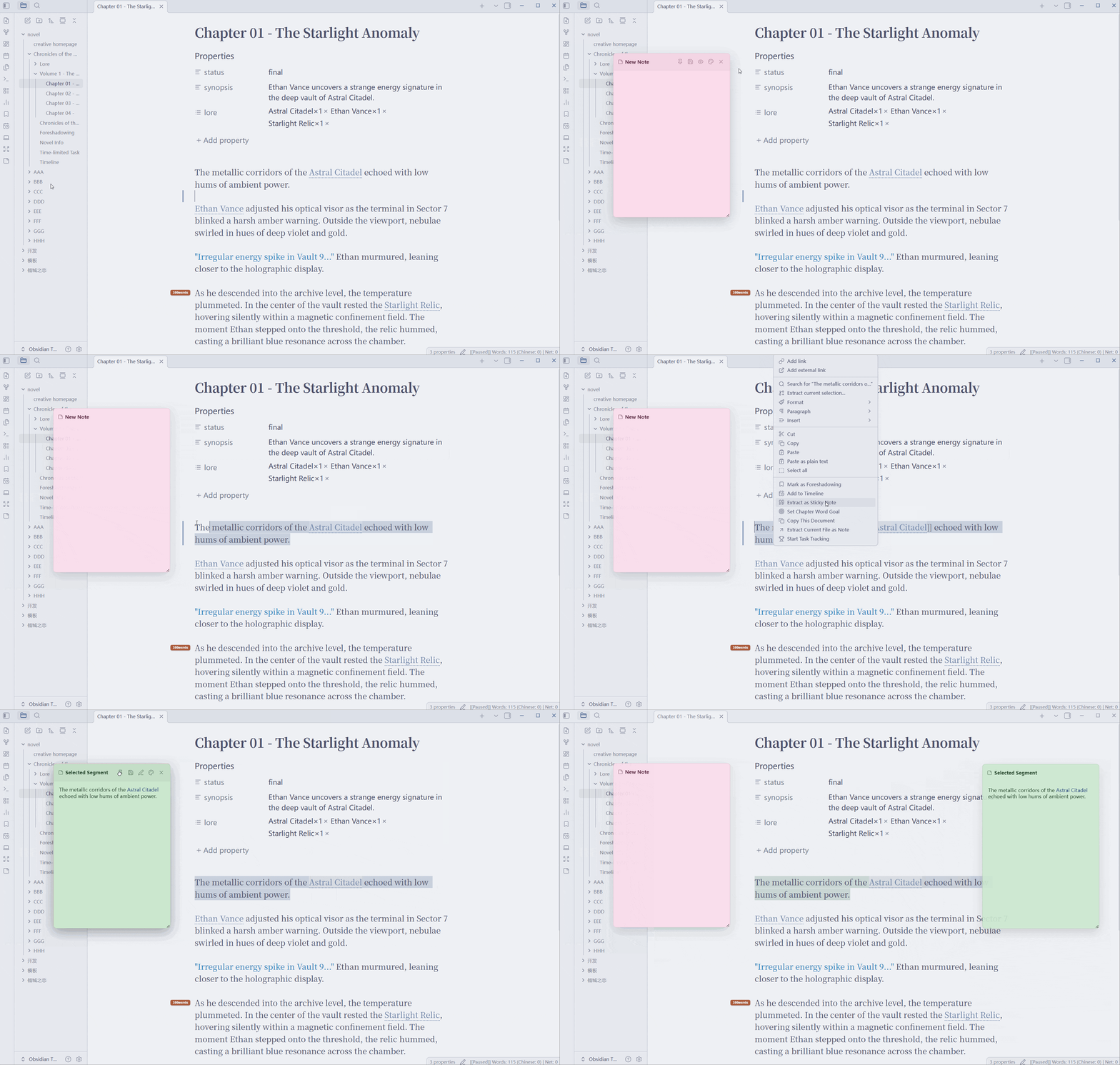 Sticky Notes Auto-save, Markdown render | 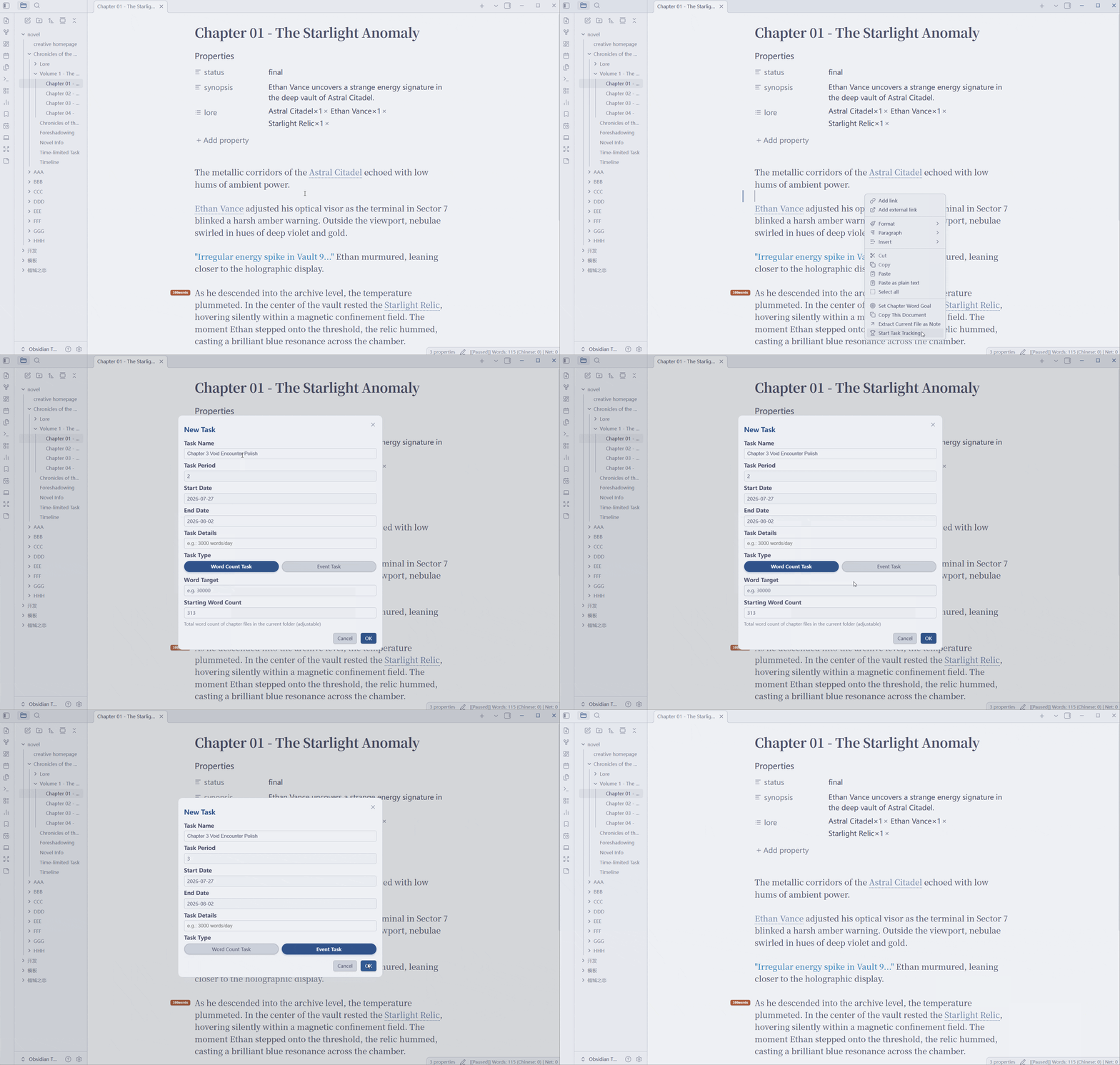 Task Tracker Create periodic tasks, self-driven deadlines & voluntary abandon |
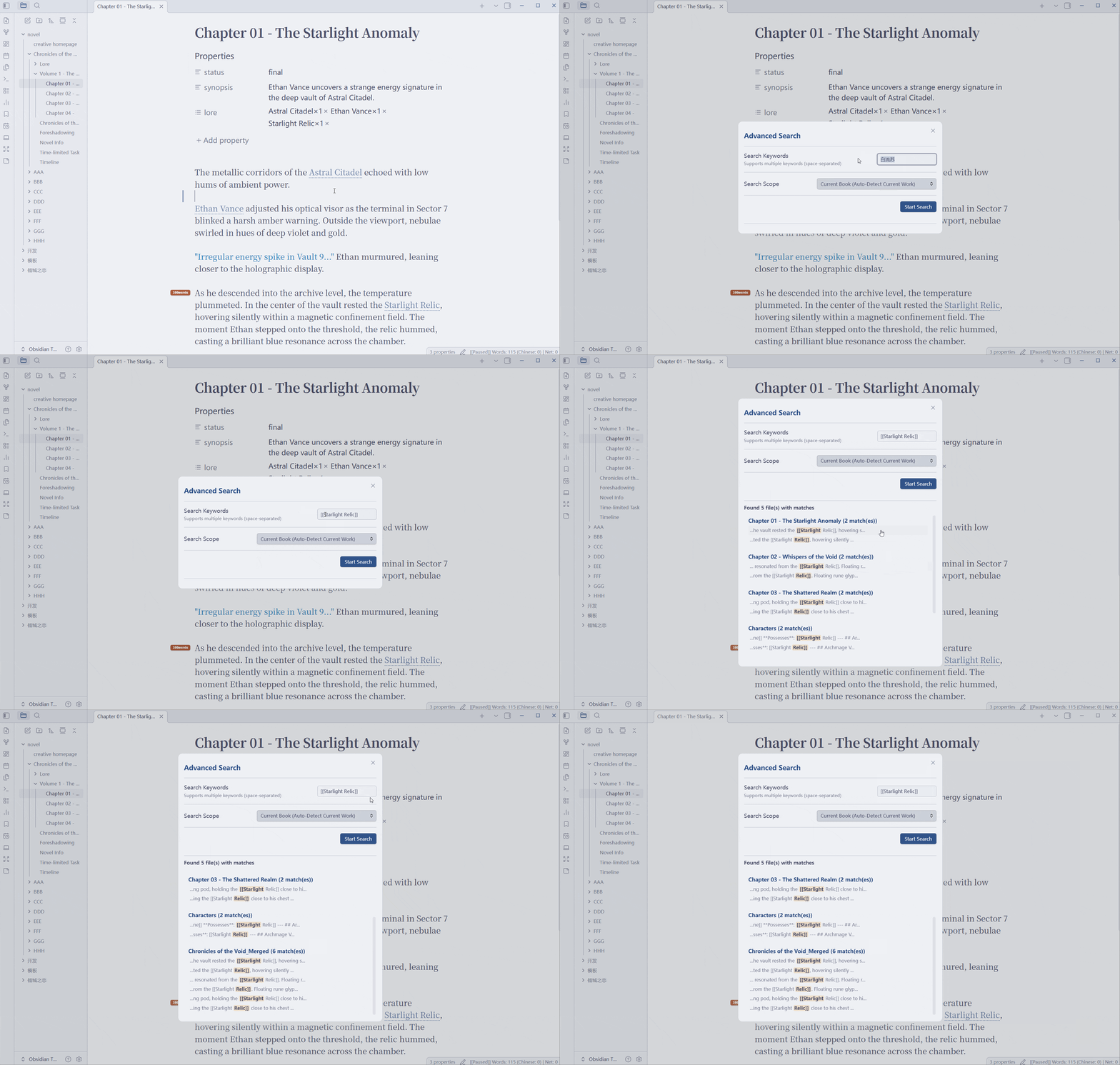 Advanced Search Search by book, global or custom scope | 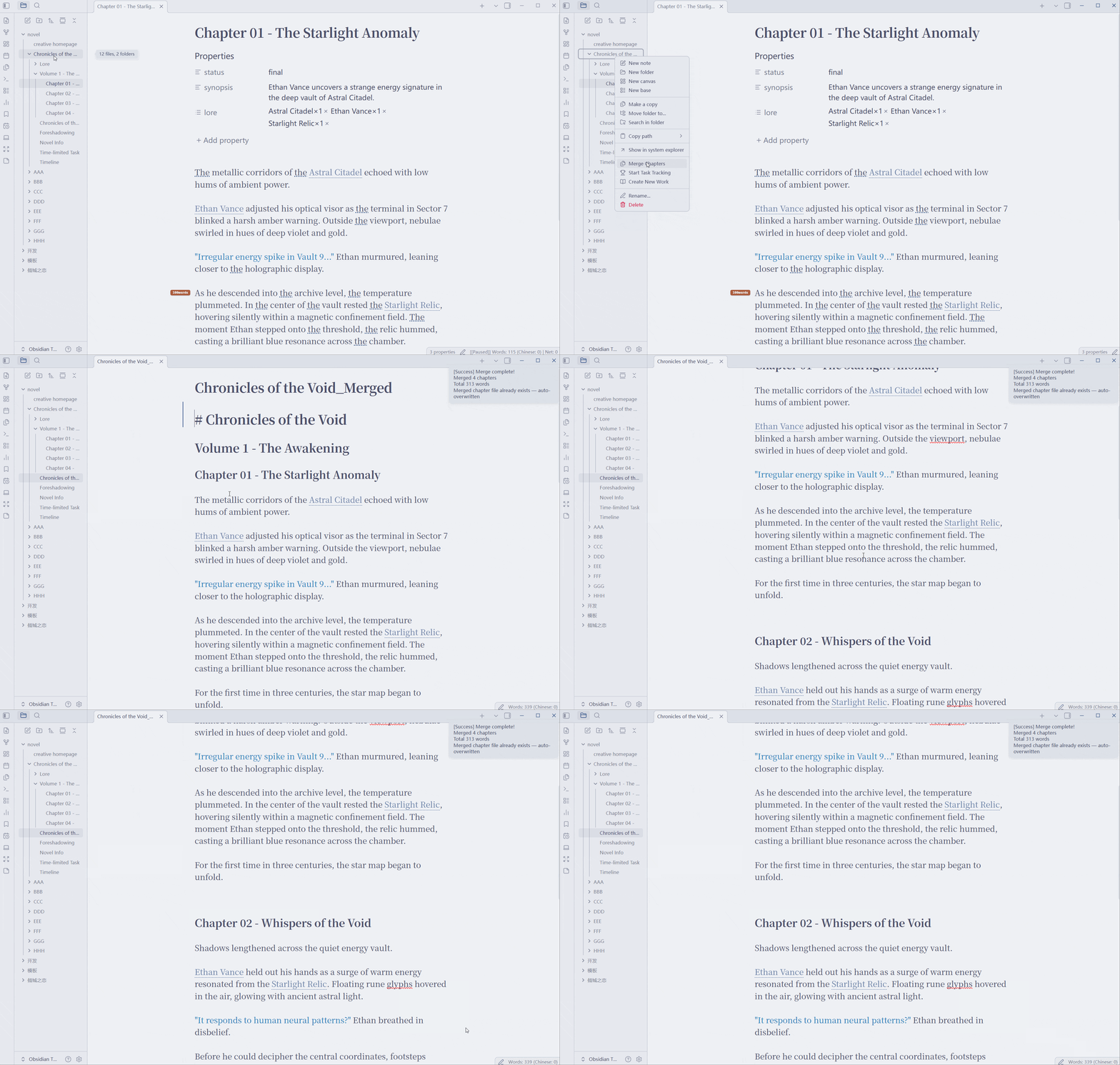 Merge Chapters Desktop preview & revision · Mobile preview & export | 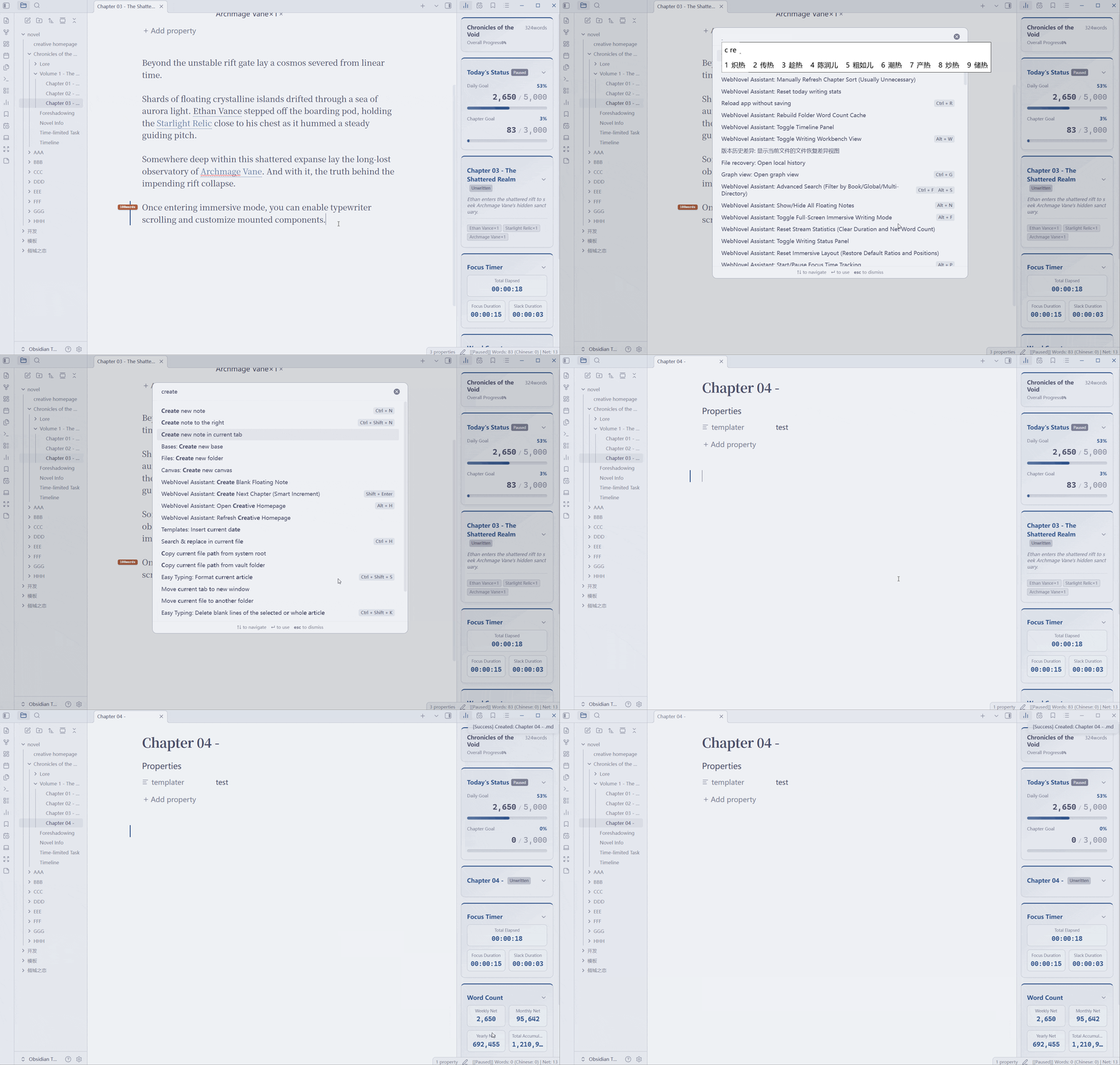 Smart Chapter Creation & Split Smart increment · Cursor split · Chapter templates |
🎥 OBS Streaming Overlay & 📱 Mobile
| 🎥 OBS Overlay | 📱 Mobile |
|---|---|
| Real-time writing stats in OBS | Floating word count & focus timer widget |
| Custom style, opacity & content | Edge docking & auto-collapse handle |
| Zero latency, zero disk I/O | Copy Document — one-click with title prepended |
📥 Installation
| Method | Steps |
|---|---|
| Community Plugins (Recommended) | Settings → Community Plugins → Browse → Search "WebNovel Assistant" → Install → Enable |
| BRAT | Install BRAT → Add repo HatanoChihiro/obsidian-webnovel-assistant → Enable |
| Manual | Download → Extract to .obsidian/plugins/web-novel-assistant/ → Restart & Enable |
🚀 Quick Start
- Install → open any Markdown file
- Status bar shows live word count → click to set a goal
- Command Palette
Ctrl/Cmd+P→ search "WebNovel" - Settings → customize each feature
🎯 Key Commands
| Command | Description |
|---|---|
| Toggle Immersive Writing Mode | Full-screen distraction-free writing |
| Toggle Writing Status Panel | Detailed stats & history charts |
| Toggle Foreshadowing Panel | Manage foreshadowing & recovery |
| Toggle Timeline Panel | Manage story timeline |
| Toggle Writing Workbench View | Chapters, timeline, foreshadowing, lore, task, and Writing Journey boards |
| Open Chapter Overview | Card-style chapter overview |
| Start/Pause Focus Time Tracking | Toggle focus/slack tracking |
| Mark as Foreshadowing | Mark selected text as foreshadowing |
| Create Blank Sticky Note | New floating sticky note |
| Advanced Search | Search by book/global/custom scope |
| Create Next Chapter (Smart Increment) | Smart chapter numbering |
| Split Chapter at Cursor | Move the text after the cursor into a template-based new chapter |
| Toggle Ordinary Editor Typewriter Scrolling | Toggle centered scrolling and unfocused-line dimming in the ordinary editor |
| Rebuild Lore Cache | Rebuild lore entries and chapter reference statistics |
| Annotate to Dictionary | Add selected text from any Markdown document to a custom dictionary |
All commands can get custom shortcuts in Settings → Hotkeys
Need setup details or troubleshooting? See the full User Guide / 使用指南.
⚙️ Key Settings
| Setting | Default | Description |
|---|---|---|
| Language | Auto | UI language — auto-detects Obsidian locale |
| Default Chapter Goal | 3000 | Chapter word goal for new files |
| Daily Goal | 5000 | Daily writing target |
| Show Word Counts in File Explorer | Off | Folder word counts in sidebar |
| Smart Chapter Sorting | Off | Auto-sort by chapter numbers |
| Workbench View Visibility | All shown | Show or hide any of the six Workbench boards |
| Typewriter Mode (Ordinary Editor) | Off | Independent center offset and unfocused-line opacity |
| Eye Care Mode | Off | Warm background color |
| Immersive Note Size | 280px | Sticky note card size in immersive mode |
| Foreshadowing Filename | Foreshadowing | Customizable per workspace |
| Timeline Filename | Timeline | Customizable per workspace |
| Timed Task Filename | Timed Task | Customizable per workspace |
| Lore Folder Name | Lore | Supports dictionary outline mode |
| Word Count Mode | Standard | Standard / Web Novel / Native algorithm |
🎨 OBS Overlay Setup
- Plugin settings → Enable OBS Overlay
- OBS → Add Browser Source → URL
http://127.0.0.1:24816/ - Recommended: 300×500px
See OBS Overlay CSS Guide for full customization.
🌐 Network Use Disclosure
Proofreading and all note analysis run entirely locally. The plugin makes no automatic network requests. The basic typo dictionary and De/Di/De grammar dictionary are not bundled and require manual download in Settings on first use. Only when you explicitly click Update Basic Dictionary or Update Grammar Dictionary does it use Obsidian's requestUrl API to download public JSON dictionaries from raw.githubusercontent.com/HatanoChihiro/obsidian-webnovel-assistant. No note content, vault path, device identifier, account data, or telemetry is uploaded. Responses are strictly validated as dictionary data, cached as JSON, and never executed as code or used to update the plugin or its dependencies.
For plugin developers
Search results and similarity scores are powered by semantic analysis of your plugin's README. If your plugin isn't appearing for searches you'd expect, try updating your README to clearly describe your plugin's purpose, features, and use cases.