File Color
approvedby ecustic
Set colors on folders and files in the file tree.
Obsidian File Color
What is this?
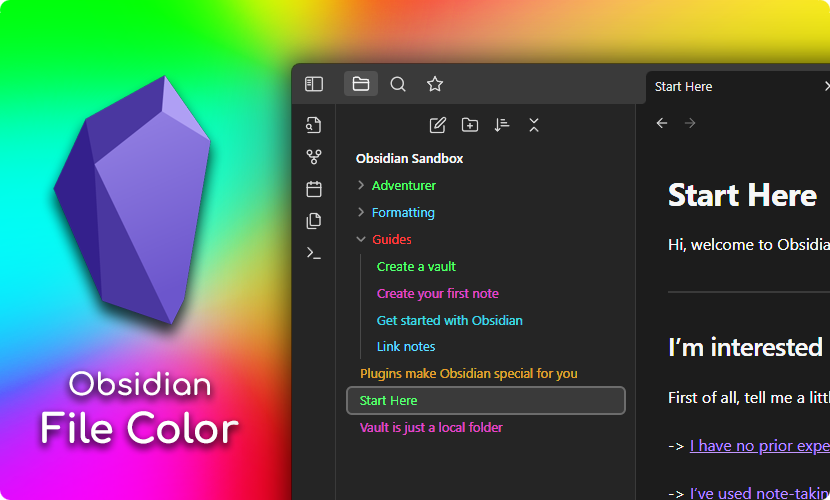
This is a plugin for Obsidian, which allows you to select colors for your files and folders in the file explorer.
Usage
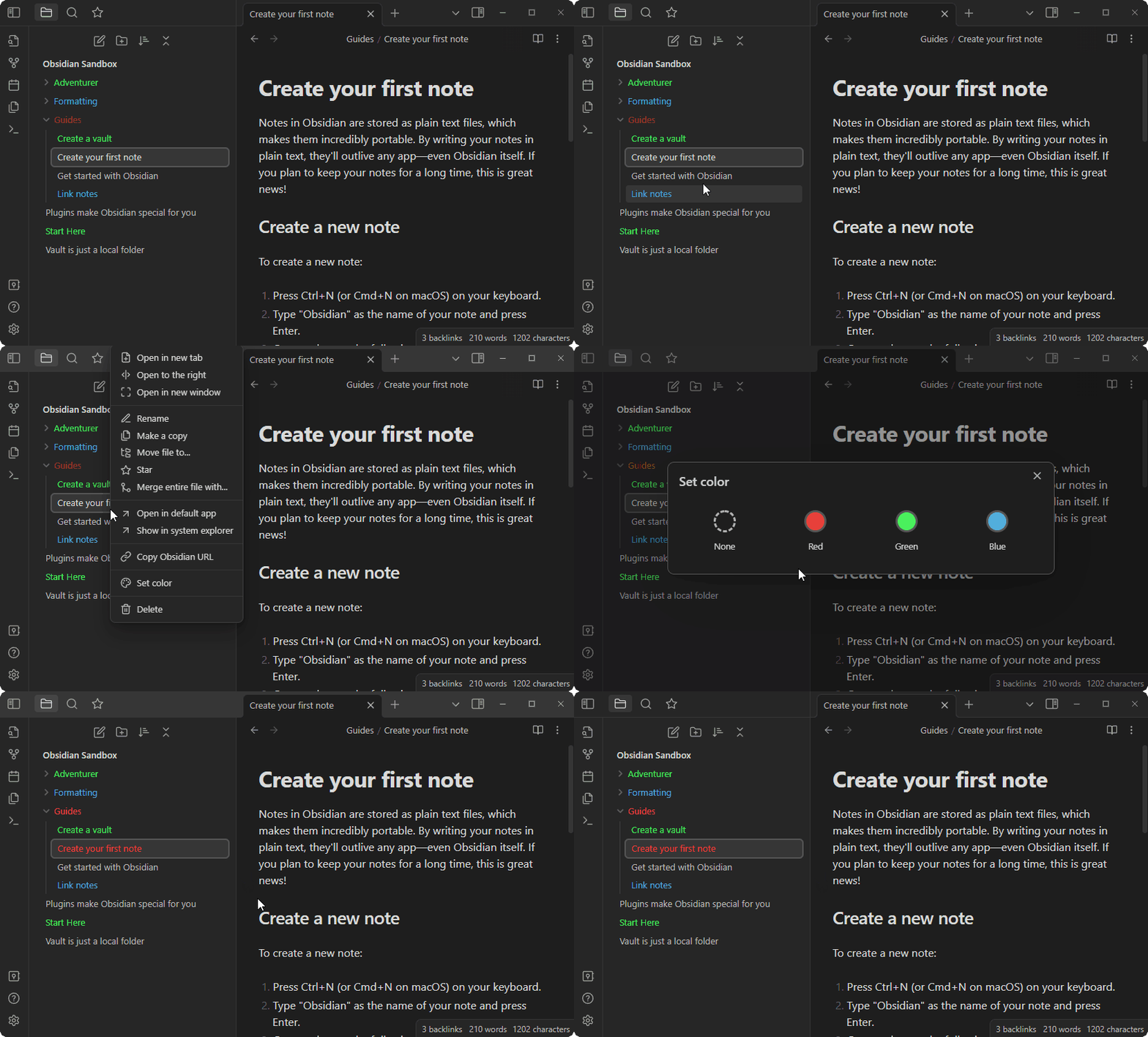
Setting the color for a file or folder is done by right clicking on the file in the file explorer and selecting Set color. This opens a modal where you can select all the colors defined in the plugin palette.
Changing the palette
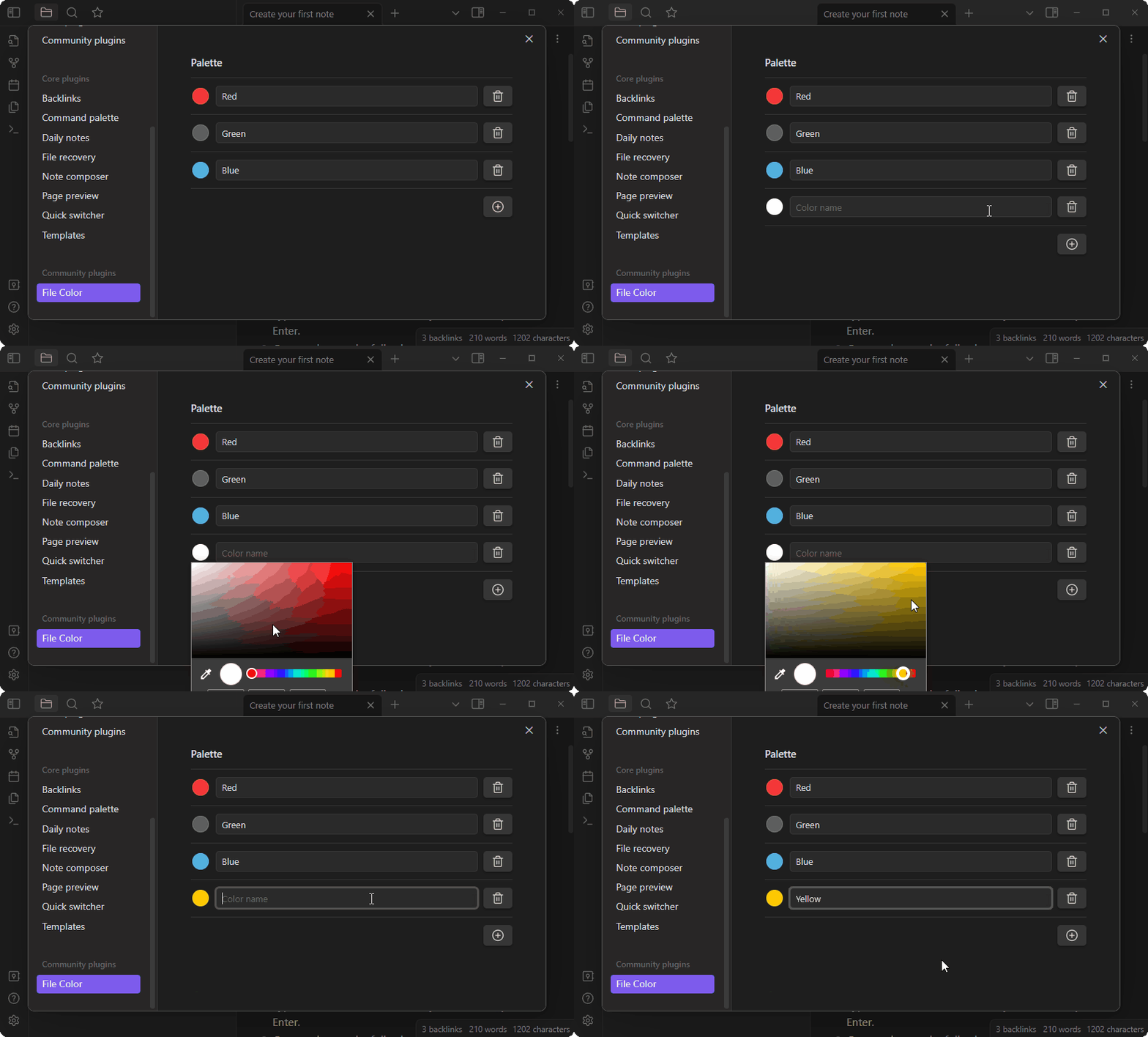
To add colors to the palette open the plugin settings, and click the + button. Then use the color picker to select the color, and input a name for the color. Afterwards it will appear in the Set color modal. You can add as many colors as you need.
Options
- Cascade Colors: if turned on, colors on folders will cascade to their children. Set colors on children to override parents.
- Background Colors: if turned on, the background is colored instead of the text.
Compatibility
This plugin has been tested with a few other community plugins:
- Icon Folder
- Should work out of the box, and colors should automatically be applied to the icons as well.
- Folder Note
-
Will also work out of the box, however the underlines added to the files will not be colored.
-
Personally I use the following CSS snippet locally:
.nav-folder.alx-folder-with-note>.nav-folder-title>.nav-folder-title-content {
  text-decoration-style: dotted;
  text-decoration-color: inherit;
}
Which will make make the underline use the colors defined by this plugin. The result looks something like this:

-

For plugin developers
Search results and similarity scores are powered by semantic analysis of your plugin's README. If your plugin isn't appearing for searches you'd expect, try updating your README to clearly describe your plugin's purpose, features, and use cases.