Folder Color
approvedby Noe AV
Assign gradient colors to folders and files in the file explorer. - This plugin has not been manually reviewed by Obsidian staff.
Folder Color — Obsidian Plugin
Colorize your file explorer with gradient colors that cascade through subfolders and files — all without touching a single line of CSS.
Features
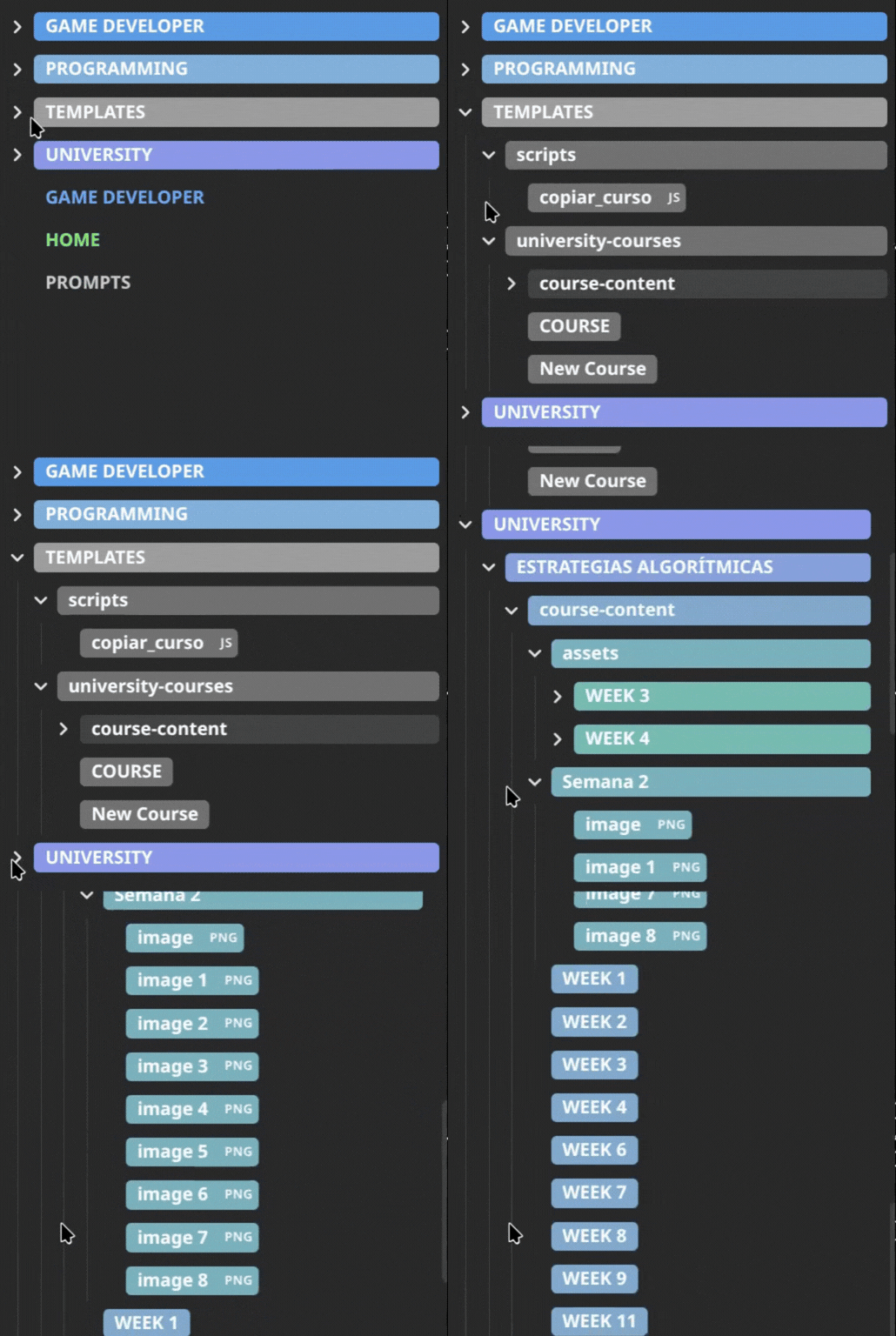
- Gradient coloring — set a start and end color; the gradient is applied automatically across all subfolders by depth.
- Cascades to files — files inside a colored folder match the color of their direct parent.
- Non-markdown file tags —
.pdf,.canvas,.excalidrawand other files get a split-pill style that includes a file-extension badge.
How to use
Assign a color to a folder
- Right-click any folder in the file explorer.
- Select Assign color.
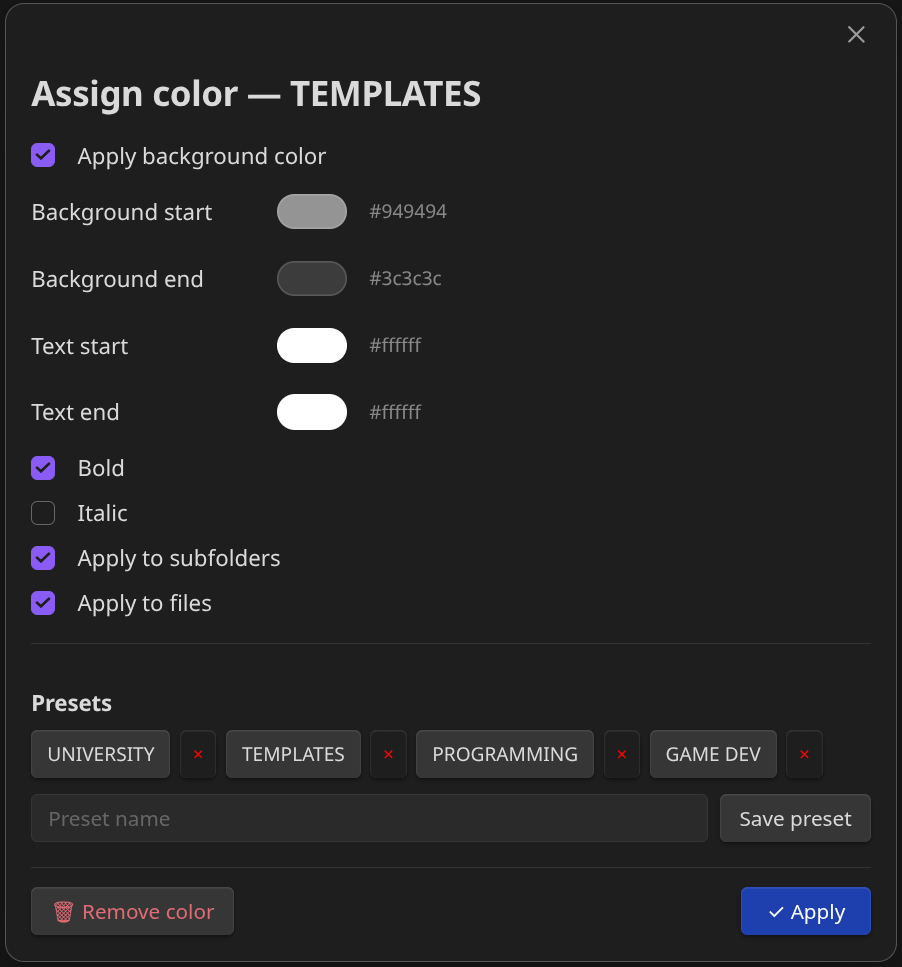
- Configure the gradient start and end colors, text colors, and any style options.
- Click ✓ Apply.
Assign a color to a file
Same steps as above, but right-click a file instead. Files use a single color (no gradient).
Settings
Open Settings → Folder Color to access:
| Option | Description |
|---|---|
| Export configuration | Downloads all your folder/file colors and presets as a folder-color-config.json file. |
| Import configuration | Loads a previously exported JSON file and applies it immediately. |
| Presets | Lists all saved presets with a color preview. You can delete them from here. |
Support
If you want to support me, you can buy me a coffee on Ko-fi.

License
See LICENSE for more information.
For plugin developers
Search results and similarity scores are powered by semantic analysis of your plugin's README. If your plugin isn't appearing for searches you'd expect, try updating your README to clearly describe your plugin's purpose, features, and use cases.