ObsidianTweaks
approvedby jeppeklitgaard
Add convenient tweaks including improved toggling and ergonomic commands.
ObsidianTweaks


This is a small plugin that implements some features of Obsidian that I believe should've been part of the core release -- perhaps in the future they will be? ❤️
Philosophy
- By default no features are enabled. You can enable the features you want.
- Thus all features can also be disabled.
- All code is released into public domain without any requirement for attribution using the Unlicense.
Features
Below is a list of the current functionality available for you to enable.
Note that hotkeys cannot be 'disabled', but they can be set to Blank.
They are all set to Blank by default. Go to Settings > Hotkeys to set the shortcut to match suggestions below, or use your own binding!
Commands
| Recommended hotkey | Action |
|---|---|
| Shift + Ctrl + Alt + ← | Move Selection Left |
| Shift + Ctrl + Alt + → | Move Selection Right |
| Blank | Better Toggle Bold (asterisks) |
| Ctrl + B | Better Toggle Bold (underscores) |
| Blank | Better Toggle Italics (asterisks) |
| Ctrl + I | Better Toggle Italics (underscores) |
| Blank | Better Toggle Code |
| Ctrl + / | Better Toggle Comment |
| Blank | Better Toggle Highlight |
| Blank | Better Toggle Strikethrough |
| Ctrl + Shift + A | Select Current Line(s) |
| Shift + Alt + ↑ | Copy Current Line(s) Up |
| Shift + Alt + ↓ | Copy Current Line(s) Down |
| Shift + Alt + ← | Copy Current Line(s) Left |
| Shift + Alt + → | Copy Current Line(s) Right |
| Ctrl + Alt + 1 | Toggle Heading - H1 |
| Ctrl + Alt + 2 | Toggle Heading - H2 |
| Ctrl + Alt + 3 | Toggle Heading - H3 |
| Ctrl + Alt + 4 | Toggle Heading - H4 |
| Ctrl + Alt + 5 | Toggle Heading - H5 |
| Ctrl + Alt + 6 | Toggle Heading - H6 |
| Blank | New Adjacent File |
| Blank | Duplicate File |
Better Toggles
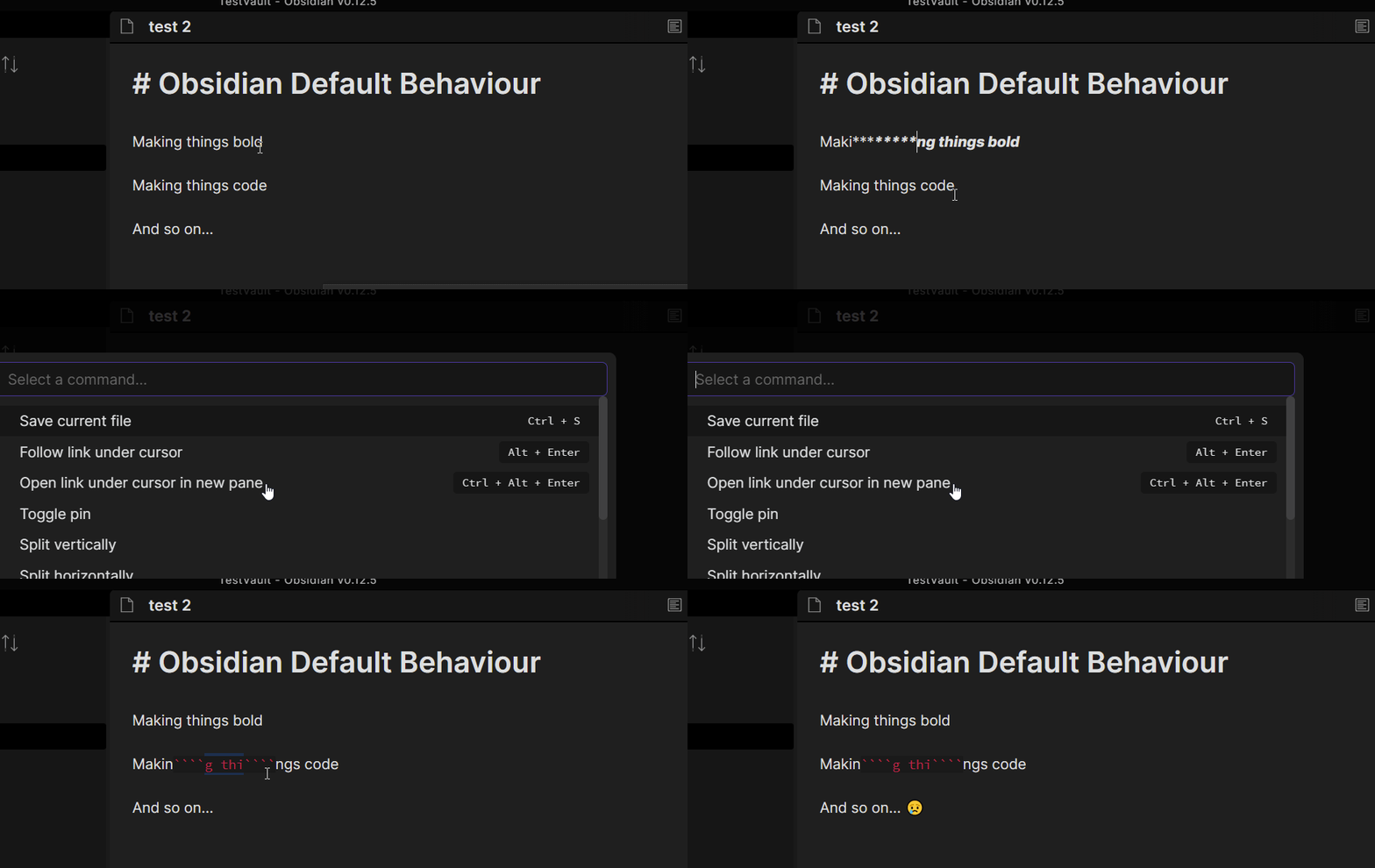
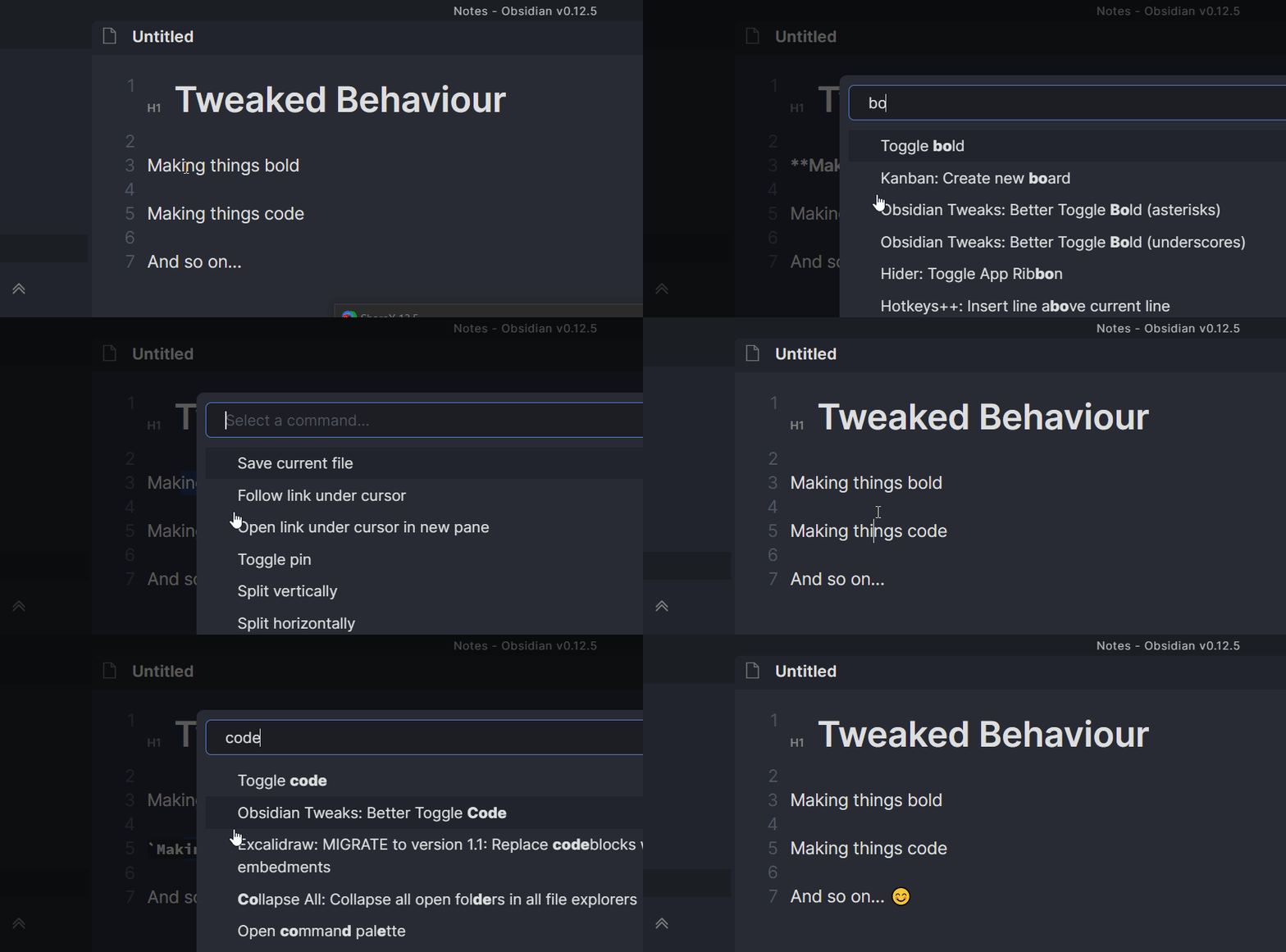
The default toggles in Obsidian can be a bit wonky at times and do not always work well. The toggles implemented here should always return to the same state when toggled twice.
They also do nice word-wrapping for you.
Additionally Bold and Italics are implemented with underscores as well as asterisks. Simply bind the command you want.
Math toggles are also included.
How to install
Install the Obsidian plugin via one of the three methods described below.
Community Plugins
Install this plugin via the Obsidian Community Plugin interface (Strongly Recommended)
You can activate this plugin within Obsidian by doing the following:
- Open Settings > Third-party plugin
- Make sure Safe mode is off
- Click Browse community plugins
- Search for "**AnkiBridge**"
- Click Install
- Once installed, close the community plugins window and activate the newly installed plugin
BRAT
If you have Obsidian BRAT plugin installed you can install ObsidianTweaks by doing the following:
- Open `Command Palette`
- Select the `Obsidian42 - BRAT: Add a beta plugin for testing` command
- Paste in `JeppeKlitgaard/ObsidianTweaks` into the text field
- Press `Add Plugin`
- Activate the plugin now found under the `Settings → Community Plugins` menu
Manual Installation
Alternatively you can do a manual installation:

- Download the latest `ObsidianTweaks-X.Y.Z.zip` from GitHub releases.
- Create a new folder named `ObsidianTweaks`
- Extract the files within the zip file into `ObsidianTweaks` folder
- Place the folder in your .obsidian/plugins directory
- Reload plugins (the easiest way is just restarting Obsidian)
- Activate the plugin as normal.
Why Unlicense?
In case the developers of Obsidian want to just straight copy some code into Obsidian, they can do that without worrying about licensing at all.
Note that any contributions to ObsidianTweaks will thus also be Unlicensed.
Honorable Mentions
I initally planned to contribute to the Hotkeys++ plugin, but since I don't necessarily want ObsidianTweaks to be limited to hotkeys in the future, I decided to make my own.
Contributors
For plugin developers
Search results and similarity scores are powered by semantic analysis of your plugin's README. If your plugin isn't appearing for searches you'd expect, try updating your README to clearly describe your plugin's purpose, features, and use cases.