MindTrace
approvedby Xuhao Yin
Local-first attention analytics: automatically track time spent and writing on each note, then visualize how your attention flows across topics and hours. - This plugin has not been manually reviewed by Obsidian staff.
🧭 MindTrace
See where your attention actually goes.
A silent, local-first time & attention tracker for Obsidian — a beautiful topic × time dashboard that reveals your focus, your writing output, and your habits.


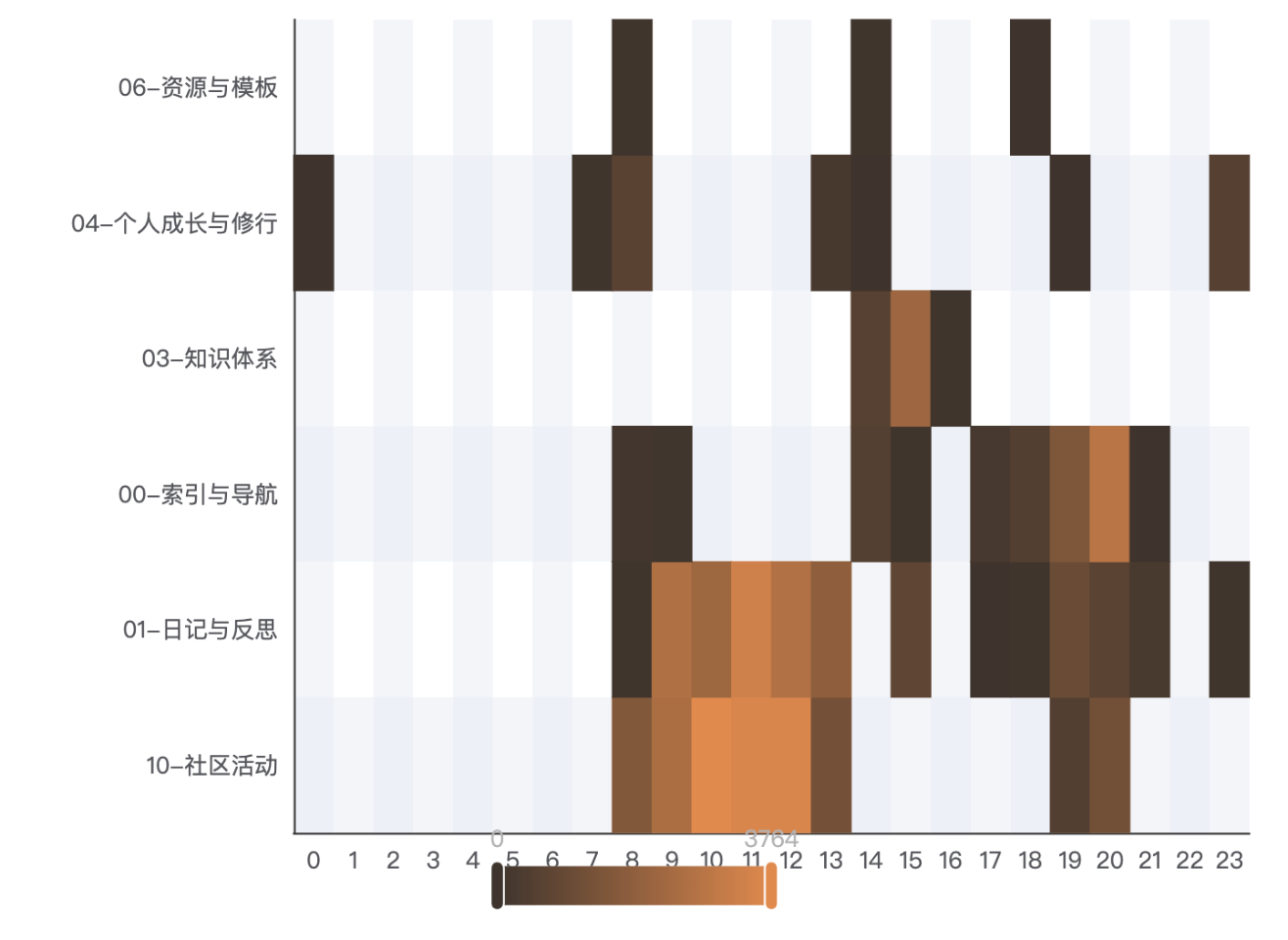
✨ The one chart that explains your day
MindTrace is a zero-friction time tracker and attention analytics plugin. It runs in the background and quietly records how long you spend on each note — reading and writing — then rolls everything up by folder and plots it as a topic × time heatmap. One glance, and you can see "mornings are for philosophy, afternoons for code."
🚀 Why MindTrace?
- Zero friction — no timers, no buttons, no popups. It just watches. Writing flow stays intact.
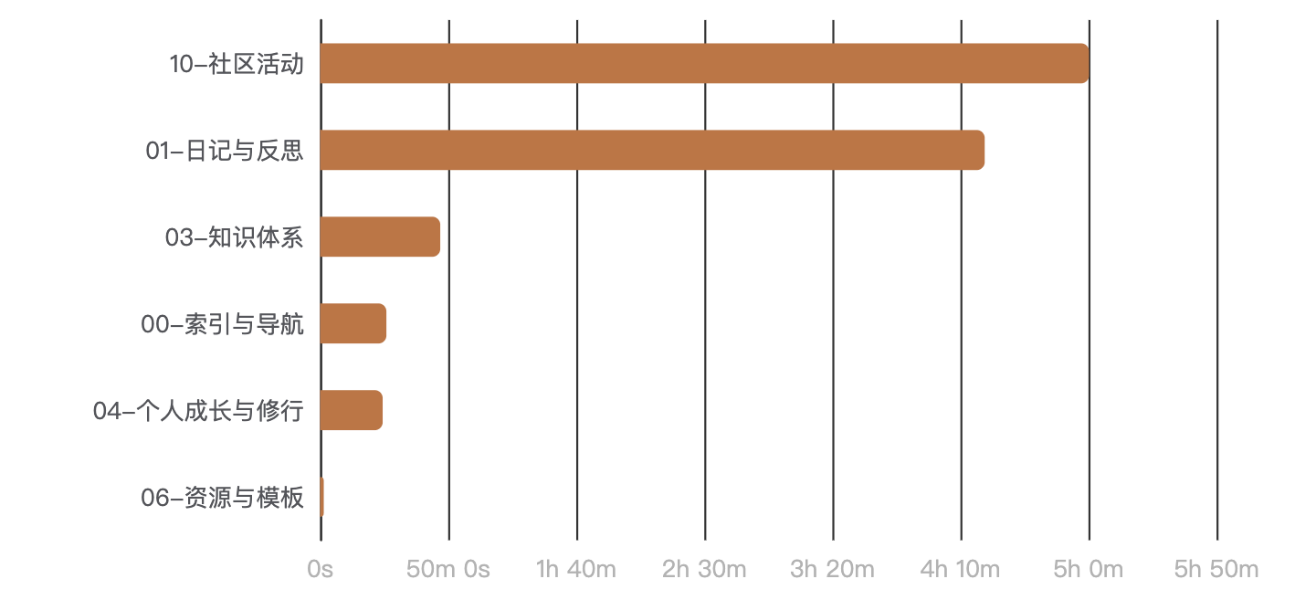
- Folder = topic — your vault is already organized; MindTrace treats your folder tree as the taxonomy and rolls time up recursively, drillable from topic → subfolder → file.
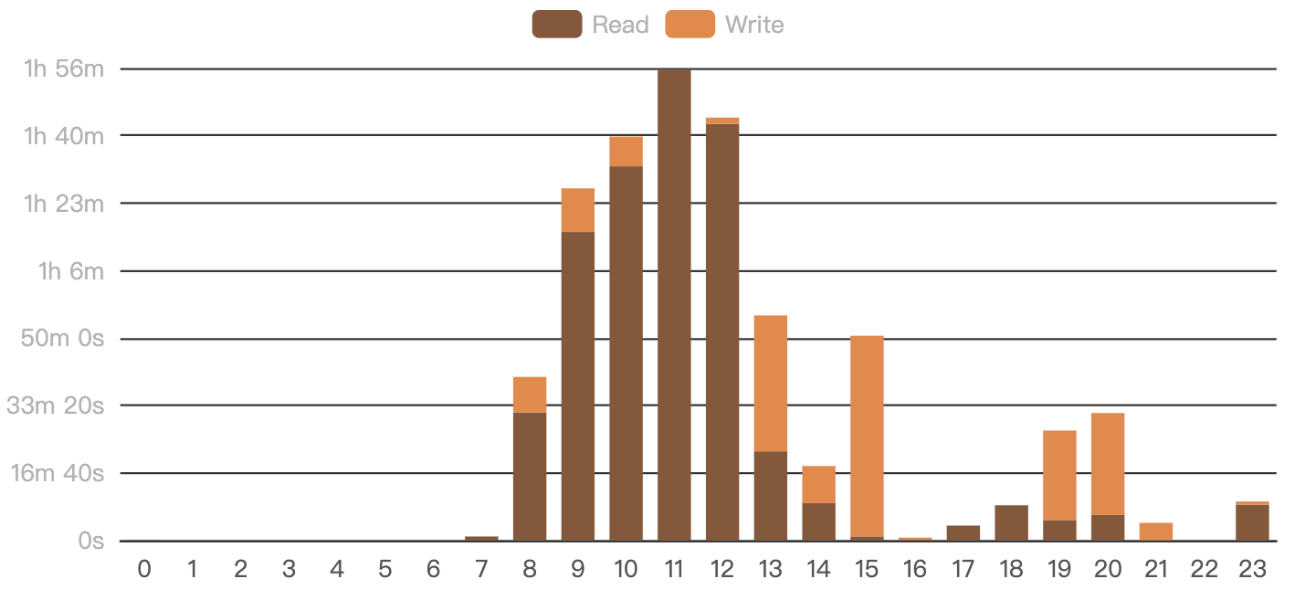
- Read vs. write, inferred — a transparent heuristic splits your active time into reading and writing, no manual tagging.
- 100% local — everything lives in your vault. No account, no cloud, no telemetry, no note content is ever read.
- Quantified self — not a productivity nag, but a mirror: plain-language daily insights like "your most invested topic is philosophy" help you reflect, not judge.
📊 A dashboard full of insight
| Topic × Time — where your attention goes by hour | Topic Ranking — with click-to-drill-down |
|  |
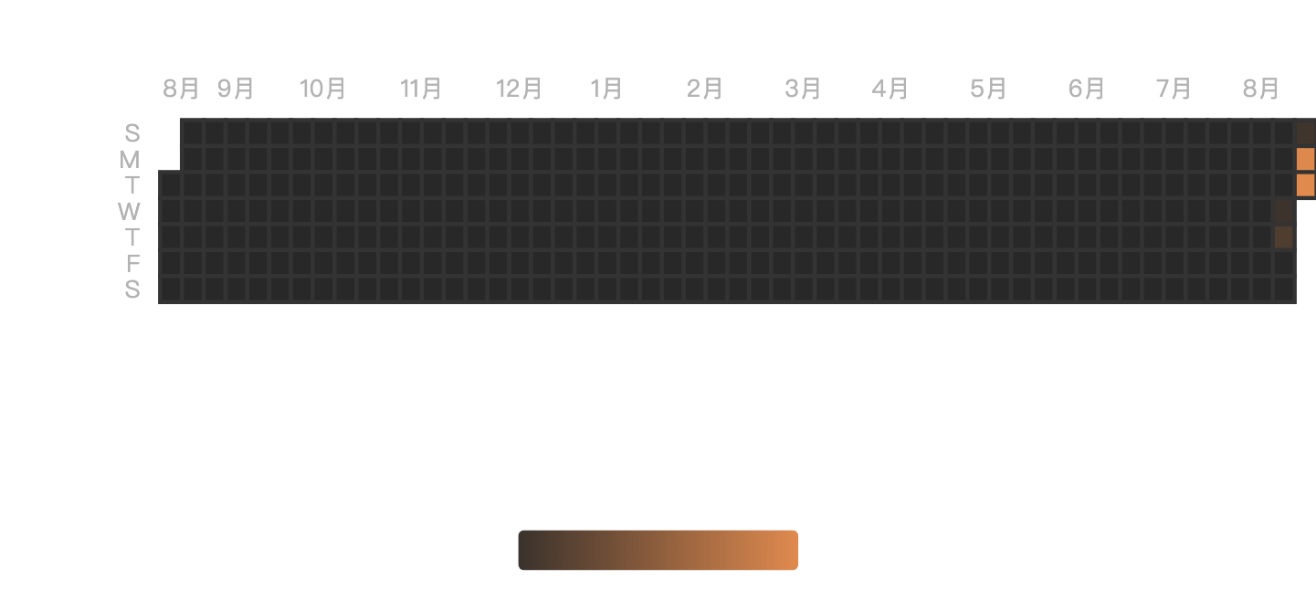
| Active Hours — when you're actually working | Activity Calendar — GitHub-style daily streak |
 |  |
| Document Activity — notes written vs. touched (day/week/month/quarter/year) | This Week vs Last — are you on an upswing? |
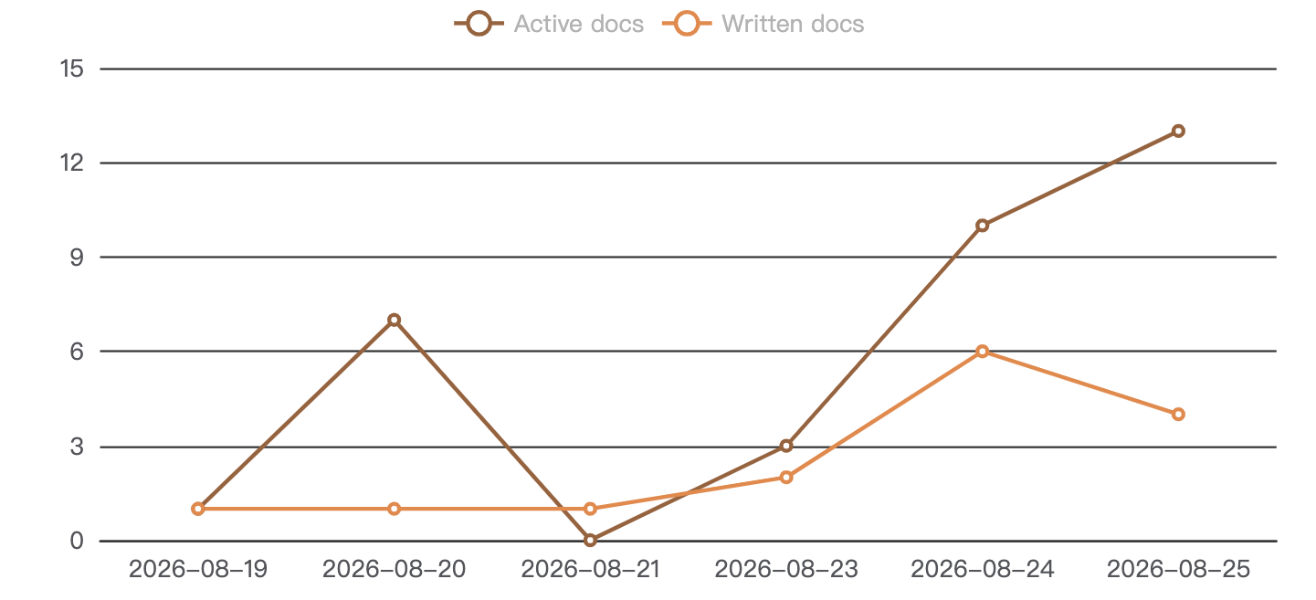 | 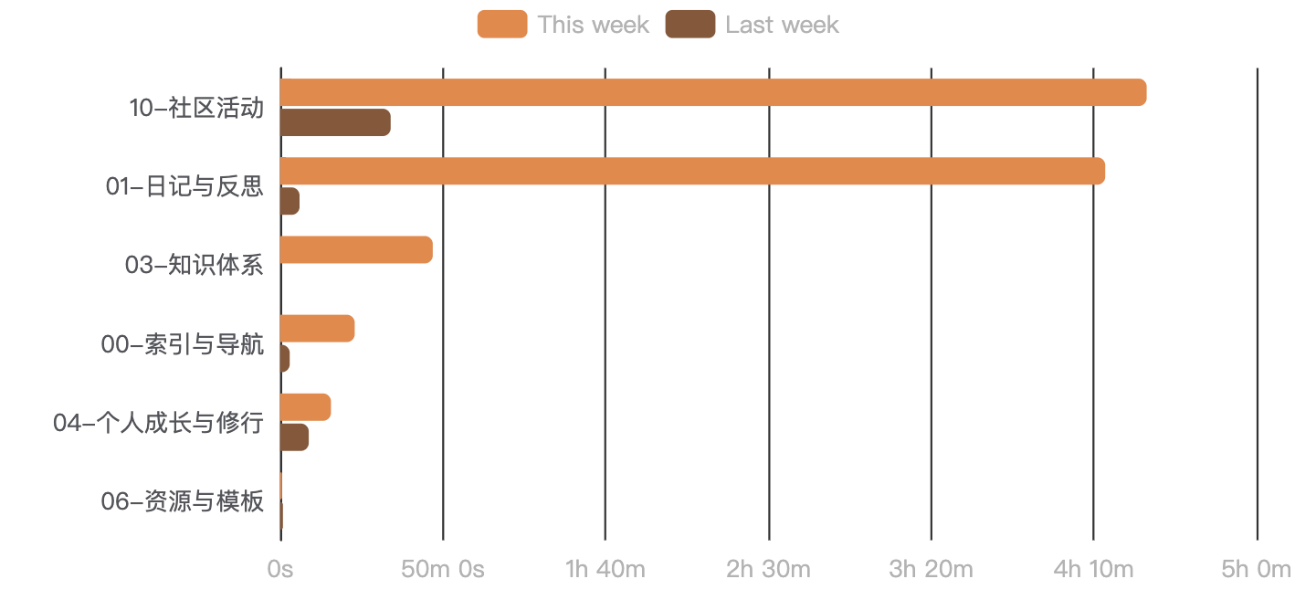 |
| Weekday Distribution — your weekly rhythm | Word Trend — writing output over time |
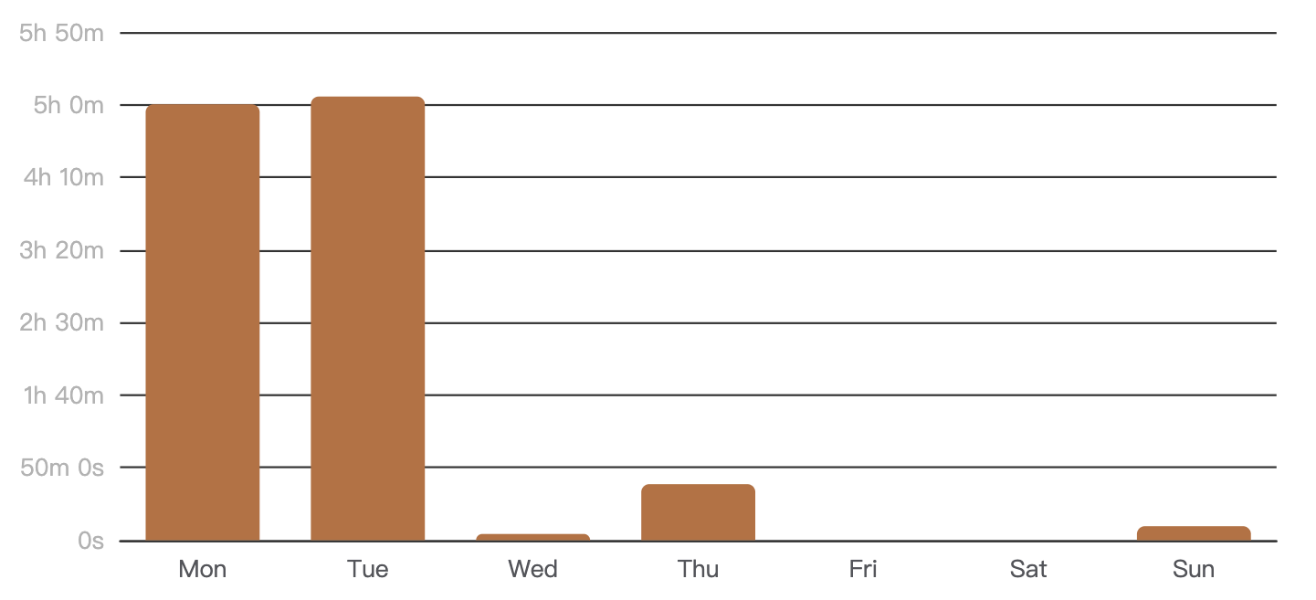 | 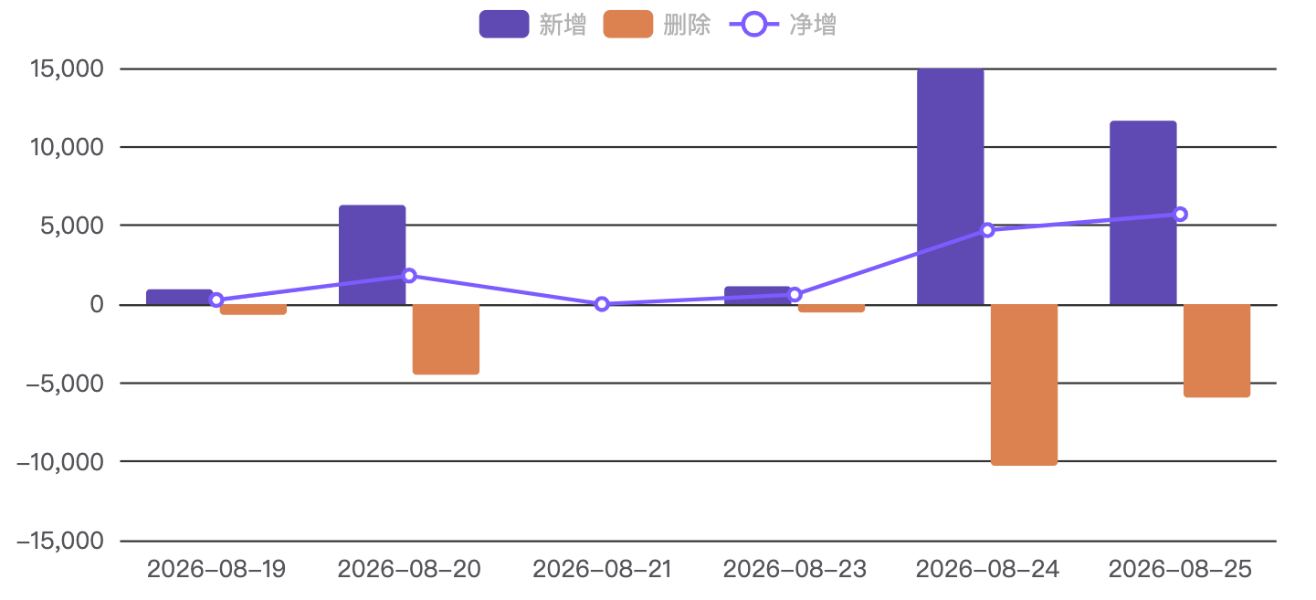 |
| Read vs Write — composition of your time | Word Growth — per-document writing trajectory |
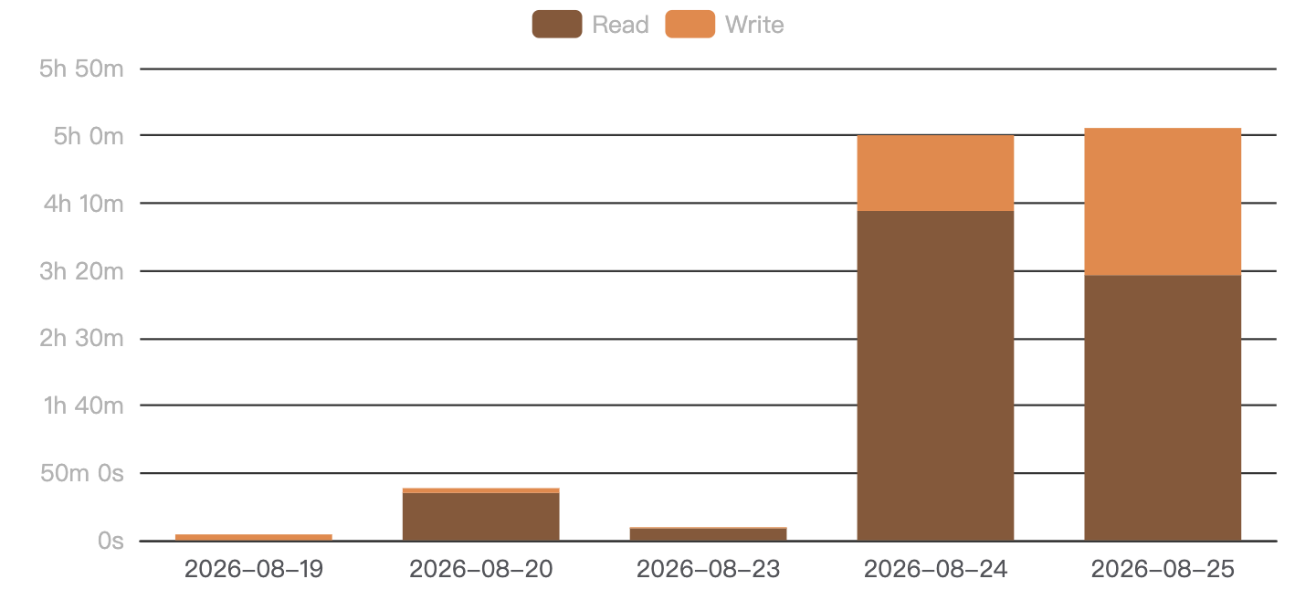 | 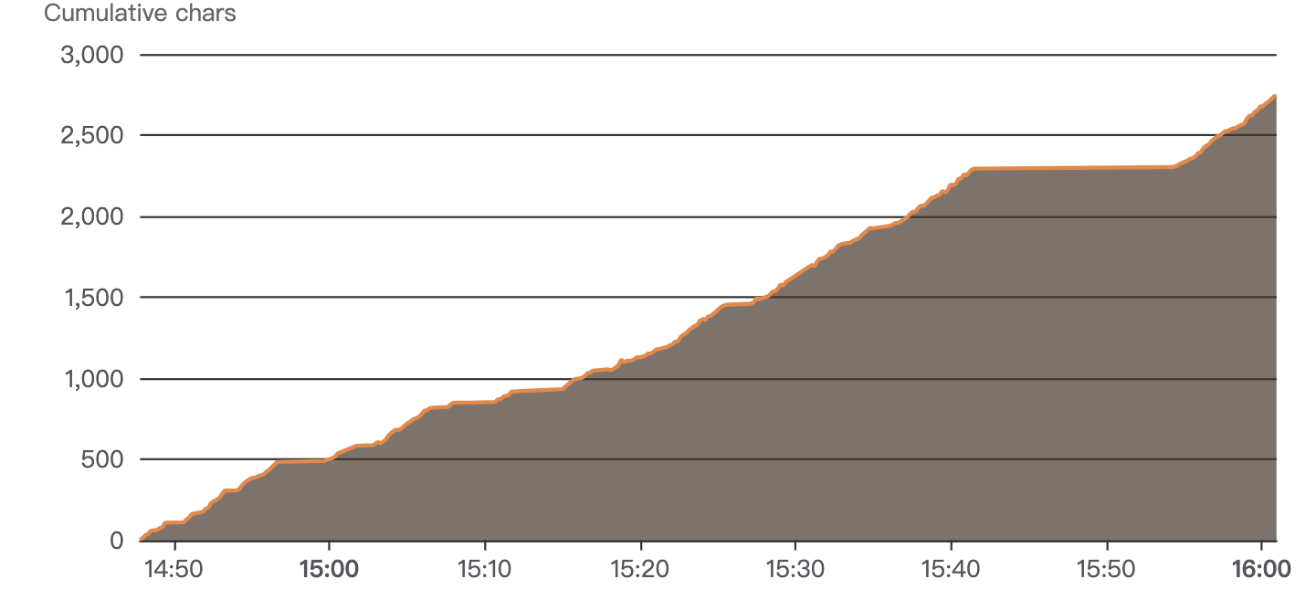 |
Every chart exports to PNG / JSON / CSV with one click. The whole dashboard is theme-aware and follows your Obsidian accent color.
🔒 Privacy by design
Data is written as append-only JSONL to .mindtrace/ in your vault. No network, no telemetry, no cloud, no note content — only metadata (paths, timestamps, durations, character deltas). Your notes never leave your computer.
📦 Install
From the Obsidian Community Plugins directory, search MindTrace and install. Or manually:
- Download
main.js,manifest.json,styles.cssfrom the latest release. - Copy them into
<vault>/.obsidian/plugins/obstracker/. - Enable MindTrace in Settings → Community plugins.
🖱 Usage
- Enable the plugin — tracking starts automatically, no setup needed.
- Click the chart icon in the ribbon, or run "Open dashboard", to open the dedicated dashboard note.
- (Optional) embed the dashboard anywhere with a
```mindtracecode block.
Data is stored in .mindtrace/events-YYYY-MM-DD.jsonl (one file per day).
🛠 Development
npm install
npm run dev     # watch & build
npm run build   # type-check + production build
npm test        # unit tests
📄 License
For plugin developers
Search results and similarity scores are powered by semantic analysis of your plugin's README. If your plugin isn't appearing for searches you'd expect, try updating your README to clearly describe your plugin's purpose, features, and use cases.