by Soulbits
Right-click a selection, pick one of your prompt files, run it on a local Ollama model. Amend or replace.
Ollama Prompts
Run one of your own prompt files on the text you have selected in Obsidian, using a local Ollama model. Preview the result, ask for a change, then replace the selection or close the preview.
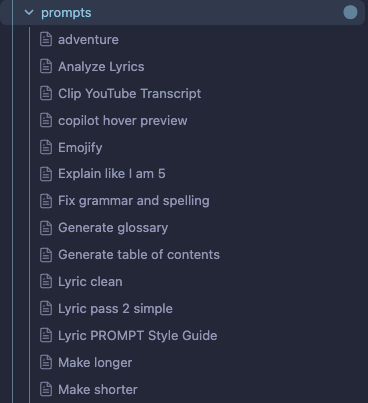
Prompts are ordinary Markdown notes in a vault folder. There is no chat box, no embedding database, and no cloud account.
Screenshots
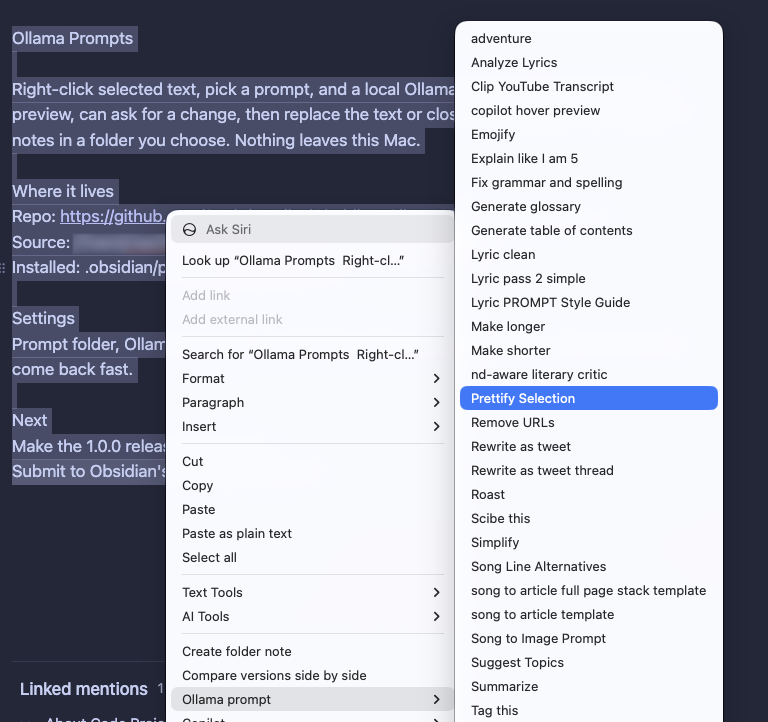
Right-click menu, choose a prompt
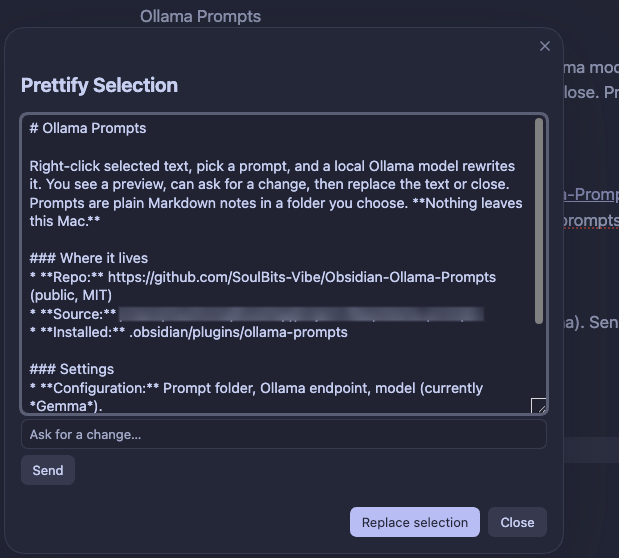
Prompt returns a preview
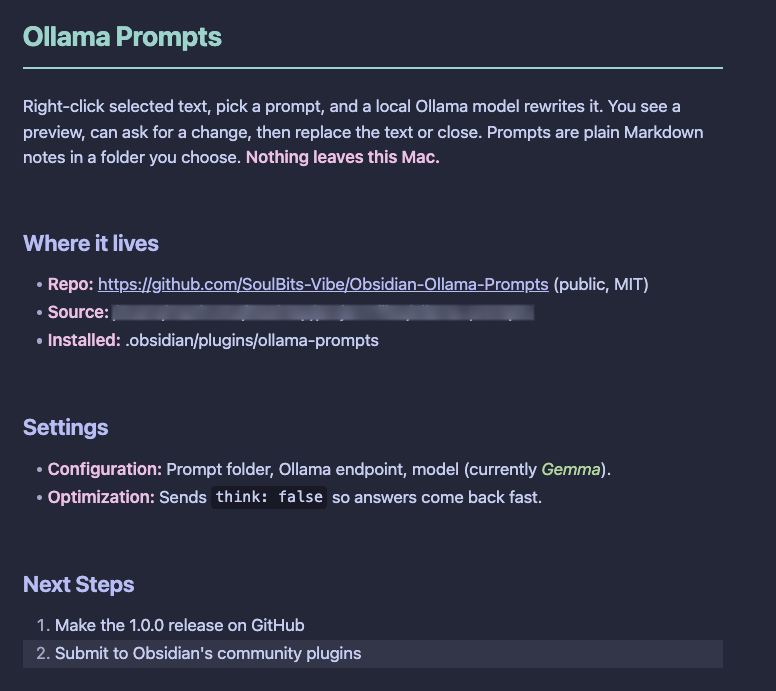
Completed
Prompts are just markdown files
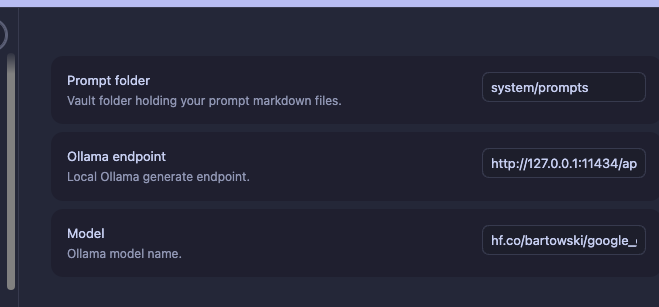
Simple settings
Requirements
- Obsidian desktop (this plugin is desktop-only)
- Ollama running on your computer
- At least one model pulled in Ollama (
ollama listshows the exact names)
Install
Until the plugin is in the Community plugins directory, install it manually:
- In your vault, create
.obsidian/plugins/ollama-prompts/. - Copy
main.js,manifest.json, andstyles.cssinto that folder. For a GitHub release, download those three files from the release assets. - In Obsidian: Settings → Community plugins → turn on Community plugins if needed, then enable Ollama Prompts.
To build from source:
npm install
npm run build
That writes main.js. Copy main.js, manifest.json, and styles.css into the plugin folder.
Use a separate vault when you are developing the plugin, not your main vault.
Setup
- Start Ollama and pull a model, for example
ollama pull gemma3. - In Settings → Ollama Prompts:
- Prompt folder — vault folder that holds your prompt notes. Default:
system/prompts. - Ollama endpoint — default is
http://127.0.0.1:11434/api/generate. - Model — the exact name from
ollama list. Leave this empty until you set a model you actually have. A typo or a name that is not installed will show Ollama's error, not a generic "is Ollama running?" message.
- Prompt folder — vault folder that holds your prompt notes. Default:
- Put prompt notes in that folder. Two starters are in
examples/prompts. Copy them into your prompt folder, or write your own. The note body is the prompt; YAML frontmatter, if present, is ignored.
A settings example file is in data.local.json.example. Do not commit your real data.json; it is personal.
Use
- Select text in the editor.
- Right-click and choose Ollama prompt, then a prompt from the submenu. Or run the command Run a prompt file on the selection and pick a prompt in the fuzzy picker.
- A preview opens with the model's rewrite. You can edit it, or type a change request and press Send.
- Choose Replace selection or Close.
Privacy
This plugin talks only to the Ollama endpoint you set. The default is a local server at 127.0.0.1. The selected text and the chosen prompt are sent to that endpoint so the model can write a rewrite. Nothing is sent to the plugin author or to any third-party cloud service.
If you change the endpoint to a remote Ollama host, that host will receive the selected text and the prompt.
Development
npm install
npm run dev
npm run dev rebuilds main.js when you change the TypeScript source in src/. Reload the plugin in Obsidian to try the change. npm run lint runs the Obsidian ESLint rules.
License
This plugin is released under the MIT License. Copyright (c) 2026 SoulBits Vibe.
For plugin developers
Search results and similarity scores are powered by semantic analysis of your plugin's README. If your plugin isn't appearing for searches you'd expect, try updating your README to clearly describe your plugin's purpose, features, and use cases.