OpenCode
approvedby krisspy
Use OpenCode CLI without leaving your vault. - This plugin has not been manually reviewed by Obsidian staff.
Obsidian OpenCode
A plugin that embeds the OpenCode CLI directly into Obsidian. Browse conversation history and resume work without leaving your vault.
Demo
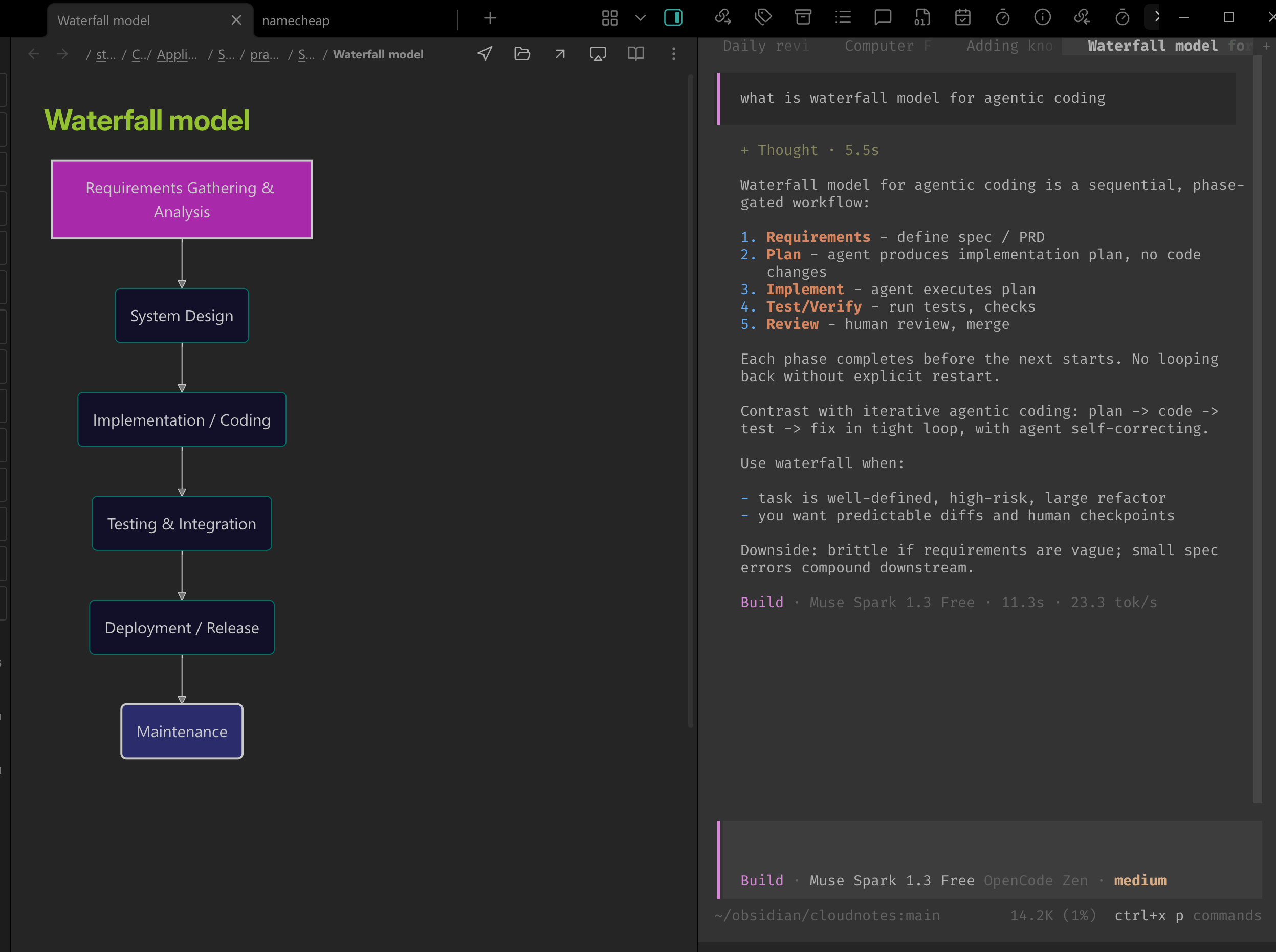
Work with vault notes and OpenCode side by side:
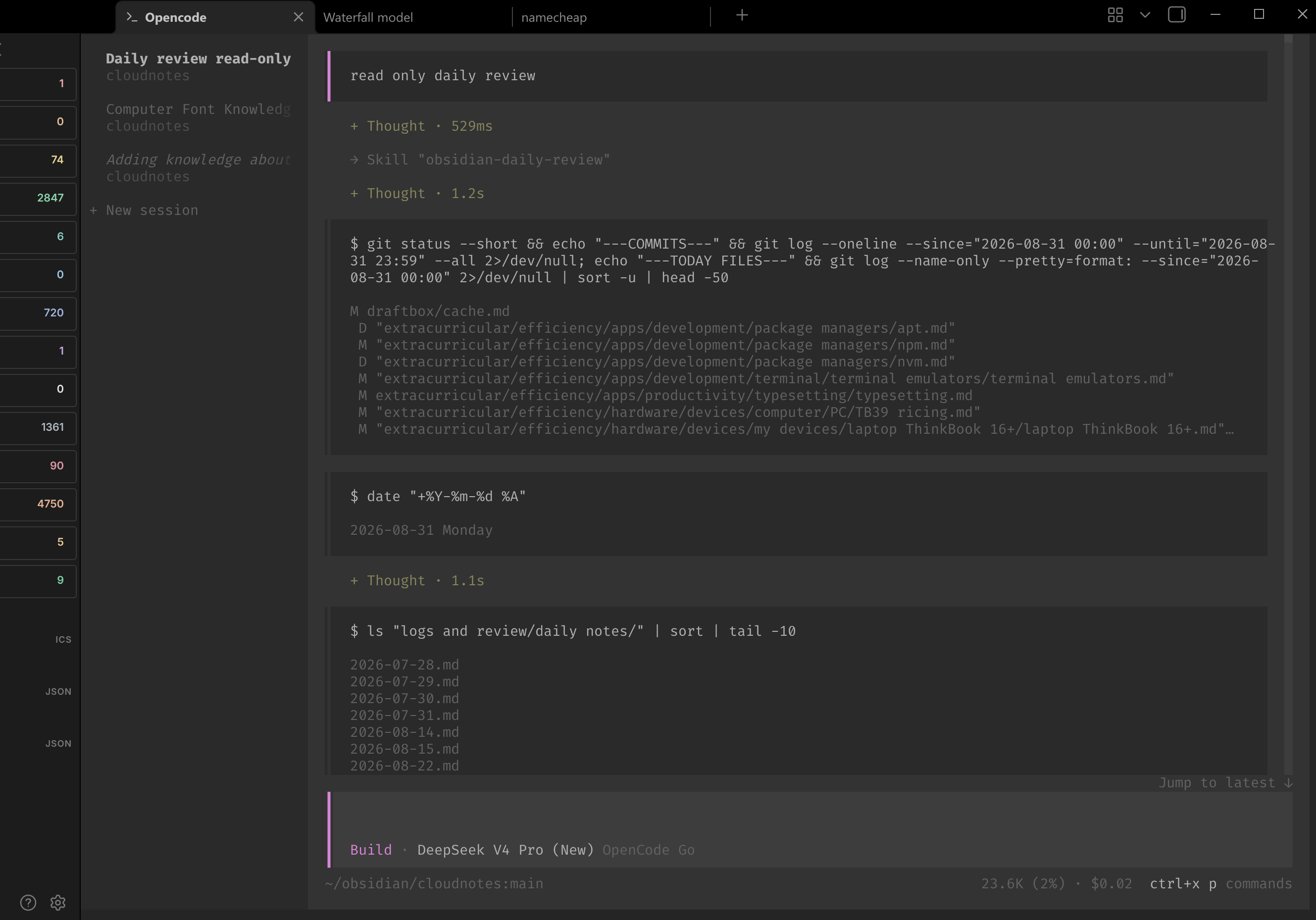
Use OpenCode 2's multi-session interface in a full Obsidian editor tab:
Features
- Native OpenCode Execution: Runs the OpenCode CLI directly inside Obsidian using an integrated terminal, ensuring smooth performance for long sessions.
- Vault-Centric Workflow: Automatically spawns the agent in your vault's root, ensuring it has immediate access to your notes and project files.
- Drag and Drop Context: Drop notes from Obsidian's file explorer directly into the terminal to insert them as
@path/to/file.md#1mentions for OpenCode. - Session Manager:
- History Browser: View a list of all your past OpenCode sessions with timestamps.
- Conversation Preview: Inspect message history, token usage and model details.
- One-Click Restore: Instantly resume a previous session in the embedded terminal.
- Export to Markdown: Save entire conversation threads as formatted notes in your vault for documentation or review.
Platform Support
- Linux: stable on my daily driver, not tested on all distros.
- WSL2/X410: Supported with the Linux Obsidian app and formal OpenCode V2. Text copy/paste, OSC 52, Windows clipboard image paste, and copying rendered terminal images use a Unicode-safe Windows PowerShell bridge. WSLg is outside this support contract.
- Windows: Beta support on Windows 10 version 1809 and later through ConPTY. Node.js must be available on
PATHfor the isolated PTY helper. - macOS: Experimental.
Installation
From Obsidian Community Plugins (Recommended)
- Open Obsidian and go to Settings → Community plugins
- Click Browse and search for OpenCode
- Click Install, then Enable
Manual Installation
- Download
main.js,manifest.json, andstyles.cssfrom the latest release - Create a folder named
opencodein your vault's.obsidian/plugins/directory - Copy the downloaded files into that folder
- Reload Obsidian and enable the OpenCode plugin in Community Plugins settings
Usage
- Terminal: Use the command palette (
Ctrl/Cmd + P) and select "OpenCode: Open Terminal" to launch the CLI. - Sessions View: Use the command palette to select "OpenCode: Open conversations" to browse, restore, or export past conversations, or start a new session from the panel header.
- Close terminal: Run "OpenCode: Close terminal" or press
Ctrl+Shift+W. The shortcut can be changed in Obsidian's Hotkeys settings. - Settings: Leave the OpenCode path empty to auto-detect a compatible OpenCode installation, or configure
opencode,opencode2, a~/…path, or a full executable path. Bare executable names are resolved fromPATH, common user-local directories, and NVM installations: nvm-sh version directories on Unix, or the activeNVM_SYMLINKand installed versions underNVM_HOMEon Windows. Shell aliases are not executable paths and cannot be launched directly. Default CLI arguments, per-vault environment variables, and terminal styling preferences are available in the Obsidian settings under the "OpenCode" tab. - WSL2 clipboard: With Linux Obsidian displayed through X410, selecting text uses OpenCode's default copy-on-select behavior, and the plugin forwards its OSC 52 copy to Windows. For manual copy, set
terminal.copyto"manual"in OpenCode V2's TUI config (cli.jsonin 2.0.1 ortui.jsonin newer builds); the legacyOPENCODE_EXPERIMENTAL_DISABLE_COPY_ON_SELECT=1environment flag is also recognized for older OpenCode releases. In manual mode,Ctrl+Ccopies an active terminal selection through the Windows bridge; without a selection it remains an OpenCode interrupt.Ctrl+Vprefers a Windows clipboard image and otherwise pastes Unicode text. Right-click a rendered terminal image to copy it to the Windows clipboard. PowerShell interop errors appear as Obsidian notices.
Development
To develop the plugin, you can run the development script which automatically rebuilds the plugin when files change:
npm run dev
Unit tests run with npm test. To create a fresh isolated vault and test the built plugin inside a sandboxed Obsidian instance, run:
npm run test:obsidian
Use npm run test:obsidian:smoke for the smaller baseline suite. Windows contributors can also run npm run test:obsidian:windows-ui to exercise the installed OpenCode CLI and native terminal interactions.
See Testing in Obsidian for setup, coverage, evidence, and limitations.
Known Issues
-
Empty external-editor prompts are not applied: In both OpenCode 1 and OpenCode V2, opening the prompt in an external editor, deleting all content, and saving leaves the previous prompt in place. This also reproduces when OpenCode runs outside Obsidian, so it must be fixed upstream.
-
OpenCode V2 can time out while pasting large images: This reproduces in both the embedded terminal and standalone OpenCode V2, so it is not caused by the plugin. A V2 preview build configured clipboard reads with a 1-second timeout and an 8 MiB read limit; a 54.5 MB, 2720 x 18447 PNG reports
Clipboard read timed out. Its separate local-file attachment limit is 20 MiB, so attaching that same file by path is also unsupported. OpenCode 1.4.6 on Linux reads image data throughwl-pastewithout those explicit clipboard limits, so the large image may work there, but that comparison has not yet been verified manually. -
large session preview: While the buffer size for exporting sessions has been increased (up to 100MB), exceptionally large or deeply complex OpenCode sessions with massive token counts may still occasionally fail to preview or load properly.
-
not tested on all Linux distros: While the plugin should work on major distros, it's only tested on manjaro, ubuntu, and fedora.
-
Experimental Windows pty: It's usable but far from linux and macos experience.
-
shortcuts conflicts:: Default opencode shortcuts like
Ctrl+Pcould conflict with obsidian shortcuts. A solution for now is to always use leader key for opencode shortcuts.
Acknowledgements
- Terminal integration approach inspired by polyipseity/obsidian-terminal — the Python PTY proxy with
pty.fork()and 4-pipe stdio for resize control (FD 3).
License
MIT License
For plugin developers
Search results and similarity scores are powered by semantic analysis of your plugin's README. If your plugin isn't appearing for searches you'd expect, try updating your README to clearly describe your plugin's purpose, features, and use cases.