by Zach Hannum
A book designer in your vault: chapters stay notes, a typeset page sits beside them.
Orca
Orca is a book designer inside Obsidian. Each chapter is a Markdown note, and one book note stores the book details and the design. You preview the typeset book and export it to PDF without leaving Obsidian.
Visit orca.typeworks.dev for more info and docs.
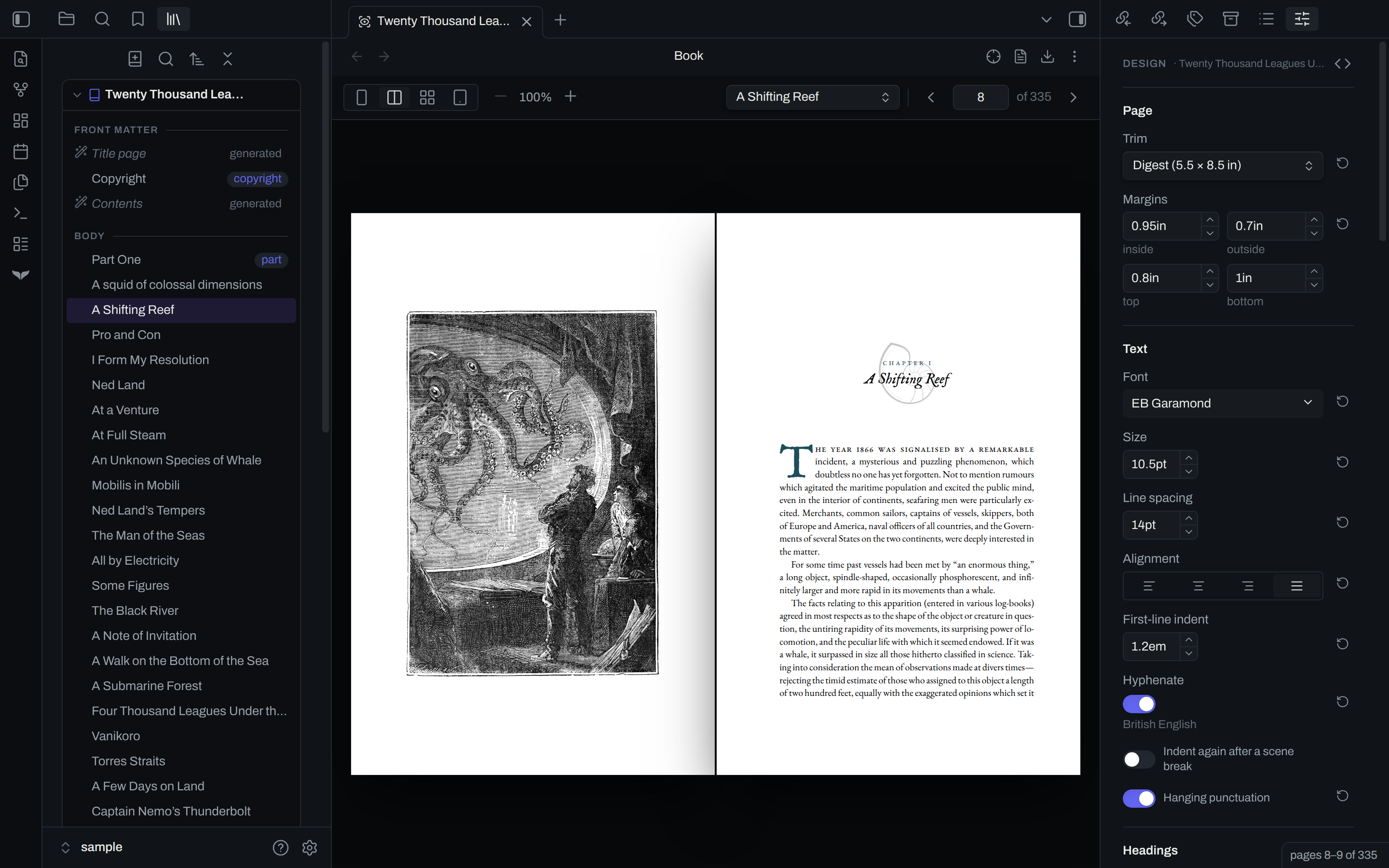
What orca does
- Chapters stay notes. The book note lists the chapters in reading order, as links. Its properties are the title, the author, the other metadata and the design.
- You write chapters in Markdown. Switch the pane to the preview to see the typeset book, open at the page you are writing.
- The design panel has a control for the trim size, the margins, the type, the headings and more. The preview updates with each change.
- The design panel writes CSS for you, and you can add your own rules to the book note.
- In inspect mode, a click on the page shows the CSS that styles that text, and which rules take effect.
- Export writes the PDF from the pages on screen. Preflight finds missing fonts and images before you export.
Get started
Orca runs in Obsidian on the desktop, version 1.7.2 or later.
- In Obsidian, open
Settings,Community plugins,Browse, and installOrca. The install page lists each step. - In the file tree, right-click the folder that holds your chapters.
- Select
Create book from these notes.
See make a book in the docs for more information. The design section explains each control in the panel.
The engine
Orca sets the pages with fleuron, a typesetting engine that runs as WebAssembly inside the plugin.
Contributing
Submit a bug or issue request in the repo. To build orca from source, read CONTRIBUTING.md.
License
For plugin developers
Search results and similarity scores are powered by semantic analysis of your plugin's README. If your plugin isn't appearing for searches you'd expect, try updating your README to clearly describe your plugin's purpose, features, and use cases.