by Owen lee
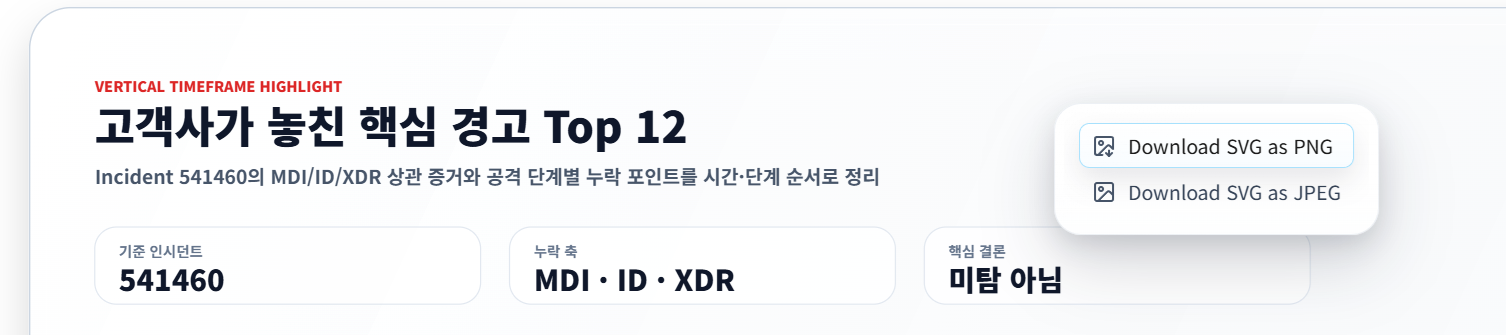
Export SVG embeds as PNG/JPEG and copy or save selected Markdown as HTML.




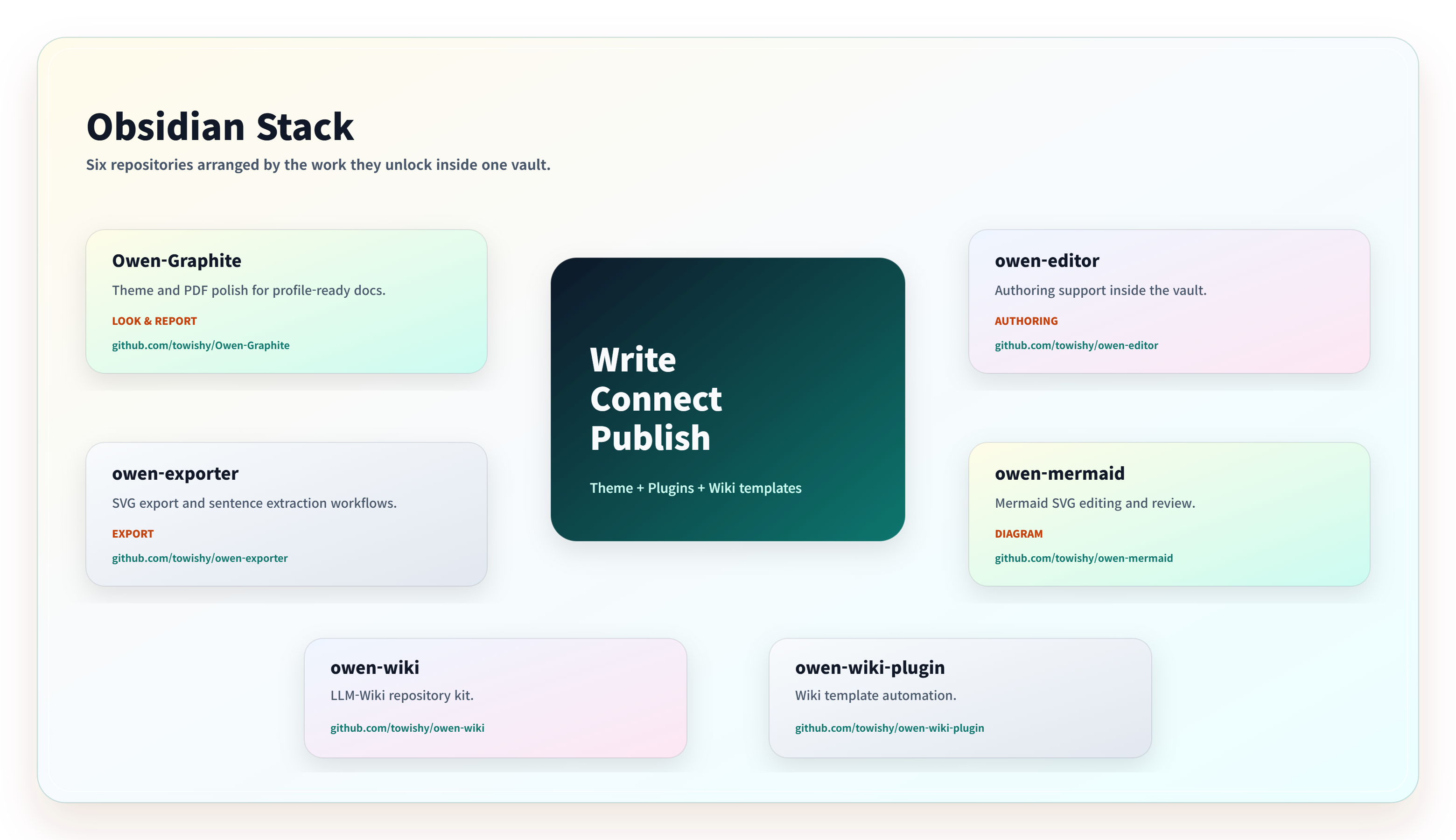
The Owen stack
Pick the tool for the part of the workflow you want to improve. These projects work together, but you do not need to install everything.
| Project | Its role in your workflow |
|---|---|
| Owen Graphite | Theme, typography, workspace styling, and PDF polish. |
| Owen Editor | Markdown authoring, editing commands, tables, and report helpers. |
| Owen Exporter | SVG-to-image export and Markdown/HTML handoff workflows. |
| Owen Mermaid | Mermaid viewing, visual editing, and image export. |
| Owen Wiki | A repository template for LLM-assisted knowledge operations. |
Owen Exporter
Turn SVG embeds and Markdown notes into portable images and HTML.
Export embedded SVG images as PNG/JPEG, or copy and save selected Markdown and notes as HTML without leaving Obsidian.
Desktop Obsidian plugin · SVG rasterization · HTML profiles · Batch export
Quick start · Features · Preview · Documentation
Preview
Submenus and settings
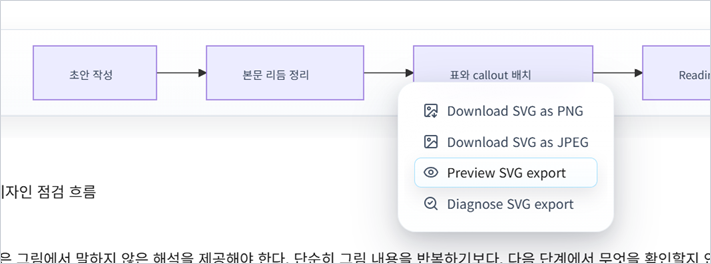
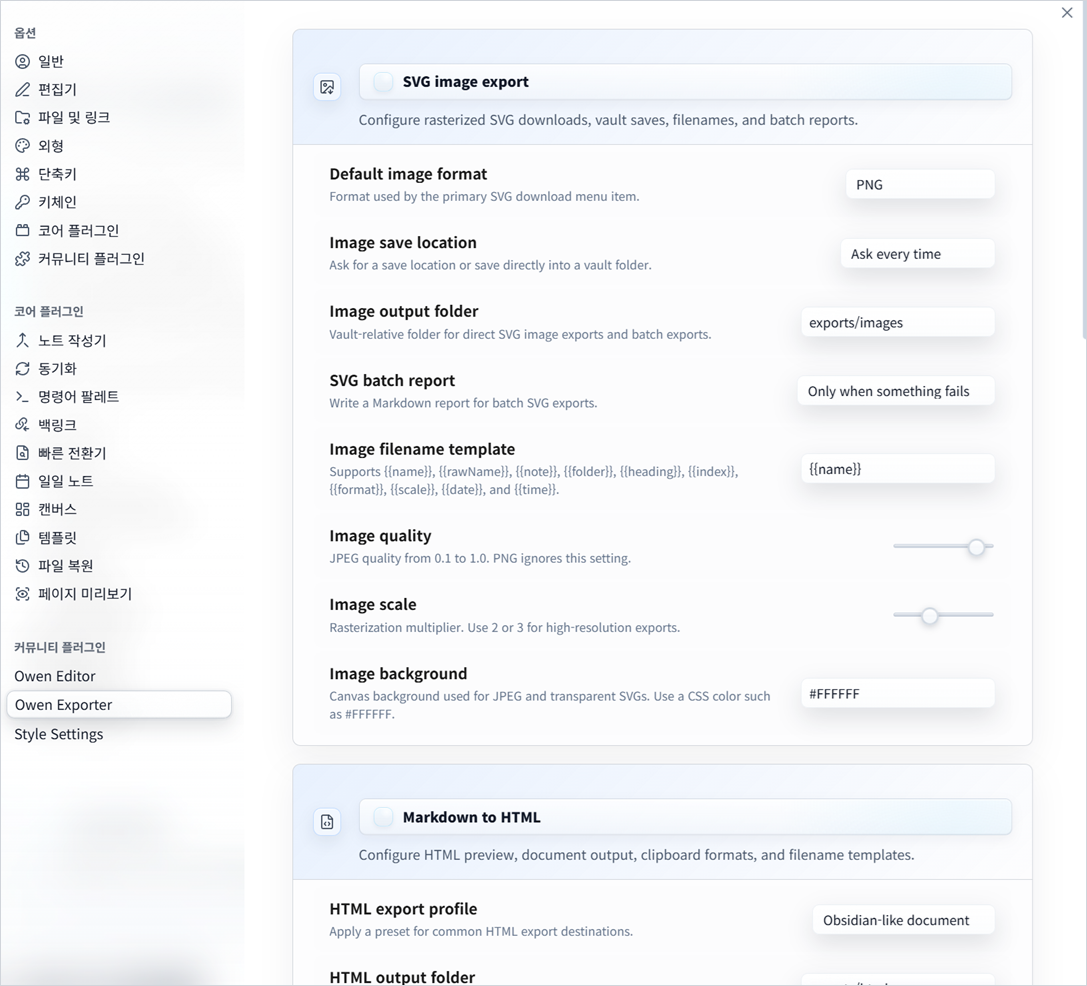
Features
| For your workflow | What Owen Exporter brings |
|---|---|
| Export images | PNG/JPEG output for SVG embeds, configured scale, JPEG quality, background, filenames, and vault-folder or save-dialog destinations. |
| Review before saving | SVG diagnostics and previews with source/output sizes, filenames, external-reference warnings, and export actions. |
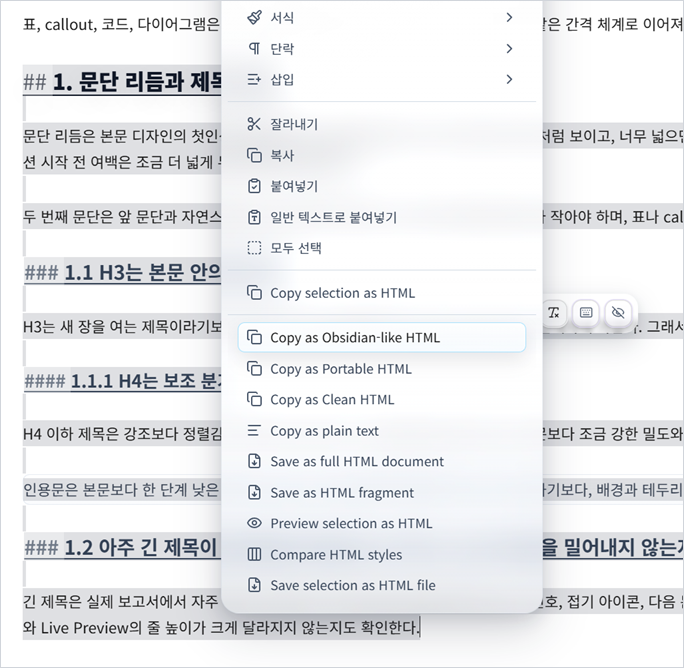
| Copy rich content | HTML plus plain text, HTML only, or plain text only; shortcuts for Obsidian-like, Portable, Clean HTML, and plain-text output. |
| Save HTML | Selected Markdown, rendered reading-mode selections, or a whole note as a full document or fragment. |
| Reuse profiles | Built-in/custom profiles for folders, filename/title templates, style, save mode, clipboard format, and quality options. |
| Handle assets | Preserve paths, rewrite relative paths, copy local images to an asset folder, or inline images as base64 data URLs. |
| Export batches | All SVG embeds, folder notes, or linked notes; progress queues, optional reports/manifests, and changed-only HTML exports. |
| Validate output | Reports for broken internal links, missing/external images, frontmatter handling, and SVG warnings; side-by-side HTML-style previews. |
| Continue the workflow | Recent exports, export history, open/reveal/copy-path actions, post-export automation, optional inserted image links, and settings JSON import/export. |
Filename tokens, HTML quality, and per-note overrides
SVG filename tokens include {{name}}, {{note}}, {{folder}}, {{index}}, {{format}}, {{scale}}, {{date}}, and {{time}}.
HTML quality options include frontmatter exclusion, heading IDs, callout classes, and internal-link conversion to Obsidian URIs. Tables, code blocks, and callouts can carry inline styles from the active Obsidian preview.
Custom full-document templates support {{title}}, {{content}}, {{sourcePath}}, {{style}}, {{date}}, and {{time}}.
Per-note frontmatter under owen-export can override profile, filename, style, saveMode, title, and assetMode.
Batch HTML exports can write export-manifest.json; changed-only actions use the last manifest to skip unchanged notes.
Quick start
- Open the latest release.
- Download
main.js,manifest.json, andstyles.cssfrom Assets, not GitHub's generated source archive. - Place them directly inside
<YourVault>/.obsidian/plugins/owen-exporter/. - Reload Obsidian and enable Owen Exporter under Community plugins.
- Configure image and HTML destinations before exporting.
Everyday workflow
- Export an image. In Reading view, right-click an embedded SVG and choose the default or alternate image format.
- Copy or save HTML. Select Markdown in Source mode and use the context menu, or select rendered text in Reading view.
- Choose the handoff style. Compare Obsidian-like, Portable, and Clean HTML, then select the appropriate profile.
- Scale up safely. Use batch commands, inspect reports/manifests, and validate assets before sharing.
- Revisit output. Repeat the last export or use export history to open, reveal, or copy a saved file's path.
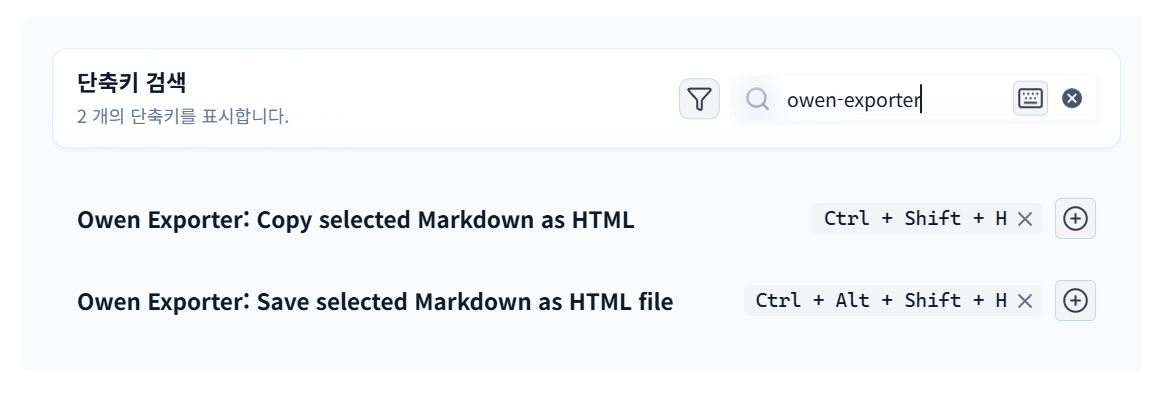
Default hotkeys:
- Ctrl/Cmd + Shift + H: copy selected Markdown as HTML.
- Ctrl/Cmd + Shift + Alt + H: save selected Markdown as an HTML file.
Use Export all SVG embeds in current note for image batches and Diagnose SVG embeds in current note before troubleshooting image output.
Compatibility and boundaries
- Requires desktop Obsidian 1.5.0 or later; the manifest marks the plugin desktop-only.
- Individual settings participate in Obsidian's settings search on 1.13.0 and later; older supported hosts keep the existing grouped controls. Newer Obsidian development types do not raise the runtime minimum.
- The interface follows Obsidian: Korean locales use Korean; other locales use English. Override this under Settings → Owen Exporter → Interface → Language.
- A local save dialog can target a PC folder; when unavailable, the plugin falls back to browser download. Direct-vault saving uses the configured output folder instead.
- The community review's filesystem-access notice is expected for PC-folder saving: Node writes only to the path selected in that save dialog. Vault exports continue to use Obsidian's vault adapter.
- Reading-mode text selections export the selected rendered HTML fragment, not a reconstruction of the original Markdown source.
- Choose style and asset modes deliberately: output fidelity, portability, and file size have different trade-offs.
- Exporter handles image/HTML delivery; it is not a replacement for Obsidian's PDF export or Mermaid's visual editor.
Documentation
| Start here | What you will find |
|---|---|
| Latest release | Built plugin files. |
| Plugin manifest | Plugin ID and supported host version. |
| Package scripts | Development, tests, build, and release entry points. |
| Issue tracker | Export problems and feature requests. |
Contributing and license
After a successful release workflow, only the latest published release and its matching tag are retained. Older release downloads and tag-based rollback links are removed; source commit history is preserved. The retention workflow also supports a guarded dry run.
npm install
npm run test
npm run build
For local testing, copy or symlink the built plugin files into a vault's .obsidian/plugins/owen-exporter/ folder.
After a clean committed release build, npm run release -- "Release notes" validates the worktree, builds, tags the package version, pushes main and the tag, and publishes the plugin assets. Do not use it for ordinary documentation changes.
Include output format, style/profile, platform, and reproduction steps when reporting a problem. Remove private note contents and embedded customer assets.
License: MIT — see LICENSE.
Support

Owen Exporter is free and open source. If it helps your image export or HTML handoff workflow, you can support maintenance through GitHub Sponsors.
For plugin developers
Search results and similarity scores are powered by semantic analysis of your plugin's README. If your plugin isn't appearing for searches you'd expect, try updating your README to clearly describe your plugin's purpose, features, and use cases.