by Mrithyunjay K
End-to-end encrypted, real-time sync between your own devices through your own Cloudflare Worker.
Ownsync
Real-time sync for Obsidian, end-to-end encrypted, through your own Cloudflare account. ownsync.dev
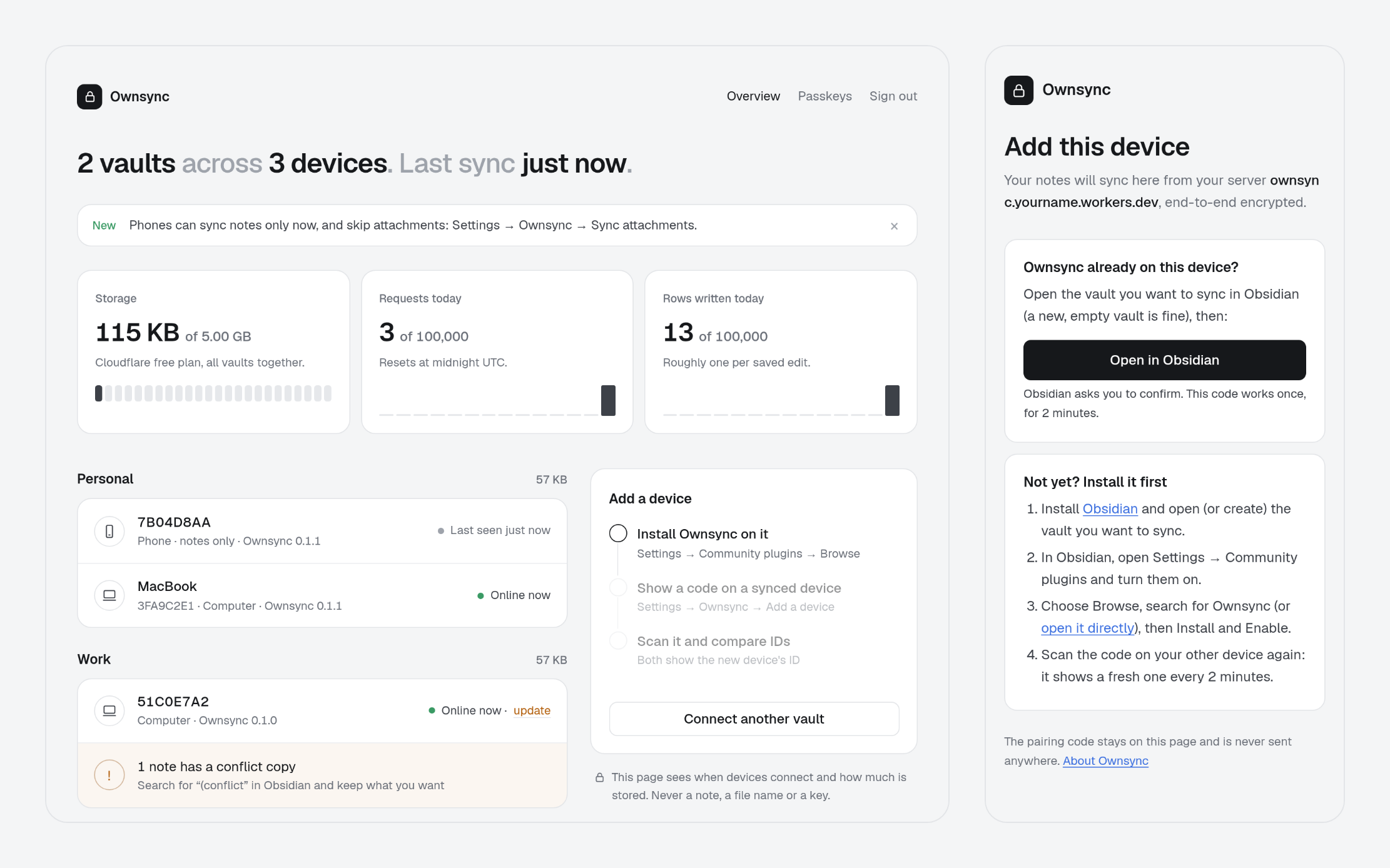
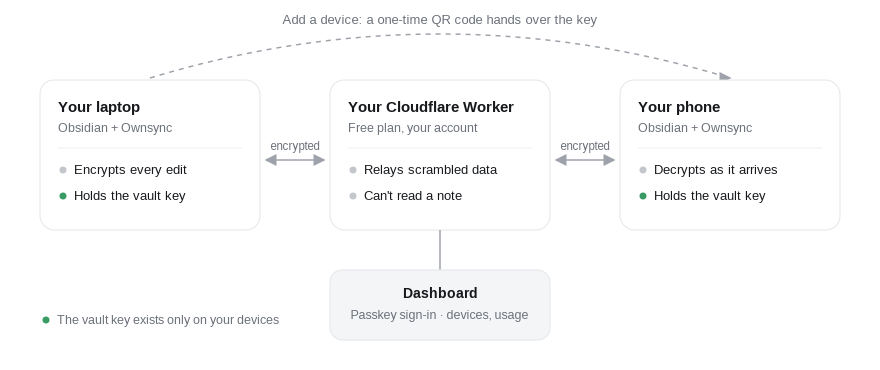
I wanted my notes on my laptop and my phone, in sync as I type, without handing them to anyone. Ownsync runs on a free Cloudflare Worker in your own account. Every edit is encrypted on your device before it leaves, so your Worker only ever holds scrambled data. It couldn't read a note if it tried.
Work in progress. Ownsync is very new, and I'm the only one testing it so far, on my own vault and phone. Expect rough edges, and keep a backup of your vault while you try it.
- Live. Edits show up on your other devices in under a second.
- Yours. Only your devices hold the key. No account with me, nothing collected.
- Offline first. Edit anywhere. It merges when you're back.
- History. Earlier versions of each note, Recently deleted notes, and if you turn them on, daily encrypted snapshots of the whole vault on your Worker.
- Tested hard. 500,000 random crashes, renames and reconnects, and not one note lost. Results.
- Free. Runs on Cloudflare's free plan. Open source.
Get started
- Deploy. Press the button and choose a setup key.
- Sign in. Open your Worker's address within 10 minutes, enter the setup key, and add a passkey.
- Connect. Install Ownsync from Obsidian's community plugins, then press Open in Obsidian on your dashboard.
To add your phone, scan the QR code under Settings → Ownsync → Add a device. The setup guide has every step, with screenshots.
Good to know
- Working with someone else? They can join your vault as a device. They then see and edit every note, and their edits show up live like yours.
- It needs a free Cloudflare account, and the free plan is plenty for one person's notes. For more, Workers Paid is $5 a month. Cost and limits.
- The plugin only talks to your Worker. It reads every file in your vault to sync it, and uses the clipboard only when you press Copy. No telemetry, no ads.
- Your Worker sees when your devices connect and how much is stored, never what you wrote. What it can and can't see.
- I built Ownsync with AI. The calls on what it should be, and how it keeps notes safe, were mine. How it was built.
ownsync.dev · Setup guide · Security · Cost and limits · Updating · Stress test results · How it was built · Design notes · Protocol · Development
MIT © humanglitch191
For plugin developers
Search results and similarity scores are powered by semantic analysis of your plugin's README. If your plugin isn't appearing for searches you'd expect, try updating your README to clearly describe your plugin's purpose, features, and use cases.