by ryan shygun
Import paper metadata with guided progress, configurable note/PDF paths, and optional PDF download.
Paper DOI
An Obsidian plugin that creates a literature note from a DOI. It can also download a PDF when an accessible PDF URL is available.
Screenshots
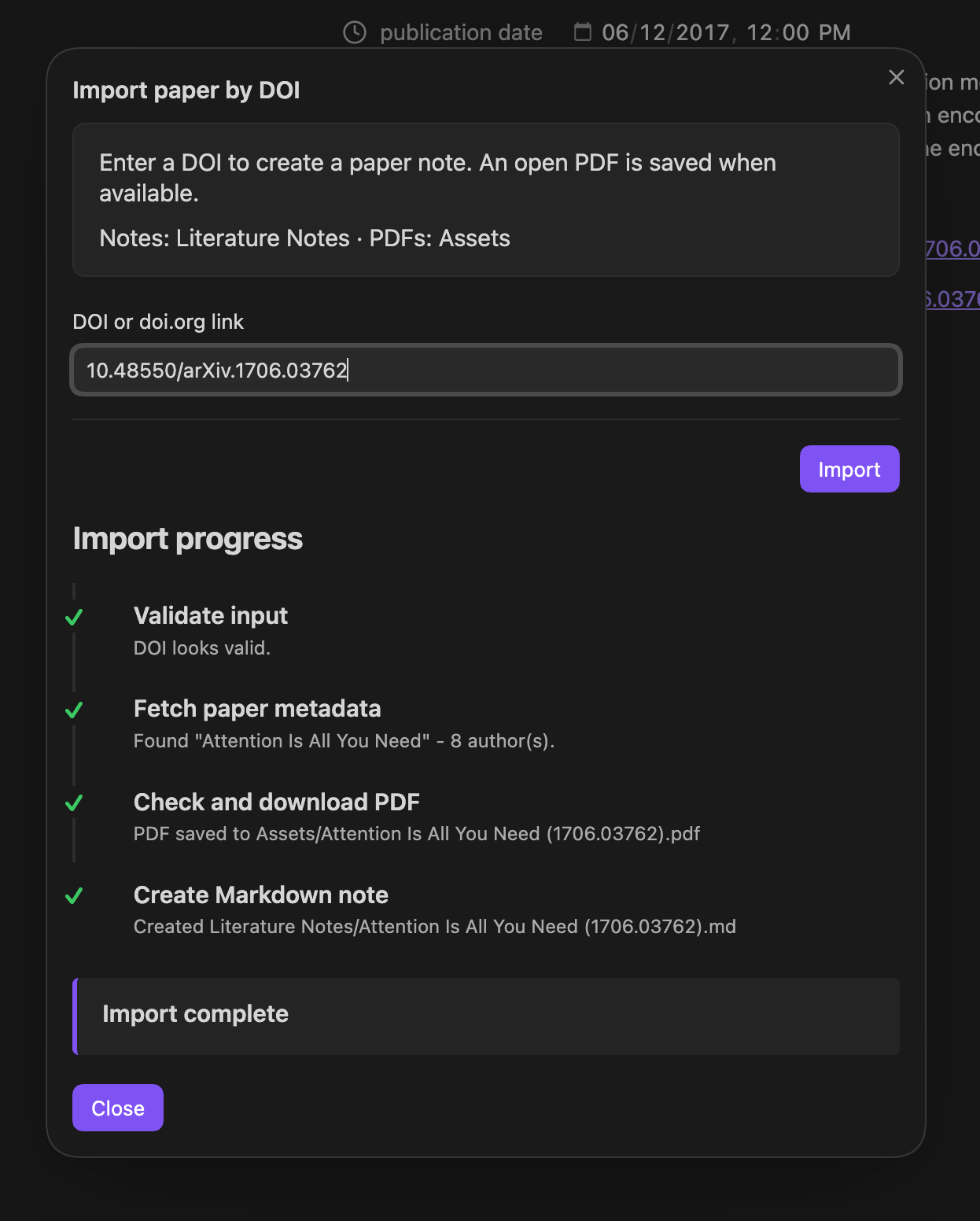
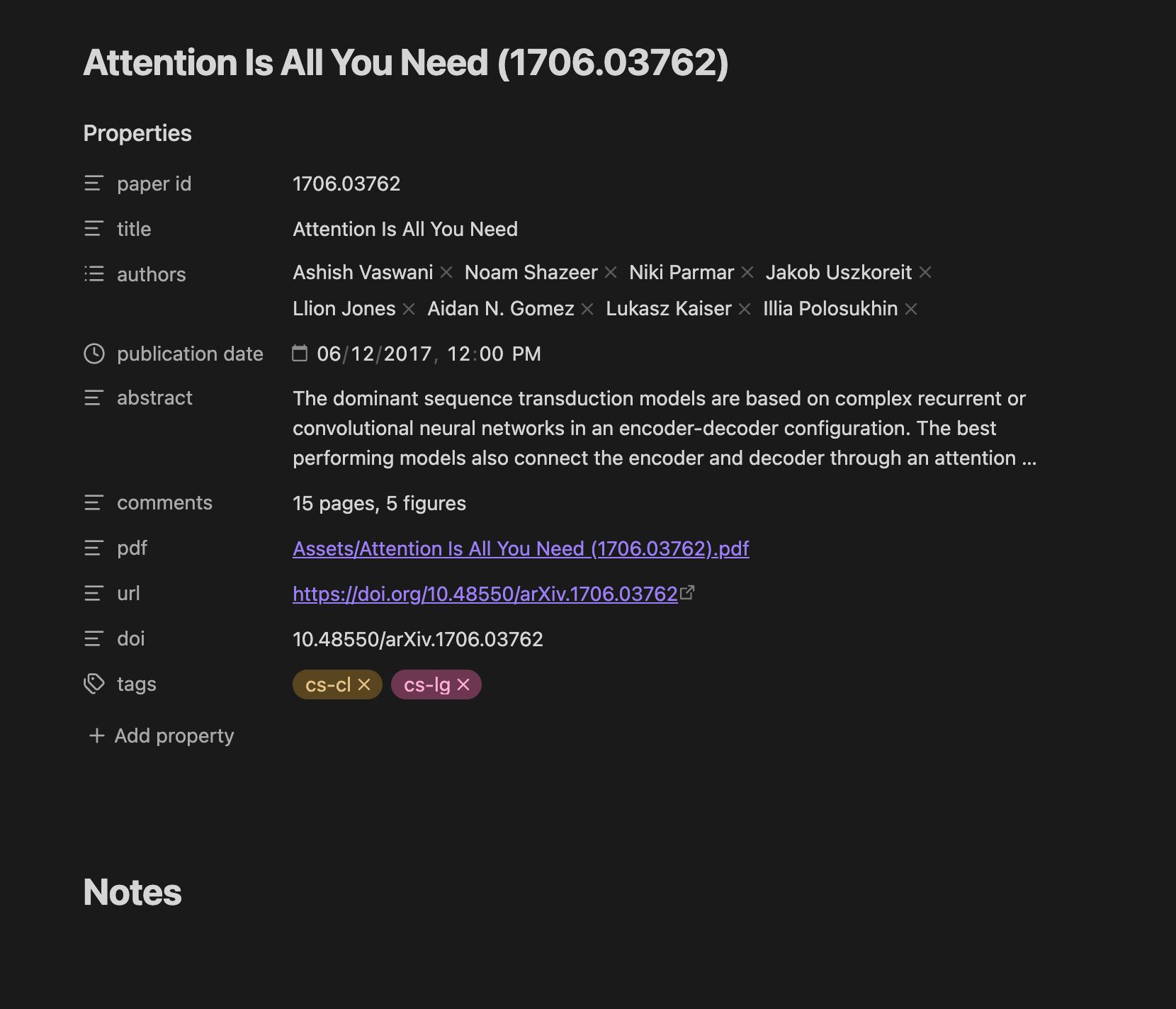
Features
- Accepts a DOI such as
10.1038/323533a0or a DOI URL such ashttps://doi.org/10.1038/323533a0. - Looks up citation metadata from Crossref and OpenAlex.
- Uses arXiv metadata for
10.48550/arXiv.<id>DOIs, including the abstract, comments, categories, and arXiv PDF. - Tries Europe PMC for abstracts and keywords, and a Nature page fallback for Nature abstracts.
- Creates a Markdown note from a configurable template and saves a PDF when an accessible PDF is found.
- Shows import progress and reports whether the PDF was saved.
Install
Copy this folder into <vault>/.obsidian/plugins/paper-doi-importer/. In Obsidian, reload or restart the app, open Settings → Community plugins, and enable Paper DOI.
Use
- Open the command palette.
- Run Import paper from DOI.
- Enter a DOI or
https://doi.org/link and select Import.
The note opens after it is created. Existing notes are kept; the importer adds a numbered suffix when a note with the same generated name already exists.
Settings
Open Settings → Paper DOI to set:
- Literature note folder: vault-relative destination for generated Markdown files. Default:
Literature Notes. - PDF folder: vault-relative destination for downloaded PDFs. Default:
Assets. - Markdown template: vault-relative Markdown file used to format each note. Default:
Templates/paper-import.md.
The selected template must exist. The default template uses these replacement fields:
| Field | Value |
|---|---|
%%PAPER_ID%% | arXiv ID when available, otherwise the DOI suffix |
%%TITLE%% | Paper title |
%%AUTHORS%% | YAML list of authors |
%%PUBLICATION_DATE%% | Publication date, when available |
%%ABSTRACT%% | Abstract, when available |
%%COMMENTS_PROPERTY%% | Comments property, omitted when empty |
%%PDF_LINK%% | Obsidian link to the downloaded PDF, or an empty value |
%%URL%% | Canonical https://doi.org/… URL |
%%DOI%% | DOI |
%%TAGS%% | YAML list of tags, when available |
PDF availability
PDF downloads are best-effort. The plugin tries PDF URLs returned by metadata providers and the arXiv PDF endpoint. A publisher may require a subscription, block automated requests, or provide no usable PDF URL. In those cases, the Markdown note is still created and the progress panel explains that no PDF was saved.
Files
manifest.json— Obsidian plugin metadata.main.js— plugin implementation.styles.css— modal and progress styling.README.md— usage and configuration guide.
For plugin developers
Search results and similarity scores are powered by semantic analysis of your plugin's README. If your plugin isn't appearing for searches you'd expect, try updating your README to clearly describe your plugin's purpose, features, and use cases.