Paste From History
approvedby karakaz
Paste from the editor's recent clipboard history.
Obsidian plugin: Paste from history
Usage
Text you copy or cut will be tracked. You then have the ability to paste text from those previous clipboard events.
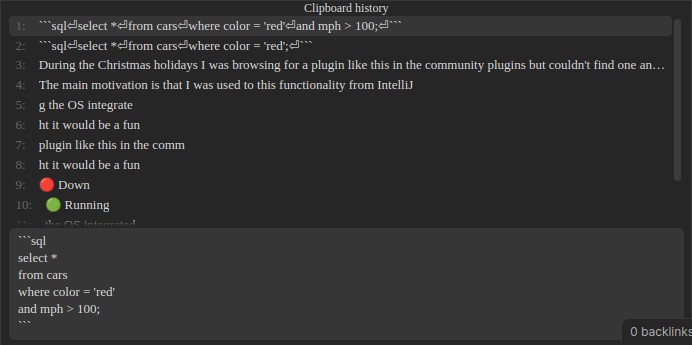
Docked view
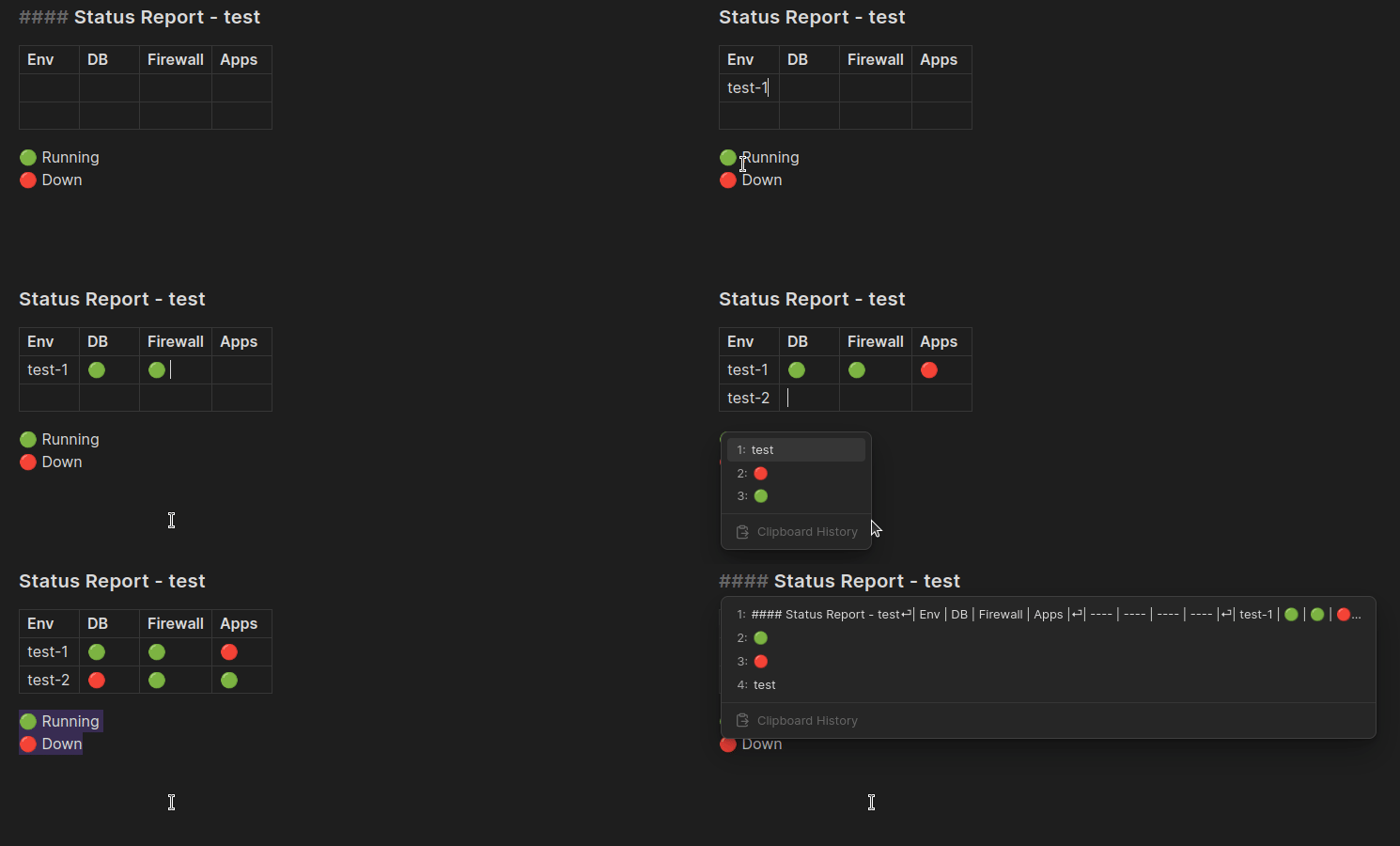
Hovered view
Commands
Paste from clipboard history
Opens a menu displaying a list of recent clipboard texts which can be chosen to paste into the editor.
Hotkey
Choose a hotkey that fits well with your hotkeys. These works well for me:
- Linux & Windows: Ctrl + Shift + V
- Mac: Command + Shift + V
Clear clipboard history
Removes all entries from the plugin's history of the clipboard.
Settings
History limit
You can adjust the limit of how many clipboard text events are tracked in the settings. Defaults to 20.
History view
Two modes for clipboard history view.
hovered- Menu floating above the editor.docked- Menu docked to the bottom of the editor. (Default)
Scroll threshold
Supported by docked view
Number of visible clipboard items before scrolling. Defaults to 10.
Lines in preview
Supported by docked view
Number of lines to reserve for multiline preview. Defaults to 6.
Limitations
- Obsidian does not have access to the OS's clipboard which means clipboard events happening outside of Obsidian are not tracked in this plugin's clipboard history.
- Paste from clipboard history only works inside editing view.
- Only text content is supported currently.
- Clipboard history is kept in memory. Consequences:
- Clipboard history prior to plugin activation is not available.
- Clipboard history is lost between sessions.
- Clipboard history is not available between devices.
Implementation details
Keeps a limited in-memory history of the text from clipboard copy and cut events seen by the document HTML DOM object in the Obsidian application.
License
GNU LGPLv3
Contribution
Donation
Donations of any size are welcome and will allow me to dedicate more time towards community endeavors such as this project.
Bugs, feedback & ideas
Please feel free to open an issue and I'll take a look.
For plugin developers
Search results and similarity scores are powered by semantic analysis of your plugin's README. If your plugin isn't appearing for searches you'd expect, try updating your README to clearly describe your plugin's purpose, features, and use cases.