Alyok Autotag
pendingby 24tiy
Automatically adds tags to notes when created or moved into specific folders.
Alyok Autotag
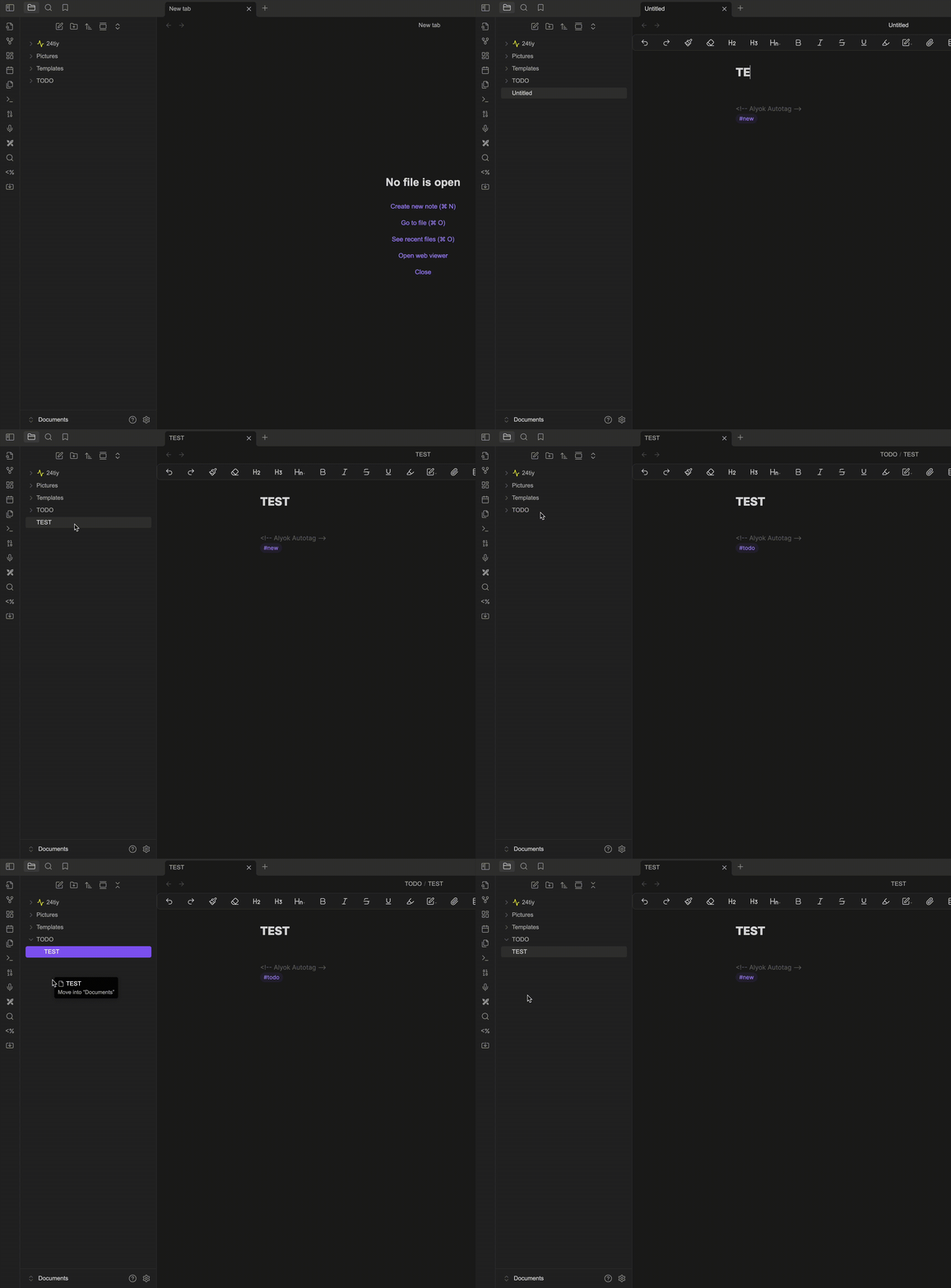
Obsidian community plugin for automatic tagging of notes based on their folders, creation date, and user rules.
Helps keep your vault tidy without manually managing tags.
✨ Features
- Folder → Tags rules — automatically apply tags when a note is inside specific folders.
#newtag — mark fresh notes if no rule matched.- Automatic retag on move/rename — tags update when you move a note.
- Creation timestamp tag — e.g.
#2025-08-31-14-35. - Optional title stamping — new notes can be named with timestamp by default.
- Safe tag block — tags are written at the bottom, never inside code blocks.
- Configurable block marker — default:
<!-- Alyok Autotag -->.
⚙️ Settings
- Mode (currently only
block). - Add/remove
#newon create/rename. - Stamp date-time to title on create — new notes default to timestamp-based names.
- Block marker customization.
- Rules (folder → tags) with dropdown of existing folders.
🚀 Installation
Download the latest release:
- Alyok Autotag 1.0.1 (latest)
- Alyok Autotag 1.0.0 (initial release)
- Unzip the archive.
- Copy the folder
alyok-autotaginto your vault’s plugins folder:
<vault>/.obsidian/plugins/
- Enable Alyok Autotag in Obsidian’s Community plugins settings.
📖 Usage
- Configure rules in settings (folder → tags).
- Create or move notes — tags are applied automatically.
- Look at the bottom of your note for the
<!-- Alyok Autotag -->block.
📜 License
This project is licensed under the terms of the MIT License.
📦 Changelog
- 1.0.0
- Initial release with folder → tags rules.
- Added
#newtagging on create. - Auto retagging on move/rename.
- Configurable block marker.
- Added automatic date-time tag in format
#YYYY-MM-DD-HH-MM. - Added optional setting: use date-time as the default note title on creation.
- UI improvement: folder rules now use a dropdown with existing folders (to avoid typos).
- Improved safety: tag block is never inserted into unfinished code blocks (fix for Dataview).
For plugin developers
Search results and similarity scores are powered by semantic analysis of your plugin's README. If your plugin isn't appearing for searches you'd expect, try updating your README to clearly describe your plugin's purpose, features, and use cases.