Folder Auto Properties
pendingby Kawê Cezar
Automatically apply specific properties to new notes based on their folder with a simple key-value UI.
Folder Auto Properties
Folder Auto Properties is a lightweight, "power-user" plugin for Obsidian that automates your metadata workflow. It allows you to define specific rules for folders so that any new note created within them automatically receives predefined Properties (YAML frontmatter).
🚀 Key Features
- Folder-Specific Rules: Set different metadata for your
University,Work, andPersonalfolders. - Dynamic Folder Suggestion: Integrated folder search makes it easy to map paths without typing them manually.
- Smart Property Injection: Uses the Obsidian
processFrontMatterAPI to safely add properties without overwriting existing content. - "Empty-Value" Logic: Define property templates (like
bannerortags) in settings; if left empty, they won't be added to the note, keeping your files clean. - Developer Friendly: Built with TypeScript and optimized for performance with a zero-footprint approach.
🛠️ How It Works
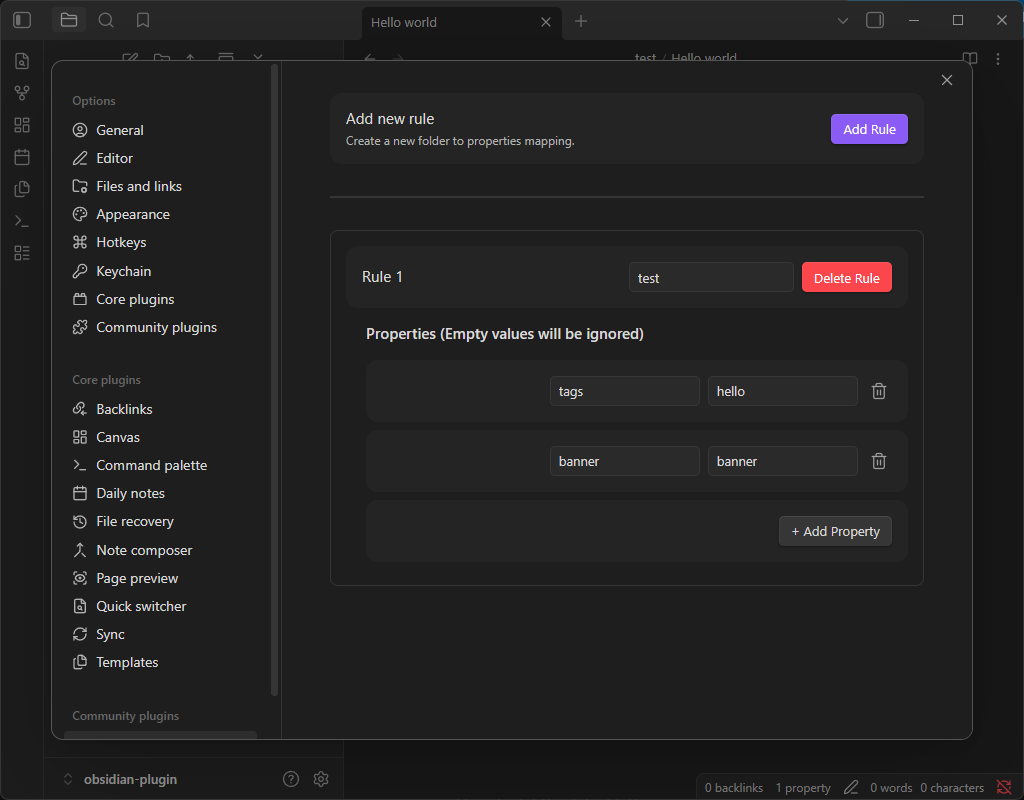
- Open Plugin Settings.
- Click Add Rule.
- Start typing a Folder Path (the plugin will suggest existing folders in your vault).
- Add Properties (Key/Value pairs).
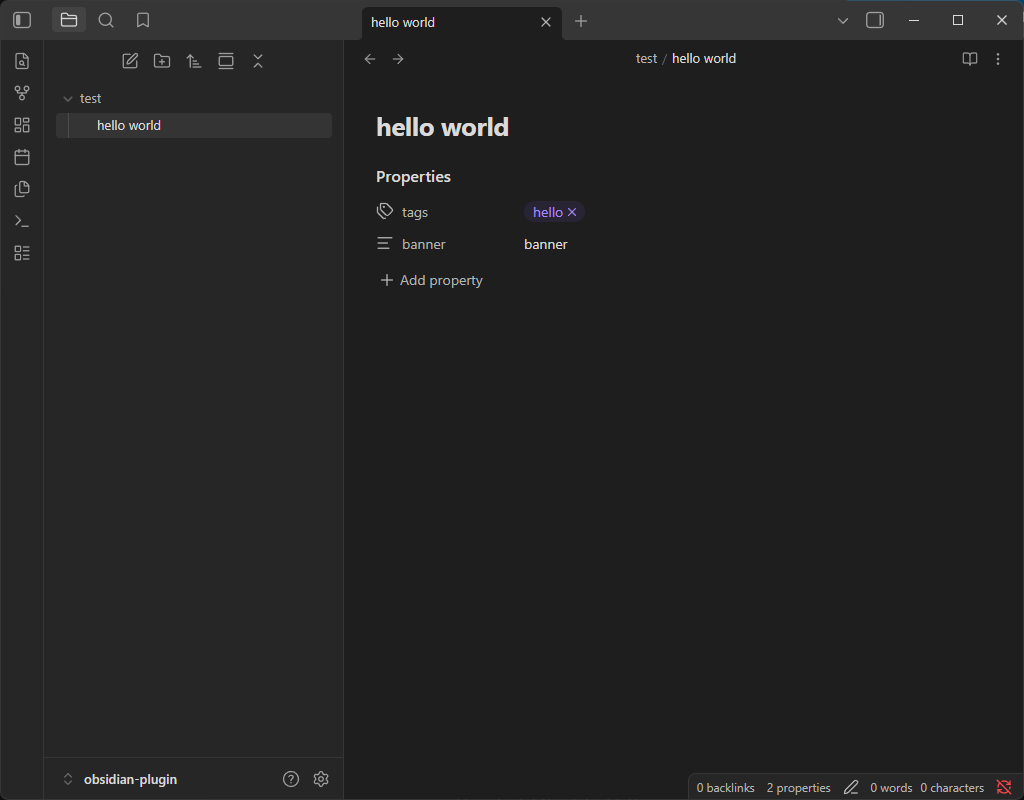
- Create a new note in that folder—your properties will appear instantly!
Note: If you create a rule with a key but leave the value blank, that property will be ignored during note creation. This allows you to keep a "master list" of potential properties in your settings without cluttering every note.
📸 Preview
| Settings Overview | Property Configuration |
|---|---|
 |  |
📂 Installation
Community Plugin Store (Pending)
Search for Folder Auto Properties in the Obsidian Community Plugins settings.
Beta Testing (via BRAT)
- Install the Obsidian 42 - BRAT plugin.
- Add this repository URL:
https://github.com/kawecz/folder-auto-properties.
Manual Installation
- Download
main.js,manifest.json, andstyles.cssfrom the latest Release. - Create a folder named
folder-auto-propertiesin your vault's.obsidian/plugins/directory. - Move the downloaded files into that folder.
- Reload Obsidian and enable the plugin.
💻 Technical Details
The plugin listens for the vault.on('create') event. To ensure compatibility with other plugins (like Core Templates), it includes a 500ms safety delay before injecting metadata, ensuring the file is ready for write operations.
Development Stack
- Language: TypeScript
- Build Tool: ESBuild
- Framework: Obsidian API
📄 License
This project is licensed under the MIT License - see the LICENSE file for details.
🤝 Contributing
As a student-led project, contributions and feedback are highly welcome! Please open an issue or submit a pull request if you have ideas for improvements.
Created by Kawê Cezar
For plugin developers
Search results and similarity scores are powered by semantic analysis of your plugin's README. If your plugin isn't appearing for searches you'd expect, try updating your README to clearly describe your plugin's purpose, features, and use cases.