Milestone
pendingby Achraf Ayar
A full-featured Kanban board with team members, milestones with ordering, and filtering by assignee, milestone, priority and tags.
Milestone — Obsidian Kanban Board
A full-featured Kanban board built for teams that live in Obsidian.
Manage tasks, team members, and milestones — all stored as a single JSON file that syncs seamlessly via Git or Obsidian Sync.
Features
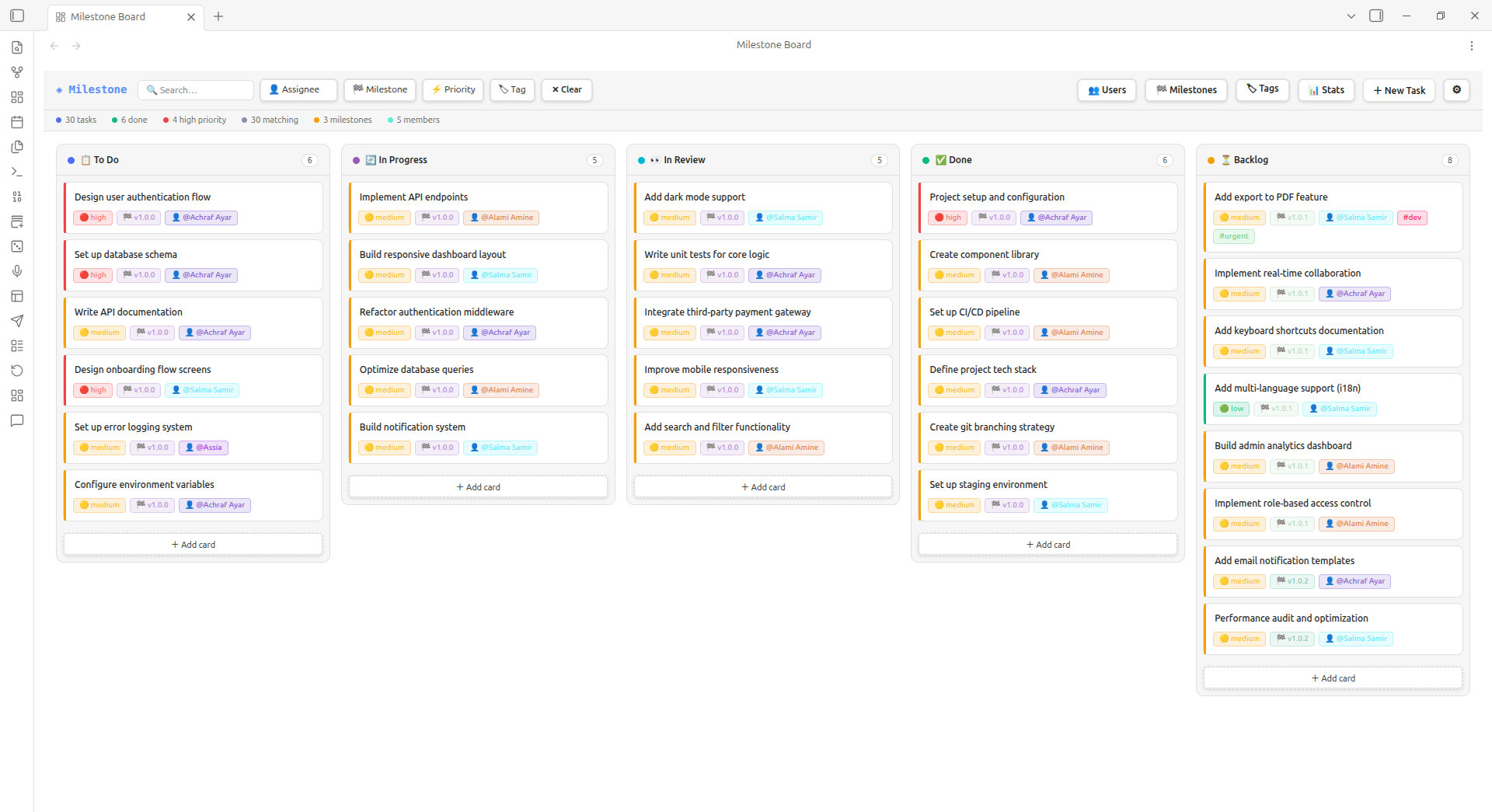
- Kanban board with drag-and-drop between columns
- Filter bar — filter by assignee, milestone, priority, and tag in real time
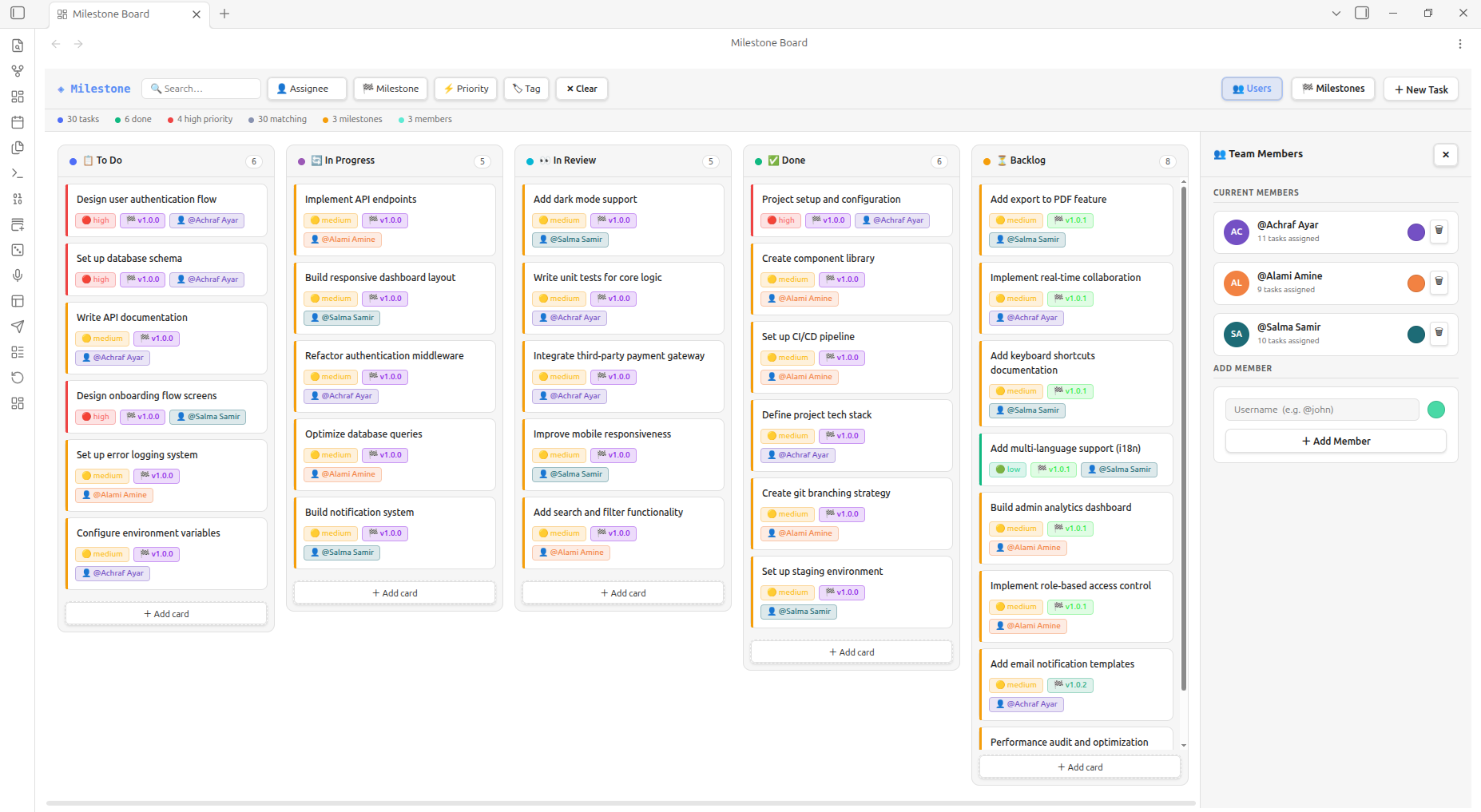
- Team members panel — add/remove members, pick colours, track task counts
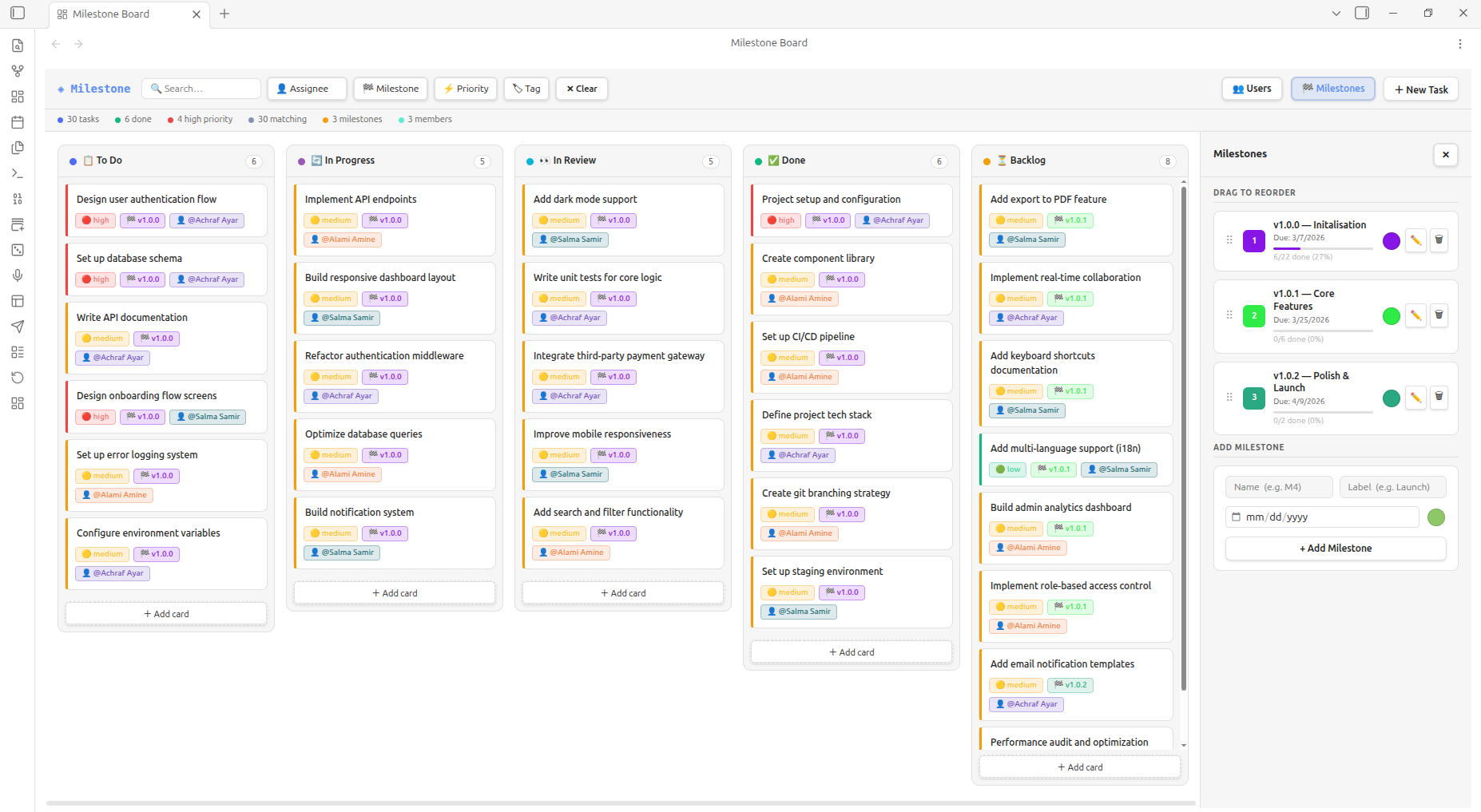
- Milestones panel — create milestones with labels, due dates, progress bars, and drag-to-reorder
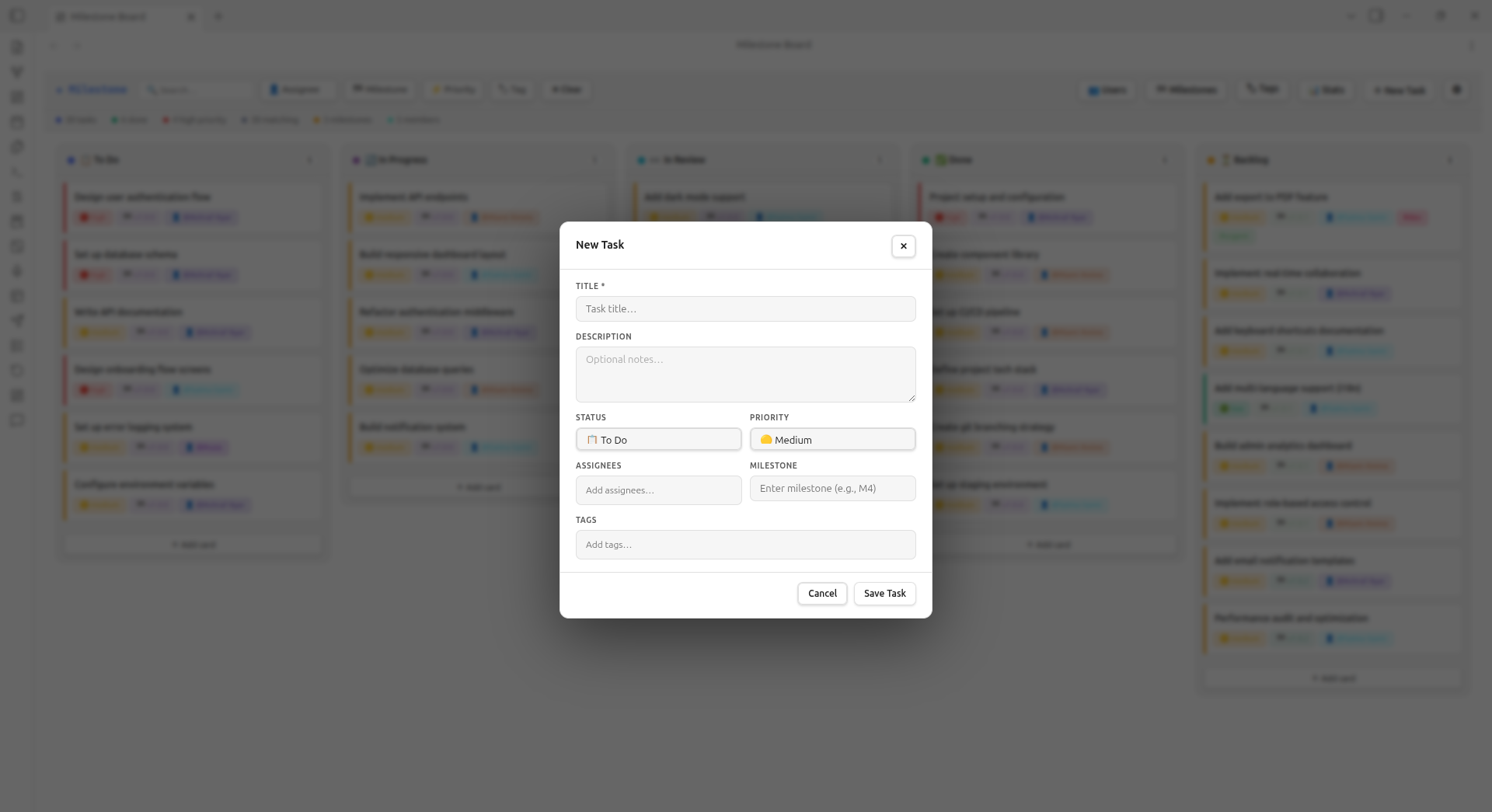
- Task modal — create and edit tasks with title, description, status, priority, assignee, milestone, and tags
- Vault-native storage — all data lives in a single
.jsonfile, perfect for Git/Sync sharing - Quick create — add users and milestones on-the-fly from task modal dropdowns
- Keyboard shortcut — press Ctrl+M (Cmd+M on Mac) to open the board instantly
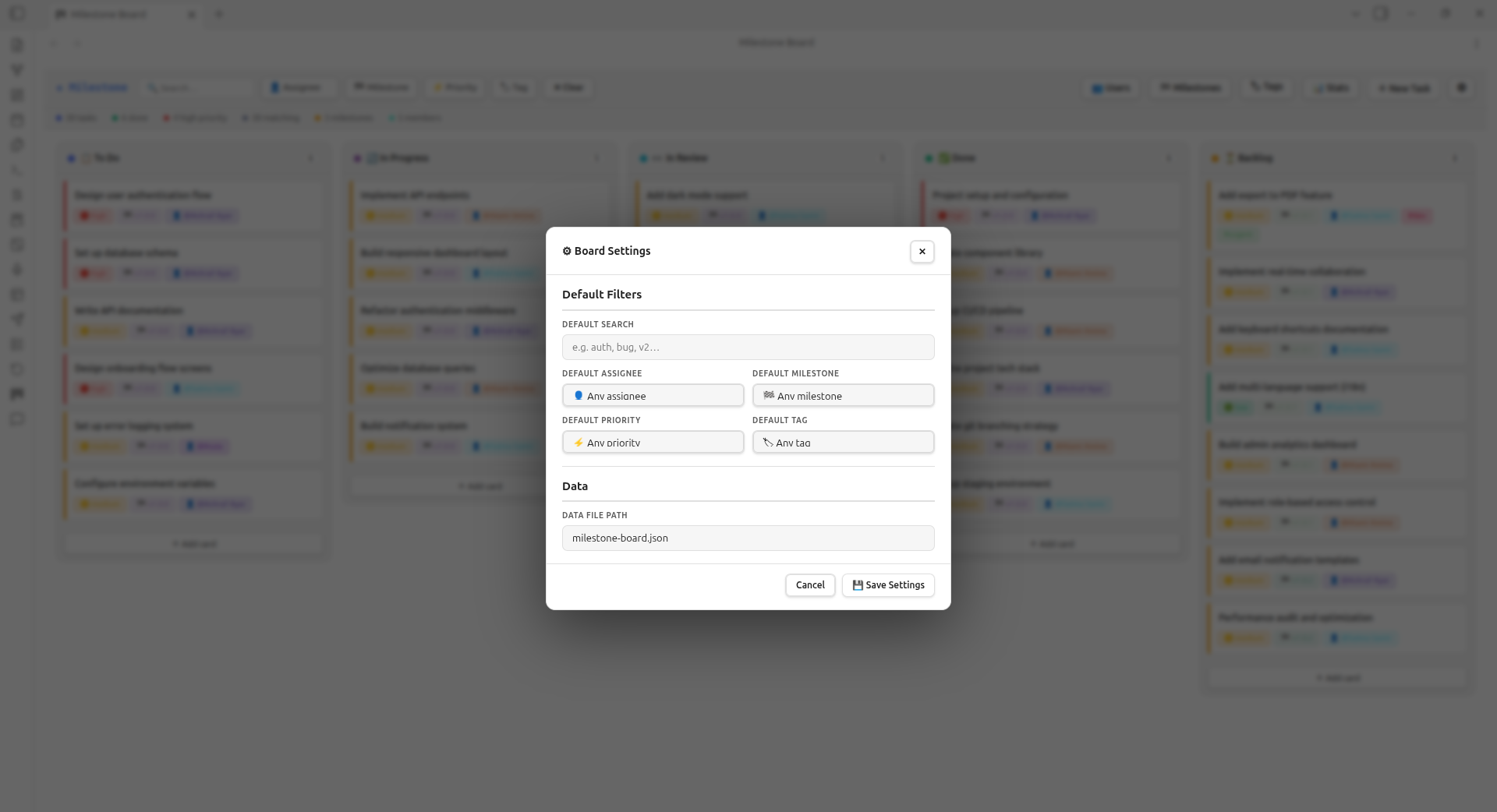
- Board Settings — set default filters that apply every time you open the board, and configure the data file path
Screenshots
Kanban Board View
Task Creation Modal
Milestones Panel
Team Members Panel
Board Settings Modal
Installation
From the Community Plugin List
- Open Settings → Community Plugins → Browse
- Search for Milestone
- Click Install, then Enable
Manual Installation
- Download
main.jsandmanifest.jsonfrom the latest release - Place them in
<vault>/.obsidian/plugins/milestone-board/ - Reload Obsidian and enable the plugin under Community Plugins
Usage
Open the board using any of these methods:
- Press Ctrl+M (or Cmd+M on Mac)
- Click the dashboard icon in the ribbon
- Run "Open Milestone Board" from the command palette
| Action | How |
|---|---|
| New task | Click + New Task or + Add card under any column |
| Edit task | Hover a card → click ✏️ |
| Delete task | Hover a card → click 🗑 |
| Move task | Drag card to another column |
| Filter | Use the dropdowns in the top bar |
| Manage users | Click 👥 Users in the top bar |
| Manage milestones | Click 🏁 Milestones in the top bar |
| Reorder milestones | Drag rows in the Milestones panel |
| Quick create | Select "➕ Create new..." from assignee/milestone dropdowns in task modal |
| Open settings | Click the ⚙ Settings button in the top bar |
Board Settings
Click the ⚙ Settings button in the top bar to open the settings modal.
Default Filters
Set filters that are applied automatically every time you open the board — no need to re-select them on every session:
| Setting | Description |
|---|---|
| Default Search | Pre-fill the search box with a keyword (e.g. auth, v2) |
| Default Assignee | Show only tasks assigned to a specific team member |
| Default Milestone | Show only tasks belonging to a specific milestone |
| Default Priority | Show only tasks of a chosen priority level |
| Default Tag | Show only tasks carrying a specific tag |
Data File Path
By default, board data is saved to milestone-board.json at the root of your vault.
You can change this to any path inside your vault (e.g. team/board.json) so it fits your folder structure or sync setup.
Data & Sync
All board data is stored at milestone-board.json in your vault root.
You can change the path under Settings → Milestone Board.
Since it is a plain JSON file, it works perfectly with:
- Obsidian Sync
- Git (each team member's filter state is local; task data is shared)
Development
# Install dependencies
npm install

# Build for development (with source maps)
npm run dev

# Build for production
npm run build
Source is organised by domain:
src/
  main.ts              # Plugin entry point
  BoardView.ts         # Root view — orchestrates everything
  SettingsTab.ts       # Obsidian settings UI
  constants.ts         # Default data and settings
  types.ts             # TypeScript interfaces
  styles.ts            # All CSS in one place
  components/
    Card.ts            # Single task card
    Column.ts          # Board column
    TagInput.ts        # Reusable pill tag input
  modals/
    TaskModal.ts       # Create / edit task
    MilestoneEditModal.ts  # Edit milestone details
  panels/
    UsersPanel.ts      # Team members side panel
    MilestonesPanel.ts # Milestones side panel
  utils/
    DataStore.ts       # Vault read / write
    filters.ts         # Filter matching logic
    dom.ts             # DOM helper functions
    uid.ts             # Unique ID generator
License
MIT
For plugin developers
Search results and similarity scores are powered by semantic analysis of your plugin's README. If your plugin isn't appearing for searches you'd expect, try updating your README to clearly describe your plugin's purpose, features, and use cases.