Self Test
pendingby Agustin Gabrielli
Generate self-testing questions from your notes using AI to practice active recall.
Self Test
Self Test generates open-ended questions from your notes so you can practice active recall - the study strategy that research consistently shows produces the strongest long-term retention. Pick any collection of notes, and the plugin builds a structured quiz you can answer out loud or in your head. It works with OpenAI, Google Gemini, and Anthropic Claude.
Installation
- Open Obsidian and go to Settings > Community Plugins.
- Turn off Safe Mode if prompted.
- Click Browse and search for Self Test.
- Click Install, then Enable.
- Go to Settings > Self Test.
- Choose your AI provider (OpenAI, Google Gemini, or Anthropic Claude) and paste your API key.
- OpenAI: platform.openai.com/api-keys
- Google Gemini: aistudio.google.com/apikey
- Anthropic Claude: console.anthropic.com/settings/keys
How to use
Self Test supports four ways to generate questions from your notes.
Folder mode
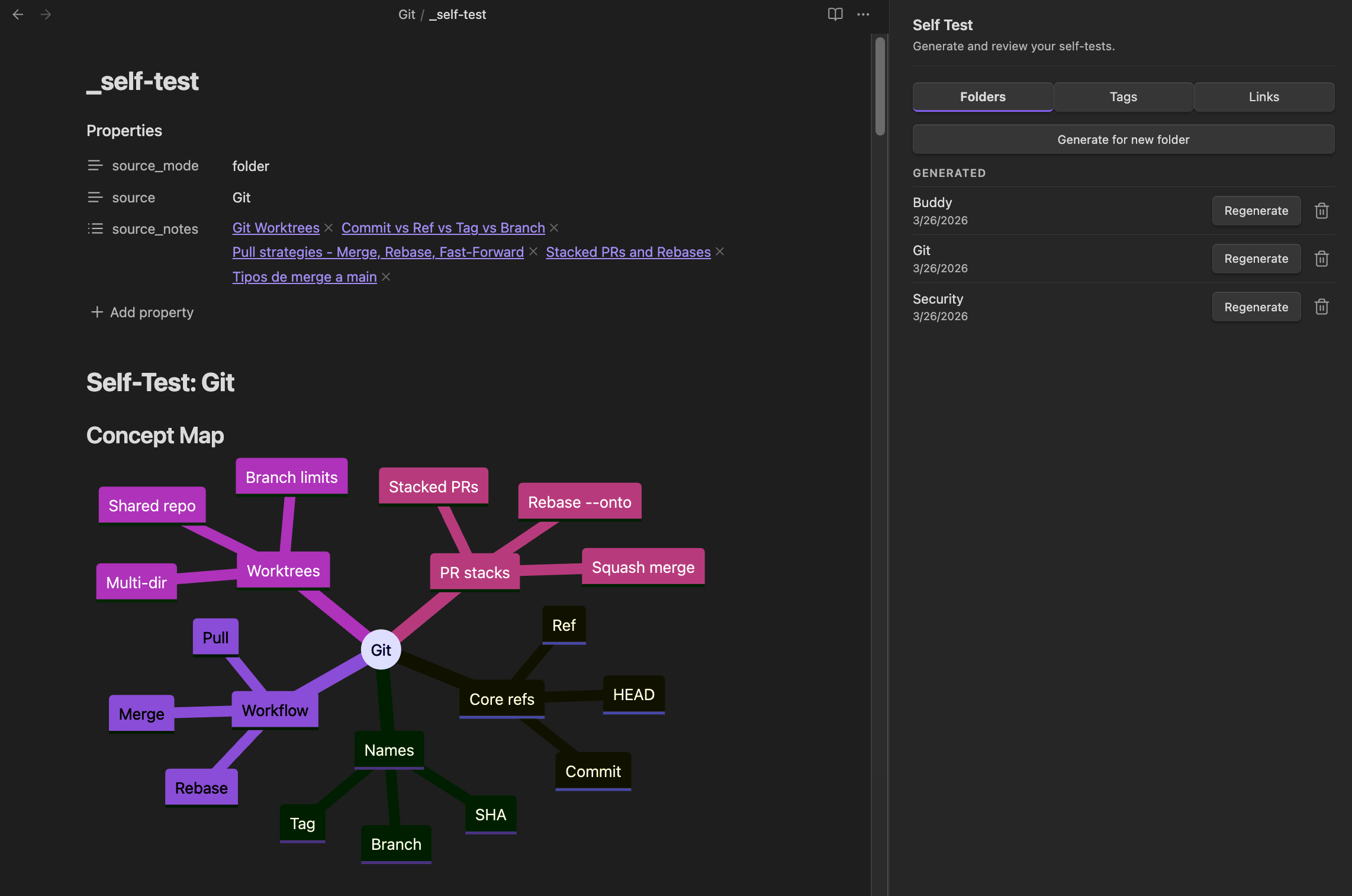
Generates questions from all notes inside a selected folder. Useful when your notes on a topic are already organized in one place.
Entry points:
- Command palette: Generate for current folder (runs on the folder containing your open note)
- Sidebar Folders tab: click Generate for new folder
Output: _self-test.md inside the selected folder.
Tag mode
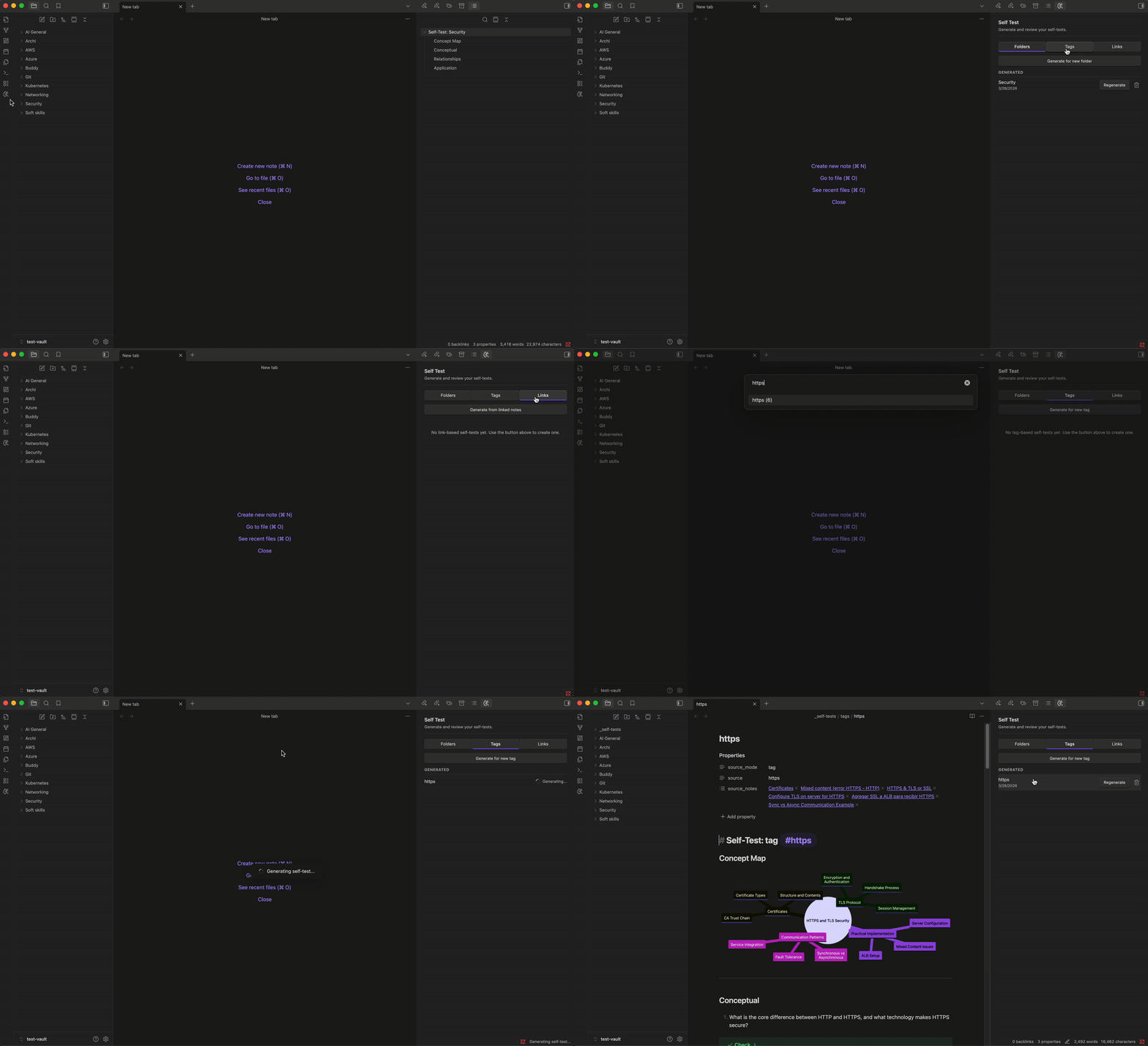
Generates questions from all notes in your vault that share a specific tag. Useful when notes on a topic are spread across folders but consistently tagged.
Entry points:
- Command palette: Generate by tag
- Sidebar Tags tab: click Generate for new tag
Output: _self-tests/tags/<tag_name>.md in your vault root.
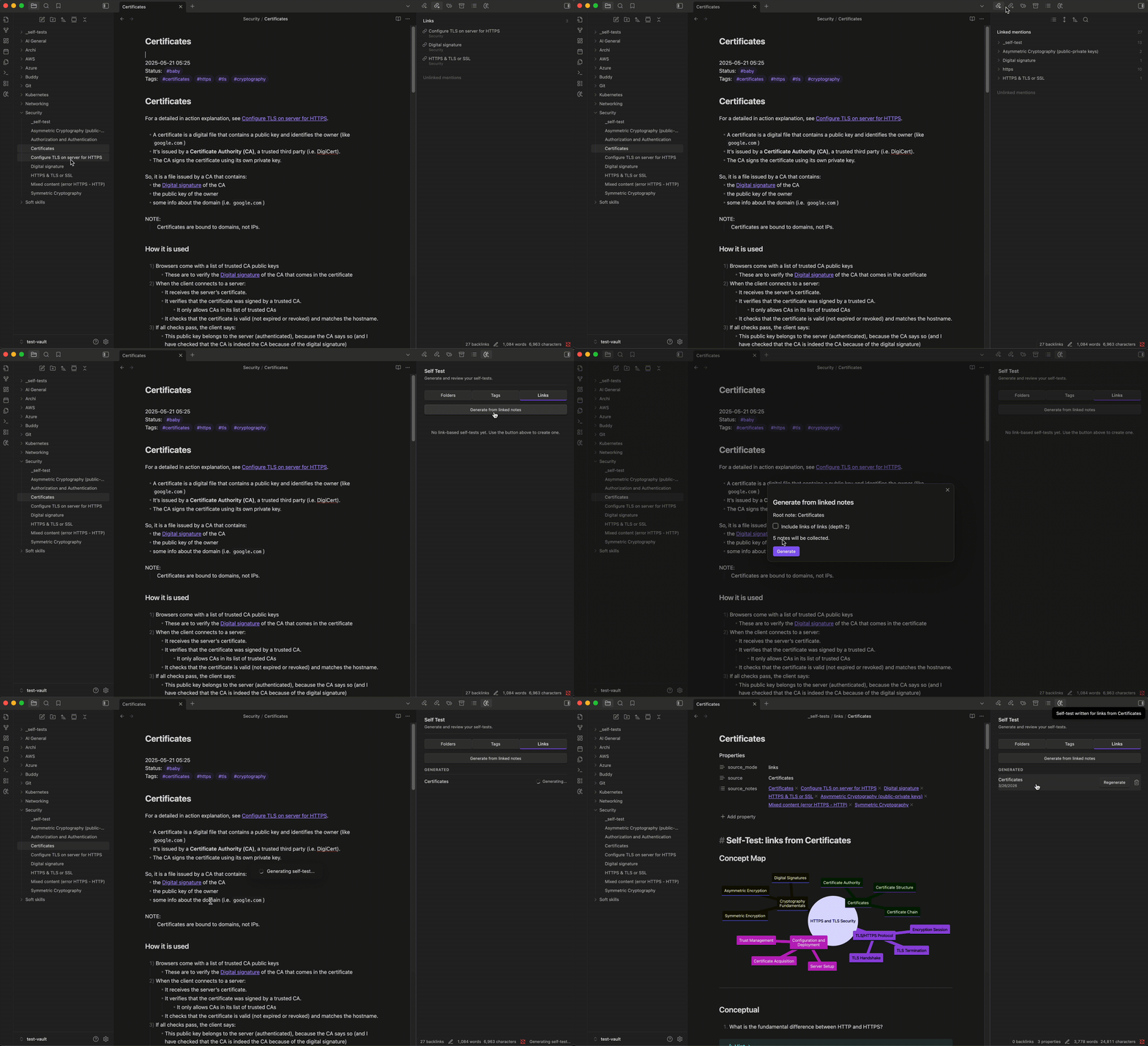
Linked Notes mode
Generates questions from a root note and all the notes it links to. You can optionally include depth-2 links - notes linked from the linked notes. Useful for a topic where you have a main overview note that connects to supporting notes.
Entry points:
- Command palette: Generate from linked notes
- Sidebar Links tab: click Generate from linked notes
Output: _self-tests/links/<root_note_name>.md in your vault root.
Single Note mode
Generates questions for one note. Useful for a dense or important note you want to review on its own.
Entry points:
- Command palette: Generate for current note (runs on the note you have open)
- Right-click any note in the file explorer and select Generate self-test
Output location depends on your setting: same folder places <note-name>_self-test.md next to the source note, centralized places it under _self-tests/notes/.
Why self-testing and active recall work
Re-reading your notes feels productive but produces weak retention. Self-testing - actively retrieving information from memory rather than passively reviewing it - is what the research consistently points to as the strongest learning strategy.
Roediger and Karpicke (2006) showed that the testing effect strengthens long-term retention far more than restudying the same material. Students who practiced retrieval remembered significantly more after one week than those who re-read. Dunlosky et al. (2013) reviewed ten common learning techniques and rated practice testing the highest in utility; highlighting and re-reading ranked at the bottom. Karpicke and Blunt (2011) found that retrieval practice outperformed elaborative concept mapping for meaningful learning.
For a thorough and accessible walkthrough of the science behind these strategies, Andrew Huberman covers it well in his episode Optimal Protocols for Studying & Learning on the Huberman Lab podcast.
Each part of the generated self-test file is designed around this research:
- Concept map - gives you a structural overview of the topics and relationships before retrieval begins, so your thinking is oriented
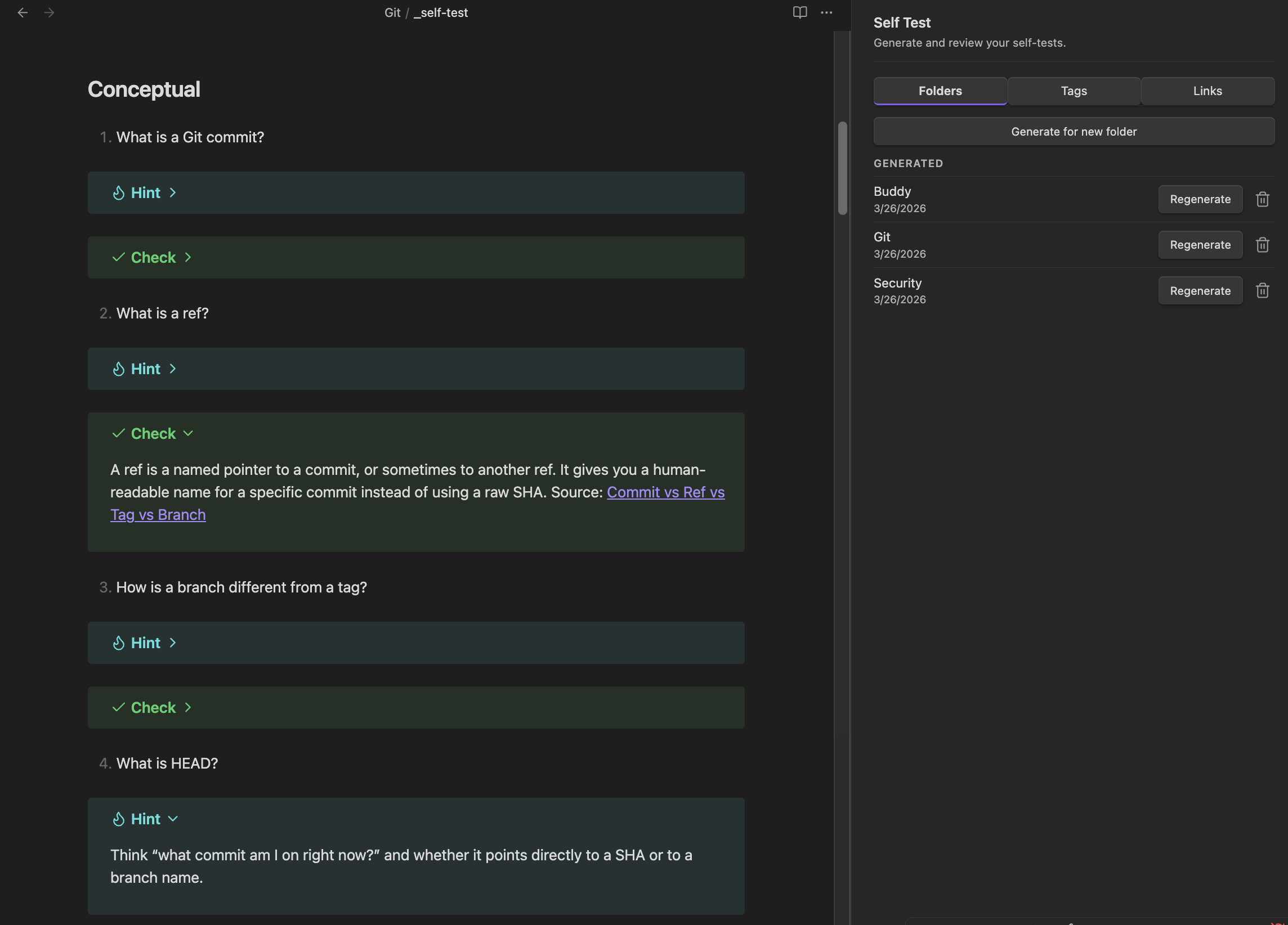
- Questions ordered simple to complex - build retrieval from foundational concepts upward
- Hints - situate you in the right context without revealing the answer, preserving the retrieval effort that makes practice effective
- Reference answers - let you verify your recall and trace back to original notes for deeper review
How is this different from other quiz plugins?
Other related plugins in the Obsidian ecosystem take a different approach: they generate questions but ask you to type full answers into text boxes, then submit them to an AI for grading and scoring. That loop - typing, waiting, reading feedback - adds friction and shifts the focus toward performance evaluation rather than the retrieval itself.
Self Test works differently. Questions are meant to be open ended and answered out loud or in your head - zero typing, zero grading, pure retrieval practice. There are no scores, so the focus stays on recall rather than performance. The effort goes into the retrieval itself. The self-test also includes a concept map for orientation before you begin and questions ordered from simple to complex, with hints that cue without giving the answer away.
If you prefer the typed-answer-and-grading loop, the other approaches in the ecosystem may be a better fit for your workflow.
For plugin developers
Search results and similarity scores are powered by semantic analysis of your plugin's README. If your plugin isn't appearing for searches you'd expect, try updating your README to clearly describe your plugin's purpose, features, and use cases.