Deep Notes
pendingby Aliens - 1
Generate deep questions and suggestions from your notes using AI.
Deep Notes


Deep Notes is a professional, production-ready Obsidian plugin designed to act as a Socratic tutor for your notes. It helps you actively recall information, connect concepts across your vault, and deepen your understanding through recursive questioning. Built for long-term use and ongoing support, Deep Notes transforms note-taking from a collection mechanic into a learning mechanic.
Core Features
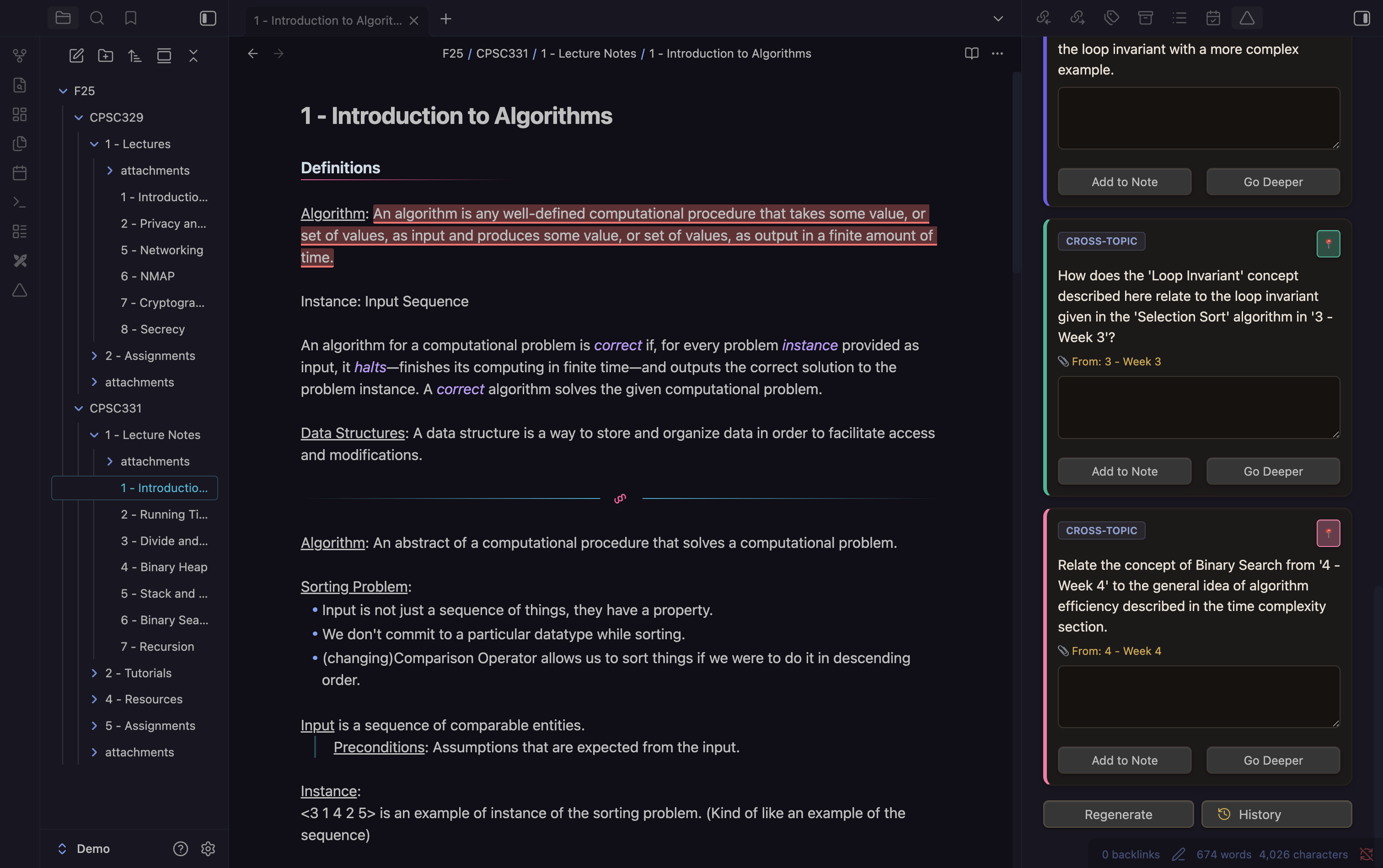
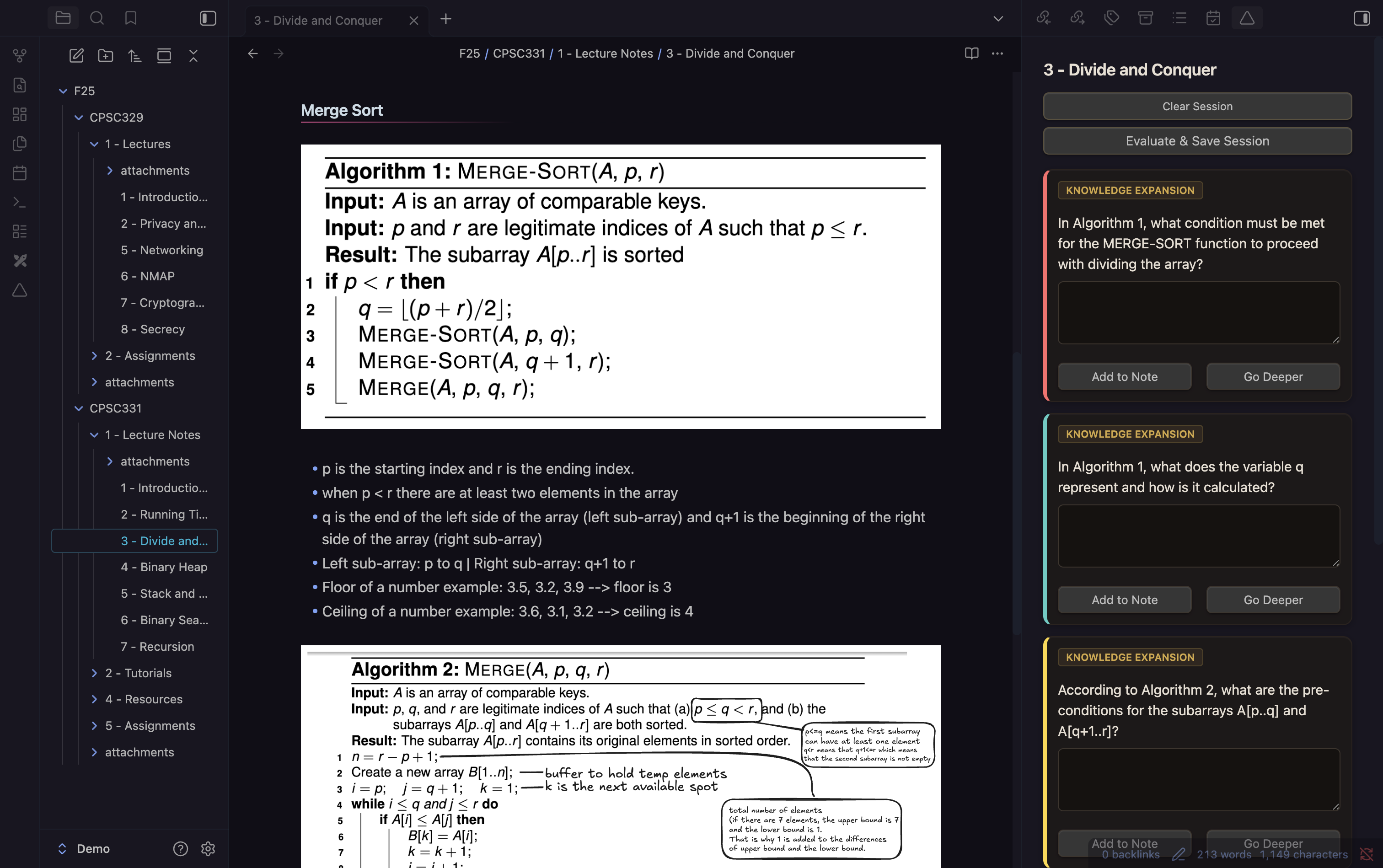
Socratic Questioning
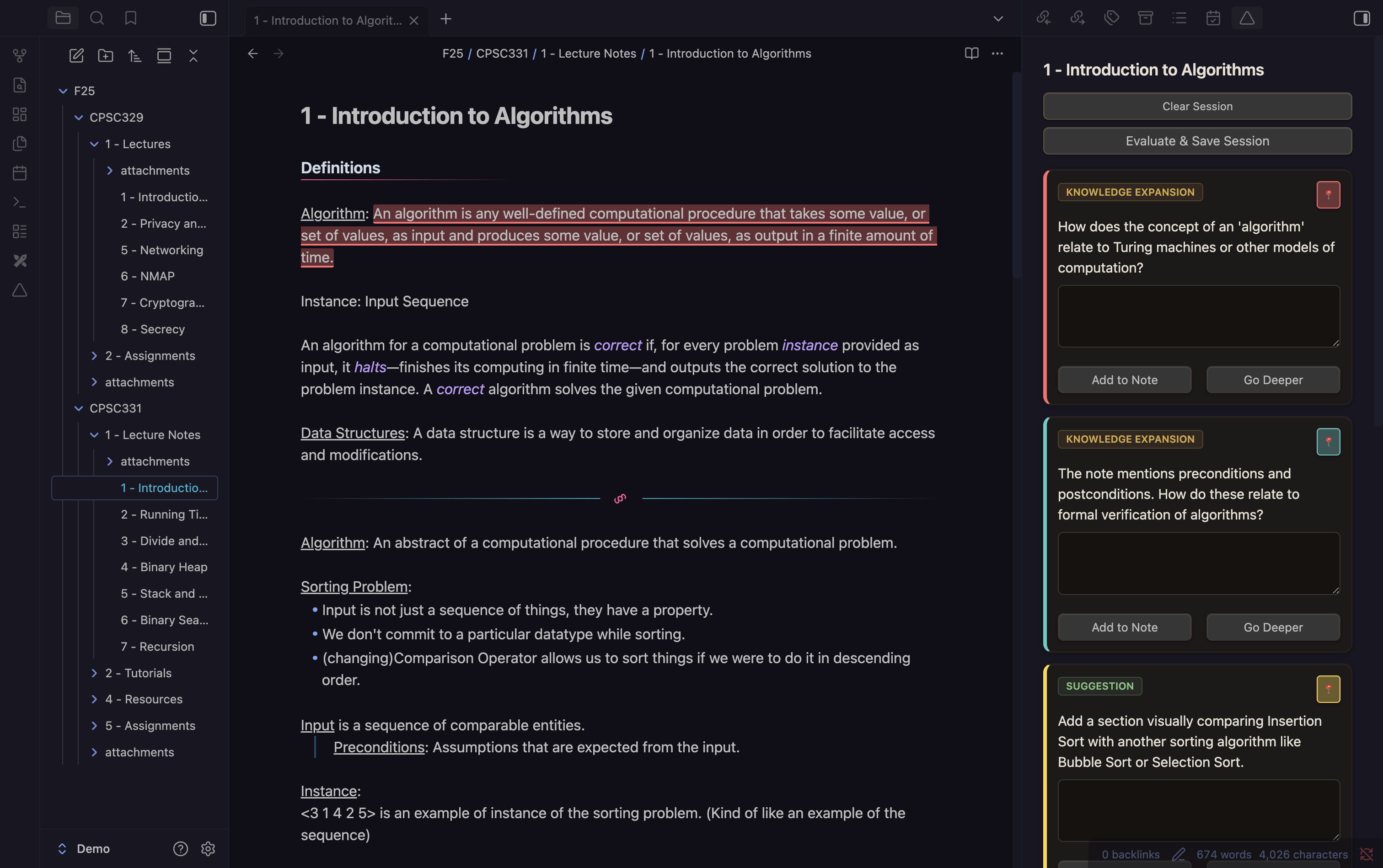
- Analyzes your current note and generates:
- Knowledge Expansion: Probing questions to test your understanding.
- Cross-Topic Connections: Questions linking your note to other relevant notes.
- Suggestions: Actionable advice to improve clarity or depth.
"Go Deeper" (Recursive Learning)
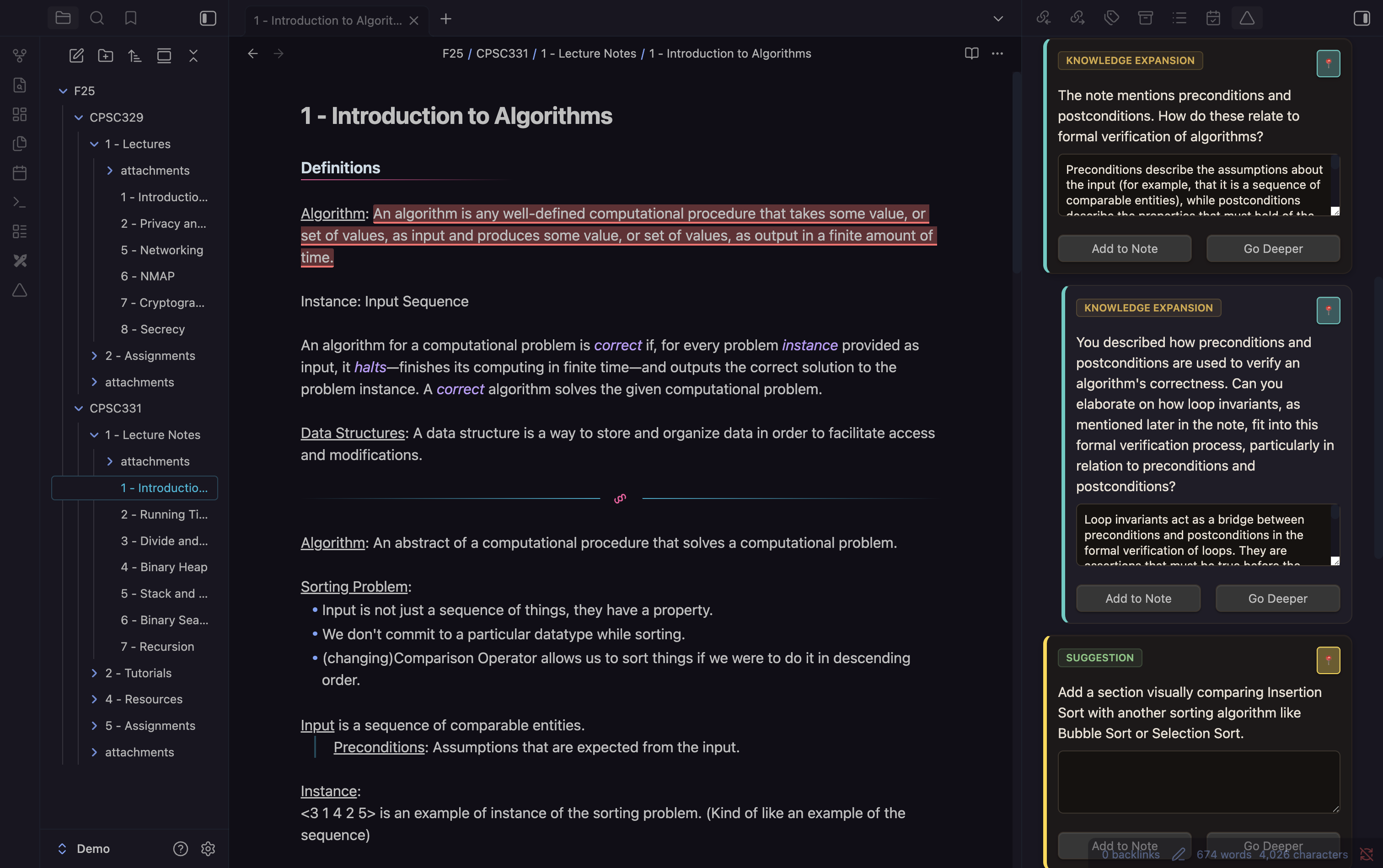
- Select any generated question and request a follow-up based on your answer.
- The AI analyzes your response and generates a specific follow-up question.
- Creates a nested thread of dialogue, simulating a real tutoring session.
Active Evaluation
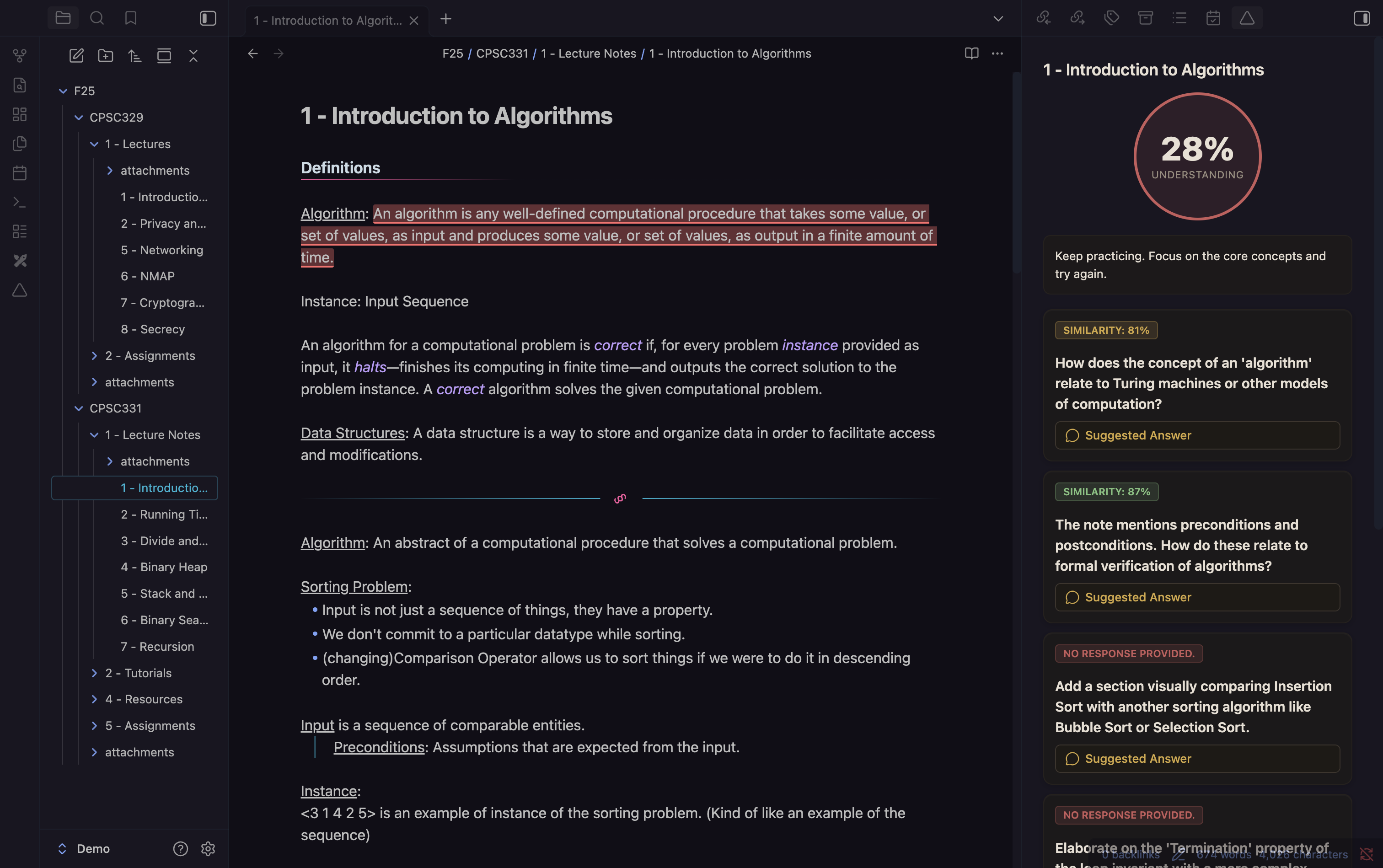
- Scores your answers based on semantic similarity to ideal answers.
- Provides specific feedback and highlights the source text in your note.
Vault Indexing (Semantic Search)
- Builds a local vector index of your vault for semantic search and cross-topic questions.
- Ensures referenced notes exist, preventing broken links.
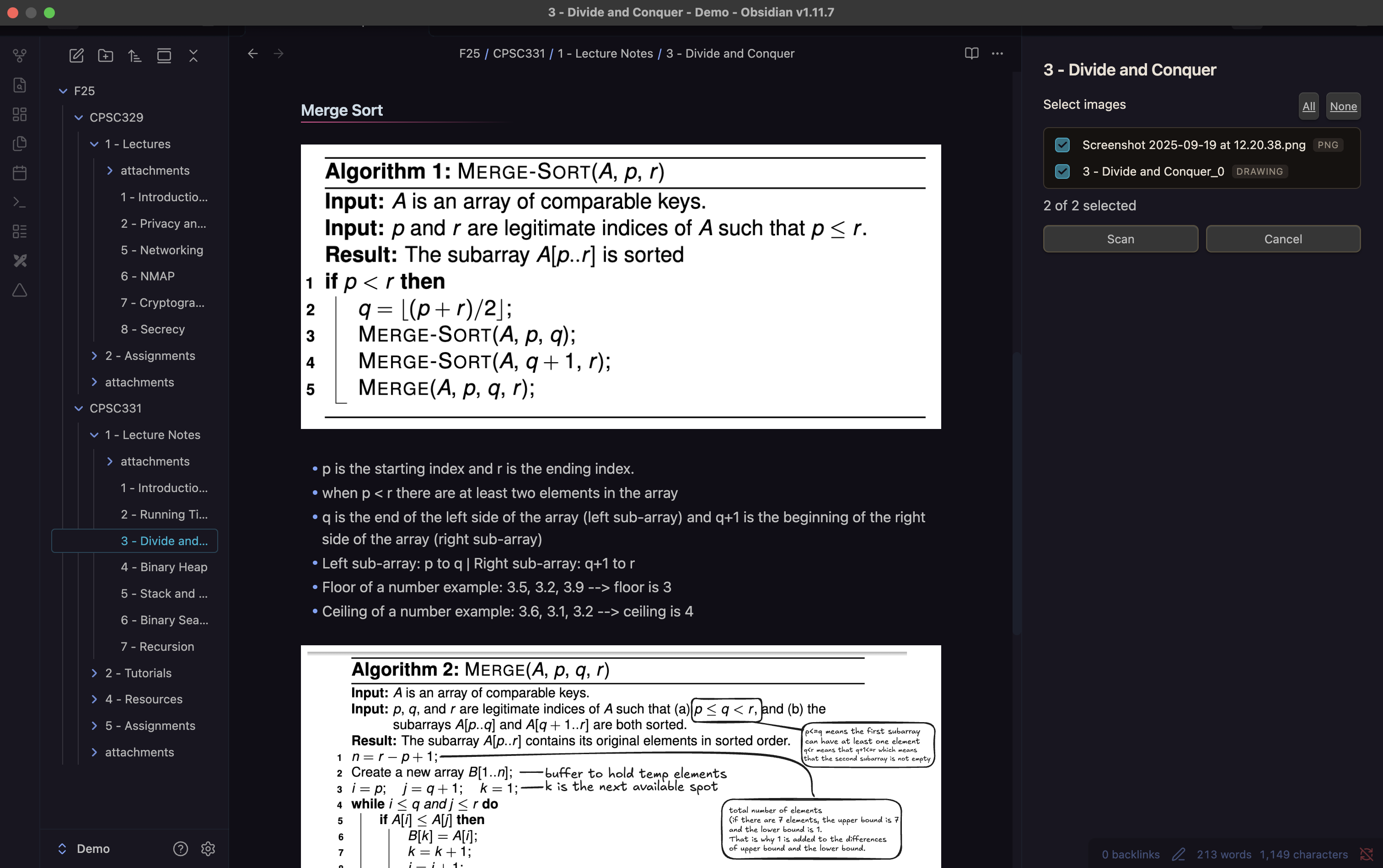
Multimodal Support (OCR & Vision)
- Scans images in your notes using OCR or Vision Models.
- Parses text from Excalidraw drawings for richer context.
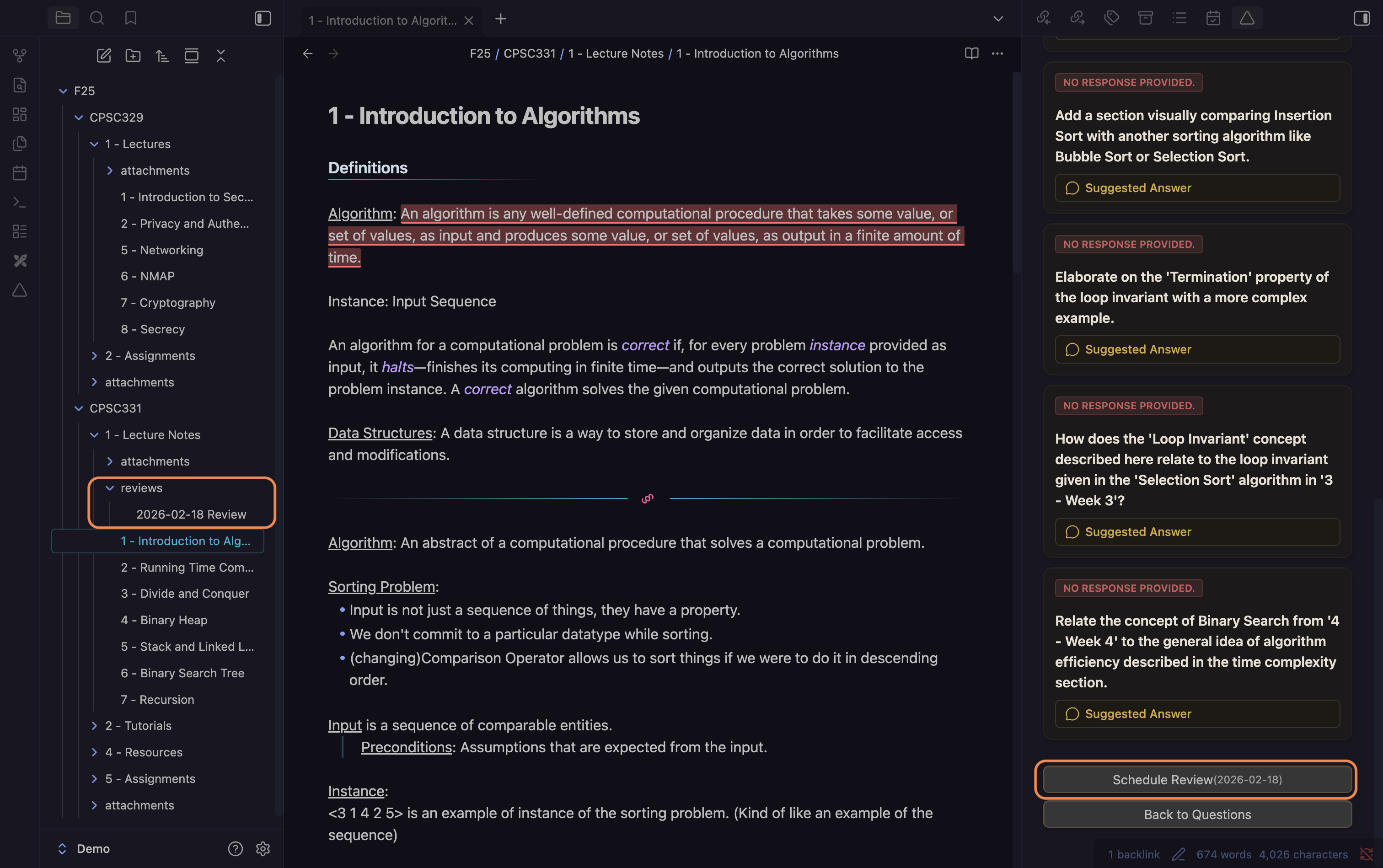
Spaced Repetition Integration
- Schedules reviews based on your evaluation score, supporting long-term retention.
Installation
From Obsidian Community Plugins
- Open Obsidian Settings > Community Plugins.
- Turn off "Safe Mode".
- Click Browse and search for "Deep Notes".
- Click Install and then Enable.
Manual Installation
- Download the latest release from GitHub Releases.
- Copy
main.js,manifest.json, andstyles.css(if present) to your.obsidian/plugins/deep-notes/folder. - Restart Obsidian and enable the plugin.
Configuration
Go to Settings > Deep Notes to configure your AI provider and other options.
Configuration: Setting Up API Keys
To use Deep Notes with cloud AI providers (Gemini), you must provide your own API keys:
- Open Obsidian Settings > Deep Notes.
- Select your preferred AI provider (Gemini or Ollama).
- For Gemini:
- Enter your API key in the corresponding field.
- You can obtain API keys from your provider's developer portal:
- For Ollama (local), no API key is required, but you must have Ollama running on your machine.
Your API keys are stored securely in your local Obsidian configuration and are never shared.
Using Ollama (Local LLM)
To use Deep Notes with Ollama (local AI models):
- Download and install Ollama from the official website: https://ollama.com/
- Start Ollama by running
ollama servein your terminal. - In Obsidian, go to Settings > Deep Notes and select "Ollama (Local)" as your provider.
- Optionally, pull specific models (e.g.,
ollama pull llama3.2:latest) as needed.
No API key is required for Ollama. All processing happens locally on your machine.
Usage
- Open any note in Obsidian.
- Click the Deep Notes icon △ or run the command
Deep Notes: Open Deep Notes View. - Click Generate Questions to start your learning session.
- Answer questions, use "Go Deeper" for follow-ups, and evaluate your answers.
- Schedule reviews and track your progress over time.
Contribution
We welcome contributions from the community! To contribute:
- Fork the repository and create a new branch for your feature or fix.
- Submit a pull request with a clear description of your changes.
- Please follow our code style and add tests where appropriate.
For questions or suggestions, see the contact information in the Support & Authors section.
License
This project is licensed under the MIT License. See the LICENSE file for details.
Support & Authors
If you encounter issues, need help, or want to provide feedback, please open an issue on GitHub Issues or contact the maintainers directly:
- Aaditya Dhungana — aadityaincode@gmail.com
- Emmanuel Buhari — manuelbuhari@gmail.com
- Noah Hong Anh Khoa — noahnghgwork@gmail.com
- Toby Allan — tobyallan00@gmail.com
- Muhammad Zohaib Talat — zohaibtalat@gmail.com
Buy Us a Coffee
If you enjoy Deep Notes and want to support further development, you can buy us a coffee!

For plugin developers
Search results and similarity scores are powered by semantic analysis of your plugin's README. If your plugin isn't appearing for searches you'd expect, try updating your README to clearly describe your plugin's purpose, features, and use cases.