Kitty
pendingby amilleah
A tiny kitty sprite that roams your panes.
Kitty Plugin


A lightweight desktop pet for Obsidian. Kitty brings a small, animated friend to your workspace that roams around your notes.
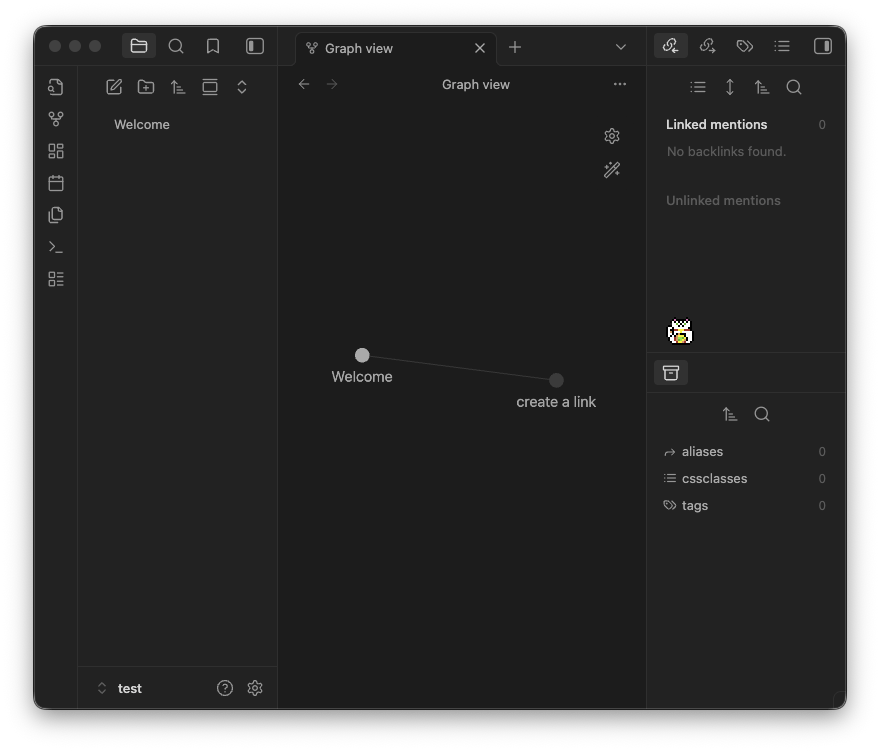
What can Kitty do?
- Drag your pet anywhere in your workspace. They settle at the bottom of whatever you're working on.
- Includes Kitty (artwork by Elthen) and a lucky Maneki Neko (artwork by me!).
- Your pet will explore, sit, or nap inside your notes.
- If you restart Obsidian, they can wait for you exactly where you left them.
- Upload your own pixel art to grow your library of custom desktop companions.
Settings
- Persist on relaunch: Keeps the pet active and on the same leaf across Obsidian sessions.
- Allow movement: Enable or disable horizontal roaming.
- Sprite selection: Choose between different pets saved in your library.
Sprite editor
- Frame dimensions: Configure a spritesheet by frame slice (e.g.,
32, 32). - Frame scale: Pixel-perfect scaling for crisp pixel art.
- Frames per second: Control the speed of the animation cycle.
Installation
Community Plugins (Pending)
- Open Settings > Community Plugins.
- Select Browse and search for "Kitty".
- Click Install, then Enable.
Manual Installation
- Download the latest release (
main.js,manifest.json,styles.css). - Create a folder named
kittyin your vault's.obsidian/plugins/directory. - Move the downloaded files into that folder and enable the plugin.
To start: Open the Command Palette (
Cmd/Ctrl + P) and runKitty: Toggle sprite.
Custom Sprites
You can find many free spritesheets online. I recommend Aseprite for creating your own.
- Prepare your image: Use a transparent
.pngwhere the animations are laid out in a grid. - Import: Use the Choose file button in the settings to copy it to your library.
- Save: Give it a name and hit Save to library.
NOTE: If your sprite is facing the wrong way, you'll need to horizontally reflect the image file! The plugin handles horizontal flipping based on movement direction!
For plugin developers
Search results and similarity scores are powered by semantic analysis of your plugin's README. If your plugin isn't appearing for searches you'd expect, try updating your README to clearly describe your plugin's purpose, features, and use cases.