Lightweight HTML Reader
pendingby Autonomous Work
Read HTM and HTML files natively within the Editor.
Lightweight HTML Reader
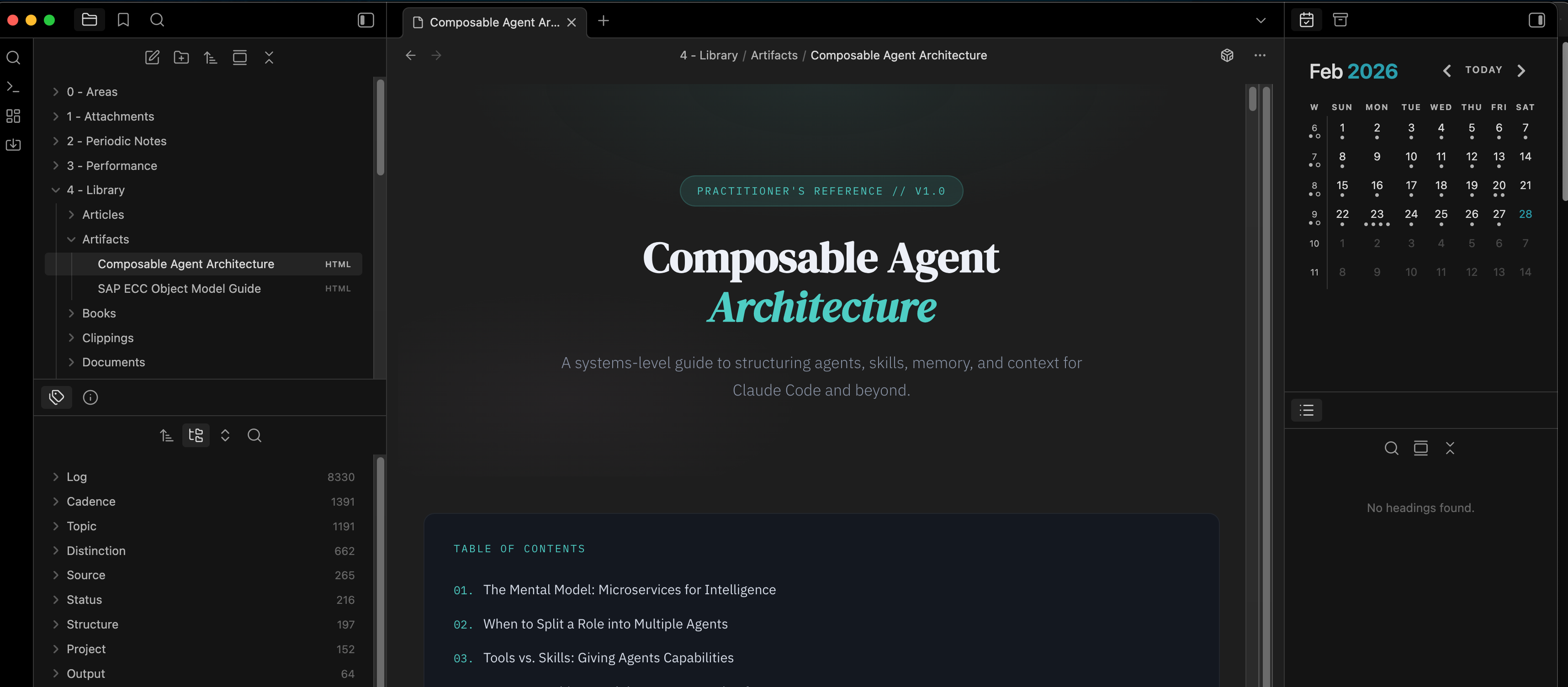
An Obsidian plugin that lets you read .htm and .html files directly in your vaults.
Features
- Native HTML rendering — open HTM/HTML files as a tab. No external dependencies
- Configurable security modes — choose how aggressively content is sanitized:
- Restricted — strips scripts, styles, forms, iframes, and inline event handlers.
- Balanced (default) — strips scripts and dangerous elements but preserves CSS styles.
- Unrestricted — renders HTML as-is with no sanitization.
- Optional script execution — in unrestricted mode on desktop, you can allow JavaScript to run inside a sandboxed iframe.
- Dark mode support — automatically injects dark-mode-friendly styles so HTML pages look comfortable in dark themes.
- Cross-platform — uses a sandboxed
<iframe>on desktop and a Shadow DOM renderer on mobile.
Setup
Before using the plugin, Obsidian needs to be configured to detect and display non-markdown file types.
1. Enable HTML file detection
Go to Settings → Files and links → Show all file types. Turn this on so Obsidian recognizes .htm and .html files in your vault.
2. Sync HTML files (Obsidian Sync users)
If you use Obsidian Sync, go to Settings → Sync → Selective sync and enable Sync all other types. This ensures your HTML files are synced across devices.
Installation
From community plugins
Search for Lightweight HTML Reader in Settings → Community plugins → Browse and install.
Manual
- Build the plugin (see below) or download
main.js,manifest.json, andstyles.cssfrom a release. - Copy those files into your vault at
<Vault>/.obsidian/plugins/html-reader/. - Reload Obsidian and enable the plugin in Settings → Community plugins.
Development
Requires Node.js 16+.
npm install
npm run dev      # watch mode
npm run build    # production build
Settings
| Setting | Description | Default |
|---|---|---|
| Security mode | Controls HTML sanitization level (Restricted / Balanced / Unrestricted) | Balanced |
| Allow scripts | Allow JS execution in unrestricted mode (desktop only) | Off |
| Dark mode support | Inject dark mode styles into rendered HTML | On |
License
For plugin developers
Search results and similarity scores are powered by semantic analysis of your plugin's README. If your plugin isn't appearing for searches you'd expect, try updating your README to clearly describe your plugin's purpose, features, and use cases.