URL Preview
pendingby ovitrif
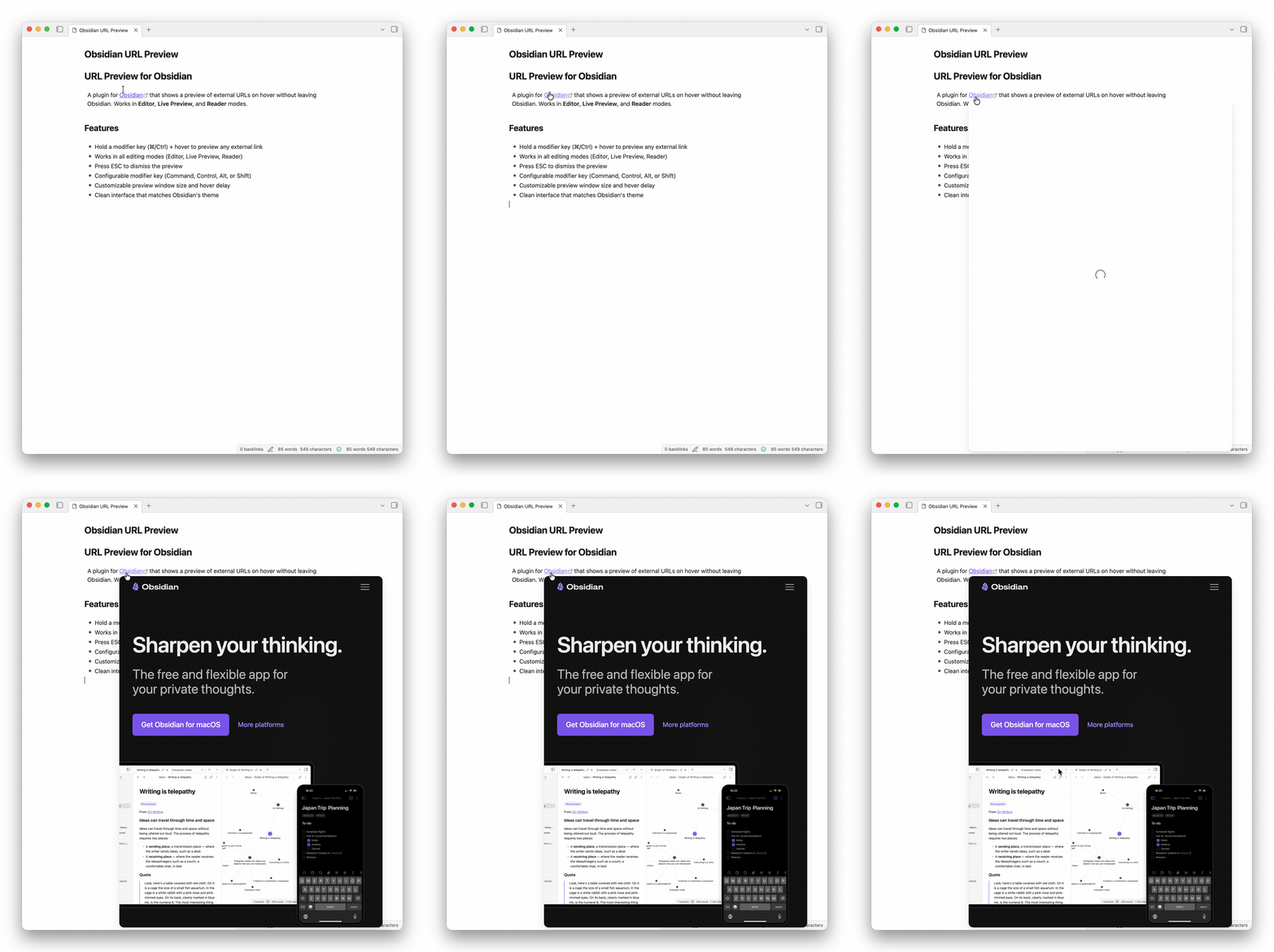
Preview external URLs on hover. Works in Editor, Live Preview, and Reader modes.
URL Preview for Obsidian
A plugin for Obsidian that shows a preview of external URLs on hover without leaving Obsidian. Works in Editor, Live Preview, and Reader modes.
Features
- Hold a configurable modifier key (⌘, Control, Alt, or Shift) + hover to preview URLs
- Works in all view modes (Editor, Live Preview, Reader)
- Clean interface that matches Obsidian's theme
- Press ESC to dismiss the preview window
- Customize preview window size, hover delay until it appears, mouse sensitivity tolerance
- Resize preview window by dragging edges or corners
- Accent-colored border highlight on resize handle hover (uses Obsidian's accent color)
- Live size indicator showing dimensions during resize
- Optionally persist resized dimensions across previews
- Loading spinner near cursor during hover delay
- Smart keyboard trigger suppression while editing (prevents unwanted popups)
- Pending preview auto-cancelled if modifier keys are released or mouse leaves link
Installation
- Open Obsidian Settings
- Go to Community Plugins and disable Safe Mode
- Click Browse and search for "URL Preview"
- Install the plugin and enable it
Settings
- Require Modifier Key: Only show preview when holding a modifier key (enabled by default)
- Modifier Keys: Choose which keys to hold (Command, Control, Alt, Shift — can combine multiple)
- Close on Key Release: Close preview when modifier key is released
- Sticky Popup: Keep preview open until ESC or click outside
- Show Open in Browser Button: Show a button to open the URL in the default browser
- Show Close Button: Show a button to close the preview popup
- Hover Delay: How long to wait before showing the preview (in milliseconds)
- Mouse Stillness Delay: Time the mouse must be stationary before showing preview
- Maximum Height / Width: Maximum dimensions of the preview window (in pixels)
- Allow Resize: Enable drag-to-resize on preview edges and corners
- Persist Resize: Remember resized dimensions for future previews (with reset button)
Usage
Hold your modifier key (⌘ on Mac, Ctrl on Windows/Linux by default) and hover over any external link to see a preview.
Limitations
Some websites block iframe embedding and cannot be previewed. This is a browser security restriction that cannot be bypassed.
Support
If you encounter issues or have suggestions, please file them on the GitHub repository.
Changelog
See CHANGELOG.md for release history.
License
MIT. See LICENSE.
For plugin developers
Search results and similarity scores are powered by semantic analysis of your plugin's README. If your plugin isn't appearing for searches you'd expect, try updating your README to clearly describe your plugin's purpose, features, and use cases.