Hex Color Badges
pendingby Goldgraeber
Displays hex color values as colored badges with a color dot – works with all hex values including purely numeric ones like #000000.
Hex Color Badges
An Obsidian plugin that displays hex color values in your notes as colored badges with a color dot — including purely numeric values like #000000 that Obsidian doesn't recognize as tags.
Why this plugin?
Obsidian's tag system requires at least one letter — #ffffff works as a tag, but #000000 (all digits) does not. This plugin recognizes hex values by their format, not by the tag system, so every valid hex color gets a badge.
Features
- Recognizes all hex color values —
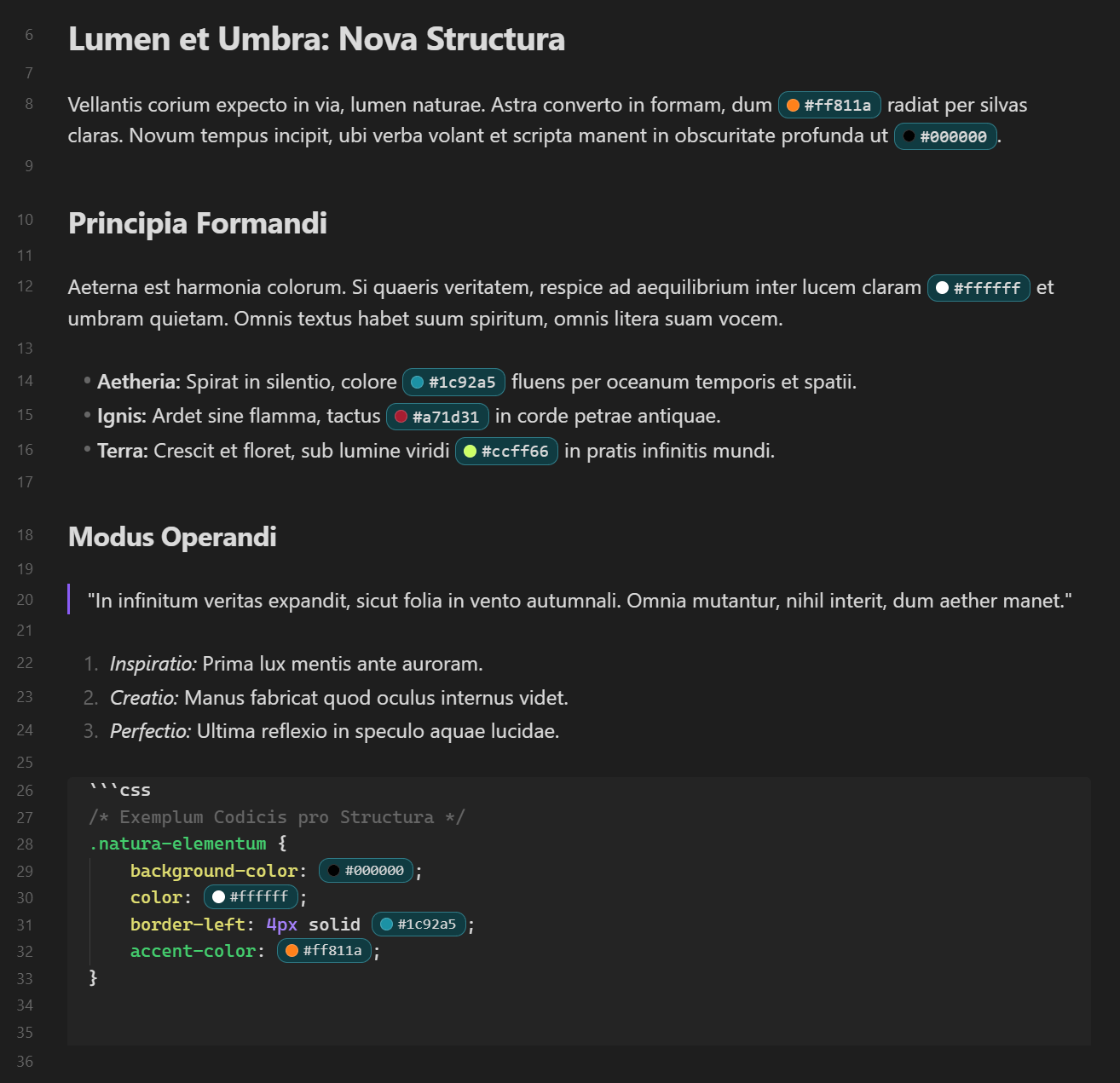
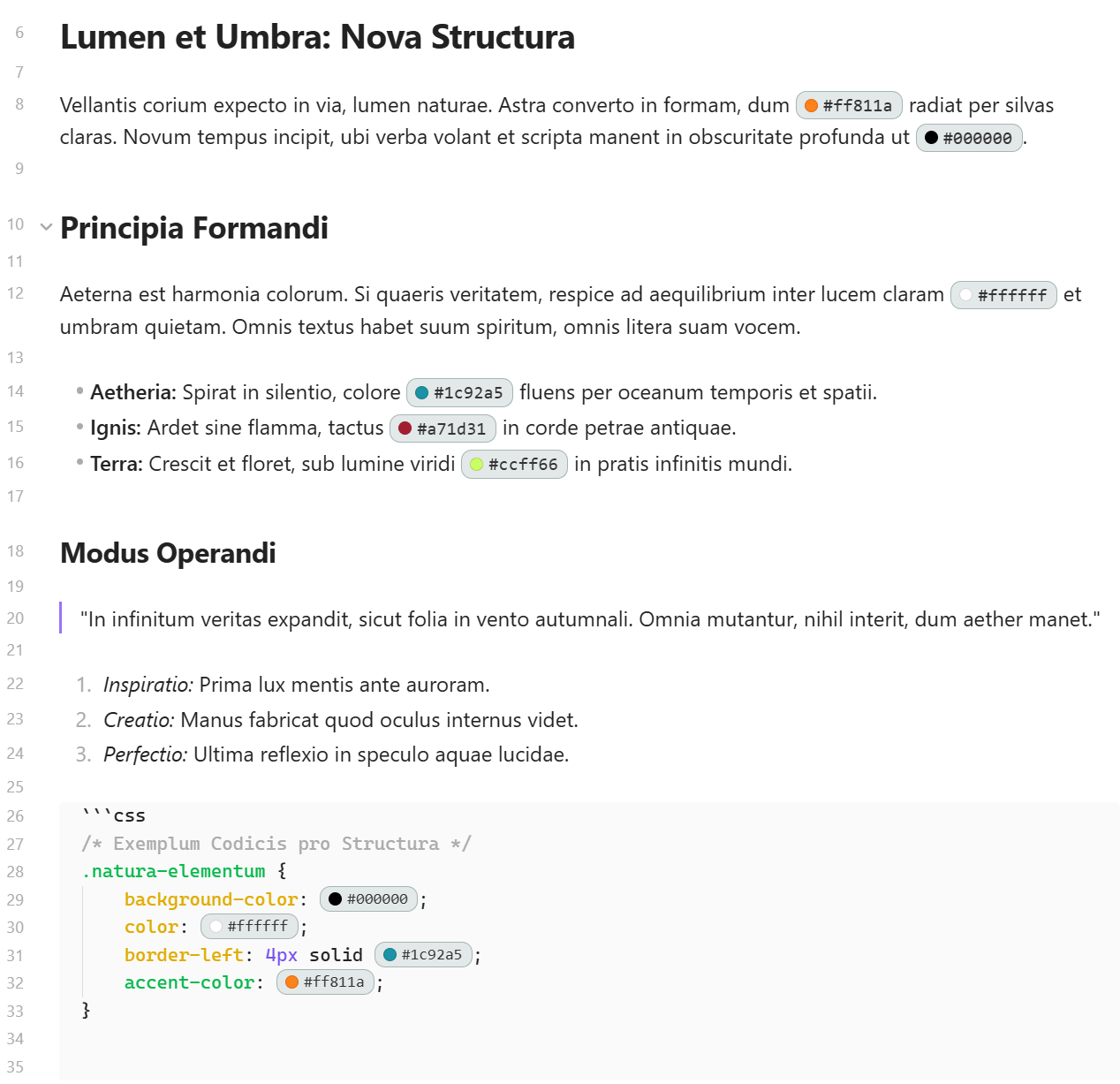
#000000,#ffffff,#ff5733,#fff, and everything in between - Colored dot + badge — each hex value gets a small colored circle showing the actual color, wrapped in a styled badge
- Works everywhere — Live Preview, Source Mode, and Reading View
- Live theme switching — badges update instantly when you switch between light and dark themes, no restart needed
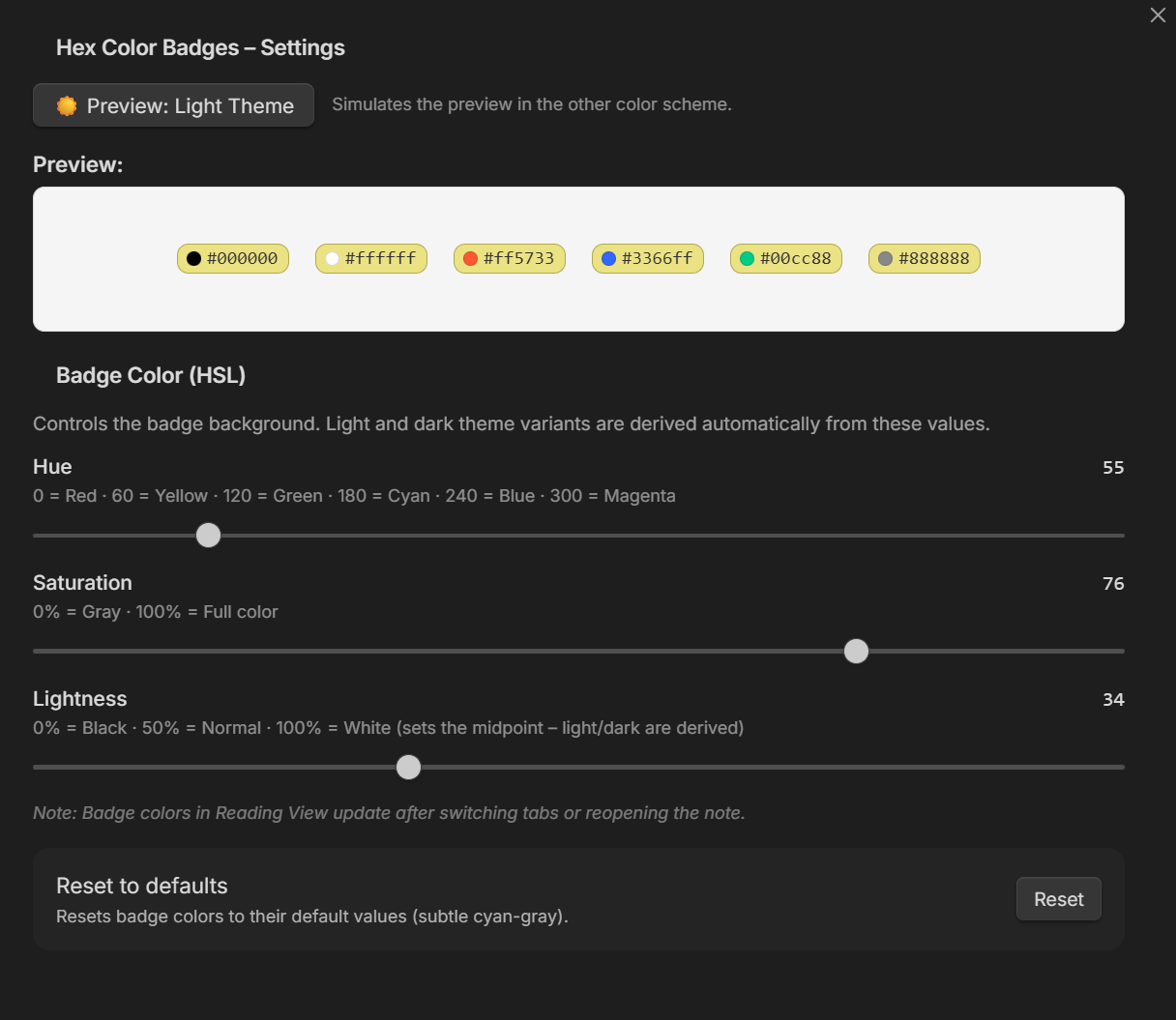
- Customizable badge colors — three HSL sliders (Hue, Saturation, Lightness) control badge appearance; light and dark theme variants are derived automatically
- Live slider feedback — colors update in real time while dragging
- Theme preview in settings — toggle button simulates light/dark mode so you can tune both badge styles from one place
- Edit-friendly — when your cursor is on a hex value, the badge temporarily disappears so you can edit the raw text
- Skips code blocks — hex values inside
codeandpreelements are left untouched - Localized — UI available in English and German (auto-detected from Obsidian language setting)
Screenshots
Dark Theme
Light Theme
Settings
Installation
From Community Plugins (recommended)
- Open Settings → Community Plugins → Browse
- Search for Hex Color Badges
- Click Install, then Enable
Manual Installation
- Download
main.js,manifest.json, andstyles.cssfrom the latest release - Create a folder
hex-color-badgesinside your vault at.obsidian/plugins/ - Copy the three files into that folder
- Restart Obsidian or reload plugins
- Enable Hex Color Badges in Settings → Community Plugins
Configuration
Open Settings → Community Plugins → Hex Color Badges (gear icon).
You'll find three sliders that control the badge background color:
| Slider | Range | Effect |
|---|---|---|
| Hue | 0–360 | Color tone (0 = Red, 120 = Green, 240 = Blue) |
| Saturation | 0–100% | How vivid the color is (0% = Gray, 100% = Full color) |
| Lightness | 0–100% | Base brightness — light and dark variants are derived automatically |
The sliders update colors in real time as you drag them — no need to release first.
Use the theme preview toggle to see how badges will look in the opposite theme without actually switching your Obsidian theme.
Click Reset to restore the default values (subtle cyan-gray).
Localization
The plugin auto-detects your Obsidian language setting. Currently supported:
- 🇬🇧 English
- 🇩🇪 German (Deutsch)
Want to add a translation? Copy src/i18n/en.ts, translate the strings, and submit a pull request.
Development
# Clone the repo
git clone https://github.com/Goldgraeber/hex-color-badges.git
cd hex-color-badges

# Install dependencies
npm install

# Build for development (with watch mode)
npm run dev

# Build for production
npm run build

# Lint
npm run lint
Building
This plugin uses esbuild to bundle TypeScript into a single main.js. The build config follows the official Obsidian sample plugin.
Contributing
Contributions are welcome! Please open an issue first to discuss what you'd like to change.
License
For plugin developers
Search results and similarity scores are powered by semantic analysis of your plugin's README. If your plugin isn't appearing for searches you'd expect, try updating your README to clearly describe your plugin's purpose, features, and use cases.